
پیژندنه
Thank you for choosing the Cellularline CORE True Wireless Bluetooth Earphones. These earphones are designed to provide a seamless audio experience with advanced features such as a charging case with an LED display, touch controls, and automatic pairing. This manual will guide you through the setup, operation, and maintenance of your new earphones.
په بکس کې څه دي
- Cellularline CORE True Wireless Bluetooth Earphones (Left and Right)
- د LED ښودنې سره د چارج کولو قضیه
- د USB-C چارج کیبل
- د کارن لارښود
محصول پای ته ورسیدview
The Cellularline CORE earphones feature a compact design and a charging case with an integrated LED display to show the remaining battery percentage. They offer up to 16 hours of total play time with the charging case.

Image: Cellularline CORE True Wireless Bluetooth Earphones and Charging Case. The earphones are white and sit in an open white charging case.

Image: A close-up of the Cellularline CORE charging case with an LED display showing '100', indicating full battery. The earphones are inside the case.
The LED display on the charging case provides real-time battery status, ensuring you are always aware of the remaining charge.
چمتو کول
۲. د غوږونو او کیس چارج کول
- دواړه اییرفونونه د چارج کولو په قضیه کې ځای په ځای کړئ. ډاډ ترلاسه کړئ چې دوی په خپلو اړوندو سلاټونو کې په سمه توګه ځای پر ځای شوي دي.
- Connect the provided USB-C cable to the charging port on the case and plug the other end into a USB power adapter (not included) or a computer's USB port.
- د چارج کولو په قضیه کې د LED ښودنه به د بیټرۍ اوسنی سلنه وښييtage during charging. A full charge typically takes approximately 4 hours for the case and earphones.
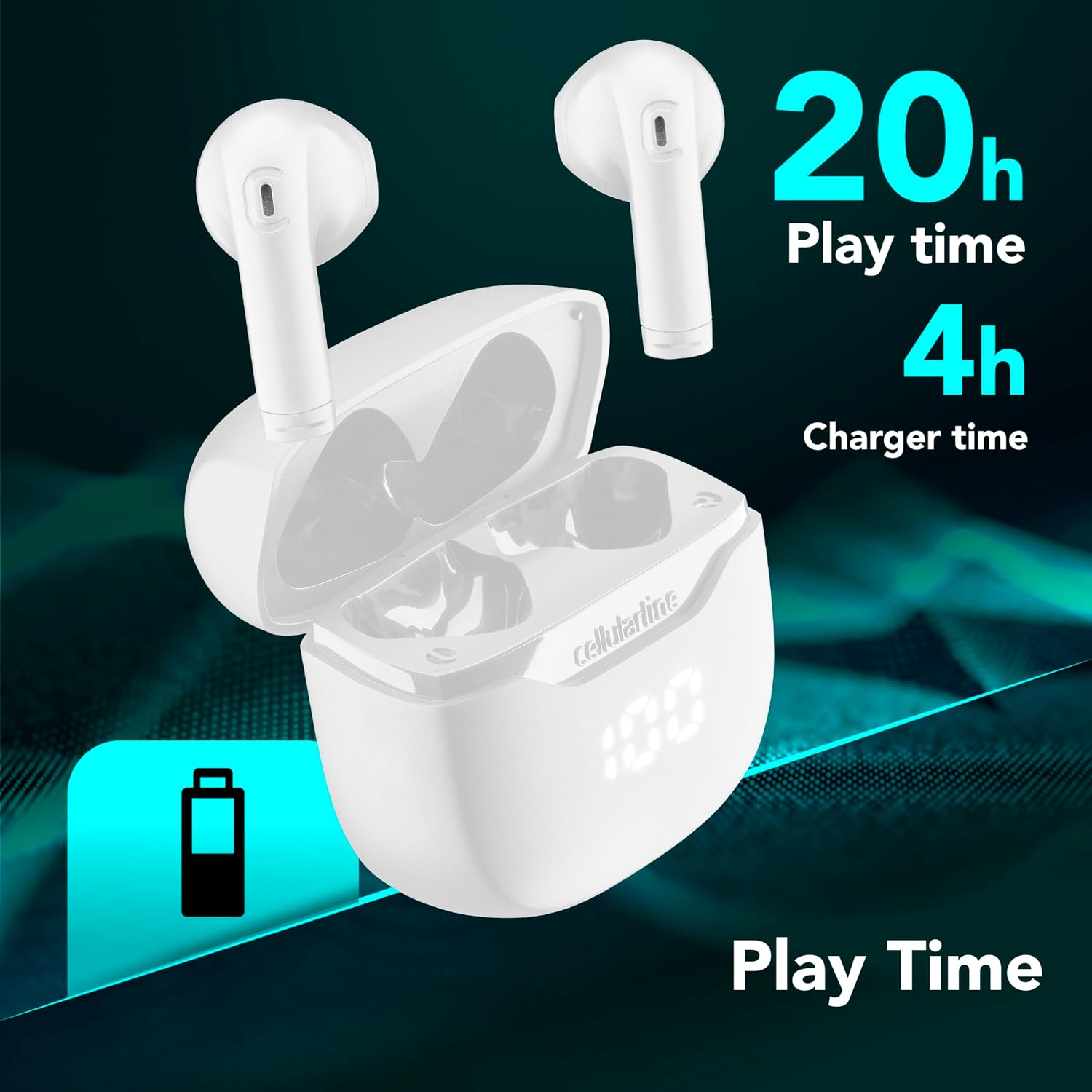
Image: The Cellularline CORE earphones and charging case, highlighting 20 hours of total play time and 4 hours of charging time for the case.
2. Initial Pairing (Autopairing)
- ډاډ ترلاسه کړئ چې اییرفونونه چارج شوي دي.
- د چارج کولو کیس خلاص کړئ. اییرفونونه به په اتوماتيک ډول چالان شي او د جوړه کولو حالت ته به ننوځي.
- په خپل سمارټ فون یا بلوتوث فعال شوي وسیله کې، د بلوتوث ترتیباتو ته لاړ شئ.
- لټون available devices and select "Cellularline CORE" from the list.
- Once connected, you will hear an audible confirmation, and the earphones are ready for use.

Image: Cellularline CORE earphones and charging case next to a smartphone displaying a music application, with a Bluetooth icon indicating successful pairing.
The Autopairing function ensures that once paired, the earphones will automatically connect to your last paired device when removed from the case.
عملیاتي لارښوونې
ټچ کنټرولونه
The Cellularline CORE earphones feature intuitive touch controls on each earbud for managing calls, music, and voice assistant functions.
| فعالیت | عمل |
|---|---|
| میوزیک پلی کړئ / بند کړئ | په هر غوږ کې یو نل |
| بله لار | په ښي غوږۍ کې دوه ځله ټایپ کړئ |
| مخکینی ټریک | په چپ غوږۍ کې دوه ځله ټایپ کړئ |
| ځواب / پای کال | په هر غوږ کې یو نل |
| زنګ رد کړئ | د 2 ثانیو لپاره هر یو ایربډ فشار ورکړئ او ونیسئ |
| د غږ معاون فعال کړئ | په دواړو غوږونو درې ځله ټایپ کړئ |
| حجم پورته | ښي غوږۍ کېکاږئ او ونیسئ |
| حجم ښکته | چپ غوږۍ کېکاږئ او ونیسئ |
Double Master Function
The Double Master function allows you to use either the left or right earbud independently for calls. Simply remove one earbud from the case, and it will automatically connect. You can answer calls by tapping the active earbud.
ساتنه
پاکول
- په منظم ډول د غوږونو او چارج کولو کیس د نرم، وچ، لینټ پاک ټوکر سره پاک کړئ.
- د کثافاتو پاکوونکي، محلولونه، یا ایروسول سپرې مه کاروئ.
- ډاډ ترلاسه کړئ چې د غوږونو او کیس دواړو چارج کولو تماسونه پاک او له کثافاتو څخه پاک دي ترڅو مناسب چارج وساتل شي.
ذخیره کول
- کله چې په کارولو کې نه وي، نو اییرفونونه د چارج کولو په قضیه کې وساتئ ترڅو یې ساتنه وشي او چارج یې وساتل شي.
- وسیله په یخ او وچ ځای کې وساتئ، د سختې تودوخې او مستقیم لمر وړانګو څخه لرې.

Image: A hand placing the compact Cellularline CORE charging case into the pocket of a pair of jeans, demonstrating its portable size.
د ستونزو حل کول
| ستونزه | احتمالي حل |
|---|---|
| اییرفونونه نه چالانیږي. | Ensure the earphones and charging case are fully charged. Place earphones in the case and close it, then open it again. |
| اییرفونونه د وسیلې سره نه جوړیږي. | Make sure Bluetooth is enabled on your device. Forget the device in your Bluetooth settings and try pairing again. Ensure earphones are in pairing mode (LED indicator blinking). |
| یوازې یو ایرفون کار کوي. | Place both earphones back into the charging case, close the lid, wait a few seconds, then open it again. This should re-sync them. If the issue persists, try resetting the earphones (refer to manufacturer's webکه په لارښود کې نه وي، د ځانګړو بیا تنظیم لارښوونو لپاره سایټ وګورئ). |
| ټیټ حجم یا د غږ خراب کیفیت. | Adjust the volume on both your device and the earphones. Ensure the earphones are clean and properly seated in your ears. Check for any obstructions in the earbud speakers. |
| Charging case LED display is not working. | Ensure the charging cable is securely connected and the power source is active. If the issue persists, contact customer support. |
مشخصات
- د موډل نوم: BTCORETWSW
- نښه: سیلولر لاین
- رنګ: سپین
- د غوږ ځای پرځای کول: په غوږ کې
- د فورم فکتور: په غوږ کې
- د ارتباط ټیکنالوژي: بېسیم
- بې سیم ټیکنالوژي: بلوتوث
- د بلوتوت نسخه: 5.0
- خنډ: 16 اوم
- د شور کنټرول: د غږ جلا کول
- د تعدد ځواب: ۲۰ هرټز - ۲۰،۰۰۰ هرټز
- حساسیت: 100 dB
- د کنټرول ډول: لمس
- د موټر چلوونکي ډول: متحرک چلوونکی
- مواد: پلاستیک
- د بیټرۍ اوسط ژوند: ۳۵ ساعته (د چارج کولو کیس سره)
- د اوبو د مقاومت کچه: Waterproof (Note: Refer to product packaging for specific IP rating if available)
- ځانګړتیاوې: True Wireless Technology, Automatic Pairing, Touch Controls, LED Display
- مطابقت لرونکي وسایل: بلوتوث فعال شوي وسایل
- د اصلي هیواد: چین
د تضمین معلومات
The Cellularline CORE True Wireless Bluetooth Earphones come with a د جوړونکي دوه کلن تضمین د پیرود نیټې څخه. دا تضمین د عادي استعمال لاندې موادو او کاریګرۍ نیمګړتیاوې پوښي. دا د ناوړه ګټې اخیستنې، پیښو، غیر مجاز تعدیلاتو، یا عادي اغوستلو او اوښکو له امله رامینځته شوي زیانونه نه پوښي.
Please retain your proof of purchase for warranty claims. For detailed warranty terms and conditions, please visit the official Cellularline webسایټ یا د پیرودونکي ملاتړ سره اړیکه ونیسئ.
ملاتړ
For further assistance, technical support, or warranty inquiries, please contact Cellularline customer service through their official webسایټ:
Webسایټ: www.cellularline.com
تاسو ممکن د دوی په ویب پاڼه کې FAQs او اضافي ملاتړ سرچینې هم ومومئ webسایټ