
پیژندنه
Thank you for choosing the Soul S-GEAR Wireless Bluetooth Earbuds. These earbuds are designed to provide a high-quality audio experience with the convenience of wireless connectivity, active noise cancellation, and a comfortable in-ear fit. Featuring Bluetooth 5.0, IPX4 water resistance, and a long-lasting battery with fast charging, the S-GEAR earbuds are perfect for daily use.
Please read this manual carefully before using your earbuds to ensure proper operation and to maximize their lifespan.
د بسته محتويات
- Soul S-GEAR Wireless Earbuds (Left and Right)
- د چارج کولو قضیه
- د USB-C چارج کیبل
- د غوږونو څو اندازې
- د کارن لارښود
محصول پای ته ورسیدview
Familiarize yourself with the components of your Soul S-GEAR earbuds and charging case.
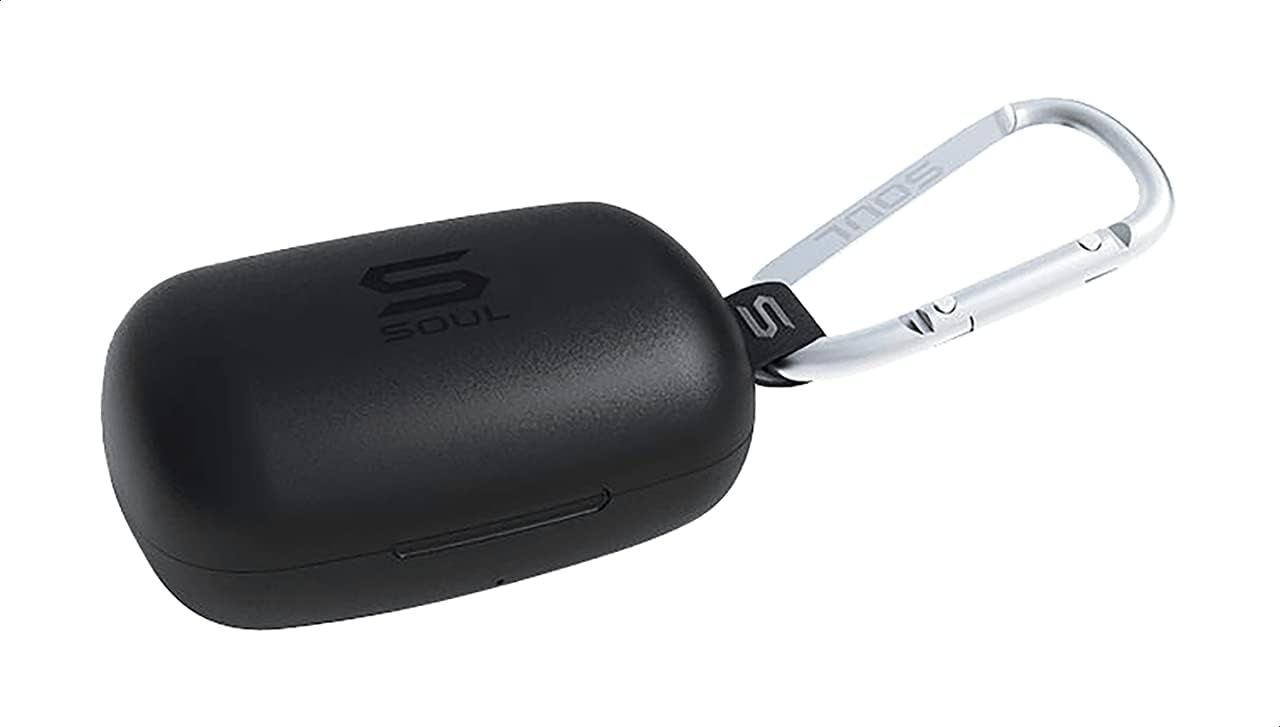
شکل 1: The Soul S-GEAR charging case in black, with the Soul logo visible. A carabiner clip is attached for portability.
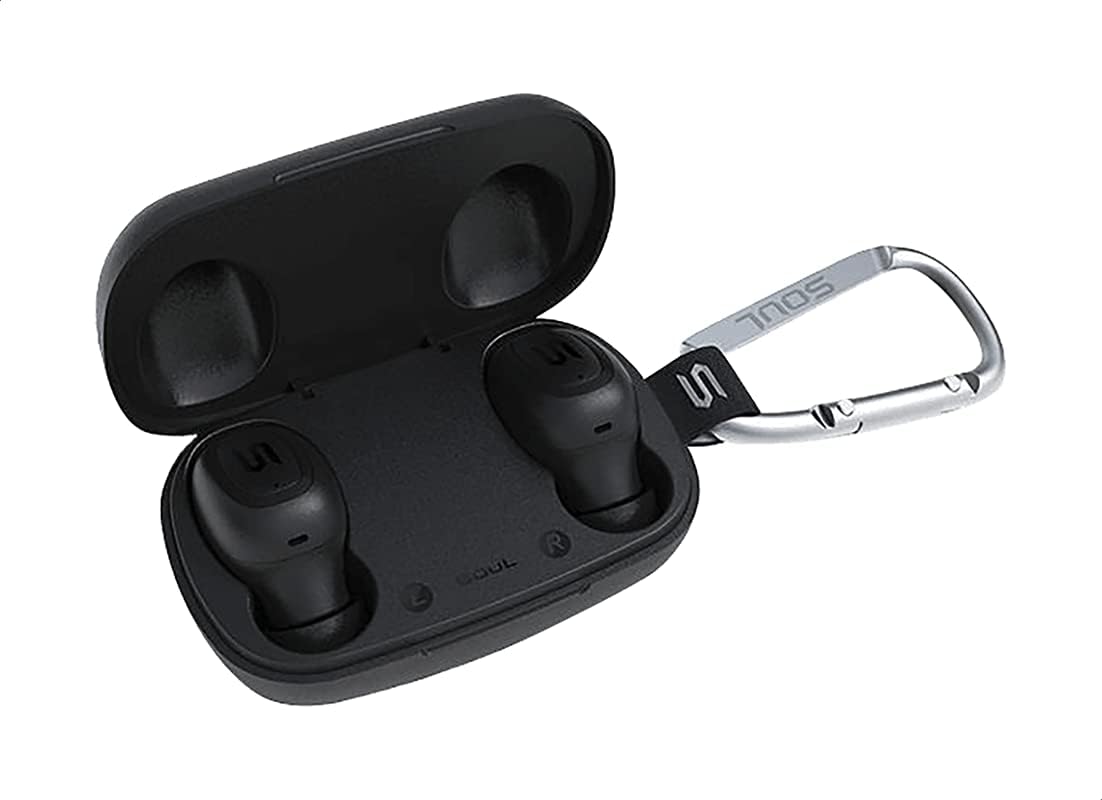
شکل 2: The Soul S-GEAR charging case opened, revealing the two black earbuds securely placed inside their charging slots. The carabiner clip is also visible.
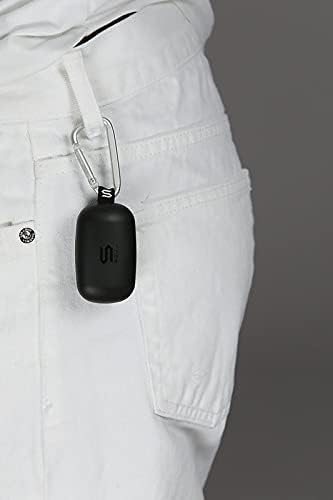
شکل 3: The Soul S-GEAR charging case, with its carabiner clip, attached to the belt loop of white pants, demonstrating its portability.
چمتو کول
۴.۱. د غوږۍ او کیس چارج کول
- د غوږ بډونه د چارج کولو په قضیه کې ځای په ځای کړئ. ډاډ ترلاسه کړئ چې دوی په خپلو اړوندو L/R سلاټونو کې په سمه توګه ځای پر ځای شوي دي.
- Connect the USB-C charging cable to the charging port on the case and plug the other end into a USB power source (e.g., wall adapter, computer USB port).
- The indicator lights on the case will show the charging status. Allow approximately 1-2 hours for a full charge.
- یوځل چې په بشپړ ډول چارج شو، د چارج کیبل له مینځه یوسئ.
۳.۲. د وسیلې سره لومړنۍ جوړه کول
- د چارج کولو کیس پرانیزئ. د غوږ بډونه به په اتوماتيک ډول چالان شي او د جوړې کولو حالت ته به ننوځي. د غوږ بډونو د شاخص څراغونه به روښانه شي، چې دا په ګوته کوي چې دوی د جوړې کولو لپاره چمتو دي.
- په خپل وسیله (سمارټ فون، ټابلیټ، او نور) کې، بلوتوټ فعال کړئ او د شته وسایلو لټون وکړئ.
- Select "Soul S-GEAR" from the list of found devices.
- Once connected, you will hear an audible confirmation, and the earbud indicator lights will stop flashing.
- The earbuds feature automatic pairing. After the initial setup, they will automatically connect to the last paired device when removed from the case.
عملیاتي لارښوونې
The Soul S-GEAR earbuds feature touch controls for easy management of audio and calls.
پاور آن/بند
- پاور آن: Open the charging case, or press and hold the touch sensor on both earbuds for 3 seconds.
- بندول: Place the earbuds back into the charging case and close the lid, or press and hold the touch sensor on both earbuds for 5 seconds.
د غږ غږ
- پلی کول / ودرول: په دواړو غوږونو کې د ټچ سینسر یو ځل ټایپ کړئ.
- بله لار: په ښي غوږۍ کې د ټچ سینسر دوه ځله ټایپ کړئ.
- مخکینی لار په چپ غوږۍ کې د ټچ سینسر دوه ځله ټایپ کړئ.
د اړیکې مدیریت
- ځواب / پای کال: په دواړو غوږونو کې د ټچ سینسر یو ځل ټایپ کړئ.
- زنګ رد کړئ: د ټچ سینسر په دواړو غوږونو کې د 2 ثانیو لپاره فشار ورکړئ او ونیسئ.
د فعال شور منسوخ کول (ANC)
- د ANC فعال/غیر فعالول: Triple-tap the touch sensor on the left earbud to cycle through ANC On, Ambient Mode, and ANC Off.
د غږ معاون
- د غږ همکار فعاله کړئ: Triple-tap the touch sensor on the right earbud.
چارج کول
The Soul S-GEAR earbuds and charging case provide up to 24 hours of total playtime. The case supports USB-C fast charging.
- د ایربډ چارج کول: Place earbuds into the charging case. They will charge automatically.
- د قضیې چارج کول: Connect the USB-C cable to the case and a power source. The LED indicator on the case will show charging status.
- A full charge for the case typically takes 1.5-2 hours.
ساتنه
- پاکول: د غوږ بډونه او د چارج کولو کیس په منظم ډول د نرم، وچ، لینټ نه پاک ټوکر سره پاک کړئ. سخت کیمیاوي مواد یا د کثافاتو مواد مه کاروئ.
- د غوږونو لارښوونې: د غوږونو څوکې لرې کړئ او که اړتیا وي نو په اوبو او نرم صابون سره یې پاک کړئ. ډاډ ترلاسه کړئ چې د بیا نښلولو دمخه یې په بشپړه توګه وچ دي.
- د اوبو مقاومت: The earbuds are IPX4 rated, meaning they are resistant to splashing water from any direction. They are not designed for submersion in water. Do not expose them to heavy rain or immerse them. Ensure earbuds are dry before placing them back in the charging case.
- ذخیره کول: کله چې د غوږ غوږۍ نه وي کارول شوي، نو د هغوی د ساتنې او چارج ساتلو لپاره یې په چارج کولو بکس کې وساتئ. د ډیرې تودوخې څخه ډډه وکړئ.
د ستونزو حل کول
| مسله | د حل لاره |
|---|---|
| Earbuds نه جوړیږي |
|
| د یو غوږ بډ څخه هیڅ غږ نشته |
|
| د چارج قضیه نه چارج کول |
|
| Active Noise Cancellation not working |
|
مشخصات
| فیچر | تفصیل |
|---|---|
| برانډ | روح |
| د ماډل نوم | S-GEAR (Soul S Gemar) |
| د ماډل شمیره | د SS56BK معرفي کول |
| د ارتباط ټیکنالوژي | بېسیم (بلوتوث ۵.۳) |
| د هیډفون فورمه فکتور | په غوږ کې |
| د شور کنټرول | د فعال شور لغوه کول |
| مایکروفون | یوځای شوی |
| د کنټرول طریقه | لمس |
| د اوبو او دوړو مقاومت | IPX4 |
| د لوبې وخت | تر 24 ساعتونو پورې (د چارج کولو قضیې سره) |
| د چارج کولو بندر | USB-C (چټک چارج کول) |
| مطابقت لرونکې وسیلې | Multiple Bluetooth-enabled devices |
| مواد | پلاستیک |
| رنګ | تور |
| د کڅوړې ابعاد | 11.8 x 9.8 x 4.2 سانتي متره |
| د توکي وزن | 152 ګرامه |
د خوندیتوب معلومات
- د محصول جلا کول، ترمیم یا ترمیم مه کوئ.
- محصول د اور یا لوړې تودوخې ته مه ښکاره کوئ.
- Avoid using the earbuds at excessively high volumes for prolonged periods to prevent hearing damage.
- محصول د ماشومانو او څارویو څخه لرې وساتئ.
- یوازې چمتو شوي یا تصدیق شوي چارجینګ کیبلونه او اډاپټرونه وکاروئ.
- د ځایی مقرراتو سره سم محصول په مسؤلیت سره تصفیه کړئ.
تضمین او ملاتړ
The Soul S-GEAR Wireless Bluetooth Earbuds come with a standard manufacturer's warranty. For detailed warranty terms and conditions, please refer to the warranty card included in your package or visit the official Soul webسایټ
For technical support, troubleshooting assistance, or any inquiries regarding your product, please contact Soul customer service through their official webسایټ یا ستاسو د محصول په بسته بندۍ کې چمتو شوي د اړیکو معلومات.