
پیژندنه
د پیرودلو لپاره مننهasing the AZATOM A2 Portable DAB/DAB+ Digital Radio. This compact and versatile device is designed to provide high-quality digital and FM radio reception, offering a superior listening experience on the go. Please read this manual carefully to understand the features and operation of your new radio.

The AZATOM A2 radio, showcasing its stylish and compact design, perfect for portability.
په بکس کې څه دي
- AZATOM A2 Portable DAB/DAB+ Digital Radio
- USB-C کیبل
- د سپورت اییرفونونه
- د کارونکي لارښود (دا لاسوند)
- د تضمین کارت
محصول پای ته ورسیدview
Familiarize yourself with the buttons and ports on your AZATOM A2 radio:

مخکی view of the AZATOM A2 radio, highlighting the display and control buttons.
- د چالانېدو تڼۍ: راډیو آن/بندوي.
- د مینو تڼۍ: د مینو اختیارونو ته لاسرسی.
- VOL+ / VOL- تڼۍ: د حجم کچه تنظیموي.
- ENTER/SCAN Button: انتخابونه تاییدوي یا د سټیشن سکین کول پیل کوي.
- PRESET Buttons (1/2, 3/4): Recalls stored preset stations.
- د موډ تڼۍ: Switches between DAB/DAB+ and FM modes.
- د ایرفون جیک: Connects the included earphones, which also function as the antenna.
- د USB-C پورټ: د وسیله چارج کولو لپاره.
چمتو کول
1. د بیټرۍ چارج کول
Before first use, fully charge the radio. Connect the supplied USB-C cable to the radio's USB-C port and the other end to a USB power adapter (not included) or a computer's USB port. The display will indicate charging status. A full charge provides up to 24 hours of playtime.

The AZATOM A2 features a long-lasting rechargeable battery for extended use.
2. Connecting Earphones (Antenna)
The included earphones serve as the radio's antenna for both DAB/DAB+ and FM reception. It is essential to connect the earphones to the 3.5mm jack before operating the radio to ensure proper signal reception.
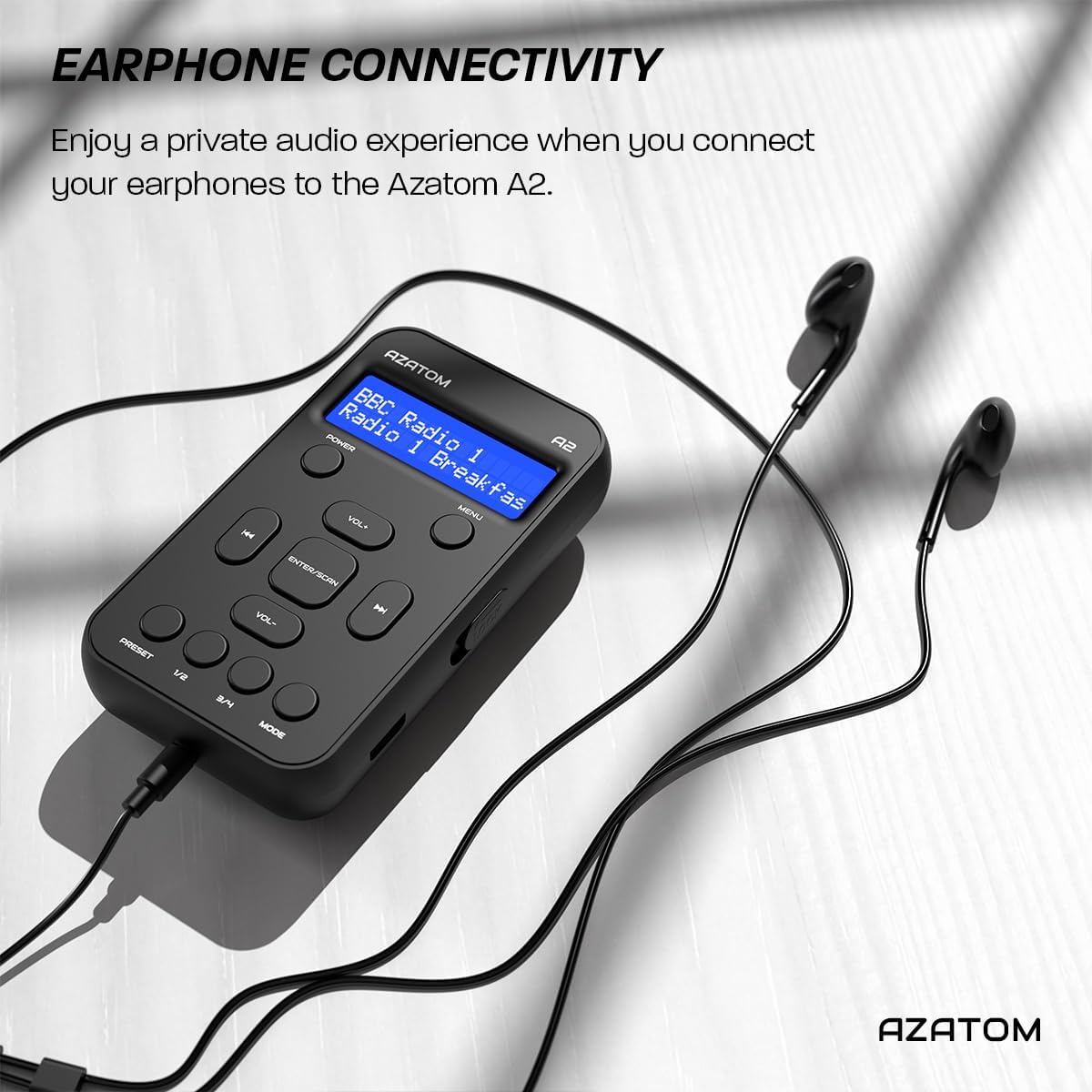
Connect the supplied earphones to the radio for optimal reception and a private listening experience.
عملیاتي لارښوونې
پاور آن/بند
- فشار ورکړئ او ونیسئ پاور د راډیو د فعالولو یا بندولو لپاره تڼۍ.
DAB/DAB+ راډیو عملیات

The AZATOM A2 supports both DAB/DAB+ and FM radio technologies.
- Ensure the earphones are connected.
- فشار ورکړئ موډ button until 'DAB' or 'DAB+' is displayed.
- The radio will automatically perform a full scan for available DAB/DAB+ stations upon first use or if no stations are found. To manually scan, press and hold the داخل/سکین تڼۍ
- د کارولو VOL+ or VOL- buttons to navigate through the list of found stations.
- مطبوعاتي داخل/سکین سټیشن غوره کول.
د ایف ایم راډیو عملیات
- Ensure the earphones are connected.
- فشار ورکړئ موډ تڼۍ تر هغه وخته پورې چې 'FM' ښکاره شي.
- To auto-scan for FM stations, press and hold the داخل/سکین تڼۍ. راډیو به شته سټیشنونه سکین او خوندي کړي.
- د لاسي ټون کولو لپاره، په لنډ ډول فشار ورکړئ VOL+ or VOL- buttons to adjust the frequency in small increments.
د پریزیتونو تنظیم او یادول
The AZATOM A2 allows you to store up to 40 DAB+ and 40 FM favorite stations.

The AZATOM A2 allows for easy recall of your favorite preset stations.
د مخکینۍ سیټ ذخیره کولو لپاره:
- مطلوب سټیشن ته ټون کړئ.
- یو یې فشار کړئ او ونیسئ PRESET buttons (1/2 or 3/4) until the display shows 'Preset Store'.
- د کارولو VOL+ or VOL- buttons to select the desired preset number (1-40).
- مطبوعاتي داخل/سکین د سټیشن تایید او خوندي کولو لپاره.
د پریزیټ یادولو لپاره:
- په لنډه توګه یو یې فشار کړئ PRESET buttons (1/2 or 3/4).
- د کارولو VOL+ or VOL- buttons to navigate through your stored presets.
- مطبوعاتي داخل/سکین to select and play the desired preset station.
د حجم کنټرول
- مطبوعاتي VOL+ د حجم زیاتولو لپاره.
- مطبوعاتي VOL- د حجم کمولو لپاره.
روښانتیا ښکاره کړئ
The XL digital display's brightness can be adjusted to your preference. Access this setting through the MENU options.

یو تړلی view of the AZATOM A2's clear digital display.
ساتنه
- پاکول: د راډیو د سطحې د پاکولو لپاره له نرم او وچ ټوکر څخه کار واخلئ. د کثافاتو پاکوونکي یا محلولونه مه کاروئ.
- د بیټرۍ پاملرنه: To prolong battery life, avoid fully discharging the battery frequently. Charge the radio regularly, even if not in use for extended periods.
- ذخیره کول: راډیو په یخ او وچ ځای کې د مستقیم لمر وړانګو او سختې تودوخې څخه لرې وساتئ.
د ستونزو حل کول
| ستونزه | احتمالي لامل | د حل لاره |
|---|---|---|
| No power/Radio won't turn on. | بیټرۍ ختمه شوې. | د ورکړل شوي USB-C کیبل په کارولو سره راډیو چارج کړئ. |
| د راډیو کمزوری استقبال (DAB/FM). | Earphones not connected or not fully inserted. Weak signal area. | Ensure earphones are securely connected. Try moving to an open area or near a window. Perform a new scan. |
| غږ نشته. | Volume is too low or muted. Earphones not connected. | Increase the volume using VOL+. Ensure earphones are connected. |
| راډیو کنګل کیږي یا بې ځوابه کیږي. | د سافټویر لنډمهاله ستونزه. | Press and hold the POWER button to force a restart. If issue persists, allow battery to fully discharge then recharge. |
مشخصات

Dimensions of the AZATOM A2 radio.
| فیچر | تفصیل |
|---|---|
| ماډل | A2 |
| ابعاد (L x W x H) | ۲.۷۶ x ۴.۹۲ x ۸.۶۶ سانتي متره (تقریبا ۲۱۲ ملي متره x ۱۱۹ ملي متره x ۶۱ ملي متره) |
| وزن | 90 ګرامه |
| د راډیو بینډونو ملاتړ شوی | ډاب، ډاب+، ایف ایم |
| مخکینۍ | 40 DAB+، 40 FM |
| د بیټرۍ ډول | د چارج وړ لیتیم آیون (۴۵۰mAh) |
| د لوبې وخت | تر 24 ساعتونو پورې |
| د ښودلو ډول | LCD |
| ارتباط | USB-C (for charging), 3.5mm Earphone Jack |
| مواد | پلاستیک |
تضمین او ملاتړ
AZATOM products are designed and engineered in the UK. The AZATOM A2 comes with a premium 3-year warranty (registration required). For any questions or support, please contact our dedicated customer service team. Lifetime customer support is provided to assist you with any queries.
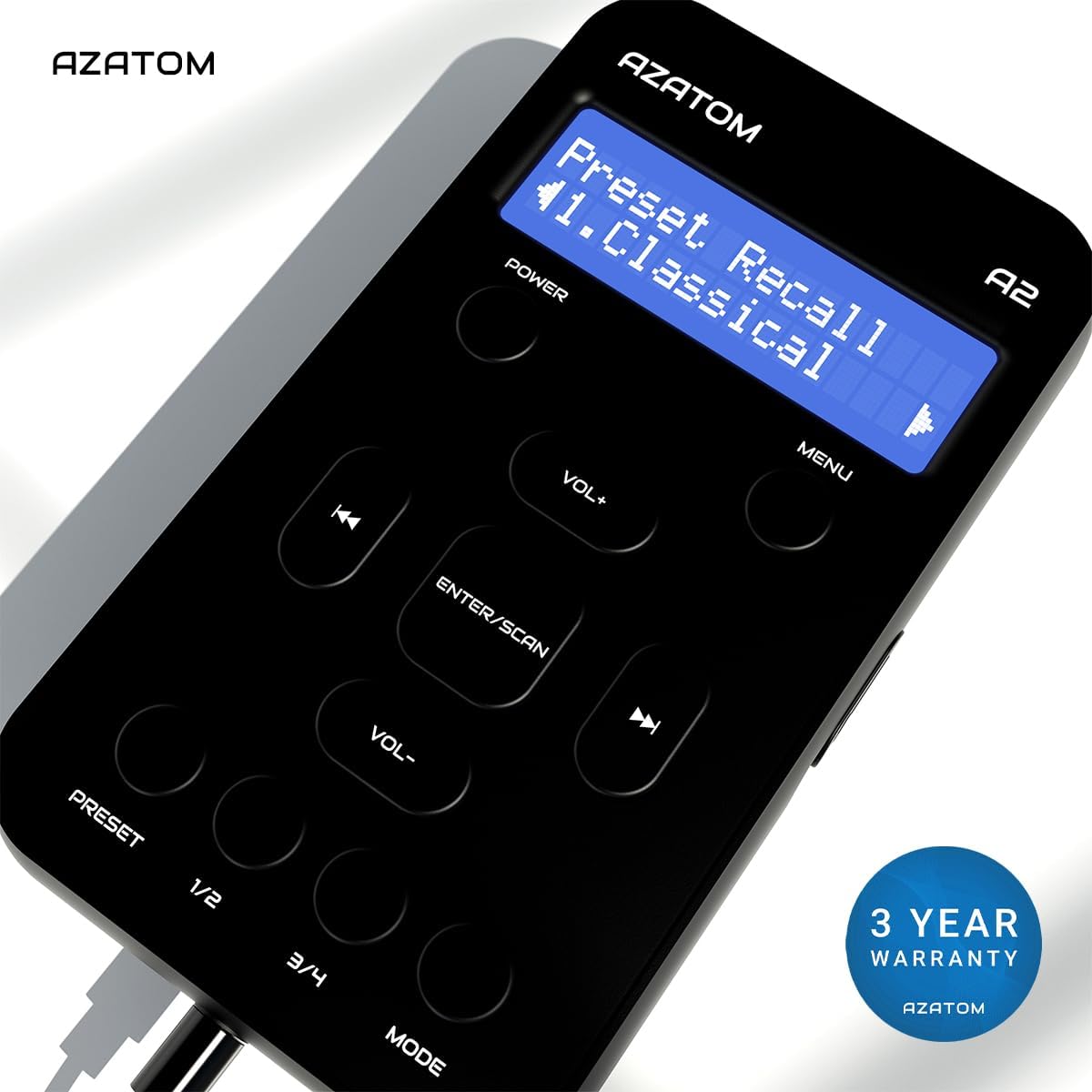
The AZATOM A2 is backed by a 3-year warranty.