
1. پیژندنه
This manual provides comprehensive instructions for the assembly, operation, and maintenance of your FLEXISPOT EN2 Electric Height Adjustable Standing Desk. Please read this manual thoroughly before assembly and use to ensure safe and efficient operation.
The FLEXISPOT EN2 desk features a spacious one-piece desktop, an electric height adjustment system with memory presets, and a removable clamp power strip for convenient device charging and cable management. It is designed to support a dynamic work environment, allowing seamless transitions between sitting and standing positions.
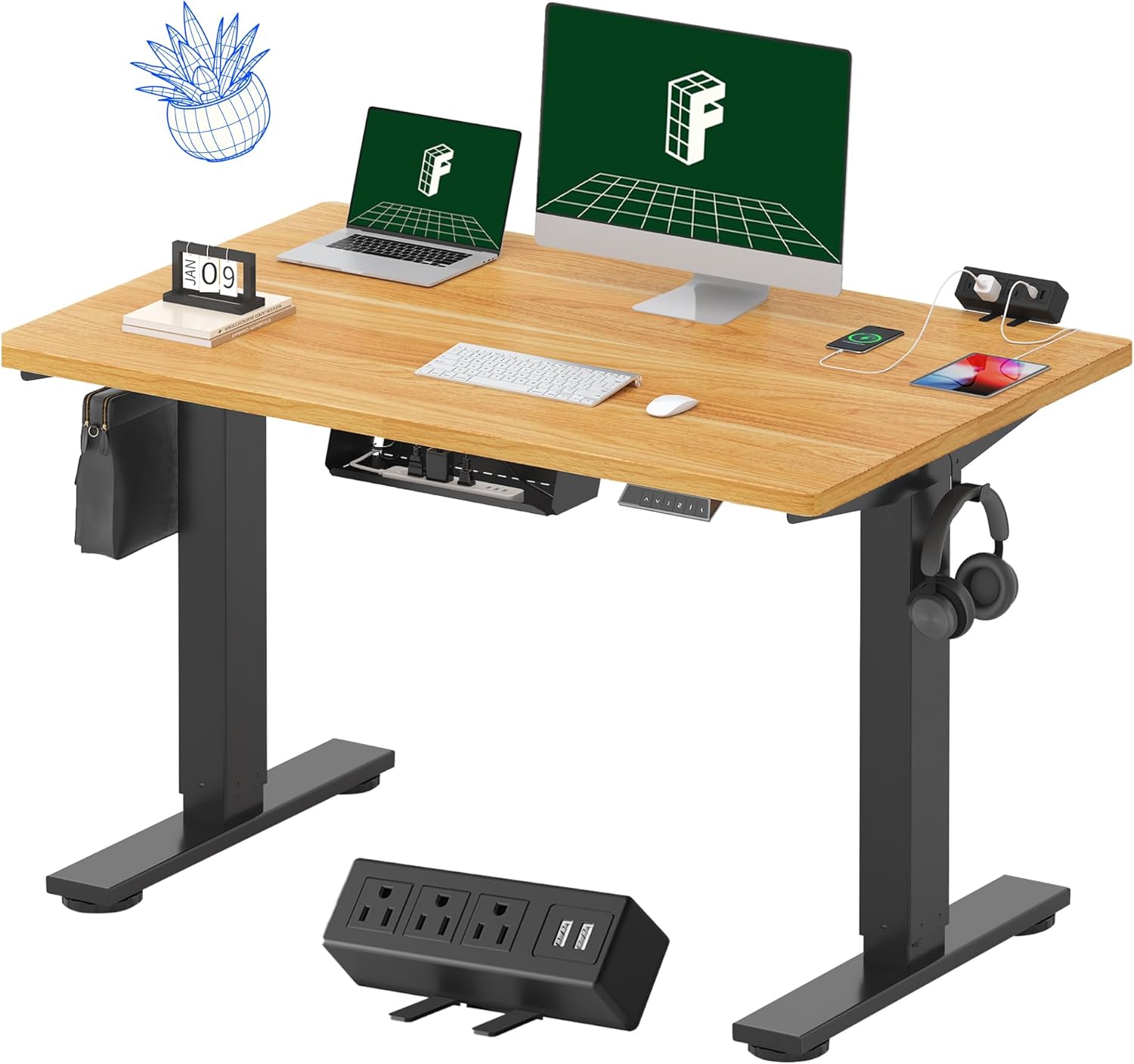
Image 1.1: FLEXISPOT EN2 Standing Desk with Maple Top and Black Frame, showcasing a typical setup with monitors, a laptop, and a clamp د بریښنا پټه
2. د خوندیتوب معلومات
خبرداری: د دې خوندیتوب لارښوونو په تعقیب کې پاتې راتلل ممکن محصول ته زیان یا زیان ورسوي.
- تل د مجلس لارښوونې په دقت سره تعقیب کړئ.
- An electric drill (not included) may be required for assembly.
- Ensure the desk is properly anchored to prevent tipping.
- د وزن له سپارښتنې اعظمي حد څخه زیات مه کوئ ۲۰۰ پونډه (۹۰.۷۲ کیلوګرامه).
- Keep the work surface clear of items that could fall and cause injury during height adjustments.
- Always unplug the desk before performing any maintenance or making adjustments to the frame or electrical components.
- د کار پرمهال ماشومان او څاروي له میز څخه لرې وساتئ.
3. د بسته محتويات
Your FLEXISPOT EN2 Standing Desk will arrive in two separate packages, which may be shipped separately. Please ensure you have received both packages and all components before beginning assembly.

Image 3.1: Illustration showing the desk components arriving in two separate packages: one for the desktop and one for the desk frame.
شاملې برخې:
- One-piece desktop (48" x 30" Maple Top)
- Electric height-adjustable frame (Black)
- د ۶ تڼیو ډیجیټل کنټرولر د ۴ حافظې پریسیټونو سره
- Removable clamp power strip (3 AC outlets, 2 USB charging ports)
- Cable management device
- Assembly hardware and tools (excluding electric drill)
4. تنظیم او مجلس
Assembly typically requires two people and an electric drill (not included). Follow the detailed instructions provided in the separate assembly guide included with your product. The process involves attaching the legs to the desktop and connecting the control panel and motor.
د مجلس لارښوونې:
- ټول اجزا په نرم او پاک سطحه کېږدئ ترڅو د سکریچونو مخه ونیول شي.
- ډاډ ترلاسه کړئ چې ټول پیچونه په خوندي ډول ټینګ شوي دي، مګر ډیر مه کلکوئ.
- Properly route all cables using the provided cable management solutions to avoid interference with desk movement.
Video 4.1: Official FLEXISPOT Standing Desk Frame Installation Guide. This video demonstrates the step-by-step process of assembling the desk frame and attaching it to the desktop.
5. عملیاتي لارښوونې
5.1 ډیجیټل کنټرول پینل
The desk is operated using a 6-button digital controller, typically mounted on the underside of the desktop. It features up/down arrows, an LED display for height, and four programmable memory presets.

Image 5.1: Digital control panel with LED display showing current height, up/down arrows, and four numbered memory preset buttons.
5.2 د قد تنظیم کول
- فشار ورکړئ او ونیسئ پورته غشی (^) د میز د پورته کولو تڼۍ.
- فشار ورکړئ او ونیسئ ښکته غشی (v) د میز د ښکته کولو تڼۍ.
- The desk adjusts smoothly from 28.1 inches (71.4 cm) to 45.7 inches (116.1 cm).
- The motor operates quietly at less than 50 dB.
۴.۲ د حافظې پریسیټونه تنظیم کول
The controller allows you to save up to four preferred height settings for quick adjustments.
- د پورته/ښکته تیرونو په کارولو سره میز د خپلې خوښې لوړوالي سره سم تنظیم کړئ.
- فشار ورکړئ حافظه (M) button. The LED display will flash.
- د 3 ثانیو دننه، د شمیرې شوي مخکینۍ تڼۍ څخه یو فشار ورکړئ (۳، ۴، ۵، یا ۶) ترڅو اوسنی لوړوالی په هغه مخکینۍ ترتیب کې خوندي شي.
- د خوندي شوي لوړوالي د یادولو لپاره، په ساده ډول د اړونده شمیرې سره سم تڼۍ فشار ورکړئ. میز به په اتوماتيک ډول خوندي شوي موقعیت ته لاړ شي.
Video 5.2: FlexiSpot Brand Store video demonstrating the desk's height adjustment and memory preset functions.
6. ځانګړتیاوې
6.1 One-Piece Desktop
The desk features a spacious, single-piece desktop made of FSC-Certified wood. This design provides a smooth, seamless work surface, enhancing stability and aesthetics compared to multi-piece desktops.

Image 6.1: Visual comparison highlighting the smooth surface of a single-piece desktop against the visible seams of a two-piece desktop.
6.2 Removable Clamp د بریښنا پټه
A desktop-mounted power strip is included, featuring 3 AC outlets (125V/12A) and 2 USB charging ports (5V/2A). This allows for convenient charging of electronic devices directly from your desk. The power strip can be clipped to the back or side of your desk.

Image 6.2: Close-up of the removable clamp power strip, detailing its 3 AC outlets and 2 USB-A ports, and how it attaches to the desk edge.
6.3 د کیبل مدیریت
The desk includes a cable management device to help organize and tidy up your workspace, preventing cables from dangling and interfering with desk movement.

Image 6.3: Illustration demonstrating effective cable management with an under-desk tray, showing a tidy setup compared to unmanaged cables.
7. ساتنه
- په منظم ډول ټول پیچونه او اړیکې معاینه کړئ ترڅو ډاډ ترلاسه شي چې دوی کلک دي.
- د ډیسټاپ سطحه د نرم، ډ سره پاکه کړئamp ټوکر د کثافاتو پاکونکو څخه ډډه وکړئ چې ممکن پای ته زیان ورسوي.
- د موټرو او بریښنایی برخو برخې د دوړو او رطوبت څخه پاک وساتئ.
- Do not place hot items directly on the desktop without protective coasters.
8. ستونزه حل کول
8.1 Desk Not Moving or Displaying Error Code (e.g., "r5t")
If your desk is not responding or the LED display shows an error code like "r5t", a system reset may be required.
- میز د بریښنا له شبکې څخه خلاص کړئ.
- لږ تر لږه ۱۰-۱۵ ثانیې انتظار وکړئ.
- میز بیرته د بریښنا سوري سره وصل کړئ.
- Press and hold the "Down Arrow (v)" button until the desk reaches its lowest position and then slightly rises. This indicates a successful reset.
- که ستونزه دوام ومومي، د پیرودونکي ملاتړ سره اړیکه ونیسئ.
8.2 Desk Wobbling at Higher Heights
While the desk is designed for stability, minor wobbling can occur at maximum heights. Ensure the adjustable feet on the leg bases are properly leveled to compensate for uneven flooring.
9. مشخصات
| فیچر | مشخصات |
|---|---|
| برانډ | FLEXISPOT |
| ماډل | EN2 |
| د ډیسټاپ مواد | FSC-Certified Maple Wood |
| د ډیسټاپ ابعاد | ۴۳.۳" (W) x ۲۳.۶" (D) |
| د ډیسټاپ ضخامت | 1 انچه |
| د چوکاټ مواد | Industrial-grade Alloy Steel (Black) |
| د لوړوالی تنظیم کولو سلسله | له ۲۸.۵ انچه څخه تر ۴۶.۸ انچه پورې (۷۲.۴ سانتي متره څخه تر ۱۱۸.۹ سانتي متره پورې) |
| د موټرو شور کچه | < 50 dB |
| د وزن ظرفیت | ۱۱.۵۷ پونډه (۵.۲۵ کیلو ګرامه) |
| د تضمین اداره | د ۶ تڼیو ډیجیټل کنټرولر د ۴ حافظې پریسیټونو سره |
| بریښنایی رسنۍ | 3 AC outlets (125V/12A), 2 USB charging ports (5V/2A) |
| مجلس ته اړتیا ده | هو (برقی ډرل سپارښتنه کیږي) |
10. تضمین او ملاتړ
10.1 د تضمین معلومات
- ۱ کلن تضمین: چوکاټونه، موټورونه، او نور میخانیکي وسایل پوښي.
- ۱ کلن تضمین: کنټرولرونه، سویچونه، او برقیات پوښي.
مهرباني وکړئ د تضمین ادعاوو لپاره د پیرود ثبوت وساتئ. تضمین د عادي استعمال لاندې موادو او کاریګرۍ نیمګړتیاوې پوښي.
10.2 د پیرودونکي ملاتړ
For any questions, troubleshooting assistance, or warranty claims, please contact FLEXISPOT customer support through their official webسایټ یا پرچون پلورونکي ته چې تاسو یې محصول اخیستی.