
پیژندنه
This manual provides essential information for the safe and efficient operation of your Arafuna 10.5 Inch Dual Screen Portable DVD Player. Please read these instructions thoroughly before using the device and retain them for future reference. This system is designed for in-car entertainment, offering a main player and a secondary monitor for simultaneous viewing.
د بسته محتويات
ډاډ ترلاسه کړئ چې لاندې ټول توکي ستاسو په بسته کې شامل دي:
- 1x Main DVD Player (10.5 Inch)
- 1x Slave Monitor (10.5 Inch)
- 2x د نصبولو قوسونه
- 1x ریموټ کنټرول
- 2x Headrest Straps
- 1x د موټر چارجر
- 1x HDMI کیبل
- 1x AC اډاپټر
- 1x DC Cable
- ۱x RCA کیبل

شکل 1: Included components in the Arafuna Dual Screen Portable DVD Player package.
چمتو کول
1. Mounting the Players
The players can be mounted using either the provided mounting brackets or headrest straps.
- Using Mounting Brackets:
- Attach the base of the mounting bracket to the headrest posts.
- Tighten the fixing screws to secure the base.
- Insert the DVD player or monitor onto the bracket until it clicks into place.
- Using Headrest Straps:
- Securely fasten the headrest straps around the headrest and the back of the player/monitor.
- Ensure the player/monitor is stable and does not obstruct the driver's view.

شکل 2: Step-by-step installation guide for the headrest mounting bracket.
2. Connecting the Players
To enable dual-screen playback, connect the main DVD player to the slave monitor.
- ورکړل شوي سره وصل کړئ DC کیبل from the DC OUT port on the main player to the DC IN port on the slave monitor.
- ورکړل شوي سره وصل کړئ HDMI کیبل from the HDMI OUT port on the main player to the HDMI IN port on the slave monitor. This ensures high-quality video and audio transmission to the secondary screen.
۳.۲. د سیسټم ځواکمن کول
The system can be powered via the car charger, AC adapter, or its internal rechargeable battery.
- د موټر چارجر: Plug the car charger into your vehicle's cigarette lighter socket and connect the other end to the DC IN port on the main player.
- AC اډیپټر: For home use, connect the AC adapter to a standard wall outlet and the DC IN port on the main player.
- داخلي بیټرۍ: The main player features a 5000mAh rechargeable battery, providing extended playback time when external power is unavailable. Ensure the battery is charged before use.

شکل 3: Connection diagram for the dual screen system, showing power and signal flow.
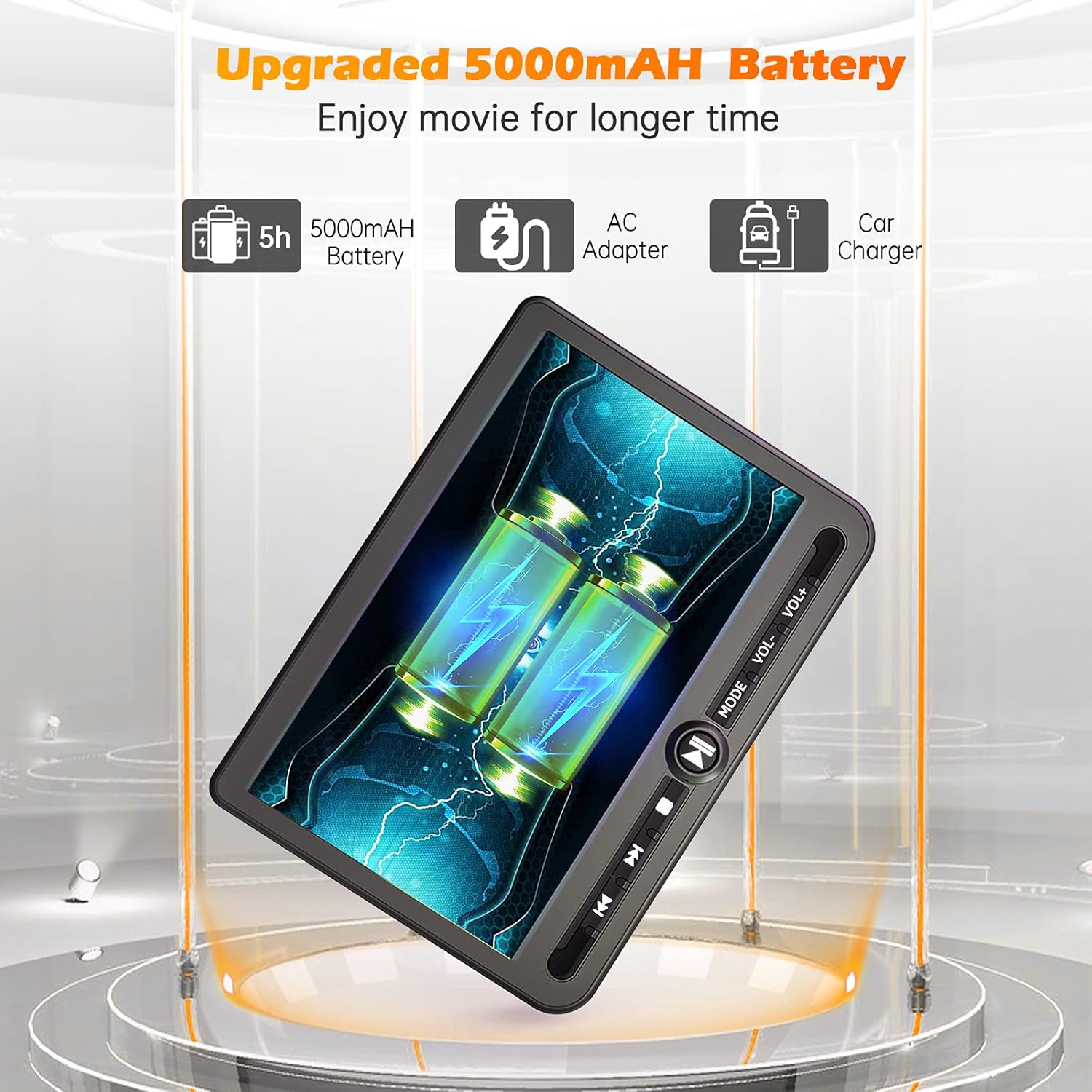
شکل 4: Power options including the 5000mAh battery, AC adapter, and car charger.
عملیاتي لارښوونې
۶.۱. اساسي کنټرولونه
The main player features control buttons on the unit and can also be operated via the included remote control.
- د بریښنا تڼۍ: د واحد د بل / بندولو لپاره فشار ورکړئ.
- د پلی کولو/پاز بټن: پلے بیک شروع کوي یا وقفه کوي.
- د ت Stopۍ ت :ۍ: د پلې بیک مخه نیسي.
- مخکینۍ/راتلونکې تڼۍ: مخکیني یا راتلونکي ټریک/څپرکي ته ځي.
- حجم +/- تڼۍ: د آډیو حجم تنظیموي.
- د حالت تڼۍ: Switches between input sources (DVD, USB, SD).
2. Playing DVDs
- Insert a DVD disc into the main player's disc slot.
- The player will automatically detect the disc and begin playback. If not, press the 'Play' button or select 'DVD' mode.
- Use the control buttons or remote to navigate menus, play, pause, or stop.
۵. د USB/SD کارت پلے بیک
دا لوبغاړی د USB ډرایو او SD کارتونو څخه د میډیا پلې بیک ملاتړ کوي.
- په USB پورټ کې یو USB ډرایو یا د SD کارت سلاټ کې یو SD کارت دننه کړئ.
- Press the 'Mode' button to select 'USB' or 'SD' input.
- د خپل له لارې نیویګیټ کړئ files using the control buttons or remote and select the desired media to play.
۴. د حافظې وروستۍ دنده
The player features a last memory function, which allows it to resume playback from where it was last stopped, even after being powered off.
5. Region Free & Multi-Format Support
This DVD player is region-free, allowing playback of DVDs from any region. It also supports multiple media formats from USB and SD cards.

شکل 5: Features including USB/TF card support, region-free playback, and last memory function.
6. Sync Screen to TV
You can connect the main DVD player to a larger TV screen using the provided RCA cable for a home viewتجربه
- Connect one end of the RCA cable to the AV OUT port on the main DVD player.
- د RCA کیبل بله پای ستاسو په تلویزیون کې د اړوند AV IN پورټونو سره وصل کړئ.
- په خپل تلویزیون کې د AV ان پټ سمه سرچینه غوره کړئ.

شکل 6: Connecting the portable DVD player to a TV using the RCA cable.
ساتنه
1. پاکول
- Use a soft, dry cloth to clean the exterior of the players.
- د سختو نښو لپاره، لږ څه dampټوکر د اوبو سره ومینځئ. د سختو کیمیاوي موادو یا د کثافاتو پاکوونکو کارولو څخه ډډه وکړئ.
- د پاکولو محلولونه په مستقیم ډول په سکرین یا کوم سوري کې مه سپری کوئ.
- To clean the disc lens, use a specialized DVD lens cleaning disc.
2. د بیټرۍ پاملرنه
- د بیټرۍ د ژوند اوږدولو لپاره، د بیټرۍ په مکرر ډول د بشپړ چارج کولو څخه ډډه وکړئ.
- Charge the battery regularly, even if the device is not in use for extended periods.
- وسیله په یخ او وچ ځای کې د مستقیم لمر وړانګو او سختې تودوخې څخه لرې وساتئ.
د ستونزو حل کول
If you encounter issues with your Arafuna DVD player, refer to the following common problems and solutions:
| ستونزه | احتمالي لامل | د حل لاره |
|---|---|---|
| لوبغاړی نه چالانېږي. | No power supply; discharged battery; faulty power adapter/cable. | Ensure power cable is securely connected. Charge the battery using the AC adapter or car charger. Test with a different power source if available. |
| No picture or sound on slave monitor. | Loose or incorrect HDMI/DC cable connection. | Check that the HDMI and DC cables are securely connected between the main player and the slave monitor. Ensure they are connected to the correct IN/OUT ports. |
| DVD disc does not play or skips. | Disc is dirty, scratched, or inserted incorrectly; lens is dirty; incompatible disc format. | Clean the disc with a soft cloth. Ensure the disc is inserted correctly with the label side up. Use a lens cleaning disc. Try a different, known-good disc. |
| No sound from player. | Volume is too low or muted; headphones not properly connected; faulty audio settings. | Increase the volume. Check headphone connection. Ensure no mute function is active. |
| USB/SD کارت نه دی پیژندل شوی. | غلط file format; card/drive not properly inserted; corrupted media. | رسنۍ ډاډمن کړئ files are in a supported format. Reinsert the USB drive or SD card. Try a different USB drive or SD card. |
مشخصات
| فیچر | تفصیل |
|---|---|
| برانډ | عرفونا |
| د ماډل شمیره | DM-12 |
| د سکرین اندازه | ۷۸۷ انچه |
| د ښودلو ډول | LCD |
| د ارتباط ټیکنالوژي | HDMI، USB |
| د رسنیو ملاتړ شوي ډولونه | DVD, USB, SD Card |
| د چارج وړ بیټرۍ | Yes (5000mAh Lithium-polymer) |
| UPC | 730096858222 |
تضمین
This Arafuna product is covered by a د جوړونکي دوه کلن تضمین د پیرود نیټې څخه. دا تضمین د عادي استعمال لاندې موادو او کاریګرۍ کې نیمګړتیاوې پوښي. دا د ناوړه ګټې اخیستنې، حادثې، غیر مجاز تعدیل، یا بهرنیو لاملونو له امله رامینځته شوي زیانونه نه پوښي.
ملاتړ
For technical assistance, warranty claims, or further inquiries regarding your Arafuna 10.5 Inch Dual Screen Portable DVD Player, please refer to the contact information provided with your purchase or visit the official Arafuna support webسایټ