
1. پیژندنه
Welcome to the Hubble Connected Touch Twin 5-inch Smart Baby Monitor. This device is designed to provide reliable monitoring of your child with advanced features including a 5-inch interactive touchscreen viewer, two portable camera units, Wi-Fi connectivity for smartphone access, remote pan, tilt, and zoom, two-way talk, room temperature display, infrared night vision, and preloaded lullabies. This manual will guide you through the setup, operation, and maintenance of your new baby monitor system.
۱.۱. د خوندیتوب مهم معلومات
- د زنګ وهلو خطر: Keep all cords out of reach of children. Never place camera or cords within 3 feet (1 meter) of the crib or playpen. Secure cords to a wall or floor using cable clips.
- د ساه بندیدو خطر: دا محصول کوچنۍ برخې لري. د ماشومانو د لاسرسي څخه لرې وساتئ.
- ډیر ګرمول: Do not cover the monitor or camera with blankets or towels. Ensure proper ventilation.
- اوبه او رطوبت: محصول د اوبو یا رطوبت سره مه مخ کوئ. یوازې په وچ داخلي چاپیریال کې وکاروئ.
- د بریښنا سرچینه: یوازې چمتو شوي بریښنا اډاپټرونه وکاروئ. د غیر مجاز اډاپټرونو کارول ممکن محصول ته زیان ورسوي او تضمین باطل کړي.
- لاسوهنه: Keep the monitor away from other electronic devices that may cause interference.
- د لویانو څارنه: This product is intended to assist in monitoring your child and should not be used as a substitute for responsible adult supervision.
3. د بسته محتويات
Your Hubble Connect Touch Twin 5-inch Smart Baby Monitor package includes:
- 2 x Baby Camera Units
- 1 x Parent Monitor (5-inch Interactive Touchscreen Viewار)
- 2 د ځواک اډیپټرونه
- 1 x د چټک پیل لارښود
- 2 x Hubble Grip flexible mounts

4. ترتیب کول
4.1 Charging the Parent Unit and Camera Units
Before initial use, fully charge the Parent Monitor and both Camera Units using the provided power adapters. A full charge ensures optimal performance and portability.
۴.۱ د کیمرې ځای پر ځای کول
Position the camera units in locations that provide a clear view of your child. Ensure the camera is at least 3 feet (1 meter) away from the crib or playpen to prevent strangulation hazards from the power cord. The flexible Hubble Grip mounts allow for versatile placement on crib rails or other surfaces.

The camera features remote pan, tilt, and zoom capabilities, allowing you to adjust the viewing angle from the parent unit or smartphone app.
4.3 Pairing the Camera Units (if not pre-paired)
Your camera units should be pre-paired with the parent unit. If re-pairing is needed, consult the Quick Start Guide for specific instructions. Generally, this involves accessing the pairing menu on the parent unit and pressing a pairing button on the camera unit.
4.4 Connecting to Wi-Fi and Smartphone App
For advanced features and remote viewing, download the HubbleClub app on your smartphone or tablet. Follow the in-app instructions to connect your monitor system to your home Wi-Fi network.

۳. ستاسو د مانیټر چلول
5.1 اساسی Viewing and Navigation
Turn on the Parent Monitor. The screen will display the live video feed from one of your camera units. Use the directional buttons on the parent unit to pan and tilt the camera remotely. Pinch-to-zoom functionality may be available on the touchscreen for closer views.

۴.۴ دوه اړخیزه خبرې اترې
Press and hold the microphone button on the parent unit to speak to your child through the camera's speaker. Release the button to listen.
5.3 د شپې لید
The camera automatically switches to infrared night vision in low-light conditions, providing a clear black-and-white image of your child.

۵.۴ خواږه او آرامونکي غږونه
Access the menu on the parent unit to select and play preloaded lullabies, audiobooks, or soothing sounds to help your child relax.
۵.۴ د خونې د تودوخې څارنه
The parent unit displays the room temperature detected by the camera unit, allowing you to ensure a comfortable environment for your child.
5.6 د محرمیت حالت
For enhanced privacy, manually close the camera lens cover. This physically blocks the camera's view.

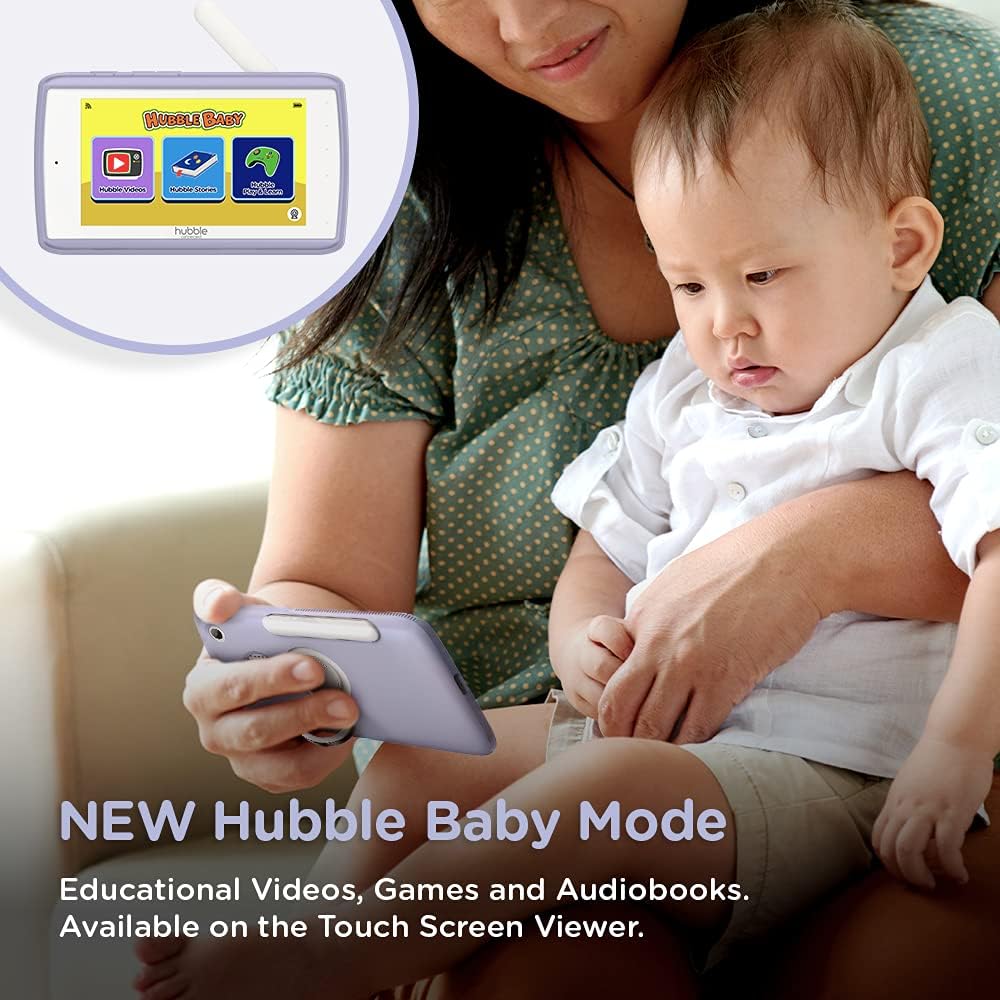
5.7 Hubble Baby Mode
The 5-inch interactive touchscreen viewer can switch to "Hubble Baby Mode," offering educational videos, games, and audiobooks for your child's entertainment and learning as they grow.
6. ساتنه
- پاکول: د مانیټر او کیمرې واحدونو پاکولو لپاره نرم، وچ ټوکر وکاروئ. د کثافاتو پاکوونکي یا محلولونه مه کاروئ.
- د بیټرۍ پاملرنه: د بیټرۍ د ژوند اوږدولو لپاره، د سختې تودوخې څخه ډډه وکړئ او په دوره یي ډول بیټرۍ په بشپړه توګه خارج او چارج کړئ.
- ذخیره کول: If storing the product for an extended period, ensure it is fully charged and stored in a cool, dry place.
7. ستونزه حل کول
| ستونزه | د حل لاره |
|---|---|
| No video/audio on parent unit. | Ensure both parent unit and camera are powered on and charged. Check if they are within range. Re-pair the units if necessary (refer to Quick Start Guide). |
| Poor video quality or interference. | Move the camera or parent unit closer. Ensure no large metal objects or other electronic devices are causing interference. Check Wi-Fi signal strength if using the app. |
| د اصلي واحد بیټرۍ په چټکۍ سره وچیږي. | Reduce screen brightness. Enable ECO mode (if available). Ensure the unit is fully charged before use. Battery life can vary with usage. |
| Cannot connect to HubbleClub app. | Ensure your home Wi-Fi is active and the camera is within range. Restart the camera and your router. Verify correct Wi-Fi password in the app. |
| Camera not responding to pan/tilt/zoom. | Check connection between parent unit/app and camera. Restart both devices. Ensure no physical obstructions are blocking camera movement. |
8. مشخصات
| فیچر | تفصیل |
|---|---|
| د سکرین اندازه | ۷۸۷ انچه |
| د ویډیو نیول حل | 720p |
| د ارتباط ټیکنالوژي | بې سیم، وای فای |
| د بریښنا سرچینه | د بیټرۍ چلول |
| ځانګړی ځانګړنه | د شپې لید |
| د کور دننه / بهر کارول | دننه |
| شاملې برخې | 2 x Baby Camera Units, Parent Monitor, 2 x Power Adapters, Quick Start Guide |
| د توکي وزن | ۲.۴۵ پونډه |
| د محصول ابعاد | 13 x 13 x 13 انچه |
| بیټرۍ | 3 لیتیم آئن بیټرۍ ته اړتیا ده (شامل ده) |
9. تضمین او ملاتړ
For warranty information and technical support, please refer to the official Hubble Connected webسایټ ته مراجعه وکړئ یا مستقیم د دوی د پیرودونکو خدماتو سره اړیکه ونیسئ. د تضمین ادعاوو لپاره د پیرود ثبوت وساتئ.
لیدنه وکړئ HUBBLE CONNECTED Store د نورو معلوماتو او محصولاتو لپاره.