
پیژندنه
Thank you for choosing the Bytech BYMSWR104BK 3 Button Gaming Mouse. This manual provides essential information for setting up, operating, and maintaining your new gaming mouse. Please read this manual thoroughly before use to ensure optimal performance and longevity of your device.
ځانګړتیاوې
- Precision Mouse: Designed for accurate tracking and responsive control.
- د تنظیم وړ DPI: Customize sensitivity for various gaming and productivity needs.
- Three Responsive Buttons: Includes left-click, right-click, and scroll wheel/middle-click for efficient operation.
- رنګین شاته رڼا: Features multi-color LED lighting with 7 distinct color modes for an enhanced aesthetic experience.
- ارګونومیک ډیزاین: Shaped to fit comfortably in your palm, reducing fatigue during extended use.
مشخصات
| برانډ | Bytech |
| د ماډل شمیره | BYMSWR104BK |
| د تڼیو شمیر | 3 |
| د حرکت پریکړه | 1,000 DPI |
| د رنګ طریقې | 7 Colors (Multi-color Backlight) |
| د کیبل اوږدوالی | ۹ فوټه |
| درجه بندي کړئ | 1 ملیون کلیکونه |
| د توکي وزن | 4.9 اونس |
| د کڅوړې ابعاد | 7.17 x 4.06 x 2.68 انچه |
| رنګ | تور |
| د بریښنا سرچینه | بریښنایی تار (USB) |
| د هارډویر پلیټ فارم | PC |
د بسته محتويات
- 1 x Bytech BYMSWR104BK Wired Gaming Mouse
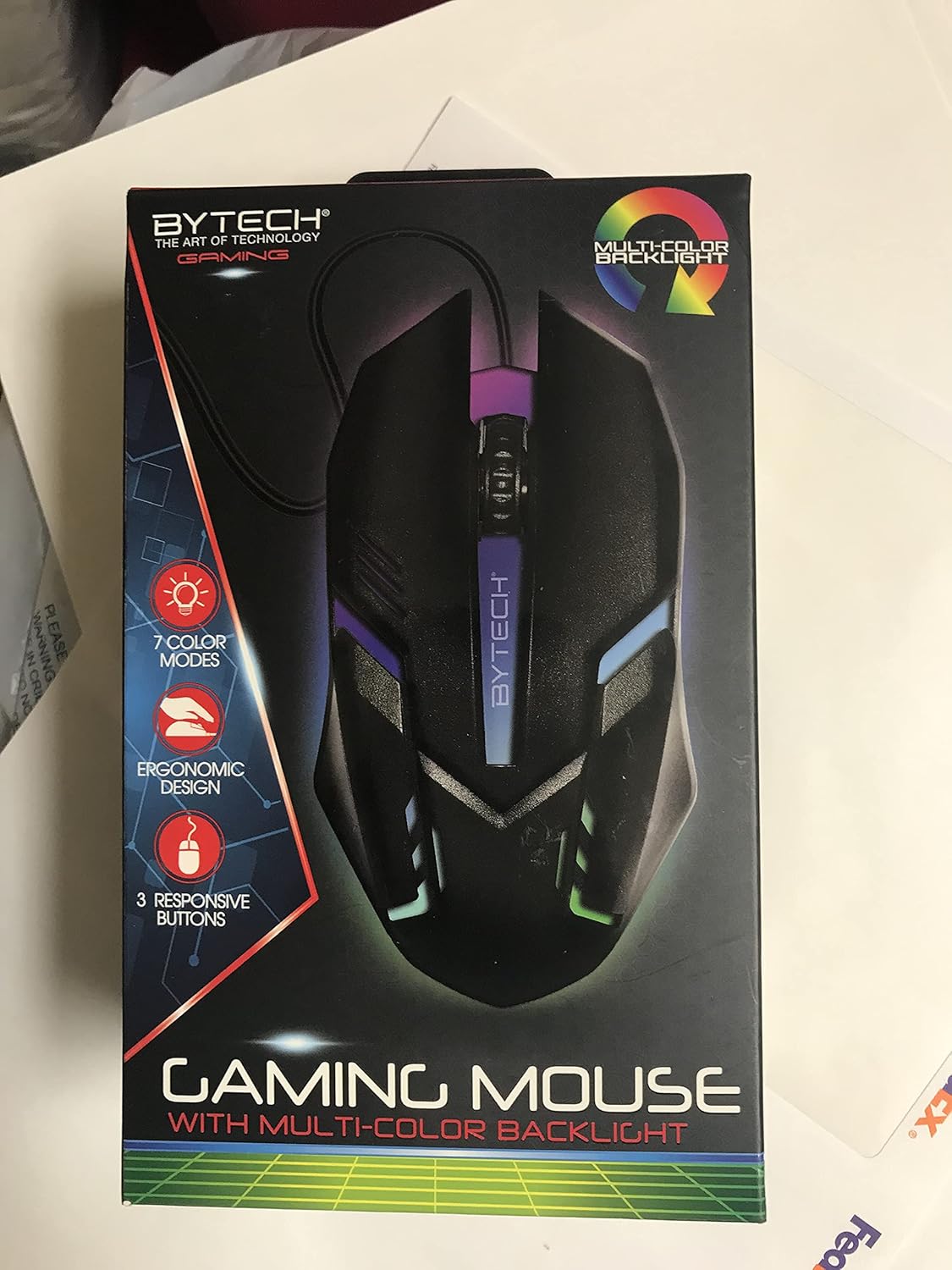
انځور: مخکینۍ برخه view of the Bytech BYMSWR104BK Gaming Mouse in its retail packaging, highlighting its multi-color backlight and ergonomic design.
چمتو کول
- خلاص کړئ: Carefully remove the gaming mouse from its packaging.
- نښلول: Locate an available USB port on your computer (PC, laptop, etc.). Insert the USB connector of the Bytech BYMSWR104BK Gaming Mouse firmly into the USB port.
- د ډرایور نصب کول: The mouse is plug-and-play. Your operating system should automatically detect and install the necessary drivers. This process may take a few moments.
- د کارولو لپاره چمتو دی: Once the drivers are installed, the mouse will be ready for immediate use. The multi-color backlight will illuminate.

انځور: شاته view of the Bytech BYMSWR104BK Gaming Mouse retail packaging, detailing features, specifications, and universal compatibility.
عملیاتي لارښوونې
بنسټیز عملیات
- کیڼ تڼۍ: د لومړني کلیک فعالیت، معمولا د توکو غوره کولو، پرانیستلو لپاره کارول کیږي files, or interacting with software.
- ښي تڼۍ: Secondary click function, usually opens context menus or provides additional options.
- د سکرول څرخ (منځنۍ تڼۍ): Scroll up or down to navigate documents and web pages. Pressing the scroll wheel acts as a middle-click button, often used for opening links in new tabs or auto-scrolling.
د DPI تعدیل
The Bytech BYMSWR104BK Gaming Mouse features adjustable DPI settings. While specific buttons for DPI adjustment are not explicitly listed on the packaging, many gaming mice allow DPI changes through a dedicated button (often located near the scroll wheel) or through software. Refer to your computer's mouse settings or Bytech's official website for advanced customization options if available.
د LED backlight
The mouse features a dynamic multi-color LED backlight with 7 different color modes. These lights will automatically cycle through the modes once the mouse is connected and powered on. There is no manual control for changing modes on the mouse itself.
ساتنه
- پاکول: د موږک سطحه د پاکولو لپاره نرم، وچ ټوکر وکاروئ. د سختې خاورې لپاره، لږ څهampټوکر د اوبو یا نرم پاکولو محلول سره ومینځئ. د سختو کیمیاوي موادو یا خړوبونکي موادو کارولو څخه ډډه وکړئ.
- د سینسر پاملرنه: د موږک په ښکته برخه کې نظري سینسر پاک او د دوړو یا کثافاتو څخه پاک وساتئ ترڅو دقیق تعقیب ډاډمن شي.
- د کیبل مدیریت: د زیان څخه د مخنیوي لپاره د USB کیبل د تیزو کږو یا ډیر کشولو څخه ډډه وکړئ.
- ذخیره کول: کله چې په کارولو کې نه وي، موږک په پاک او وچ چاپیریال کې د سختې تودوخې څخه لرې وساتئ.

انځور: اړخ view of the Bytech BYMSWR104BK Gaming Mouse retail packaging, showcasing the multi-color backlight effect.
د ستونزو حل کول
| ستونزه | احتمالي حل |
|---|---|
| موږک ځواب نه ورکوي |
|
| کرسر بې نظمه یا په اسانۍ سره نه حرکت کوي |
|
| د LED بیک لایټ کار نه کوي |
|
تضمین او ملاتړ
تضمین: This Bytech product comes with a 12-month warranty from the date of purchase. Please retain your proof of purchase for warranty claims.
د اړیکو معلومات:
- پته: 2585 West 13th Street, Brooklyn, NY 11223, USA
- Webسایټ: www.bytechintl.com
⚠ خبرداری: دا محصول کولی شي تاسو د کیمیاوي موادو سره مخ کړي، په شمول د DEHP، کوم چې د کالیفورنیا ایالت ته پیژندل کیږي چې د سرطان، زیږون نیمګړتیاو یا د زیږون نور زیان سبب کیږي. د نورو معلوماتو لپاره لاړ شئ www.P65Warnings.ca.gov.

انځور: ښکته view of the Bytech BYMSWR104BK Gaming Mouse retail packaging, showing contact information, warranty details, and California Proposition 65 warning.