
1. پیژندنه
This manual provides essential instructions for the installation, operation, and maintenance of your TODAAIR PTZ Baby Monitor and Home Security Camera (Model CA01). This camera is designed to provide 1080P HD video surveillance with advanced features such as night vision, motion detection, two-way audio, and compatibility with smart home systems like Amazon Alexa and Google Home. Please read this manual thoroughly before using the product to ensure proper setup and functionality.
2. محصول ختم شوview
2.1 د بسته محتويات
- TODAAIR PTZ Baby Monitor and Home Security Camera (Model CA01)
- د بریښنا اډاپټر
- د نصبولو لوازمات (سکرو، دیوال پلګونه)
- د کارن لارښود
2.2 کلیدي ځانګړتیاوې
- ۱۰۸۰P HD لید: Provides clear 1080P HD image and video recording for detailed monitoring.
- د پان-ټیلټ-زوم (PTZ) فعالیت: Features 355° horizontal and 70° vertical tilt range for comprehensive area coverage.
- د شپې روښانه لید: Enhanced lens combined with infrared technology allows for clear black and white images in dark conditions, up to 5 meters.
- د موټرو د موندلو الارم: Real-time motion detection sends notifications to your smartphone when activity is detected.
- دوه طرفه آډیو: Built-in microphone and speaker enable two-way communication.
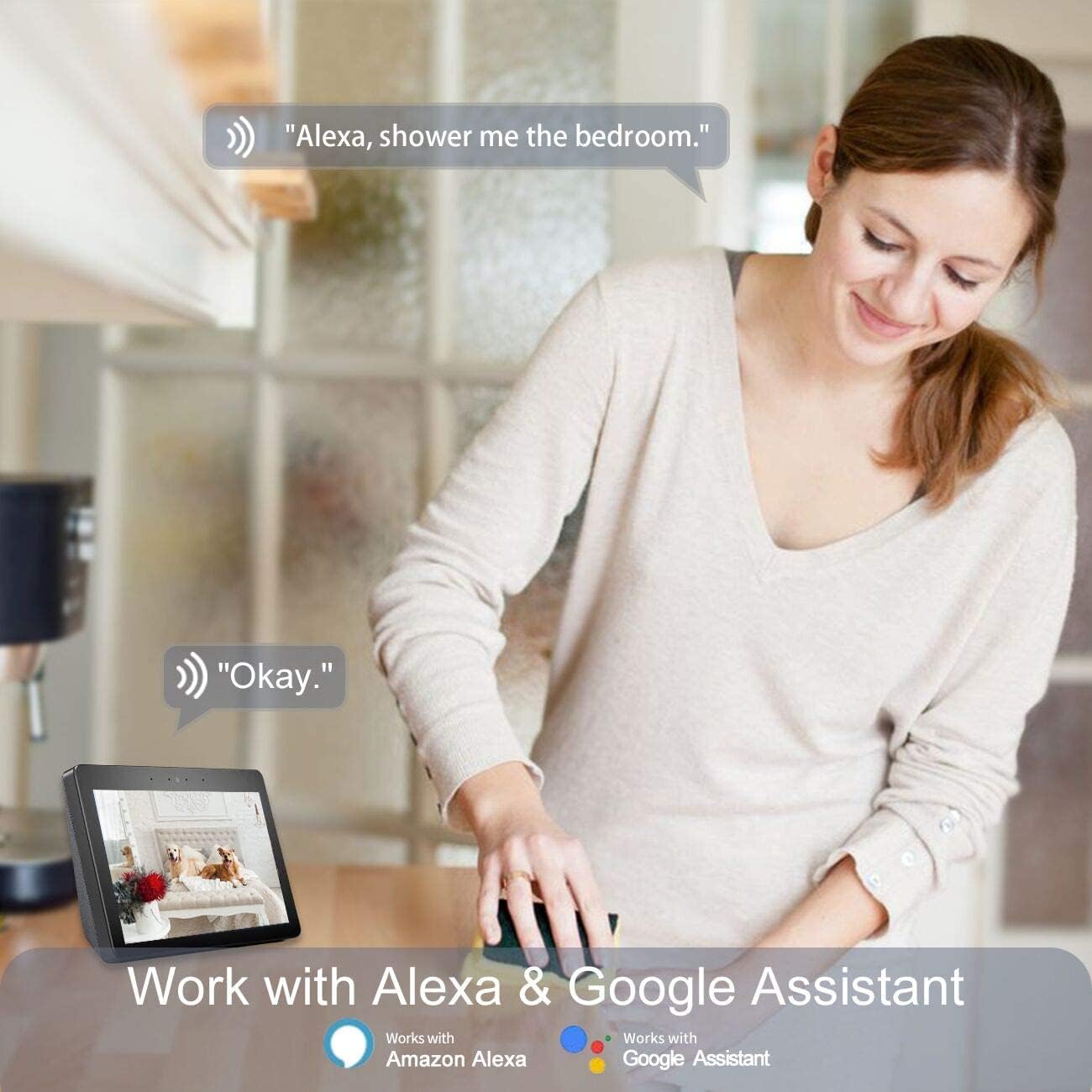
- د سمارټ کور مطابقت: Works with Amazon Alexa and Google Home for voice control and integration.
- کلاوډ او ځایی ذخیره: Supports USA Server Cloud Storage and up to 128GB TF card for video data and images.
2.3 د محصول ډیاګرام
Below is an illustration of the TODAAIR PTZ Camera with its main features highlighted.


3. ترتیب کول
3.1 Initial Camera Setup
- اپلیکیشن ډاونلوډ کړئ: لټون the "Tuya Smart" app (or "Smart Life" as mentioned in the Alexa video) on the Apple App Store or Google Play Store and install it on your smartphone.
- پاور آن: Connect the camera to a power source using the provided adapter. Wait for the camera to power on and enter pairing mode (usually indicated by a flashing LED).
- نوم لیکنه/ننوتل: Open the app, register a new account, or log in if you already have one.
- وسیله اضافه کړئ: In the app, follow the on-screen instructions to add a new device. This typically involves scanning a QR code on the camera or selecting the camera type manually and connecting to your Wi-Fi network. Ensure your Wi-Fi network is 2.4GHz.
3.2 فزیکي نصب کول
The TODAAIR PTZ Camera can be placed on a flat surface or mounted to a wall. Use the provided mounting accessories for wall installation. Ensure the camera is placed in a location that provides the desired viewد اننګ زاویه او ستاسو د وای فای شبکې په حد کې دی.
3.3 Smart Assistant Integration (Alexa & Google Home)
The TODAAIR PTZ Camera is compatible with Amazon Alexa and Google Home, allowing for voice control and integration into your smart home ecosystem. Follow the steps below to link your camera with Alexa:
- د الیکسا اپلیکیشن ډاونلوډ کړئ: Install the Amazon Alexa app from your device's app store.
- ننوتل / راجستر کول: Register or log in to your Amazon account within the Alexa app.
- د لاسرسي ترتیبات: From the Alexa app homepage, click the menu button (usually three horizontal lines) in the upper left corner, then select "Settings".
- Set Up New Device: In Settings, select "SET UP A NEW DEVICE". Choose your Echo device type and language.
- Connect to Echo Hotspot: Follow the app's prompts to connect your phone to the Echo device's hotspot. Ensure the Echo's indicator light is orange and rotating during this process. If not, press and hold the button on the Echo to reset it.
- Connect Echo to Wi-Fi: Once connected to the Echo hotspot, the Alexa app will guide you to connect your Echo to your home Wi-Fi network. Select your network and enter the password.
- Enable Tuya Smart Skill: Go back to the Alexa app homepage, open the menu, and select "Skills". In the search box, type "Tuya Smart" and select the skill. Click "Enable Skill".
- لینک حسابونه: A dialog box will appear asking for your Tuya Smart app account credentials. Enter your account and password to link the accounts.
- وسایل کشف کړئ: Once accounts are linked, say "Alexa, discover devices" to your Echo. Alexa will automatically find and add your TODAAIR camera.
- Rename Devices (Optional): For easier voice control, it is advised to change your device name in the Tuya Smart app to English before connecting to Echo. For example, you can name your camera "Baby Camera" or "Living Room Camera".
You can also integrate with Google Home by enabling the Tuya Smart skill within the Google Home app and linking your accounts.
4. عملیاتي لارښوونې
4.1 ژوندی View او PTZ کنټرول
- Open the Tuya Smart app and select your camera from the device list.
- د ژوندۍ ویډیو فیډ به څرګند شي.
- Use the on-screen controls to pan (rotate horizontally 355°) and tilt (rotate vertically 70°) the camera to adjust the viewزاویه.
- Digital zoom may be available through pinch-to-zoom gestures on the live feed.

۴.۴ دوه اړخیزه آډیو
- په داسې حال کې viewing the live feed, tap the microphone icon to speak through the camera's speaker.
- د کیمرې له چاپیریال څخه د آډیو اوریدو لپاره د سپیکر آیکون باندې کلیک وکړئ.

۵.۳ د حرکت کشف او خبرتیاوې
- In the app, navigate to the camera settings to enable motion detection.
- Adjust sensitivity levels as needed to minimize false alarms.
- When motion is detected, the camera will record a short video clip and send a notification to your smartphone.

4.4 د شپې لید
- کیمره په ټیټ رڼا کې په اتوماتيک ډول د شپې لید حالت ته ځي.
- Night vision provides clear black and white video up to 5 meters without infrared light pollution.


د ویډیو ذخیره
- د بادل ذخیره کول: The camera supports cloud storage via USA servers for recorded video data and images. Refer to the app for subscription details.
- ځایی ذخیره: Insert a Micro SD (TF) card (up to 128GB, not included) into the camera's slot for local video recording.
5. ساتنه
- پاکول: د کیمرې لینز او بدن پاکولو لپاره نرم، وچ ټوکر وکاروئ. د سختو کیمیاوي موادو یا د کثافاتو پاکوونکو کارولو څخه ډډه وکړئ.
- د فرم ویئر تازه معلومات: Regularly check the Tuya Smart app for available firmware updates to ensure optimal performance and security.
- Secure Your Account: Use strong, unique passwords for your app and smart assistant accounts. Enable two-factor authentication if available.
- د بریښنا دوره: که کیمره ستونزه ولري، هڅه وکړئ چې د 10 ثانیو لپاره یې د بریښنا سرچینې څخه خلاص کړئ او بیا یې بیرته ولګوئ.
6. ستونزه حل کول
| ستونزه | احتمالي لامل | د حل لاره |
|---|---|---|
| کیمره د وای فای سره وصل کیدو کې پاتې راغلې | Incorrect Wi-Fi password; 5GHz Wi-Fi network; camera too far from router; network congestion. | Ensure correct 2.4GHz Wi-Fi password. Move camera closer to router. Restart router. |
| د ویډیو خراب کیفیت | Insufficient bandwidth; dirty lens; low light conditions. | Check internet speed. Clean the camera lens. Ensure adequate lighting or rely on night vision. |
| د حرکت کشف کار نه کوي یا ډیر حساس دی | Settings not configured correctly; environmental factors. | Adjust motion detection sensitivity in the app. Ensure detection zones are set correctly. |
| د دوه اړخیزه غږ ستونزې | Microphone/speaker muted; app permissions; network delay. | Check app audio settings and phone permissions. Ensure stable internet connection. |
| Alexa/Google Home integration failure | Incorrect account linking; device name not recognized. | Re-link Tuya Smart skill. Ensure device names are simple and in English. Say "Alexa, discover devices" again. |
7. مشخصات
| فیچر | تفصیل |
|---|---|
| وړاندیز شوي استعمالونه | د ماشوم څارنه |
| برانډ | تودایر |
| د ارتباط ټیکنالوژي | بې سیم (وائی فای) |
| ځانګړي ځانګړتیاوې | Motion Sensor, Night Vision, PTZ Technology |
| د کور دننه / بهر کارول | دننه |
| مطابقت لرونکې وسیلې | سمارټ فون |
| د کنټرولر ډول | ایمیزون الیکسا |
| د غره ډول | دیوال غر |
| رنګ | Pro Smart Camera (White) |
| د فارم فکتور | گنبد |
| د لوړ حرارت درجه درجه | 60 درجې سیلسیس |
| د خبرتیا ډول | یوازې حرکت |
| د کوټې ډول | نرسري |
| د رڼا سرچینه | LED |
| د پنروک درجه | IP65 |
| د کنټرول طریقه | غږ |
| د ویډیو نیول حل | 1080p, 720p |
| د چوکاټ نرخ | 15 fps |
| د عکس سینسر ټیکنالوژي | CMOS |
| د ماډل شمیره | CA01 |
| جوړونکی | تودایر |
| د ارتباط پروتوکول | وای فای |
| بې سیم ټیکنالوژي | وای فای |
| د بریښنا سرچینه | اې سي ډي سي |
| واټtage | ۴۵ واټه |
| د چینلونو شمیر | 2 |
| د توکي ابعاد | 5.91 x 3.94 x 7.87 انچه |
| د واحد شمیره | 1.0 شمېره |
8. تضمین او ملاتړ
TODAAIR is committed to providing high-quality products and professional technical support. If you encounter any problems during the use of your camera, please contact our professional technical team for assistance. Specific warranty details may vary; please refer to the product packaging or the official TODAAIR webد تضمین په اړه د تازه معلوماتو لپاره سایټ.