
1. پیژندنه
Thank you for choosing the FLEXISPOT EB2 Electric Standing Desk. This manual provides essential information for the safe and efficient operation of your new height-adjustable desk. The EB2 is designed to enhance your workspace with its dual-motor lifting system, smart memory panel, and robust construction, promoting a healthier and more productive work environment.
2. د خوندیتوب معلومات
2.1 عمومي خوندیتوب لارښوونې
- د میز چلولو دمخه ډاډ ترلاسه کړئ چې ټولې اړیکې خوندي دي.
- د لوړوالي د تنظیمولو په وخت کې ماشومان او څاروي له میز څخه لرې وساتئ.
- Do not overload the desk beyond its maximum weight capacity of 100 kg.
- د مایعاتو مستقیم د کنټرول پینل یا بریښنایی برخو ته نږدې د ځای پرځای کولو څخه ډډه وکړئ.
- یوازې د کارځای په توګه د میز څخه د هغې د ټاکل شوي هدف لپاره کار واخلئ.
۴.۲ د ټکر ضد ټیکنالوژي
The EB2 desk is equipped with an integrated anti-collision system. If the desk encounters an obstacle (soft or hard) during height adjustment, it will automatically stop and reverse slightly to prevent damage to the desk or objects. This feature enhances user safety and protects your belongings.

FLEXISPOT EB2 standing desk with a dark desktop, laptop, and plant in a modern office setting, demonstrating a typical setup.

An illustration comparing the desk's behavior with and without the anti-collision system, clearly showing how the integrated technology prevents damage by stopping and reversing upon contact with an obstacle.
3. تنظیم او مجلس
The FLEXISPOT EB2 desk frame is designed for straightforward assembly, typically taking less than one hour. A detailed instruction manual is included to guide you through each step. Ensure all components are present before beginning assembly. Refer to the included diagram for part identification.

یو اوورview of the FLEXISPOT EB2 electric standing desk frame, showcasing its dual-leg design, integrated control panel, and included casters for mobility.
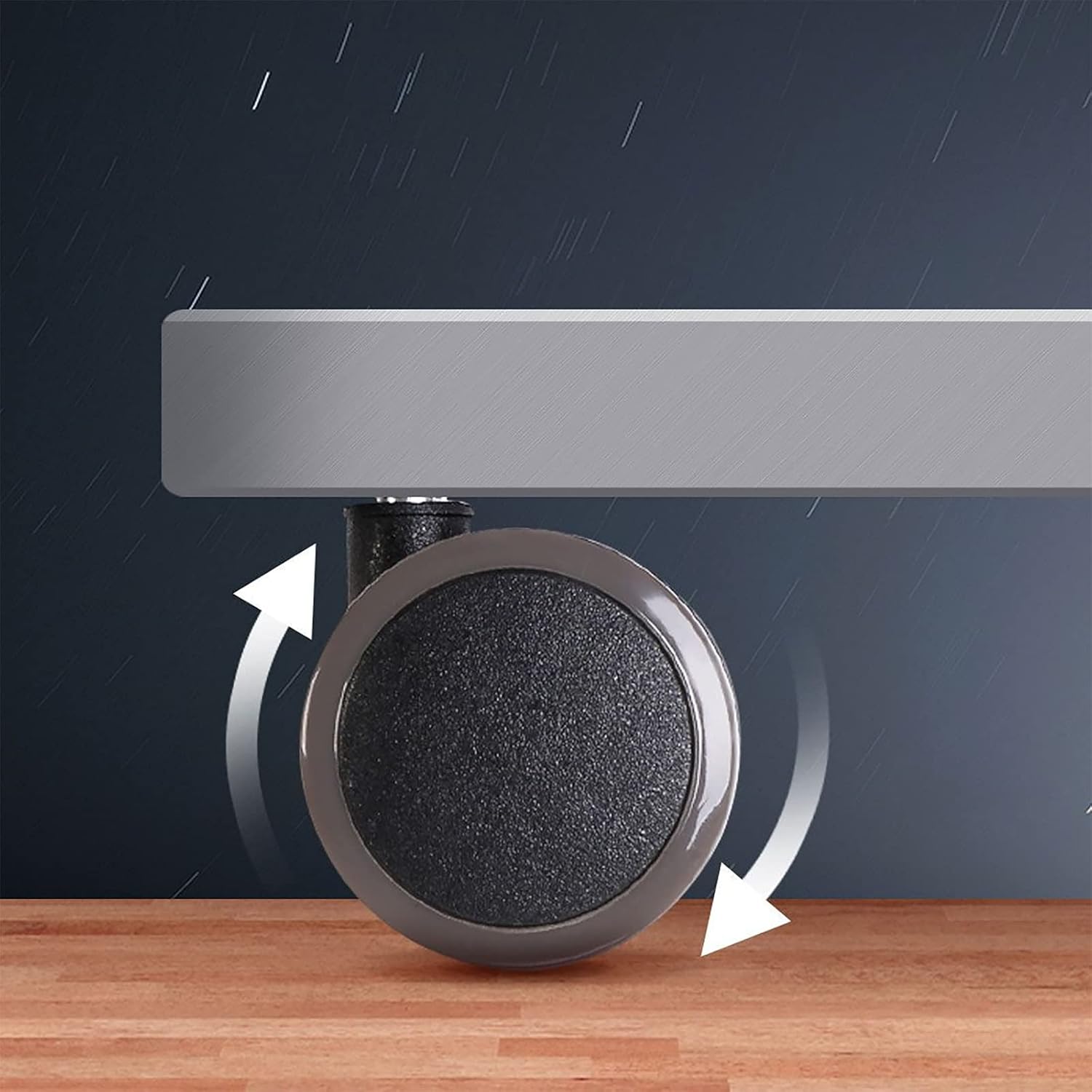
یو مفصل view of one of the desk's casters, highlighting its design for easy movement and stability.

An illustrative diagram detailing the adjustable dimensions of the FLEXISPOT EB2 desk frame, including its height range and the compatible desktop sizes it can accommodate.
4. عملیاتي لارښوونې
4.1 د قد تنظیم کول
The electric lifting system allows for smooth height adjustments from 70 cm to 119 cm (without casters). Use the up (^) and down (v) buttons on the control panel to adjust the desk to your desired height. The desk operates with a low noise level of less than 50 dB during movement.
4.2 Smart Memory Panel
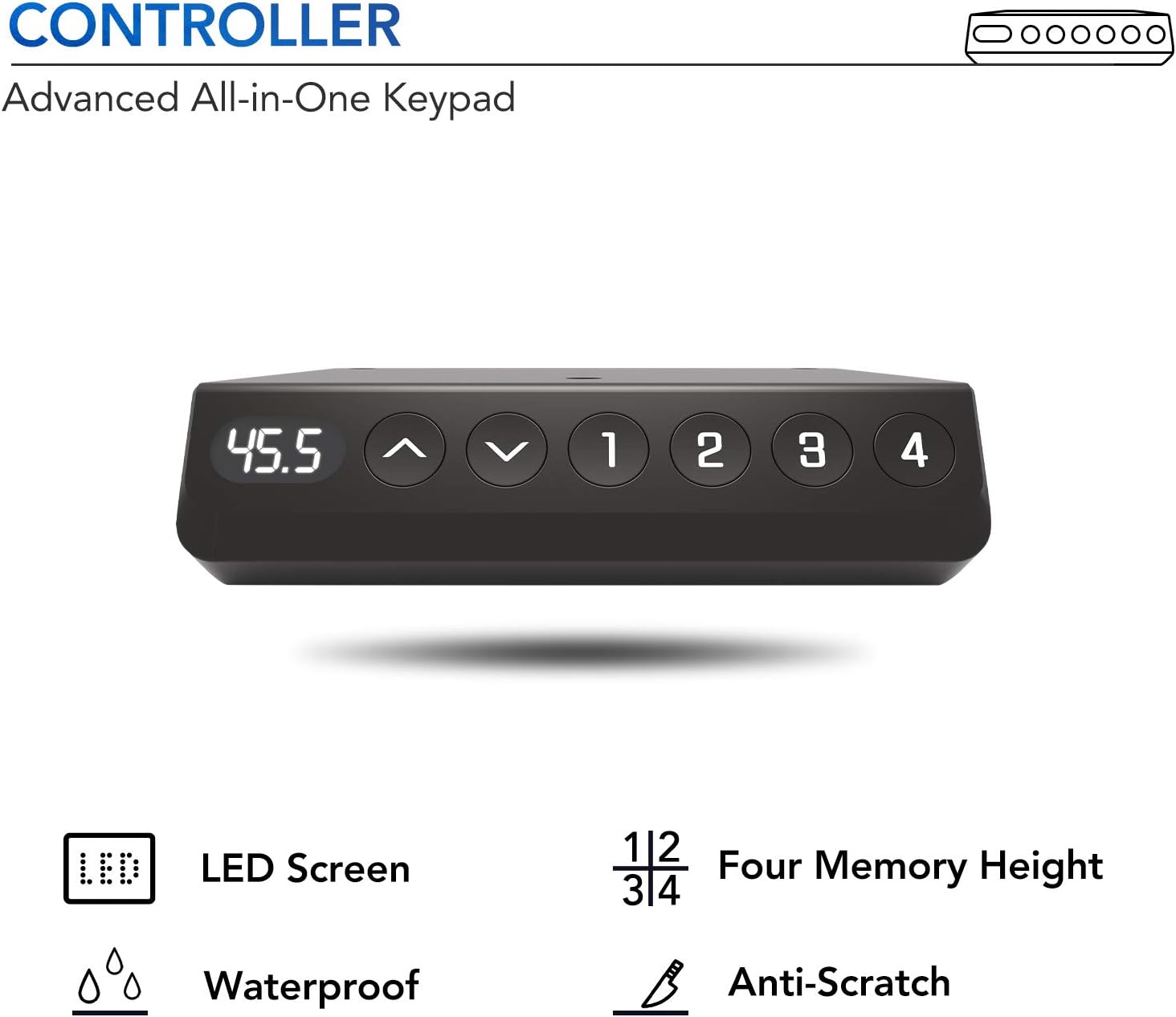
The advanced all-in-one keypad features an LED screen and four programmable memory presets (1, 2, 3, 4). To save a preferred height:
- د پورته/ښکته تڼیو په کارولو سره میز د خپلې خوښې لوړوالي سره سم تنظیم کړئ.
- Press and hold one of the memory buttons (1, 2, 3, or 4) until you hear a beep or see the display confirm the setting. The height is now saved.
- To recall a saved height, simply press the corresponding memory button.

A detailed image of the desk's control panel, featuring an LED display, up and down adjustment buttons, and four programmable memory settings for personalized height preferences.

A visual representation of the desk's dual-motor system, explaining how it provides enhanced stability, balance, and a robust 100 kg weight capacity for your workspace.
5. ساتنه
To maintain your FLEXISPOT EB2 desk, regularly wipe surfaces with a soft, damp cloth. Avoid abrasive cleaners or harsh chemicals that could damage the finish. Periodically check all screws and bolts to ensure they are tight. Do not overtighten. Keep the electrical components dry and free from dust.
6. ستونزه حل کول
- میز نه حرکت کوي: Check all power connections. Ensure the power cord is securely plugged into both the desk and the wall outlet.
- نا مساوي حرکت: If the desk moves unevenly, check for any obstructions beneath the desk or ensure the weight is evenly distributed on the desktop.
- د تېروتنې کوډونه په ښودلو کې: Refer to the full instruction manual for specific error code meanings and solutions. Often, unplugging the desk for 10 seconds and plugging it back in can reset minor issues.
- Anti-collision system activating unexpectedly: Ensure there are no objects near the desk's path during adjustment. If the issue persists, contact customer support.
7. مشخصات
| برانډ | FLEXISPOT |
| ماډل | EB2 |
| د میز ډیزاین | د کمپیوټر میز |
| شکل | مستطیل |
| د لوړوالی تنظیم کولو سلسله | 70 cm to 119 cm (without casters) |
| Compatible Desktop Sizes | 120-180 cm (length) x 60-80 cm (width) |
| د اعظمي بار ظرفیت | 100 کیلو ګرامه |
| اساسی مواد | د الماس فولاد |
| رنګ | Grey (frame) + Casters |
| ځانګړي ځانګړتیاوې | Ergonomic, Height Adjustable, Robust, Casters, Adjustable, Stable, Electric, Anti-collision Technology, Smart Memory Panel |
| د شور کچه | < 50 dB |

The FLEXISPOT EB2 desk in a functional setup, featuring a dark desktop, a laptop, and a small plant, demonstrating its use as a complete workstation.
بل view of the FLEXISPOT EB2 desk with a dark desktop, showcasinد هغې ښکلی ډیزاین او ampد کار ځای.
A technical diagram providing precise measurements for the desk's casters, including their diameter and stem dimensions, useful for understanding compatibility and replacement.
8. تضمین او ملاتړ
FLEXISPOT stands behind the quality of its products. The EB2 desk frame is covered by a 5 کلن تضمین for the frame, motor, and other mechanical components. The controller, switch, and electronics are covered by a 2 کلن تضمین.
For technical assistance, warranty claims, or further inquiries, please contact FLEXISPOT customer support. FLEXISPOT has over 20 years of expertise in height-adjustable technology, ensuring reliable product support.
A certificate from the IGR Institute, verifying that FLEXISPOT height-adjustable desks meet ergonomic standards and have passed usability tests, ensuring a high-quality and comfortable user experience.