
1. پیژندنه
Thank you for choosing Kinganda Q71 Bluetooth Earbuds. This manual provides detailed instructions for setting up, operating, and maintaining your new wireless earbuds. Please read this manual carefully before use to ensure proper functionality and to maximize your listening experience.
2. د خوندیتوب معلومات
- د غوږ بډونه یا د چارج کولو قضیه د سختې تودوخې، رطوبت، یا زنګ وهونکي چاپیریال ته مه ښکاره کوئ.
- د اوریدلو د زیان مخه نیولو لپاره د اوږدې مودې لپاره د لوړ حجم په کچه د اوریدلو څخه ډډه وکړئ.
- وسیله د ماشومانو او څارویو څخه لرې وساتئ.
- د محصول د جلا کولو یا تعدیل هڅه مه کوئ. دا به تضمین باطل کړي.
- Clean the earbuds and charging case with a soft, dry cloth only.
3. د بسته محتويات
مهرباني وکړئ وګورئ چې ټول توکي ستاسو په کڅوړه کې شتون لري:
- Kinganda Q71 Bluetooth Earbuds (Left and Right)
- د چارج کولو قضیه
- د USB چارج کیبل
- د غوږونو څو اندازې
- د کارن لارښود
4. محصول ختم شوview
Familiarize yourself with the components of your Kinganda Q71 Bluetooth Earbuds.
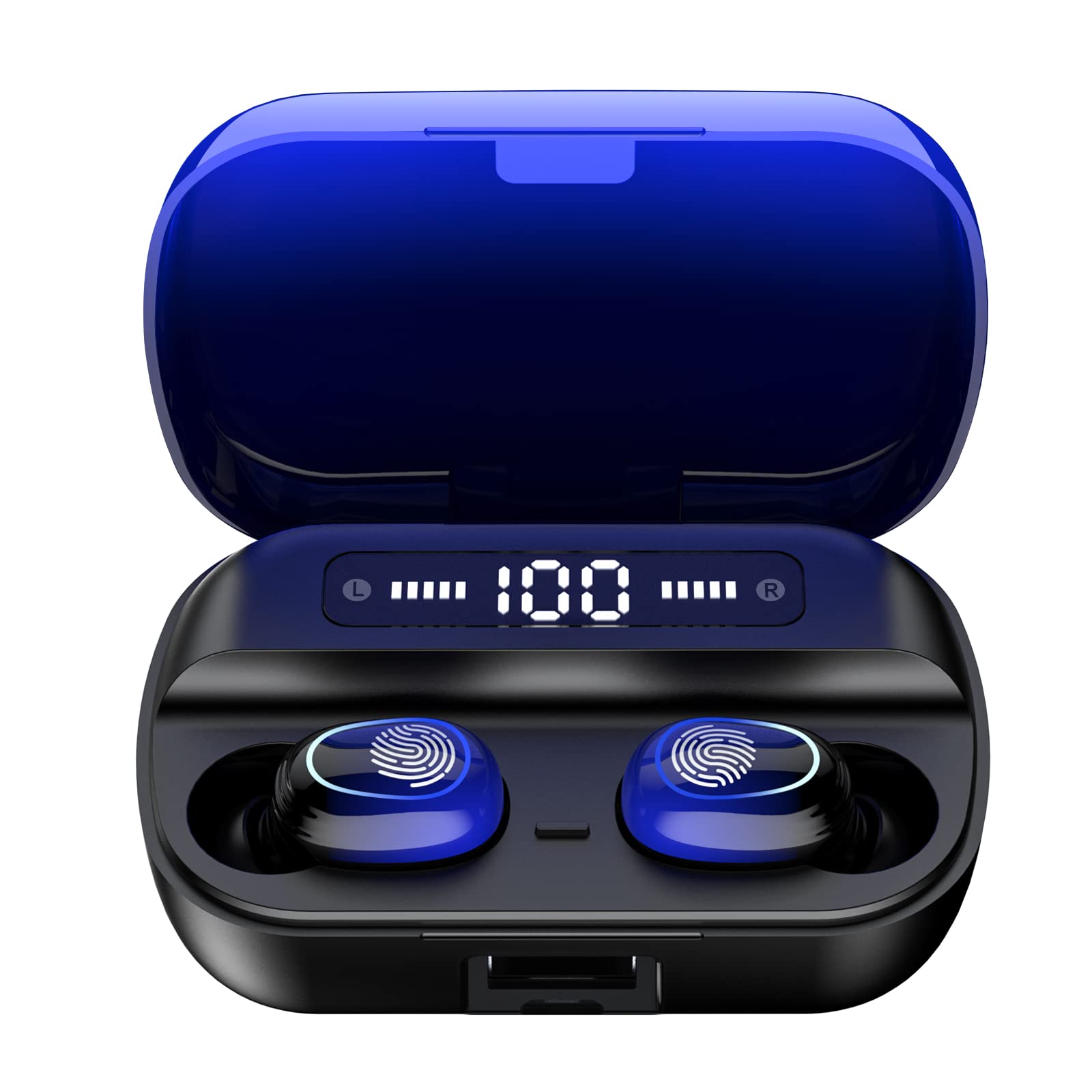
انځور 4.1: اوورview of Kinganda Q71 Bluetooth Earbuds and key features including Bluetooth 5.1, low latency, low power consumption, touch control, clear calls, 10mm speakers, compatibility with iOS and Android, and a 33-foot signal range.
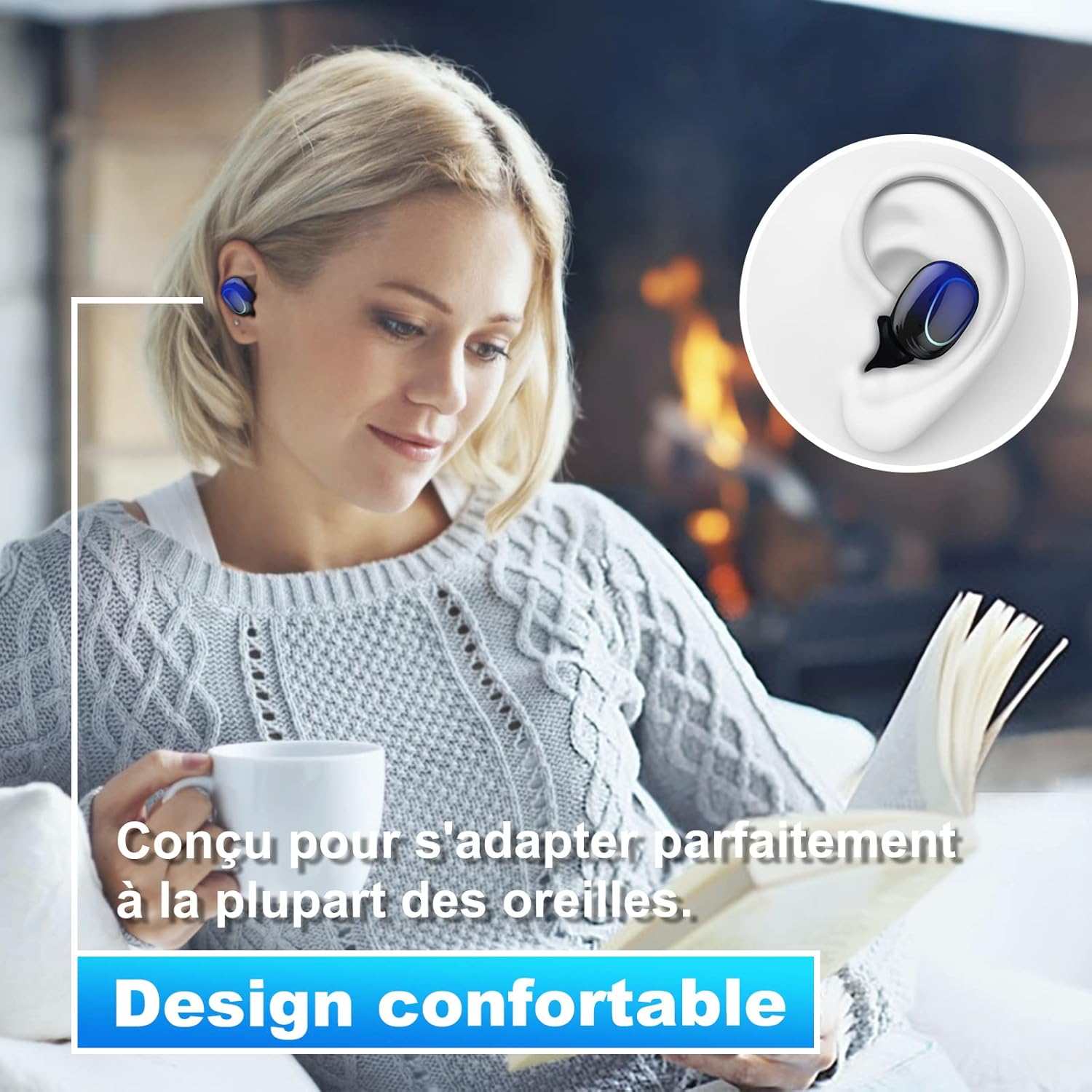
Image 4.2: The Kinganda Q71 earbuds are designed for a comfortable and secure fit in most ears.
5. ترتیب کول
۴.۱ د ایربډز او کیس چارج کول
د لومړي ځل کارولو دمخه، د چارج کولو قضیه او ایربډونه په بشپړه توګه چارج کړئ.
- د غوږ بډونه د چارج کولو په بکس کې واچوئ. ډاډ ترلاسه کړئ چې په سمه توګه ځای پر ځای شوي دي.
- د USB چارج کولو کیبل د کیس د چارج کولو پورټ او د بریښنا سرچینې سره وصل کړئ (د مثال په توګه، د USB دیوال اډاپټر، د کمپیوټر USB پورټ).
- د قضیې په شاخص څراغونه به د چارج کولو حالت وښيي. یوځل چې په بشپړ ډول چارج شي، څراغونه به د بشپړیدو یا بندیدو ښودنه وکړي.

Image 5.1: The charging case has a 3500mAh battery. Earbuds provide approximately 5 hours of playback, and the case extends total usage to about 150 hours. A full recharge takes approximately 1.5 hours.
۴.۲ د بلوتوث وسیلې سره جوړه کول
د غوږ بډونه د باثباته اتصال لپاره بلوتوث 5.1 کاروي.
- د چارج کولو کیس خلاص کړئ. د غوږ بډونه به په اتوماتيک ډول فعال شي او د جوړې کولو حالت ته به ننوځي.
- په خپل وسیله (سمارټ فون، ټابلیټ، او نور) کې، بلوتوث فعال کړئ.
- لټون available Bluetooth devices and select "Kinganda Q71" (or similar name) from the list.
- یوځل چې وصل شو، تاسو به د تایید غږ واورئ، او د غوږونو په غوږونو کې د شاخص څراغونه به بدل شي.
۵.۱ د غوږۍ غوږوالۍ اغوستل
For optimal sound quality and comfort, choose the correct ear tip size and ensure a snug fit.
- Select the ear tips that best fit your ear canals.
- Gently insert each earbud into your ear, twisting slightly until it feels secure and comfortable.
6. عملیاتي لارښوونې
The Kinganda Q71 earbuds feature touch controls for easy operation.

Image 6.1: Touch controls for various functions including power, music playback, call management, and voice assistant activation.
6.1 اساسي دندې
- پاور آن/بند: Earbuds power on automatically when removed from the case and power off when placed back in the case. Alternatively, long-press the touch area for manual power on/off.
- پلی کول / ودرول: په دواړو غوږونو کې یو ځل کلیک وکړئ.
- بله لار: ښي غوږ بډ دوه ځله ټایپ کړئ.
- مخکینی لار کیڼ غوږ بډ دوه ځله ټایپ کړئ.
- ځواب / پای کال: د راتلوونکي زنګ په جریان کې په دواړو ایربډونو یو ځل کلیک وکړئ.
- زنګ رد کړئ: د راتلوونکي زنګ په جریان کې په دواړو غوږونو اوږد فشار ورکړئ.
- د غږ معاون (سیري) فعال کړئ: په دواړو غوږونو درې ځله ټایپ کړئ.
6.2 د کارونې طریقې
The Kinganda Q71 earbuds support various listening modes.

Image 6.2: The earbuds can be used in mono mode (single earbud) to stay aware of surroundings, TWS stereo mode for immersive sound, or twin mode to share music with another person.
- د مونو حالت: Use a single earbud (left or right) to listen to audio while keeping the other ear open to your surroundings. Simply remove one earbud from the case.
- TWS Stereo Mode: Use both earbuds for a full stereo audio experience. Both earbuds will automatically connect to each other and your device when removed from the case.
- دوه اړخیز حالت: Share your music with a friend by giving them one earbud. Both earbuds will play the same audio.
7. ساتنه
7.1 پاکول
منظم پاکول د غږ کیفیت او حفظ الصحې ساتلو کې مرسته کوي.
- د غوږ بډونو او چارج کولو کیس پاکولو لپاره نرم، وچ، له لینټ څخه پاک ټوکر وکاروئ.
- Remove ear tips and clean them with mild soap and water if necessary, then dry thoroughly before reattaching.
- د سختو کیمیاوي موادو او خړوبولو موادو څخه کار مه اخلئ.
7.2 ذخیره کول
کله چې په کارولو کې نه وي، د غوږ بډونه د چارج کولو په قضیه کې وساتئ ترڅو دوی خوندي شي او چارج یې وساتي.
8. ستونزه حل کول
که تاسو د ستونزو سره مخ شئ، لاندې حلونه هڅه وکړئ:
- د غوږونو نه جوړېږي: ډاډ ترلاسه کړئ چې دواړه ایربډونه چارج شوي دي. بیرته یې په کیس کې کېږدئ، وتړئ، بیا یې بیا خلاص کړئ ترڅو د جوړه کولو حالت بیا پیل کړئ. د خپل وسیله بلوتوث ترتیبات وګورئ او بیا وصل کولو هڅه وکړئ.
- یوازې یو غوږۍ کار کوي: Place both earbuds back in the charging case, close the lid, wait a few seconds, then open the lid and remove them simultaneously. This should force them to re-sync.
- غږ نشته: په خپل وسیله کې د حجم کچه وګورئ او ډاډ ترلاسه کړئ چې د غوږ بډونه په سمه توګه وصل دي.
- د چارج کولو مسلې: Ensure the charging cable is securely connected to both the case and the power source. Try a different charging cable or power adapter.
- د غږ خراب کیفیت: Ensure the earbuds are clean and properly seated in your ears. Try different ear tip sizes for a better seal.
9. مشخصات
| د ماډل نوم | Q71 |
| برانډ | کنیندا |
| د ارتباط ټیکنالوژي | بېسیم (بلوتوث ۵.۳) |
| د بیسیم رینج | تر 33 فوټو پورې (10 متره) |
| د آډیو ډرایور ډول | متحرک ډرایور (۱۶.۱ ملي متره) |
| د کنټرول طریقه | ټچ کنټرول |
| مواد | پلاستیک، سیلیکون |
| د اوبو د مقاومت کچه | واټر پروف (IPX7) |
| د ایربډ بیټرۍ ژوند | نږدې 5 ساعته |
| د چارج کولو قضیه بیټرۍ ژوند | Approx. 150 hours (with case) |
| د چارج کولو قضیه ظرفیت | 3500mAh |
| د چارج وخت | نږدې 1.5 ساعته |
| مطابقت لرونکې وسیلې | Bluetooth-enabled devices (iOS, Android) |
| ځانګړی ځانګړنه | د رڼا وزن |

Image 9.1: The 10mm immersive drivers deliver enhanced sound quality with deeper bass.

Image 9.2: With an IPX7 waterproof rating, the earbuds are protected against sweat and water splashes, making them suitable for sports.
10. تضمین او ملاتړ
Kinganda products are designed for reliability and performance. This product comes with a standard manufacturer's warranty. For specific warranty details, please refer to the warranty card included in your package or contact Kinganda customer support.
If you have any questions, require technical assistance, or need to claim warranty service, please contact our customer support team through the contact information provided on the Kinganda official webسایټ یا ستاسو د پیرود پلیټ فارم.