
پیژندنه
This manual provides detailed instructions for the setup, operation, and maintenance of your NADAMOO Bur3121-P2-30 2D Wireless Barcode Scanner. This device is designed for efficient scanning of 1D and 2D barcodes, offering versatile connectivity and a unique adjustable back clip for mobile phone integration.
د محصول ځانګړتیاوې
- Adjustable Back Clip Design: The scanner features a retractable clip that allows it to be securely attached to mobile phones with lengths between 5.61-6.5 inches (13.5-16.5 cm). The clip includes anti-slip silicone to prevent damage to your phone.
- د دوه ګوني کارونې طریقې: Can be used as a clip-on barcode scanner fixed behind a mobile phone for real-time data viewing, or as a standalone Bluetooth barcode scanner.
- د بلوتوټ ارتباط: Supports Bluetooth HID, SPP, and BLE modes, offering a wireless range of approximately 50 meters (164 feet) in open environments. Compatible with Windows, Mac OS, Android OS, and iOS devices.
- Advanced 2D CMOS Sensor: Equipped with a 300,000-pixel CMOS sensor for superior reading performance on both printed and screen-displayed 1D/2D barcodes.
- Enhanced Decoding Capability: Capable of reading damaged, distorted, colored, reflective, smudged, scratched, or poorly printed barcodes.
- د بارکوډ ملاتړ شوي ډولونه:
- 1D بارکوډونه: UPC/EAN, UPC/EAN with supplemental code, ISBN/ISSN, Code 128, GS1-128, GS1 DataBar, Code 39, Code32, Code11, Code 93, Interleaved 2 of 5, Industrial 2 of 5, Matrix 2 of 5, Standard 2 of 5, Codabar.
- 2D بارکوډونه: QR Code, PDF417, Data Matrix, Aztec. Also supports reading reverse 1D Code, QR Code, Data Matrix, Aztec (white barcode on black background).
- د سکین کولو دوه طریقې:
- د لاسي محرک حالت: Press the trigger to scan.
- Self-sensing Mode: The scanner automatically reads barcodes when detected, without needing to press the trigger.
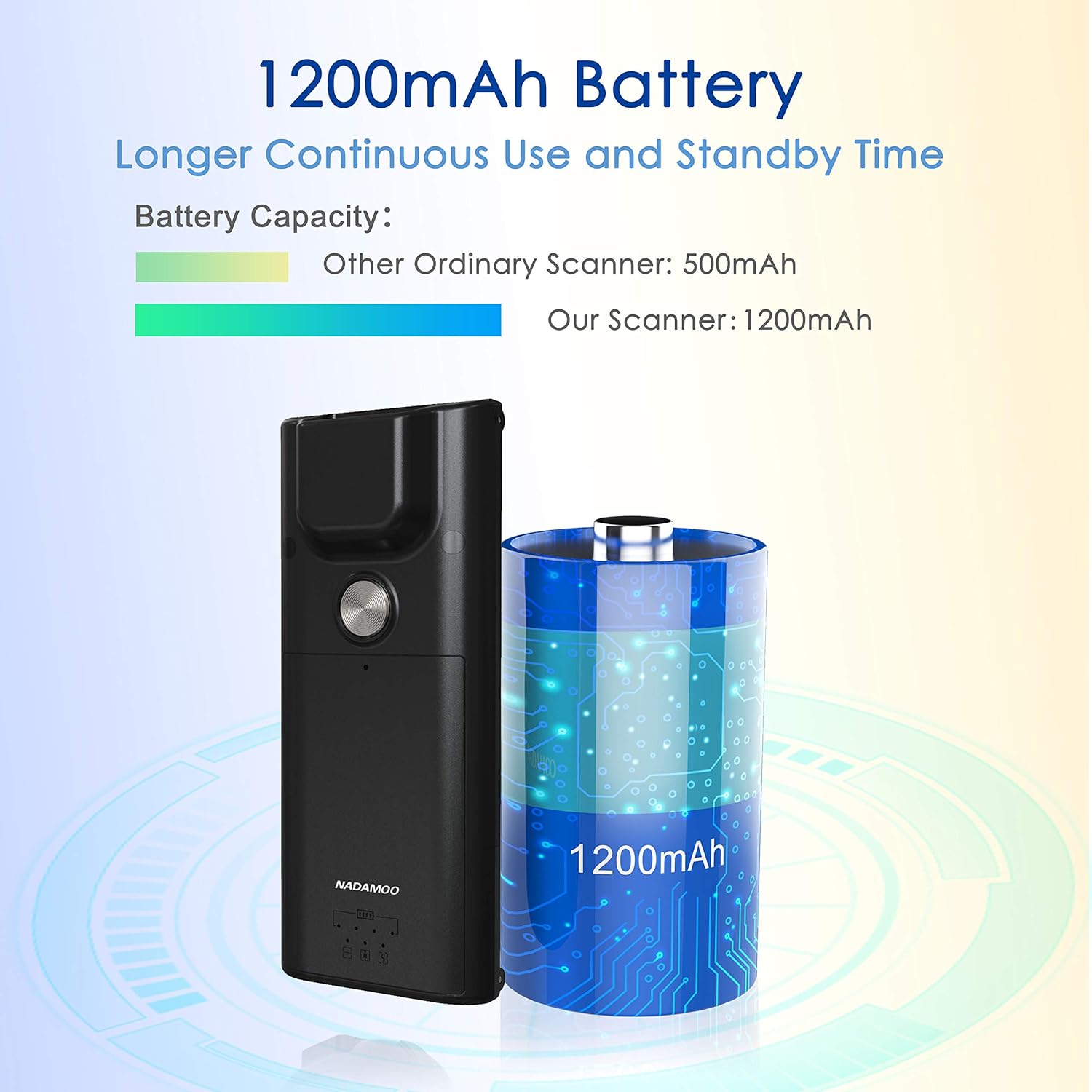
- اوږدمهاله بیټرۍ: Features a 1200mAh battery for extended continuous use and standby time.
چمتو کول
1. Attaching to a Mobile Phone (Optional)
- Ensure your mobile phone's length is between 5.61-6.5 inches (13.5-16.5 cm).
- Gently extend the adjustable back clip of the scanner.
- Position your phone within the clip, ensuring it is securely held by both the fixed top clip and the flexible bottom clip. The anti-slip silicone pads should protect your phone's surface.


2. د بلوتوث جوړه کول
- په سکینر کې بریښنا.
- On your host device (computer, tablet, or smartphone), enable Bluetooth and search for available devices.
- Select "NADAMOO Scanner" or a similar identifier from the list of found devices.
- Follow any on-screen prompts to complete the pairing process. The scanner supports Bluetooth HID, SPP, and BLE modes.

عملیاتي لارښوونې
1. د بارکوډونو سکین کول
- د لاسي محرک حالت: Aim the scanner at the barcode and press the trigger button. The scanner will emit a beep and/or vibrate upon successful scan.
- Self-sensing Mode: In this mode, simply present the barcode to the scanner's window. The scanner will automatically detect and read the barcode without requiring a trigger press.
Ensure the barcode is within the scanner's field of view and properly illuminated for optimal reading performance. The scanner can read various types of 1D and 2D barcodes, including those that are damaged, distorted, or printed on colored backgrounds.

۵.۱. د سکینر چارج کول
Connect the scanner to a power source using the provided charging cable. The indicator light will show charging status. A full charge provides extended operational time due to the 1200mAh battery.
ساتنه
- پاکول: د سکینر بهرنۍ برخه پاکولو لپاره نرم، وچ ټوکر وکاروئ. د سکین کولو کړکۍ لپاره، د لینز پاکولو ټوکر او که اړتیا وي نو د پاکولو نرم محلول وکاروئ. د کثافاتو موادو یا سخت کیمیاوي موادو څخه ډډه وکړئ.
- ذخیره کول: سکینر په یخ او وچ ځای کې د مستقیم لمر وړانګو او سختې تودوخې څخه لرې وساتئ.
- د بیټرۍ پاملرنه: To prolong battery life, avoid fully discharging the battery frequently. Charge the scanner regularly, even if not in active use for extended periods.
د ستونزو حل کول
| ستونزه | احتمالي لامل | د حل لاره |
|---|---|---|
| سکینر نه چالانېږي. | د بیټرۍ ټیټوالی یا د بریښنا ستونزه. | Charge the scanner using the provided cable. Ensure the charging cable is properly connected to a power source. |
| د بلوتوث له لارې جوړه نشي کولی. | Bluetooth not enabled on host device, scanner not in pairing mode, or out of range. |
|
| سکینر بارکوډونه نه لولي. | Barcode damaged/unreadable, incorrect scanning mode, or scanner window dirty. |
|
| Data not transmitting to device. | Bluetooth connection lost or incorrect application focus. |
|
مشخصات
| فیچر | تفصیل |
|---|---|
| د ماډل شمیره | Bur3121-P2-30 |
| ASIN | B09KXPTHNX |
| د ارتباط ټیکنالوژي | بلوتوث |
| مطابقت لرونکې وسیلې | ډیسکټاپ، لیپټاپ، سمارټ فون |
| د بریښنا سرچینه | د بیټرۍ چلول |
| د توکي وزن | 4.4 اونس (125 ګرامه) |
| د کڅوړې ابعاد | 6.89 x 4.84 x 1.5 انچه |
| د سینسر ډول | CMOS (300,000 Pixels) |
| د بیټرۍ ظرفیت | 1200mAh |
| Phone Length Compatibility | ۱۸-۲۰ انچه / ۴۵.۷-۵۰.۸ سانتي متره |
تضمین او ملاتړ
For warranty information or technical support, please refer to the documentation included with your product or contact NADAMOO customer service through their official website or the platform where the product was purchased. Please have your model number (Bur3121-P2-30) and ASIN (B09KXPTHNX) ready when contacting support.