
1. پیژندنه
د پیرودلو لپاره مننهasing the Final UX3000 Bluetooth Wireless Headphones. These headphones are designed to deliver premium Hi-Fi sound quality with hybrid noise-cancelling technology, ensuring an immersive audio experience. With long battery life and versatile connectivity options, the UX3000 is ideal for music listening, movies, and gaming.
Please read this manual thoroughly before using the product to ensure proper operation and to maximize your listening enjoyment.

Image: The Final UX3000 headphones in black, showcasinد دوی ښکلی ډیزاین.
2. د بسته محتويات
ډاډ ترلاسه کړئ چې ټول لاندې توکي ستاسو په بسته کې شامل دي:
- Final UX3000 Headphone
- د USB-C چارج کیبل
- نرم بار وړلو کڅوړه
- 3.5mm Cable for Wired Connection
- د کارونکي لارښود (دا لاسوند)
Note: A USB charger is not included in the package.
3. محصول ختم شوview
۳.۱ د هیډفون اجزا
Familiarize yourself with the various parts and controls of your Final UX3000 headphones.

انځور: یو مفصل view of the control buttons located on the ear cup.
کنټرولونه او شاخصونه:
- د بریښنا تڼۍ: د هیډفونونو د فعالولو/بندولو او د بلوتوث جوړه کولو پیل کولو لپاره کارول کیږي.
- Volume + / - Buttons: د آډیو حجم تنظیموي.
- ملټي فنکشن بټن: Controls playback (play/pause), call management (answer/end calls), and activates voice assistant.
- د ANC تڼۍ: د فعال شور لغوه کول فعال/بند کول بدلوي.
- Bluetooth / ANC Status Indicator: LED light indicating power, pairing status, and ANC status.
- د USB-C چارج کولو بندر: د هیډفون چارج کولو لپاره.
- 3.5mm آډیو جیک: د تار لرونکي اتصال لپاره.

Image: Diagram showing the Power Button and Status Indicator.

Image: Diagram showing the Volume Up and Volume Down buttons.
4. ترتیب کول
۳.۱ د هیډفونونو چارج کول
Before first use, fully charge your UX3000 headphones. Connect the supplied USB-C charging cable to the headphone's USB-C port and the other end to a USB power source (e.g., computer USB port, USB wall adapter). The LED indicator will show charging status and turn off when fully charged.
- د چارج کولو وخت: د بشپړ چارج لپاره نږدې 2.5 ساعته.
- د بیټرۍ ژوند: تر ۲۲ ساعتونو پورې د موسیقۍ غږول.
4.2 د بلوتوټ جوړه کول
د دې لپاره چې خپل هیډفونونه په بېسیم ډول له یوې وسیلې سره وصل کړئ:
- ډاډ ترلاسه کړئ چې هیډفونونه بند دي.
- د بریښنا تڼۍ د نږدې 5 ثانیو لپاره فشار ورکړئ او ونیسئ تر هغه چې د LED شاخص نیلي او سور روښانه شي، چې د جوړه کولو حالت په ګوته کوي.
- په خپل وسیله (سمارټ فون، ټابلیټ، کمپیوټر) کې، بلوتوټ فعال کړئ او د شته وسایلو لټون وکړئ.
- Select "Final UX3000" from the list of found devices.
- Once connected, the LED indicator will flash blue slowly. A voice prompt will confirm "Device Connected".

Image: The UX3000 headphones positioned beside a smartphone displaying its Bluetooth connection settings.
څو نقطه پیوستون:
The UX3000 supports multipoint connection, allowing you to connect to two Bluetooth devices simultaneously. For example, you can be connected to your smartphone and your laptop at the same time, seamlessly switching audio sources.
د بریښنا پيوستون
For a wired audio experience or when the battery is depleted, use the supplied 3.5mm audio cable.
- Connect one end of the 3.5mm cable to the audio jack on the headphones.
- بل پای د خپل وسیلې د 3.5 ملي میتر آډیو آوټ پټ سره وصل کړئ.
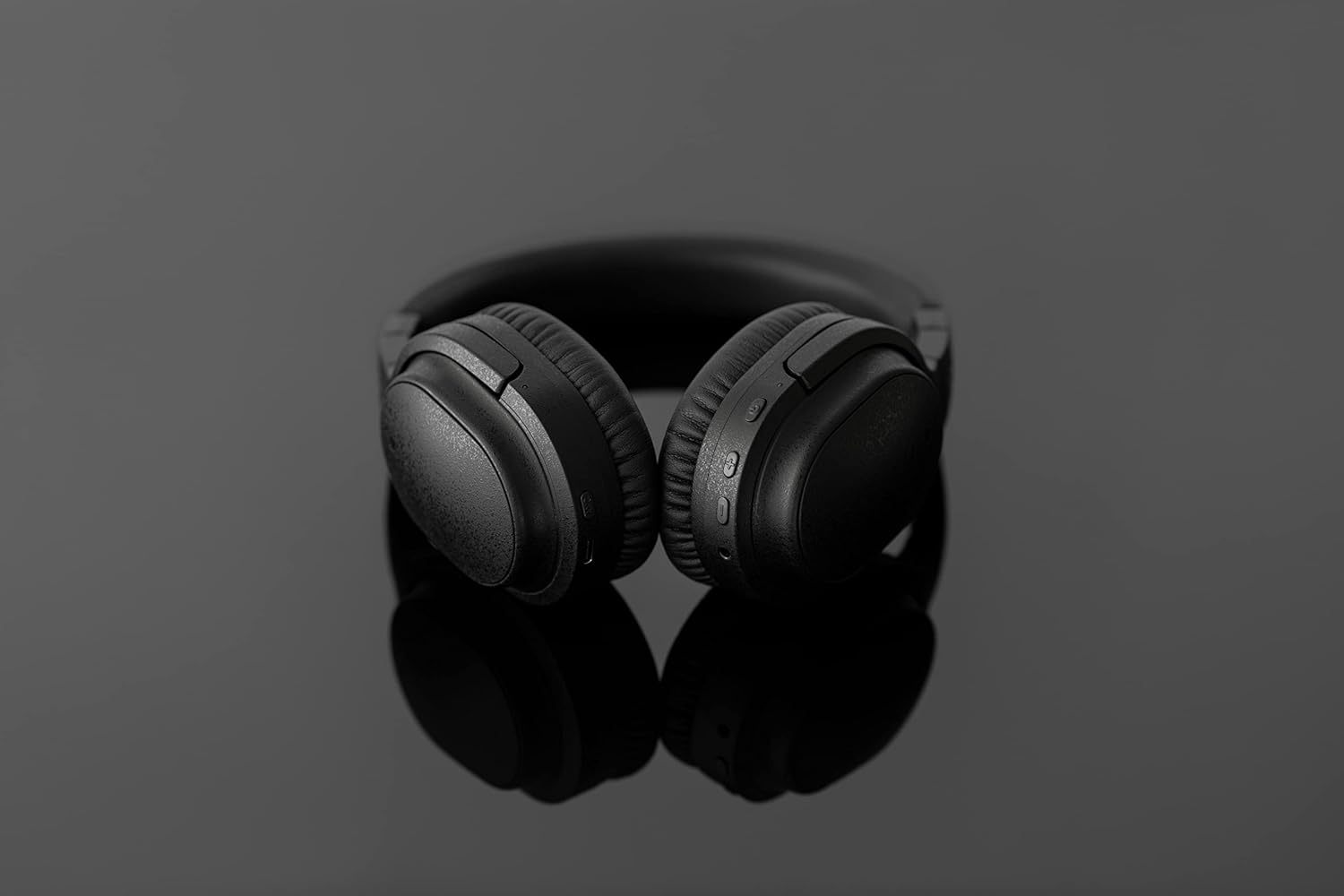
Image: The UX3000 headphones connected to a digital audio player using the 3.5mm audio cable.
5. عملیاتي لارښوونې
۸ پاور آن/بند
- پاور آن: د بریښنا تڼۍ د 2 ثانیو لپاره فشار ورکړئ او ونیسئ. د LED شاخص به نیلي فلش وکړي.
- بندول: د بریښنا تڼۍ د 3 ثانیو لپاره فشار ورکړئ او ونیسئ. د LED شاخص به بند شي.
5.2 د میوزیک غږ
- پلی کول / ودرول: یوځل د ملټي فنکشن ت buttonۍ فشار ورکړئ.
- بله لار: د حجم + تڼۍ د ۲ ثانیو لپاره فشار ورکړئ او ونیسئ.
- مخکینی لار د حجم تڼۍ د ۲ ثانیو لپاره فشار ورکړئ او ونیسئ.
- حجم پورته کول: Press the Volume + button briefly.
- کموالی: Press the Volume - button briefly.
5.3 Hybrid Noise Cancelling (ANC)
The UX3000 features Hybrid Active Noise Cancelling, utilizing two microphones per ear cup to effectively reduce ambient noise. One microphone collects external noise, and the other collects sound from the driver unit, allowing for highly accurate anti-noise signal generation.
- د ANC فعال/غیر فعالول: Press the ANC button once. A voice prompt will confirm the status.

Image: A schematic diagram explaining how the Hybrid Noise Cancelling technology works with external and internal microphones.
5.4 aptX Low Latency Support
The UX3000 supports aptX Low Latency, which minimizes audio delay and ensures proper synchronization with visuals. This feature provides an optimal experience for watching movies and playing games, preventing noticeable lag between audio and video.

Image: A user wearing the UX3000 headphones, engaged with a laptop, highlighting their suitability for media and communication.
5.5 د کال فعالیت
- ځواب / پای کال: یوځل د ملټي فنکشن ت buttonۍ فشار ورکړئ.
- زنګ رد کړئ: د 2 ثانیو لپاره د ملټي فنکشن تڼۍ فشار او ونیسئ.
- د غږ همکار فعاله کړئ: د ملټي فنکشن ت .ۍ دوه ځله فشار ورکړئ.
6. ساتنه
To ensure the longevity and optimal performance of your Final UX3000 headphones, follow these maintenance guidelines:
- پاکول: Wipe the headphones with a soft, dry cloth. Do not use abrasive cleaners, solvents, or strong chemicals.
- ذخیره کول: When not in use, store the headphones in the provided soft carrying pouch to protect them from dust and scratches. The headphones are foldable for compact storage.
- د رطوبت څخه ډډه وکړئ: هیډفونونه د اوبو، رطوبت او سختې تودوخې څخه لرې وساتئ.
- چارج کول: Do not leave the headphones connected to a charger for extended periods after they are fully charged.

Image: The UX3000 headphones shown in their folded configuration, ready for compact storage or travel.
7. ستونزه حل کول
If you encounter issues with your Final UX3000 headphones, refer to the following common problems and solutions:
| ستونزه | احتمالي لامل | د حل لاره |
|---|---|---|
| هیډفونونه نه چالانیږي. | ټیټ بیټرۍ. | هیډفونونه په بشپړ ډول چارج کړئ. |
| د وسیلې سره جوړه نشي کیدی. | Headphones not in pairing mode; device's Bluetooth is off; too many paired devices. | Ensure headphones are in pairing mode (flashing red/blue). Turn on Bluetooth on your device. Forget previous pairings on your device and try again. |
| غږ نشته یا ټیټ غږ. | غږ ډېر ټیټ دی؛ هیډفونونه نه دي وصل شوي؛ په وسیله کې غلط آډیو آوټ پټ غوره شوی دی. | Increase volume on both headphones and device. Reconnect headphones. Check audio output settings on your device. |
| د شور لغوه کول اغیزمن نه دي. | ANC not activated; environmental noise too high for full cancellation. | Ensure ANC is activated. ANC is most effective for low-frequency, constant noises. |
| Voice prompts (e.g., "Battery Low") occur frequently even when charged. | Potential firmware issue or specific device interaction. | Ensure headphones are fully charged. If issue persists, contact customer support. |
8. مشخصات
| فیچر | تفصیل |
|---|---|
| د ماډل نوم | UX3000 BLK |
| د ارتباط ټیکنالوژي | بېسیم (بلوتوث)، تار لرونکی (۳.۵ ملي میتر جک) |
| د بې سیمه مخابراتو ټیکنالوژي | بلوتوث 5.0 |
| د بلوتوټ رینج | 10 متره |
| د شور کنټرول | د هایبرډ شور لغوه کول |
| د آډیو ډرایور ډول | متحرک چلوونکی |
| د فریکونسی رینج | 20Hz-20kHz |
| د بیټرۍ ژوند | تر 35 ساعتونو پورې |
| د چارج کولو وخت | 2.5 ساعته |
| د توکي وزن | 260 ګرامه (9.2 اونس) |
| د غوږ ځای پرځای کول | په غوږ کې |
| د فارم فکتور | په غوږ کې |
| مطابقت لرونکې وسیلې | Bluetooth-enabled devices supporting HFP, HSP, A2DP, and AVRCP profiles, and specifically compatible with SBC, AAC, aptX, and aptX low latency codecs |
| د محصول لپاره ځانګړي کارول | فلمونه او لوبې |
| جوړونکی | وروستی غږ |
| نیټه لومړی شتون لري | د ۲۰۲۲ کال د دسمبر ۵ مه |
9. تضمین او ملاتړ
The Final UX3000 headphones come with Final's 12 Month Worry-Free Warranty. This warranty covers defects in materials and workmanship under normal use for a period of 12 months from the date of original purchase.
For warranty claims, technical support, or any inquiries regarding your product, please contact Final customer service through the official Final website or your point of purchase. Please have your proof of purchase ready when contacting support.
Final is committed to providing friendly and responsive customer service to ensure your satisfaction.