
1. پیژندنه
This manual provides detailed instructions for the Keychron K8 Pro Wireless Custom Mechanical Keyboard. The K8 Pro is a QMK/VIA enabled, hot-swappable, tenkeyless mechanical keyboard designed for compatibility with Mac, Windows, and Linux operating systems. It supports both wireless (Bluetooth 5.1) and wired (USB Type-C) connectivity, offering a versatile and customizable typing experience.
2. د بسته محتويات
Verify that all items are present in your Keychron K8 Pro package:
- ۱x په بشپړه توګه راټول شوی کیبورډ (د PCB، سټیل پلیټ، غږ جذبونکي فوم په ګډون)
- 1x سیلیکون لاندې پیډ
- د سټیبلائزرونو ۸ سیټونه (د PCB سکرو ان)
- 1 set x Keycaps (Double-Shot PBT)
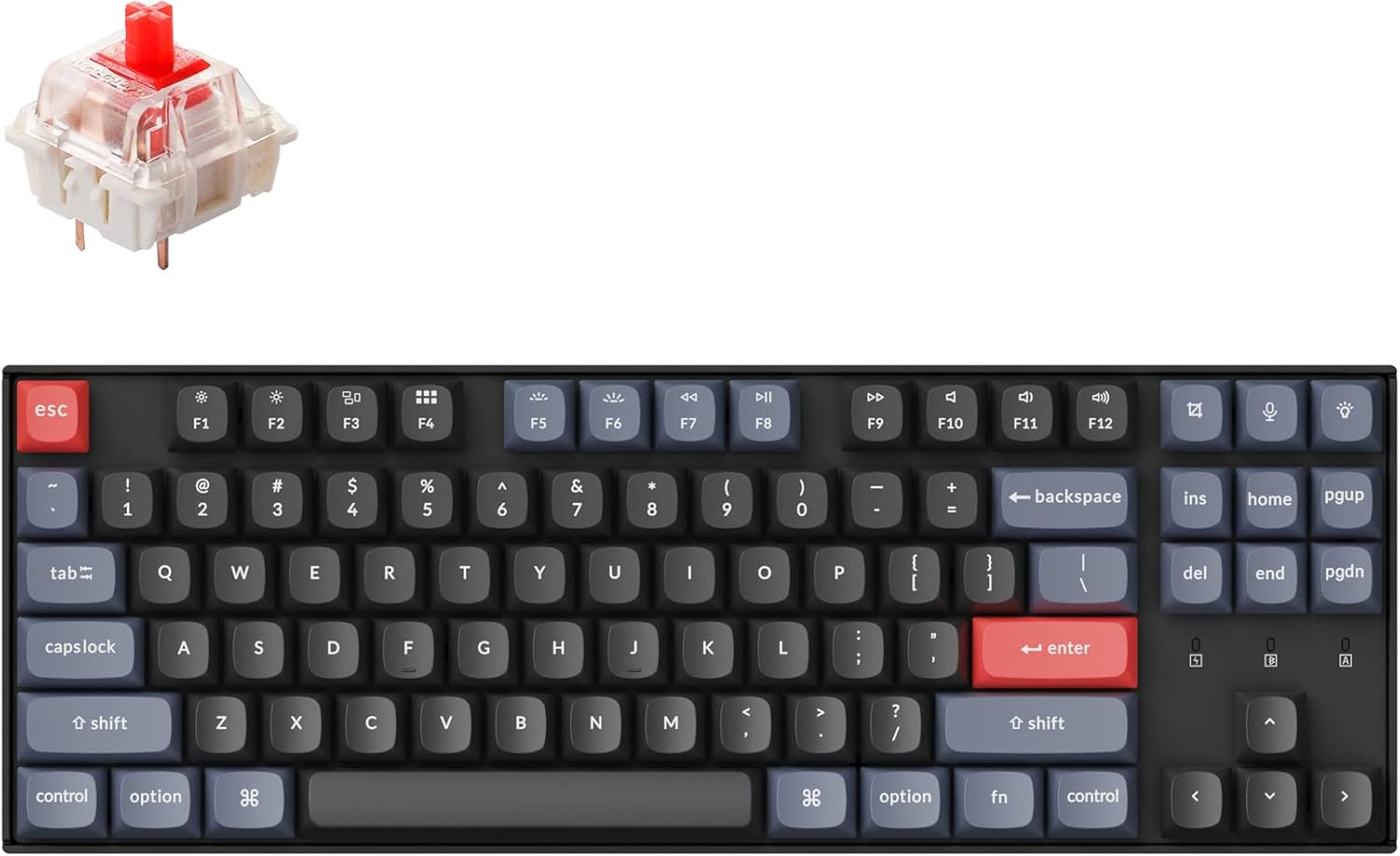
- 1 set x Switches (Gateron G Pro Red)
- 1x Type-A تر Type-C کیبل
- 1x سویچ پلر
- 1x کیکیپ پلر
- 1x سکرو ډرایور
- Keycaps for both Windows and macOS layouts
3. ترتیب کول
3.1 ابتدايي چارج کول
Before first use, connect the keyboard to a power source using the provided USB Type-C cable to ensure it is fully charged. The battery indicator will show charging status.
۴.۲ د ارتباط طریقې
The K8 Pro supports both wireless Bluetooth and wired USB-C connections.

3.2.1 د بلوتوث اتصال
- Locate the mode switch on the side of the keyboard.
- Slide the switch to the 'Bluetooth' position.
- On your device (laptop, phone, tablet), enable Bluetooth and search for available devices.
- Select 'Keychron K8 Pro' from the list to pair.
- The keyboard can connect to up to 3 devices. Use Fn + 1, Fn + 2, or Fn + 3 to switch between paired devices.
۴.۲.۳ د USB-C تار سره وصل
- Locate the mode switch on the side of the keyboard.
- Slide the switch to the 'Cable' position.
- Connect the provided USB Type-C cable from the keyboard to your computer's USB port.
۴.۴ د عملیاتي سیسټم ترتیب سویچ
The K8 Pro features a switch to toggle between Mac and Windows layouts, ensuring full compatibility with your operating system.

- Locate the OS switch on the side of the keyboard.
- Slide the switch to the appropriate position for your operating system (Mac or Windows).
4. عملیاتي لارښوونې
۵.۱ اساسي کلیدي دندې
The K8 Pro is a tenkeyless keyboard with standard alphanumeric keys, function row (F1-F12), and navigation keys. Specific multimedia and function keys can be accessed using the 'Fn' key in combination with other keys.
د 4.2 شاته څراغ کنټرول
The K8 Pro features a white backlight. Use the dedicated backlight key (often located near the top right) or Fn + specific keys to cycle through backlight effects and adjust brightness levels.
4.3 Ergonomic Angle Adjustment
The keyboard includes adjustable feet to set your preferred typing angle.

5. اصلاح کول
۳.۱ QMK/VIA پروګرام کولو وړتیا
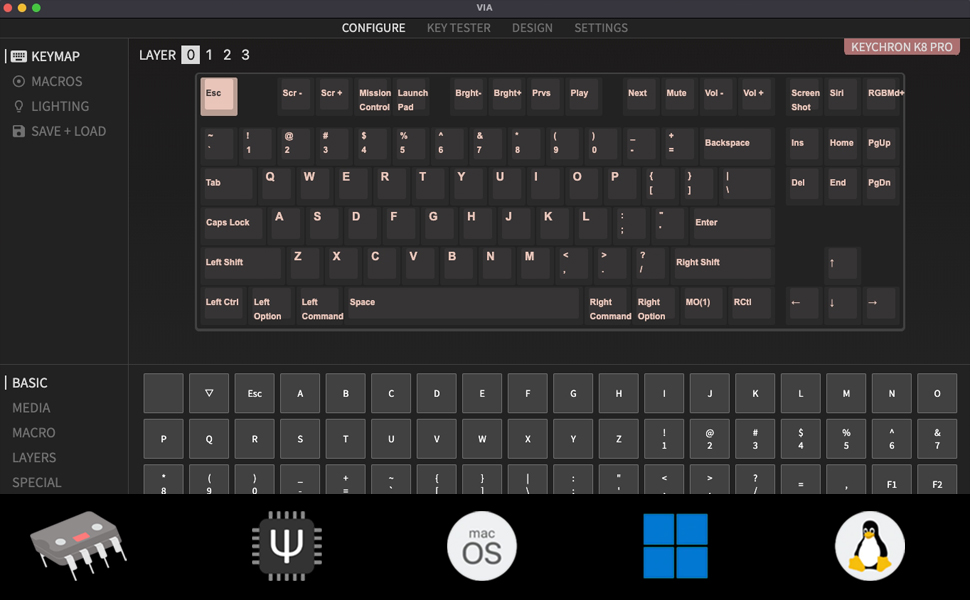
The Keychron K8 Pro supports QMK/VIA, allowing users to remap keys, create macros, and customize keyboard layers. This functionality is accessible via the VIA software.
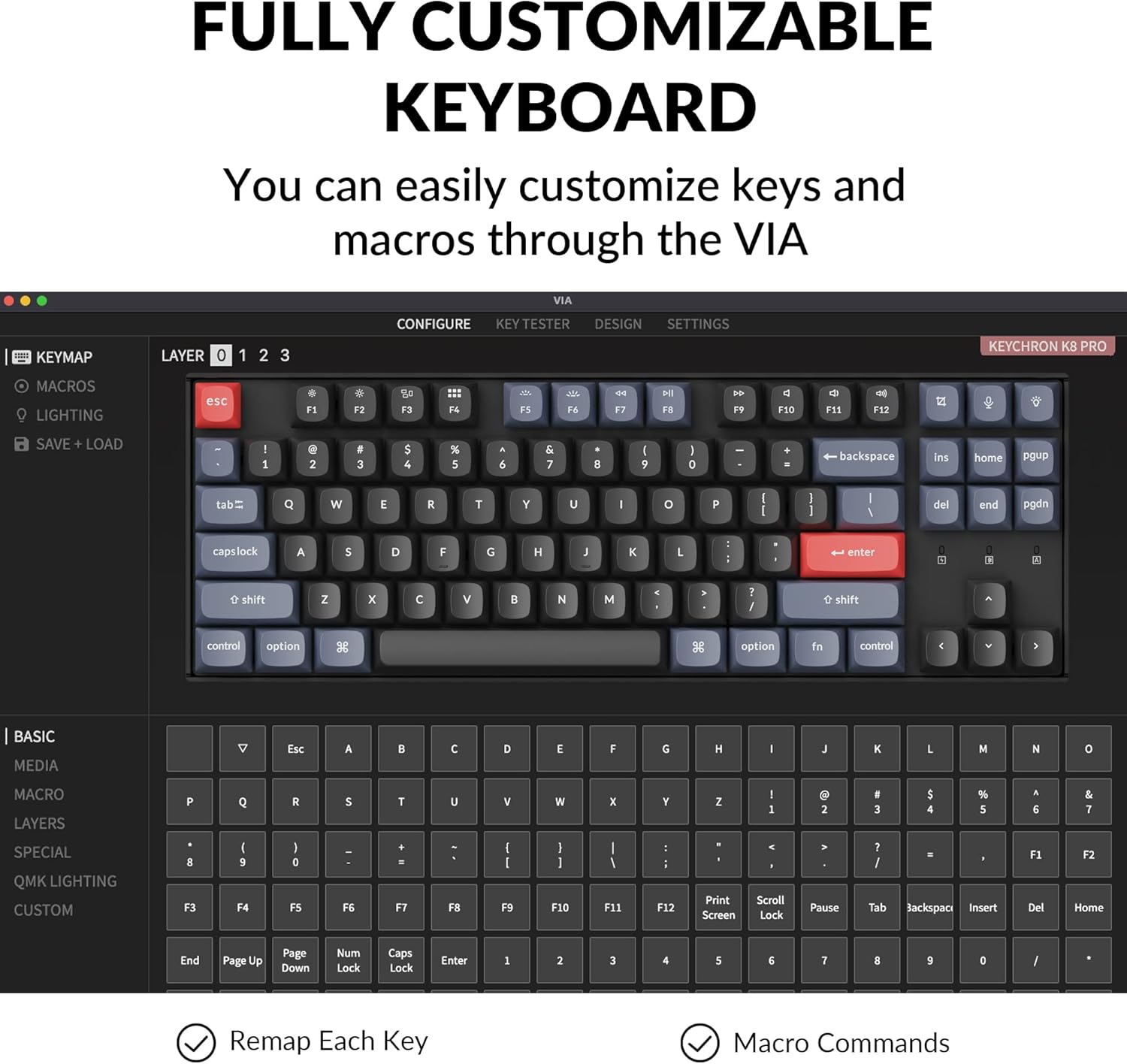
To use VIA:
- د VIA سافټویر د رسمي کیکرون څخه ډاونلوډ کړئ webسایټ
- Connect the K8 Pro to your device using the USB-C cable. Key remapping is performed in wired mode.
- Launch the VIA software. The keyboard should be automatically detected.
- Drag and drop desired keys or macro commands to remap any key. Changes are saved to the keyboard's firmware and will function in both wired and wireless modes.
۶.۳ ګرم بدلیدونکي سویچونه
The K8 Pro features hot-swappable switch sockets, allowing you to change mechanical switches without soldering. It is compatible with most 3-pin and 5-pin MX mechanical switches.
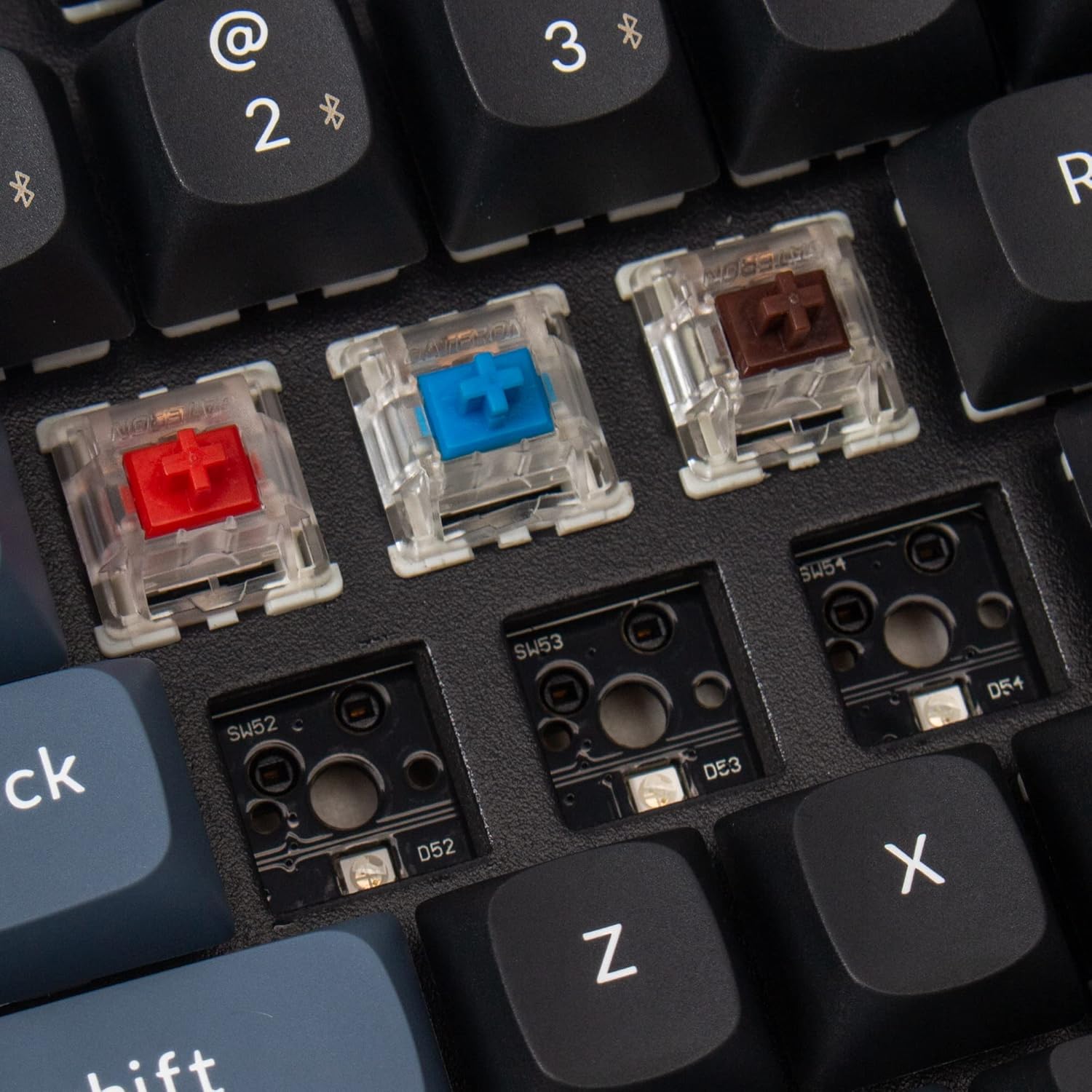
د سویچونو بدلولو لپاره:
- د مطلوب کیلي کیپ لرې کولو لپاره چمتو شوي کیلي کیپ پلر وکاروئ.
- Use the provided switch puller to gently grasp and pull the switch upwards from its socket.
- د نوي سویچ پنونه د PCB سوریو سره سم کړئ او په کلکه فشار ورکړئ تر هغه چې دا په خپل ځای کې راشي. ډاډ ترلاسه کړئ چې پنونه کږ شوي نه دي.
- د کیلي کیپ بیا وصل کړئ.
5.3 Double-Shot PBT Keycaps
The K8 Pro comes with durable double-shot PBT keycaps, designed for enhanced feel and oil resistance.

6. ساتنه
6.1 پاکول
To clean the keyboard, power it off and disconnect it from any devices. Use a soft, dry cloth to wipe the keycaps and chassis. For deeper cleaning, keycaps can be removed using the provided keycap puller and cleaned with a mild solution. Ensure all parts are completely dry before reassembly and use.
6.2 د بیټرۍ پاملرنه
The K8 Pro is equipped with a 4000 mAh lithium-ion battery. To prolong battery life, avoid fully discharging the keyboard frequently and store it in a cool, dry place when not in use for extended periods.
7. ستونزه حل کول
۵.۳ د اتصال مسلې
- بلوتوث نه نښلي: Ensure the keyboard is in Bluetooth mode and discoverable. Remove previous pairings from your device and try pairing again. Ensure the keyboard battery is charged.
- د تار اړیکه کار نه کوي: Verify the USB-C cable is securely connected to both the keyboard and the computer. Ensure the keyboard is switched to 'Cable' mode. Try a different USB port or cable.
7.2 Key Programming Issues (VIA)
- د VIA سافټویر کیبورډ نه کشفوي: Ensure the keyboard is connected via USB-C cable and the OS switch is set correctly. Restart the VIA software and/or your computer.
- Remapped keys not working: Confirm that the changes were successfully saved in VIA. Remember that key remapping must be done in wired mode.
7.3 Backlight Visibility
The K8 Pro features south-facing LEDs. While this design offers compatibility with a wider range of custom keycaps, it may result in less illumination of keycap legends compared to keyboards with north-facing LEDs, especially in low-light conditions. This is a design characteristic and not a defect.
7.4 Physical Fit/Feel
Some users may experience the keyboard's frame being slightly higher than the keycaps, potentially affecting the feel of certain keys like the spacebar. This is part of the keyboard's design and construction.
8. مشخصات
| د محصول ابعاد | 13.98 x 4.84 x 1.55 انچه |
| د توکي وزن | ۲.۴۵ پونډه |
| جوړونکی | کیکرون |
| د توکي ماډل شمیره | د K8P-G1 لپاره تفتیش وسپارئ، موږ به په 24 ساعتونو کې له تاسو سره اړیکه ونیسو. |
| بیټرۍ | 1 Lithium Ion battery required (4000 mAh) |
| مطابقت لرونکې وسیلې | لپ ټاپ، کمپیوټر، سمارټ فون، ټابلیټ |
| د ارتباط ټیکنالوژي | بلوتوث 5.1، USB-C |
| د کیبورډ توضیحات | میخانیکي، بې کیلي |
| وړاندیز شوي استعمالونه | لوبې، دفتر |
| ځانګړي ځانګړتیاوې | Wireless, Bluetooth, Wired, White Backlighting, QMK/VIA, Hot-swappable |
| د سویچ ډول | Gateron G Pro Red Switch |
9. تضمین او ملاتړ
Keychron products are covered by a manufacturer's warranty. For specific warranty terms, duration, and to access technical support, please visit the official Keychron webسایټ ته مراجعه وکړئ یا مستقیم د دوی د پیرودونکو خدماتو سره اړیکه ونیسئ. د تضمین ادعاوو لپاره د پیرود ثبوت وساتئ.
For further assistance, please refer to the official Keychron support resources:
- د کیکرون رسمي Webسایټ: www.keychron.com
- د ملاتړ پاڼه: Consult the support section on the Keychron webد FAQs، فرم ویئر تازه معلوماتو، او د اړیکو معلوماتو لپاره سایټ.