
پیژندنه
This manual provides detailed instructions for the safe and effective use of your pxton PX-8S-01 two-way radio. Please read this manual thoroughly before operating the device to ensure optimal performance and longevity.
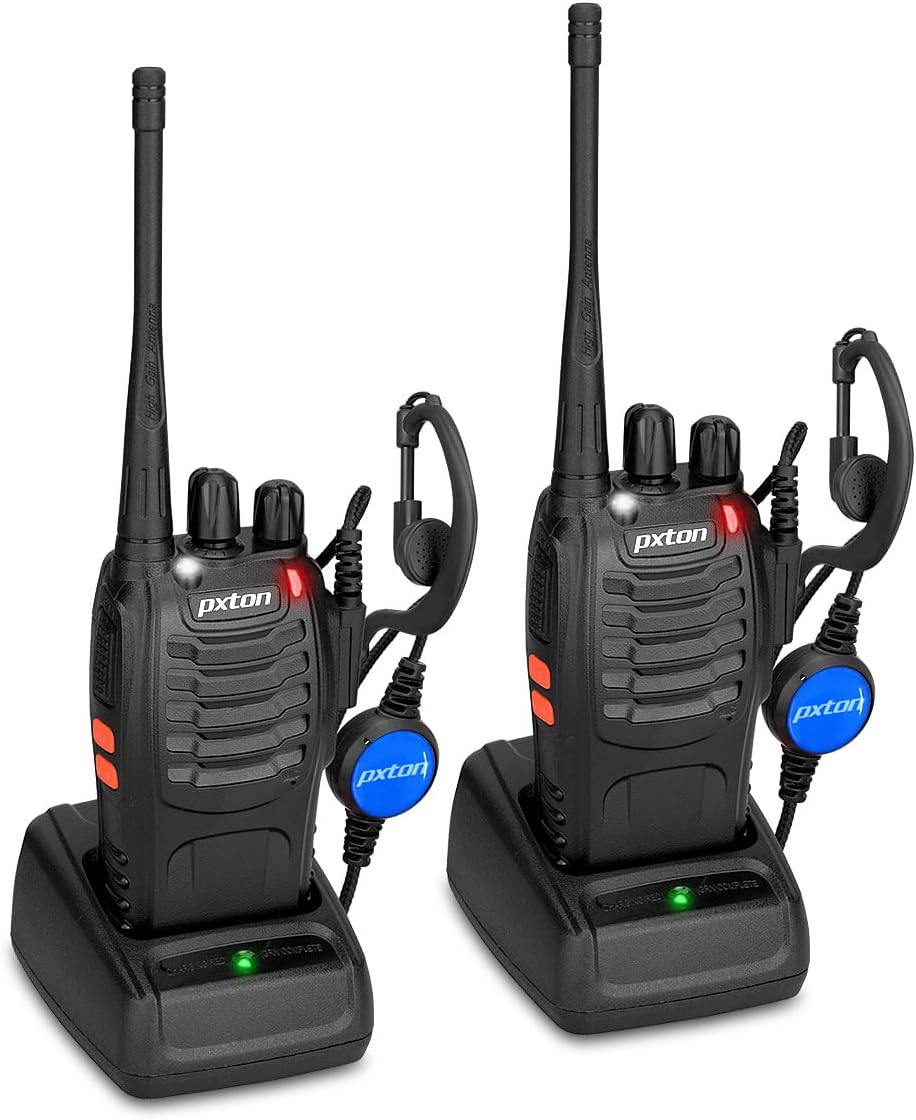
Image: Two pxton PX-8S-01 two-way radios with charging bases and earpieces.
د بسته محتويات
ډاډ ترلاسه کړئ چې ټول توکي ستاسو په کڅوړه کې شتون لري:
- pxton PX-8S-01 Two-Way Radio (2 units)
- Lithium-Ion Battery (2 units)
- USB Charger (2 units)
- Upgraded Earpiece (2 units)
- د بیلټ کلیپ (2 واحدونه)
- Wrist Strap (2 units)
- Antenna (2 units)
- د کارونکي لارښود (1 واحد)

Image: Contents of the pxton PX-8S-01 package.
محصول پای ته ورسیدview
Familiarize yourself with the components of your pxton PX-8S-01 two-way radio:

Image: Labeled diagram of the pxton PX-8S-01 two-way radio components.
- Integrated Sensitive Antenna: د سیګنالونو لیږدولو او ترلاسه کولو لپاره.
- د چینل سویچ: Rotary knob to select one of the 16 available channels.
- د بریښنا سویچ / حجم کنټرول: Rotary knob to turn the radio on/off and adjust the volume.
- رڼا: د روښانتیا لپاره جوړ شوی LED څراغ.
- د LED شاخص: د راډیو حالت ښکاره کوي (د مثال په توګه، لیږدول، ترلاسه کول، چارج کول).
- د PTT تڼۍ (د خبرو اترو لپاره فشار): د لیږدولو لپاره فشار ورکړئ او ونیسئ، د ترلاسه کولو لپاره خوشې کړئ.
- MONI Button (Monitor): Press to temporarily disable squelch and listen for weak signals.
- د فلش لائټ تڼۍ: جوړ شوی فلش لائټ فعالوي.
- SP/MIC Jacks: Ports for connecting external audio accessories like earpieces or speaker microphones.
- Clear Speaker: آډیو ترلاسه شوي محصولات.
- جوړ شوی مایکروفون: ستاسو غږ د لېږد لپاره نیسي.
چمتو کول
1. د بیټرۍ نصب کول
- ډاډ ترلاسه کړئ چې راډیو بنده ده.
- د بیټرۍ کڅوړه د راډیو په شا کې د نالیو سره سم کړئ.
- د بیټرۍ کڅوړه پورته خوا ته وغورځوئ تر هغه چې په خپل ځای کې کلیک وکړي.
- د لرې کولو لپاره، د خوشې کولو لیچ (که شتون ولري) فشار ورکړئ او بیټرۍ ښکته خوا ته وغورځوئ.
2. د بیټرۍ چارج کول
- Connect the USB charger to a power source.
- راډیو د بیټرۍ سره د چارج کولو په زنګون کې ځای په ځای کړئ.
- The LED indicator on the charger will show the charging status (e.g., red for charging, green for fully charged).
- A full charge from 0 capacity typically takes 3-4 hours.
۳.۳. د لوازمو نښلول
- انتن: Screw the antenna clockwise onto the connector on top of the radio until it is finger-tight. Do not overtighten.
- د بیلټ کلیپ: Attach the belt clip to the designated slot on the back of the radio using the provided screws.
- ایرپیس: Insert the earpiece plug into the SP/MIC jacks on the side of the radio. Ensure it is fully inserted for proper connection.
عملیاتي لارښوونې
۵.۱. د بریښنا فعالول/بندول او د حجم تنظیمول
- To power on the radio, rotate the Power Switch/Volume Control knob clockwise. You will hear a "click" and a voice prompt indicating the current channel.
- د حجم زیاتولو لپاره د ساعت په لور د غوټۍ ګرځولو ته دوام ورکړئ، او د کمولو لپاره یې د ساعت په مخالف لوري وګرځوئ.
- To power off, rotate the knob counter-clockwise until you hear a "click."
2. د چینل انتخاب
- Rotate the Channel Switch knob to select one of the 16 available channels.
- The radio will announce the selected channel number.
- ډاډ ترلاسه کړئ چې ستاسو په ګروپ کې ټولې راډیوګانې د اړیکو لپاره ورته چینل ته تنظیم شوي دي.
۵.۳. لېږدول او ترلاسه کول
- د لیږدولو لپاره، فشار ورکړئ او ونیسئ PTT (له فشار څخه خبرې) button. Speak clearly into the microphone. The LED indicator will illuminate red.
- Release the PTT button to stop transmitting and return to receive mode. The LED indicator will turn green when receiving a signal.
4. VOX (Voice Operated Exchange) Function
The VOX function allows hands-free operation. When activated, the radio will automatically transmit when it detects your voice, without needing to press the PTT button.
- VOX settings are typically programmed via software. Refer to advanced programming instructions if available.
- When using VOX, ensure the microphone is positioned correctly to pick up your voice effectively.
Image: VOX/Handfree function icon.
۸.۲. د فلش لائټ فعالیت
- وقف شوی فشار ورکړئ د فلش لائټ تڼۍ to turn the built-in LED flashlight on or off.
Image: Flashlight function icon.
6. د سکین دنده
The scan function allows the radio to automatically scan through channels to find active transmissions.
- To activate the scan function, typically this is done via a programmed side key or by selecting a specific channel. Refer to your radio's programming guide for details.
- When scanning, the radio will stop on an active channel until the transmission ends, then resume scanning.
7. د بیړني الارم
The radio features an emergency alarm function for critical situations.
- To activate the emergency alarm, press the designated Emergency Alarm button (if programmed) or a specific key combination. This will typically emit a loud siren sound and/or transmit an alert signal.

Image: Emergency Alarm function icon.
۶.۵. د سکویچ تنظیم کول
Squelch suppresses background noise when no signal is being received. The PX-8S-01 has an adjustable squelch feature.
- Squelch levels are typically set via programming software. A higher squelch level requires a stronger signal to open the receiver, reducing static but potentially missing weak signals.
- The MONI button can be used to temporarily override the squelch and listen to all signals, including weak ones or background noise.
Image: Squelch adjustment icon.
۳. د محرمیت کوډونه (CTCSS/DCS)
The radio supports 165 privacy codes (50 CTCSS / 210 DCS) per programmable channel to help filter out unwanted conversations.
- When a CTCSS/DCS code is set, you will only hear transmissions from other radios using the same channel and the same CTCSS/DCS code.
- Similarly, other radios will only hear your transmissions if they are on the same channel and using the same code.
- These codes are typically programmed using specialized software.
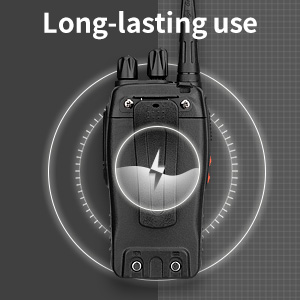
Image: CTCSS/DCS privacy codes icon.
ساتنه
- پاکول: یو نرم استعمال کړئ، دamp د راډیو بهرنۍ برخه پاکولو لپاره ټوکر. سخت کیمیاوي مواد یا محلول مه کاروئ.
- د بیټرۍ پاملرنه:
- د بیټرۍ د ډیر چارج کولو یا په بشپړه توګه خارجولو څخه ډډه وکړئ.
- بیټرۍ په یخ او وچ ځای کې ذخیره کړئ کله چې نه کارول کیږي.
- که چیرې راډیو د اوږدې مودې لپاره ونه کارول شي، بیټرۍ لرې کړئ.
- ذخیره کول: راډیو په وچ، دوړو څخه پاک چاپیریال کې د سختې تودوخې څخه لرې وساتئ.
- انتن: Do not bend or modify the antenna, as this can affect performance.
د ستونزو حل کول
| ستونزه | احتمالي لامل | د حل لاره |
|---|---|---|
| راډیو نه چالانېږي. | بیټرۍ ختمه شوې یا په سمه توګه نه ده نصب شوې. | بیټرۍ چارج کړئ. ډاډ ترلاسه کړئ چې بیټرۍ په خوندي ډول نصب شوې ده. |
| لیږدول یا ترلاسه کول نشي کیدی. | Incorrect channel selected. Battery low. Radio out of range. | Verify both radios are on the same channel. Charge battery. Move closer to the other radio. |
| د غږ کیفیت خراب یا جامد. | Weak signal. Squelch level too low/high. Interference. | Move to an area with fewer obstructions. Adjust squelch level (if programmable). Check for sources of interference. |
| د اړیکو لنډ واټن. | خنډونه (ودانۍ، ځمکه). ټیټ بیټرۍ. | خلاصې سیمې ته لاړ شئ. ډاډ ترلاسه کړئ چې بیټرۍ په بشپړه توګه چارج شوې ده. |
| Earpiece not working. | Earpiece not fully inserted. Faulty earpiece. | Ensure earpiece plug is fully inserted into the SP/MIC jack. Try a different earpiece if available. |
مشخصات
- ماډل: PX-8S-01
- د FCC ID: 2AX68PX-888S
- د چینلونو شمیر: 16
- د فریکونسی رینج: UHF
- د خبرو کولو حد اعظمي حد: Up to 5 miles (unobstructed)
- د محرمیت کوډونه: 165 (50 CTCSS / 210 DCS)
- د بیټرۍ ډول: لیتیم ایون (شامل)
- د بیټرۍ Voltage: 3.7 ولټه (DC)
- د بیټرۍ ژوند: 8-96 hours standby, 8-12 hours continuous use (actual time varies with usage)
- د چارج کولو وخت: 3-4 hours (from 0 capacity)
- د اوبو د مقاومت کچه: د اوبو مقاومت
- د محصول ابعاد: ۱۶"د x ۲۶"وچ x ۴۷"ح
- د توکي وزن: ۲۸.۸ پونډه (د جوړې لپاره)
- ځانګړي ځانګړتیاوې: Rechargeable, VOX, TOT, Emergency Alarm, Battery Low Alert, Flashlight, Scan Function

Image: Size comparison of the pxton PX-8S-01 radio.
د خوندیتوب معلومات
Your pxton PX-8S-01 walkie-talkie has been granted FCC transmission and reception certification and authorization (FCC ID: 2AX68PX-888S). This device is intended for use only within the frequency points authorized by the FCC certification range.
مهرباني وکړئ د خوندیتوب لاندې لارښوونې تعقیب کړئ:
- راډیو په چاودیدونکو اتموسفیرونو کې مه چلوئ (د بیلګې په توګه، د اور اخیستونکي ګازونه، د دوړو ذرات، فلزي پوډر).
- Do not modify the radio or its accessories. Unauthorized modifications can void your warranty and violate FCC regulations.
- راډیو او د هغې لوازمات د ماشومانو له لاسرسي لرې وساتئ.
- Use only pxton-approved batteries and chargers. Using unapproved accessories can cause damage or injury.
- Avoid exposing the radio to extreme temperatures, direct sunlight, or moisture for prolonged periods.
- If the radio emits smoke or an unusual odor, immediately turn off the power and remove the battery. Contact customer support.
تضمین او ملاتړ
pxton provides lifetime customer service for its walkie-talkies. If you encounter any questions or issues with your PX-8S-01 radio, please contact pxton customer support through the platform where you purchased the product. Our professional team is available to assist you with troubleshooting and support.
For further assistance, please refer to the official pxton webسایټ ته مراجعه وکړئ یا مستقیم د دوی د پیرودونکو خدماتو سره اړیکه ونیسئ.