
1. محصول ختم شوview
The LENRUE TouchGo F4 is a compact, portable Bluetooth speaker designed for clear audio and ease of use. It features touch controls, Bluetooth 5.0 connectivity, and supports TWS (True Wireless Stereo) pairing for an enhanced audio experience. The speaker comes with a hard EVA travel case for protection and portability.

Figure 1: LENRUE TouchGo F4 Bluetooth Speaker.
2. د بسته محتويات
مهرباني وکړئ د لاندې توکو لپاره په بسته کې وګورئ:
- LENRUE TouchGo F4 Bluetooth Speaker
- د ایوا سخت سفر قضیه
- TYPE-C د چارج کولو کیبل
- د کارن لارښود
3. ترتیب کول
3.1 ابتدايي چارج کول
Before first use, fully charge the speaker. Connect the provided TYPE-C charging cable to the speaker's charging port and a compatible USB power adapter (not included). The charging indicator light will show the charging status. A full charge typically takes approximately 4 hours.
3.2 بریښنا کول / بندول
- د فعالولو لپاره: Press and hold the power button (usually the central play/pause button) for a few seconds until you hear an audible prompt and the indicator light illuminates.
- د بریښنا بندولو لپاره: Press and hold the power button again for a few seconds until you hear an audible prompt and the indicator light turns off.
3.3 د بلوتوټ جوړه کول
To connect the speaker to your device:
- Ensure the speaker is powered on and in pairing mode (the indicator light will typically flash blue).
- په خپل وسیله (سمارټ فون، ټابلیټ، او نور) کې، بلوتوټ فعال کړئ او د شته وسایلو لټون وکړئ.
- Select "ToughGo" or "LENRUE TouchGo" from the list of devices.
- Once connected, you will hear a confirmation sound, and the indicator light will turn solid blue.
سپیکر به په اتوماتيک ډول د وروستي جوړه شوي وسیلې سره وصل شي کله چې بریښنا فعاله شي، که چیرې وسیله په حد کې وي او بلوتوټ فعال وي.

Figure 2: Speaker with touch controls for sensitive and elegant operation.
3.4 TWS Wireless Pairing (Connect Two Speakers)
To achieve dual-channel stereo sound, you can pair two TouchGo F4 speakers together:
- Power on both TouchGo F4 speakers.
- Ensure both speakers are disconnected from any other Bluetooth devices.
- On یو of the speakers, press and hold the "+" button until you hear a prompt indicating TWS pairing mode.
- The two speakers will automatically pair with each other. You will hear a "beep" sound upon successful TWS pairing.
- Now, connect your device's Bluetooth to the device name "ToughGo". Both speakers will play audio in stereo.
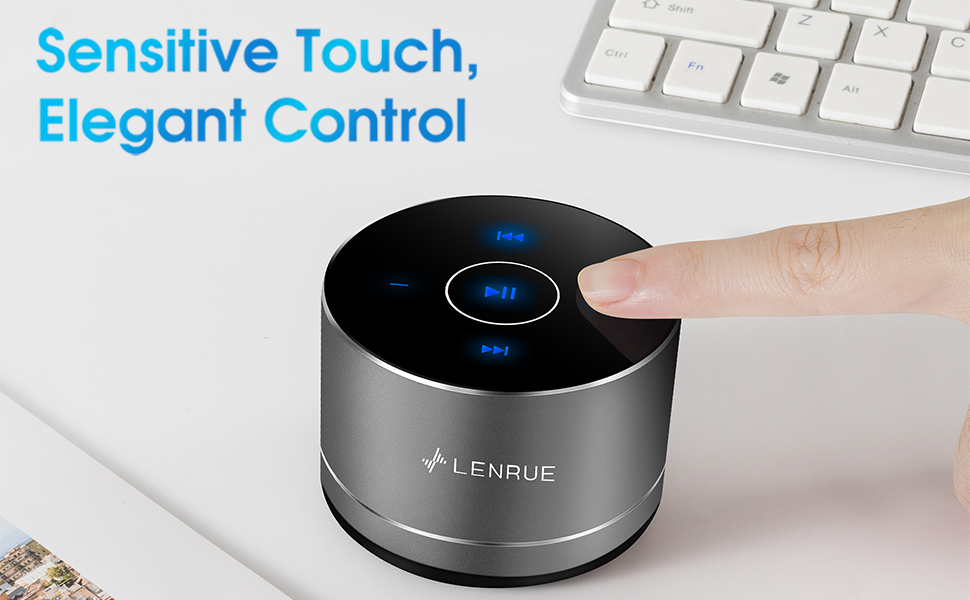
Figure 3: Two speakers connected for TWS wireless stereo pairing.
4. عملیاتي لارښوونې
4.1 ټچ کنټرولونه
The speaker features intuitive touch controls located on the top surface:
- پلی کول / ودرول: Tap the central button once to play or pause music.
- حجم پورته کول: Tap the "+" button to increase volume.
- کموالی: Tap the "-" button to decrease volume.
- بله لار: Tap the ">>" button to skip to the next song.
- مخکینی لار Tap the "<<" button to go to the previous song.
۶.۳ د لاسونو څخه پاک زنګ وهل
The speaker includes a built-in microphone for hands-free calls:
- زنګ ووهئ: When a call comes in, tap the central button once to answer.
- ټلیفون پای: During a call, tap the central button once to end the call.
- زنګ رد کړئ: د راتلوونکي زنګ ردولو لپاره مرکزي تڼۍ د نږدې 2 ثانیو لپاره فشار ورکړئ او ونیسئ.
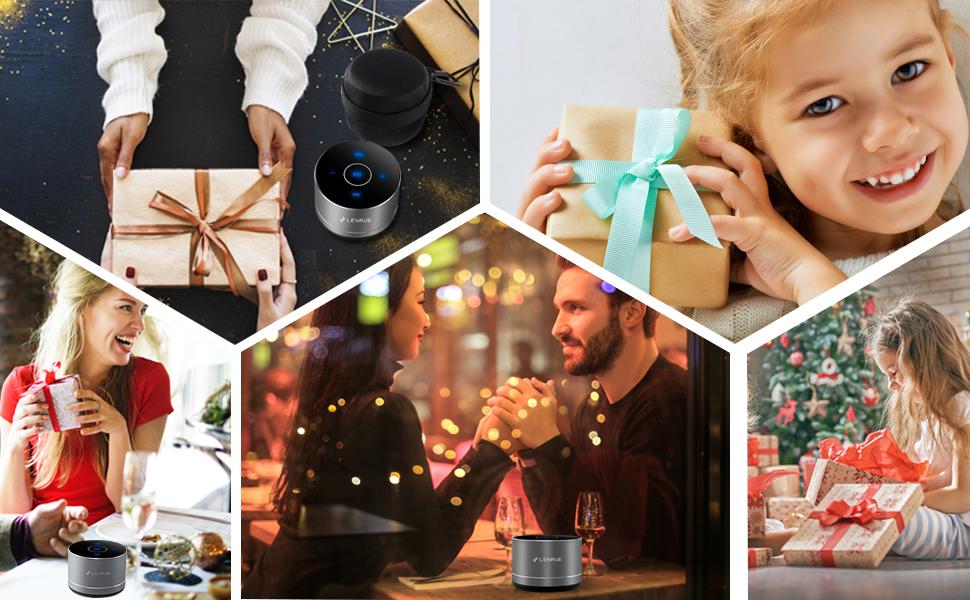
Figure 4: Speaker with hands-free calling capability.
4.3 Battery Life and Power Saving
The speaker is equipped with a 1200mAh lithium-ion battery, providing 6-15 hours of music playback at 2/3 volume. To conserve power, the speaker will automatically shut down if Bluetooth is disconnected for 30 minutes.
5. ساتنه
5.1 پاکول
To clean the speaker, use a soft, dry cloth. Do not use abrasive cleaners, solvents, or immerse the speaker in water.
5.2 ذخیره کول
When not in use for extended periods, store the speaker in its hard EVA travel case in a cool, dry place. Avoid extreme temperatures and direct sunlight.
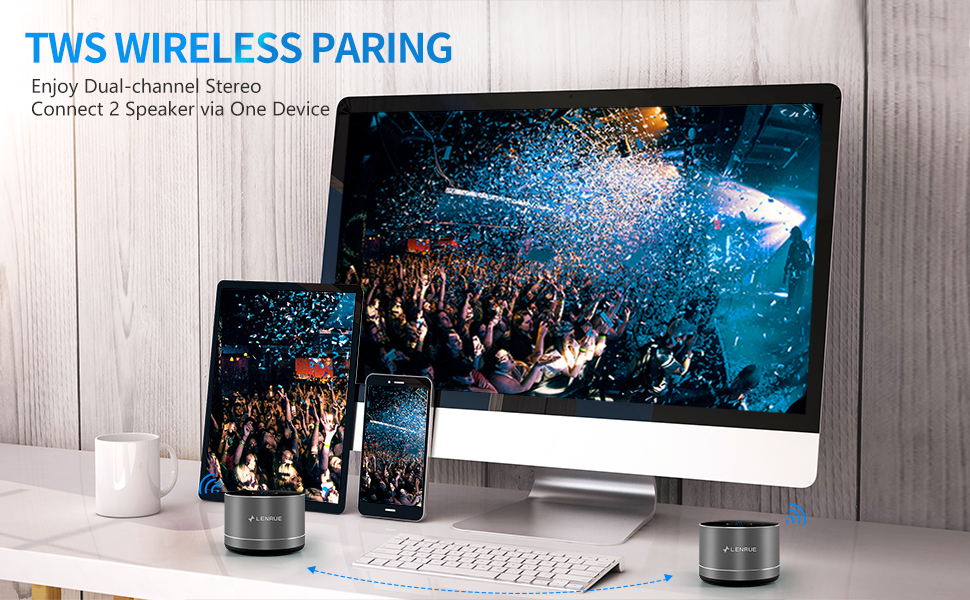
Figure 5: Speaker with its protective hard EVA travel case.
6. ستونزه حل کول
| ستونزه | احتمالي لامل | د حل لاره |
|---|---|---|
| سپیکر نه خلاصیږي. | د بیټرۍ ټیټه کچه؛ د بریښنا تڼۍ په سمه توګه نه ده فشار شوې. | Charge the speaker fully; Press and hold the power button for a few seconds. |
| د بلوتوت آلې سره جوړه نشي. | سپیکر د جوړې کولو په حالت کې نه دی؛ د وسیلې بلوتوټ بند دی؛ سپیکر لا دمخه له بل وسیلې سره وصل دی. | Ensure speaker is in pairing mode (flashing blue light); Turn on Bluetooth on your device; Disconnect from other devices and try again. |
| Poor sound quality / Muffled sound. | Speaker placement; Obstructions; Low volume. | Ensure the speaker is placed on a flat, open surface, ideally not directly on its bottom where the speaker grille is located. Try placing it on its side for clearer sound. Remove any obstructions; Adjust volume on both speaker and device. |
| د TWS جوړه ناکامه شوه. | Speakers already paired to a device; Incorrect pairing procedure. | Ensure both speakers are disconnected from any Bluetooth devices before initiating TWS pairing. Follow the TWS pairing steps precisely. |
| غږ نشته. | Volume too low; Paused playback; Device not connected. | Increase volume on both speaker and device; Press play; Verify Bluetooth connection. |
7. مشخصات
| فیچر | تفصیل |
|---|---|
| د ماډل شمیره | F4 |
| د ارتباط ټیکنالوژي | بلوتوث 5.0 |
| د سپیکر اعظمي تولید ځواک | 5 واټ |
| د بریښنا سرچینه | د بیټرۍ چلول (1 لیتیم آیون بیټرۍ شامله ده) |
| د بیټرۍ ظرفیت | 1200mAh |
| د لوبې وخت | 6-15 hours (at 2/3 volume) |
| د چارج کولو وخت | تقریبا 4 ساعته |
| د کنټرول طریقه | لمس |
| د محصول ابعاد | 3.15 x 3.15 x 1.18 انچه |
| د توکي وزن | 9 اونس |
| ځانګړی ځانګړنه | Portable, Hands-Free Calling, TWS Pairing |
8. تضمین او ملاتړ
For warranty information and customer support, please refer to the documentation included with your purchase or contact LENRUE customer service directly. Contact details can typically be found on the official LENRUE webسایټ یا ستاسو د پرچون پلورونکي له لارې.