
د پیریکس پیریبورډ-۴۲۶
Perixx PERIBOARD-332 Wired Backlit USB Keyboard User Manual
پیژندنه
This manual provides detailed instructions for the setup, operation, maintenance, and troubleshooting of your Perixx PERIBOARD-332 Wired Backlit USB Keyboard. Please read this manual thoroughly before using the product to ensure optimal performance and longevity.

Image: The Perixx PERIBOARD-332 Wired Backlit USB Keyboard, showcasinد هغې کمپیکټ ډیزاین.
د بسته محتويات
ډاډ ترلاسه کړئ چې ټول توکي په کڅوړه کې شتون لري:
- Perixx PERIBOARD-332 Wired Backlit USB Keyboard
- یوځای شوی USB کیبل
- د کارونکي لارښود (دا لاسوند)

Image: The Perixx PERIBOARD-332 keyboard, its integrated USB cable, the user manual, and the product packaging.
د تنظیم کولو لارښوونې
کیبورډ وصل کړئ: Locate an available USB port on your computer (PC, laptop, tablet, or smartphone with appropriate adapter). Insert the USB cable from the PERIBOARD-332 into the USB port.
د ډرایور نصب کول: The keyboard is plug-and-play and typically does not require additional drivers for basic functionality on Windows, macOS, Linux, or Chrome OS. Your operating system should automatically detect and configure the device.
ځای په ځای کول: Place the keyboard on a stable, flat surface. The compact design is ideal for small workspaces.

Image: A user typing on the Perixx PERIBOARD-332 keyboard, demonstrating its compact size and wired connection on a desk.
عملیاتي لارښوونې
عام استعمال
The Perixx PERIBOARD-332 features a standard US English QWERTY layout with 84 keys. Its low-profile scissor keys provide a quiet and comfortable typing experience, similar to laptop keyboards. The compact design helps optimize desk space.

Image: A user typing on the Perixx PERIBOARD-332 keyboard, highlighting its compact size and ergonomic placement in a workspace.

انځور: نږدې انځور view of the sculpted, low-profile scissor keys of the Perixx PERIBOARD-332, highlighting their design.
Function Keys (Fn Hotkeys)
The keyboard includes integrated Fn hotkeys for quick access to multimedia and system functions. These functions are primarily designed for Windows operating systems. For other operating systems (macOS, Linux, Chrome OS), their functionality may vary or require specific system settings/configurations.
- Fn+F1: Fn لاک
- Fn+F2: Backlight Brightness Adjustment (Cycle through levels)
- Fn+F3: خاموش
- Fn+F4: حجم ښکته
- Fn+F5: حجم پورته
- Fn+F6: مخکینی ټریک
- Fn+F7: پلی/ودرول
- Fn+F8: بله لار
- Fn+F9: وقفه
- Fn+F10: سکرول لاک
- Fn+F11: داخل کړئ
- Fn+F12: د چاپ سکرین
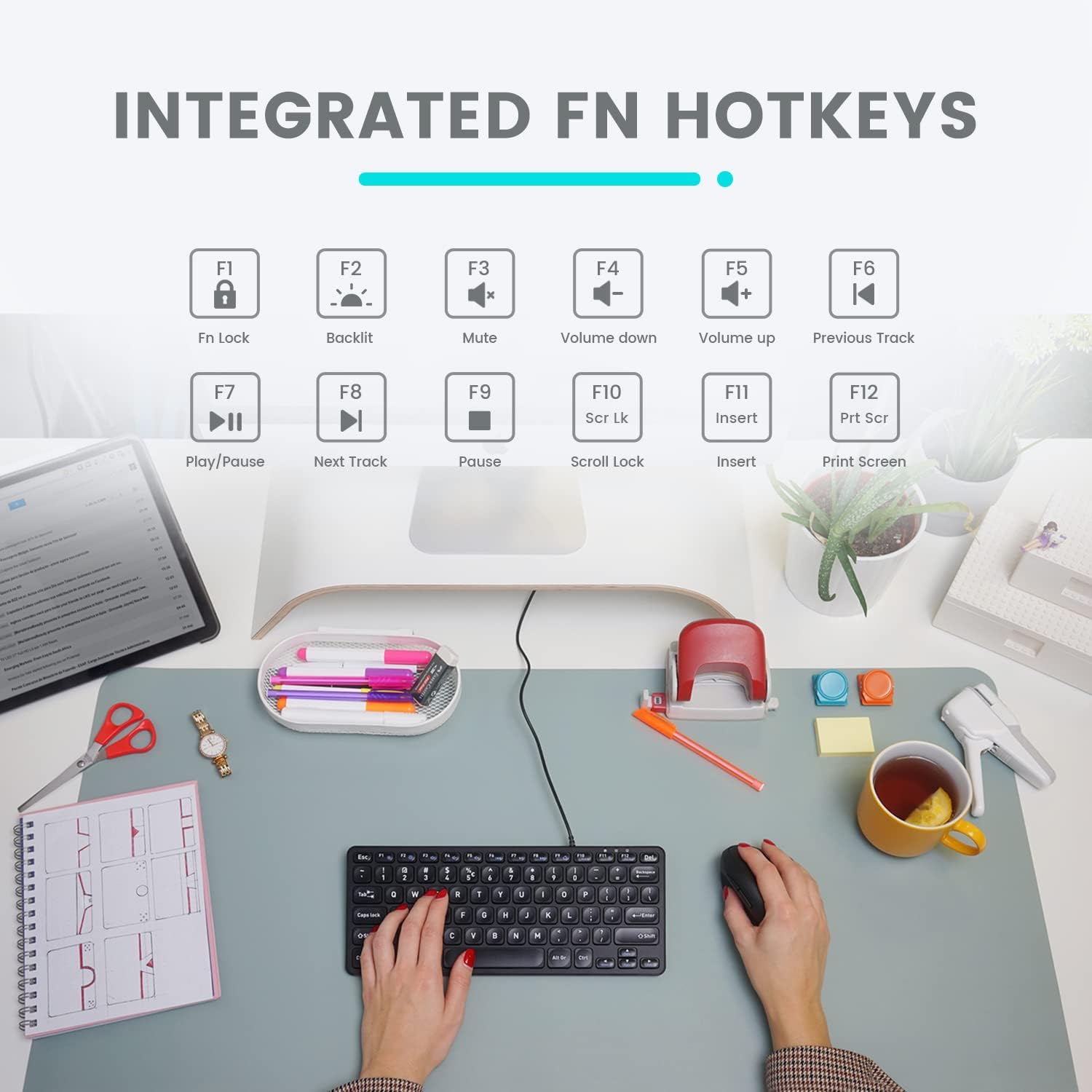
Image: Diagram illustrating the integrated Fn hotkeys on the Perixx PERIBOARD-332, showing the function of each F-key when pressed with the Fn key.
د شاتنۍ رڼا کنټرول
The PERIBOARD-332 features white LED backlighting with adjustable brightness. To adjust the backlight brightness, press the Fn + F2 keys simultaneously. Repeatedly pressing this combination will cycle through different brightness levels (including off).
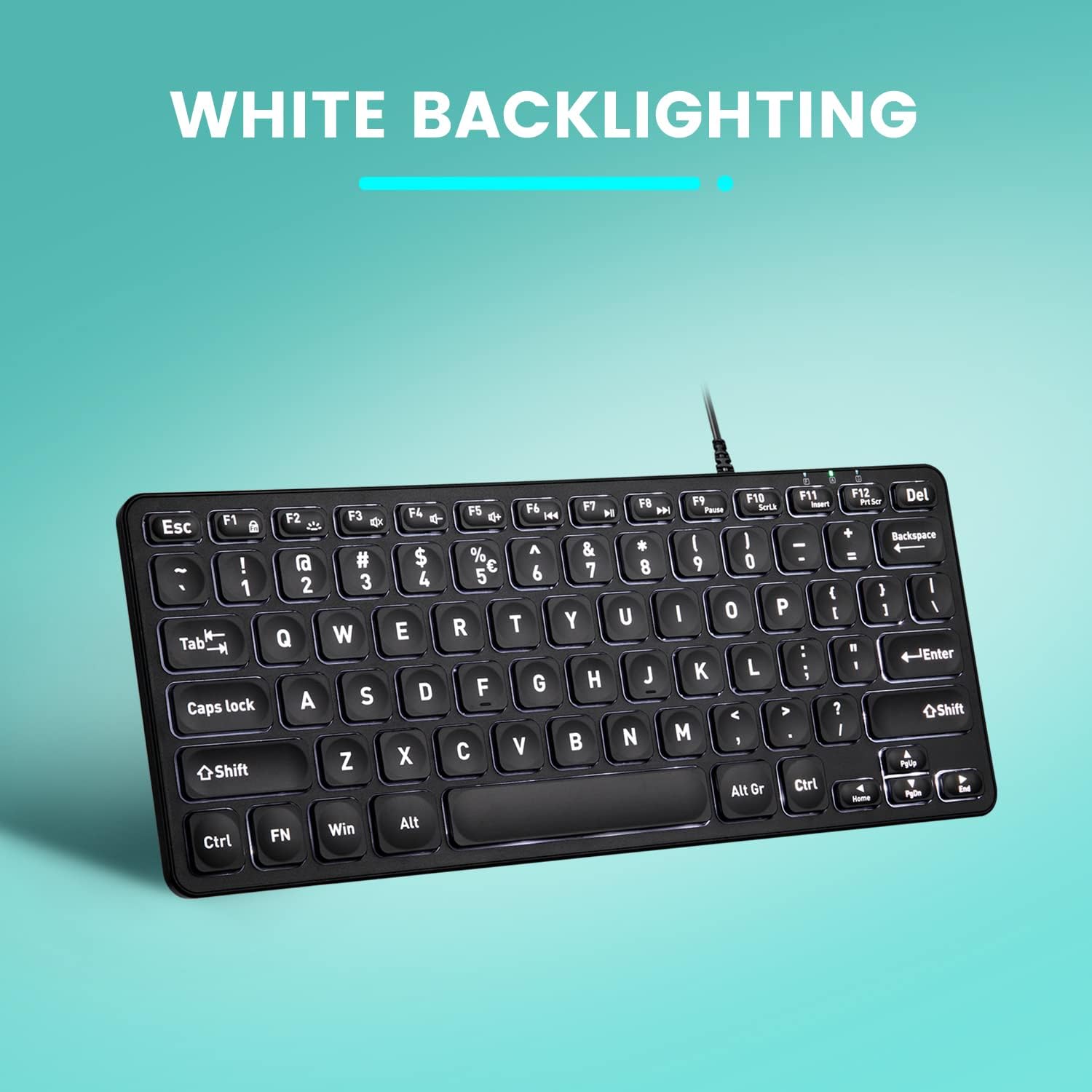
انځور: پورته-ښکته view of the Perixx PERIBOARD-332 keyboard with its white LED backlighting illuminated, showcasing the clear, large font on the keys.
ساتنه
د خپل کیبورډ د اوږد عمر او سم فعالیت ډاډمن کولو لپاره، د ساتنې دا لارښوونې تعقیب کړئ:
- پاکول: د نرم، لینټ پاک ټوکر څخه لږ څه کار واخلئampened with water or a mild cleaning solution to wipe the surface of the keyboard. Avoid excessive moisture. Do not spray cleaners directly onto the keyboard.
- د دوړو لرې کول: د کیلي ګانو ترمنځ د دوړو او کثافاتو د لرې کولو لپاره د فشار شوي هوا څخه کار واخلئ.
- له توییدو ډډه وکړئ: Keep liquids away from the keyboard to prevent damage. The keyboard is not water-resistant.
- ذخیره کول: کله چې په کارولو کې نه وي، کیبورډ په پاک او وچ چاپیریال کې د سختې تودوخې څخه لرې وساتئ.
د ستونزو حل کول
If you encounter issues with your Perixx PERIBOARD-332, refer to the following common solutions:
کیبورډ ځواب نه ورکوي
- د USB اتصال وګورئ: Ensure the USB cable is securely plugged into both the keyboard and the computer's USB port. Try a different USB port.
- کمپیوټر بیا پیل کړئ: ځینې وختونه، د کمپیوټر یو ساده بیا پیل کول کولی شي د اتصال ستونزې حل کړي.
- په بل وسیله ازموینه: Connect the keyboard to another computer or device to determine if the issue is with the keyboard or the original computer.
Backlight Not Working or Adjusting
- Check Brightness Setting: مطبوعاتي Fn + F2 repeatedly to cycle through all brightness levels, including off. Ensure it's not set to the lowest or off setting.
- د بریښنا سرچینه: Ensure the keyboard is properly connected to a powered USB port.
کیلي په سمه توګه کار نه کوي
- پاکې کیلي: Check for any debris or obstructions under the affected keys. Use compressed air to clear them.
- د سافټویر شخړې: If specific keys are not working, check for any software or driver conflicts on your computer.
Multimedia Keys Not Working on macOS/Linux/Chrome OS
- د عملیاتي سیسټم مطابقت: The multimedia shortcut keys are primarily designed for Windows. On other operating systems, their functionality may vary or require specific system settings/configurations.
مشخصات
| فیچر | تفصیل |
|---|---|
| برانډ | پیرکسکس |
| د ماډل شمیره | PERIBOARD-332 |
| د ارتباط ټیکنالوژي | USB (ویر شوی) |
| د کیبورډ توضیحات | US English QWERTY |
| ځانګړی ځانګړنه | Backlit (White LED) |
| د سویچ ډول | Scissor Switches |
| د کلیدونو شمیر | 84 |
| د محصول ابعاد (L x W x H) | ۱.۳۵" x ۳.۷۱" x ۳.۷۱" (۳.۴۳ سانتي متره x ۹.۴۲ سانتي متره x ۹.۴۲ سانتي متره) |
| د توکي وزن | 0.79 lbs (12.3 Ounces / 350 grams approx.) |
| مطابقت لرونکې وسیلې | PC, Laptop, Tablet, Smartphone (with compatible USB port/adapter) |
| د عملیاتي سیسټم مطابقت | Windows 7, 8, 10, 11; macOS; Linux; Chrome OS |
| مواد | پلاستیک |
تضمین او ملاتړ
د تضمین معلومات
Your Perixx PERIBOARD-332 keyboard comes with a د 12 میاشتو محدود تضمین from the date of purchase. This warranty covers manufacturing defects and workmanship under normal use. It does not cover damage caused by misuse, accidents, unauthorized modifications, or external factors.
مهرباني وکړئ د تضمین ادعاګانو لپاره د پیرود ثبوت وساتئ.
د پیرودونکي ملاتړ
For technical assistance, warranty claims, or any questions regarding your Perixx product, please visit the official Perixx website or contact their customer support team. Contact information can typically be found on the Perixx webسایټ یا د محصول بسته بندي کې.
تاسو هم کولی شئ لیدنه وکړئ Perixx Store on Amazon د نورو معلوماتو او ملاتړ سرچینو لپاره.
Ask a question about this manual
Ask about setup, troubleshooting, compatibility, parts, safety, or missing instructions. Manuals+ will review the question and use this page’s manual context to help answer it.