
پیژندنه
Thank you for choosing the Edifier Hecate GT4 Gaming Earbuds. These true wireless earbuds are designed to provide a low-latency audio experience for gaming across multiple platforms, including PS5, PS4, Nintendo Switch, mobile phones, and PCs. Featuring Bluetooth 5.2 connectivity, an IP55 rating for dust and splash resistance, and customizable RGB lighting, the GT4 earbuds offer both performance and convenience. Please read this manual thoroughly to ensure proper use and optimal performance of your new earbuds.
د بسته محتويات
ډاډ ترلاسه کړئ چې لاندې ټول لیست شوي توکي ستاسو په کڅوړه کې شتون لري:
- Edifier Hecate GT4 Gaming Earbuds (Left and Right)
- د چارج کولو قضیه
- د USB-C چارج کیبل
- د غوږونو څو اندازې (کوچني، منځني، لوی)
- د کارن لارښود

Image: The Edifier Hecate GT4 earbuds, charging case, USB-C cable, and extra eartips are shown, representing the package contents.
چمتو کول
۴.۱. د غوږۍ او کیس چارج کول
Before first use, fully charge the earbuds and charging case. Place the earbuds into the charging case. Connect the USB-C charging cable to the charging port on the case and the other end to a USB power adapter (not included) or a computer's USB port. The indicator lights on the case will show charging status.
- د چارج کولو وخت: د بشپړ چارج لپاره نږدې 1.5 ساعته.
- د بیټرۍ ژوند: په یوه چارج کې تر ۶ ساعتونو پورې پلې بیک، د چارج کولو کیس لخوا اضافي ۱۵ ساعته چمتو کیږي.
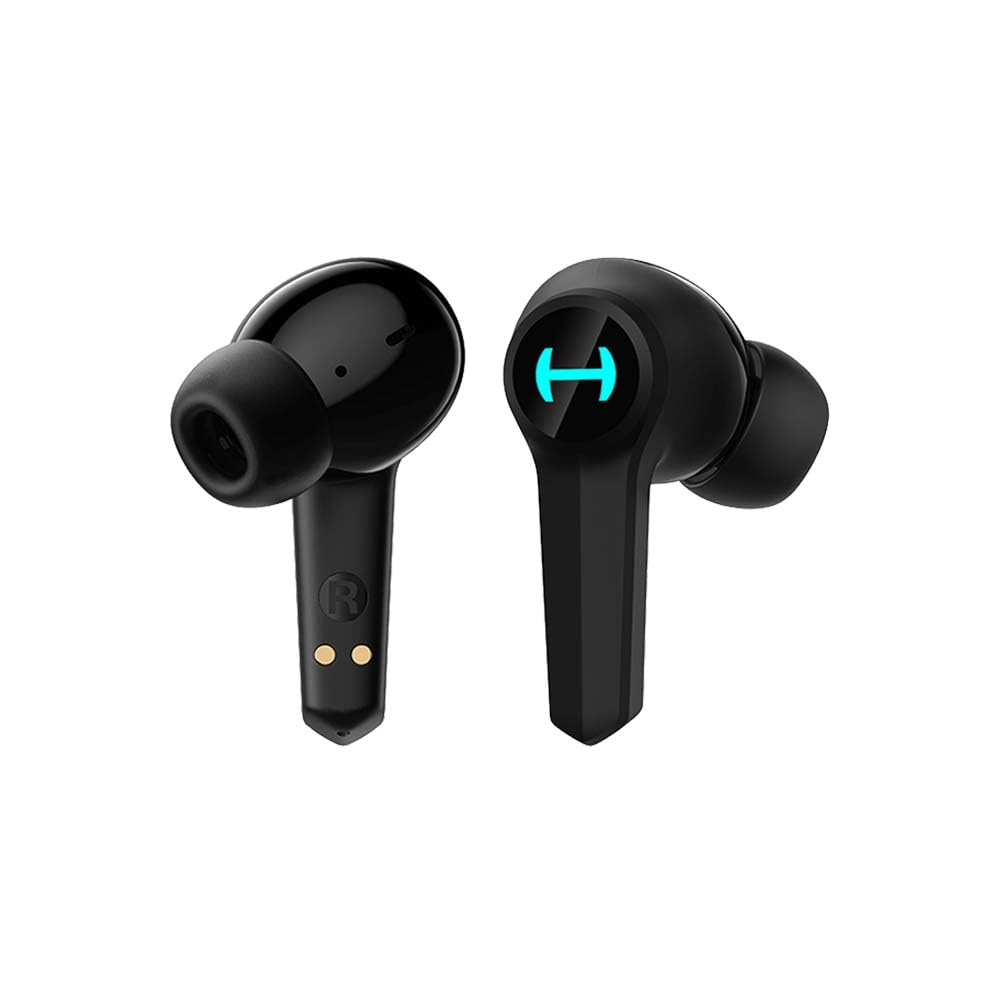
Image: The Edifier Hecate GT4 earbuds are shown inside their open charging case, with the case's RGB lights illuminated.
2. د بلوتوث جوړه کول
- ډاډ ترلاسه کړئ چې د غوږ بډونه چارج شوي دي.
- د چارج کولو کیس خلاص کړئ. د غوږ بډونه به په اتوماتيک ډول د جوړې کولو حالت ته ننوځي، چې د څراغونو د ځلیدو لخوا ښودل کیږي.
- On your device (phone, PC, console), enable Bluetooth and search for new devices.
- Select "EDIFIER HECATE GT4" from the list of available devices to connect.
- Once connected, the earbud lights will stop flashing or show a steady light.
The earbuds support Bluetooth 5.2 for a stable and efficient connection.
عملیاتي لارښوونې
1. بریښنا فعال/بند
- پاور آن: د چارج کولو کیس پرانیزئ، یا د ایربډونه له کیس څخه وباسئ. دوی به په اتوماتيک ډول چالان شي.
- بندول: د غوږ بډونه بیرته د چارج کولو په بکس کې کېږدئ او پوښ یې وتړئ. دوی به په اتوماتيک ډول بریښنا بنده کړي.
2. د ټچ کنټرولونه
The Edifier Hecate GT4 earbuds feature touch-sensitive controls on each earbud. Refer to the diagram below for touch panel location.

Image: A finger is shown touching the outer surface of an earbud, indicating the smart touch control area.
| عمل | کیڼ ایربډ (L) | ښي غوږ بډ (R) |
|---|---|---|
| پلی/ودرول | دوه ځله ټپ | دوه ځله ټپ |
| بله لار | درې ګونی نل | درې ګونی نل |
| ځواب / پای کال | دوه ځله ټپ | دوه ځله ټپ |
| زنګ رد کړئ | اوږد فشار (2s) | اوږد فشار (2s) |
| د لوبې حالت فعال کړئ | اوږد فشار (2s) | اوږد فشار (2s) |
| Deactivate Game Mode | اوږد فشار (2s) | اوږد فشار (2s) |
Note: Volume control may need to be adjusted directly on your connected device.
3. Game Mode (45ms Low-Latency)
The Edifier Hecate GT4 features a dedicated Game Mode to reduce audio latency to as low as 45ms, providing a synchronized audio-visual experience crucial for gaming. To activate or deactivate Game Mode, long press either earbud for 2 seconds. You will hear an audio prompt indicating the mode change.

Image: An illustration depicting the low latency feature of the earbuds, highlighting the 45ms response time.
ویډیو: د محصول رسمي ویډیو نندارهasing the features of the EDIFIER HECATE GT4 Gaming Earbuds, including low latency and ergonomic design.
4. د RGB رڼا
The charging case and earbuds feature RGB lighting. The lighting indicates various statuses such as charging, pairing, and game mode activation. The specific patterns and colors are pre-set and provide visual feedback on the earbuds' operational status.

Image: The Edifier Hecate GT4 charging case is shown with its red RGB lighting illuminated, indicating its gaming aesthetic.
ساتنه
- پاکول: Use a soft, dry cloth to clean the earbuds and charging case. Do not use liquid cleaners or abrasive materials.
- د اوبو مقاومت: The earbuds have an IP55 rating, meaning they are protected against dust and low-pressure water jets. Avoid submerging them in water or exposing them to heavy rain. Dry them thoroughly if they get wet.
- ذخیره کول: کله چې په کارولو کې نه وي، د غوږ غوږوالۍ د چارج کولو په قضیه کې وساتئ ترڅو دوی خوندي کړي او چارج یې وساتي. په یخ او وچ ځای کې د سخت تودوخې څخه لرې وساتئ.

Image: An Edifier Hecate GT4 earbud is shown with water splashing around it, illustrating its water-resistant feature.
د ستونزو حل کول
| ستونزه | احتمالي لامل | د حل لاره |
|---|---|---|
| د غوږونو غوږونه نه چالانېږي. | ټیټ بیټرۍ. | د غوږ بډونه او د چارج کولو کیس په بشپړه توګه چارج کړئ. |
| د وسیلې سره جوړه نشي کیدی. | Bluetooth not enabled, earbuds not in pairing mode, or device too far. | Ensure Bluetooth is enabled on your device. Place earbuds in case, close, then open to re-enter pairing mode. Keep devices within 10 meters. |
| هیڅ غږ یا وقفه ای غږ نشته. | Earbuds not properly connected, low battery, or interference. | Check Bluetooth connection. Recharge earbuds. Move away from sources of interference (e.g., Wi-Fi routers). |
| یو غوږۍ غږ نه لري. | Individual earbud connection issue. | Place both earbuds back into the charging case, close the lid, then open it again to reset the connection. Re-pair if necessary. |
| Low latency mode not working. | Game Mode not activated. | Long press either earbud for 2 seconds to activate Game Mode. Listen for the audio prompt. |
| Cannot connect to PS4/PS5/Switch. | Console limitations or specific pairing requirements. | Some consoles may require a separate Bluetooth adapter for full compatibility or specific pairing steps. Refer to your console's manual for Bluetooth audio device connection instructions. |
مشخصات
| فیچر | تفصیل |
|---|---|
| د ماډل شمیره | GT4-BK |
| برانډ | ایډیفیر |
| د ارتباط ټیکنالوژي | بې سیم (بلوتوث) |
| بلوتوث نسخه | 5.2 |
| د غوږ ځای پرځای کول | په غوږ کې |
| د آډیو ډرایور ډول | Dynamic Driver (10mm Composite Diaphragm Unit) |
| د فریکونسی رینج | 20Hz-20kHz |
| ټیټ ځنډ | ۶۸ میلونه (د لوبې حالت) |
| د بیټرۍ ژوند (ایربډونه) | تر 7 ساعتونو پورې |
| د بیټرۍ ټول ژوند (د قضیې سره) | Up to 28 hours (7 + 21 hours) |
| د بیټرۍ چارج وخت | نږدې 1.5 ساعته |
| د کنټرول طریقه | لمس |
| د اوبو د مقاومت کچه | IP55 (د دوړو او سپلیش په وړاندې مقاومت لرونکی) |
| مطابقت لرونکې وسیلې | PS5, PS4, Nintendo Switch, Phone (Android, iOS), PC |
| مواد | پلاستیک |
| د توکي وزن | 0.12 کیلوګرامه |
تضمین او ملاتړ
د اډیفایر محصولات د لوړ کیفیت معیارونو سره سم ډیزاین او تولید شوي دي. د تضمین پوښښ په اړه د معلوماتو لپاره، مهرباني وکړئ د تضمین کارت ته مراجعه وکړئ چې ستاسو د محصول بسته بندۍ کې شامل دی یا رسمي اډیفایر ته مراجعه وکړئ. website. If you encounter any issues or have questions about your Edifier Hecate GT4 Gaming Earbuds, please contact Edifier customer support through their official channels for assistance.
رسمي ایډیفیر Webسایټ: www.edifier.com