
1. پیژندنه
The Perixx PERIMICE-819B is an ergonomic vertical mouse designed for comfort and versatility. It features 3-in-1 wireless connectivity, allowing connection via Bluetooth, 2.4 GHz USB-A receiver, or 2.4 GHz USB-C receiver. This mouse is equipped with silent-click buttons, adjustable DPI settings, and a built-in rechargeable battery, making it suitable for prolonged use across various devices.

Image: The ergonomic design promotes a natural handshake position, reducing wrist strain.

Image: The compact size of the PERIMICE-819B makes it highly portable for on-the-go use.
2. د بسته محتويات
مهرباني وکړئ تصدیق کړئ چې ټول توکي ستاسو په کڅوړه کې شتون لري:
- Perixx PERIMICE-819B Vertical Mouse
- د USB-A رسیدونکی
- د USB-C رسیدونکی
- د چارج کیبل
- د کارن لارښود
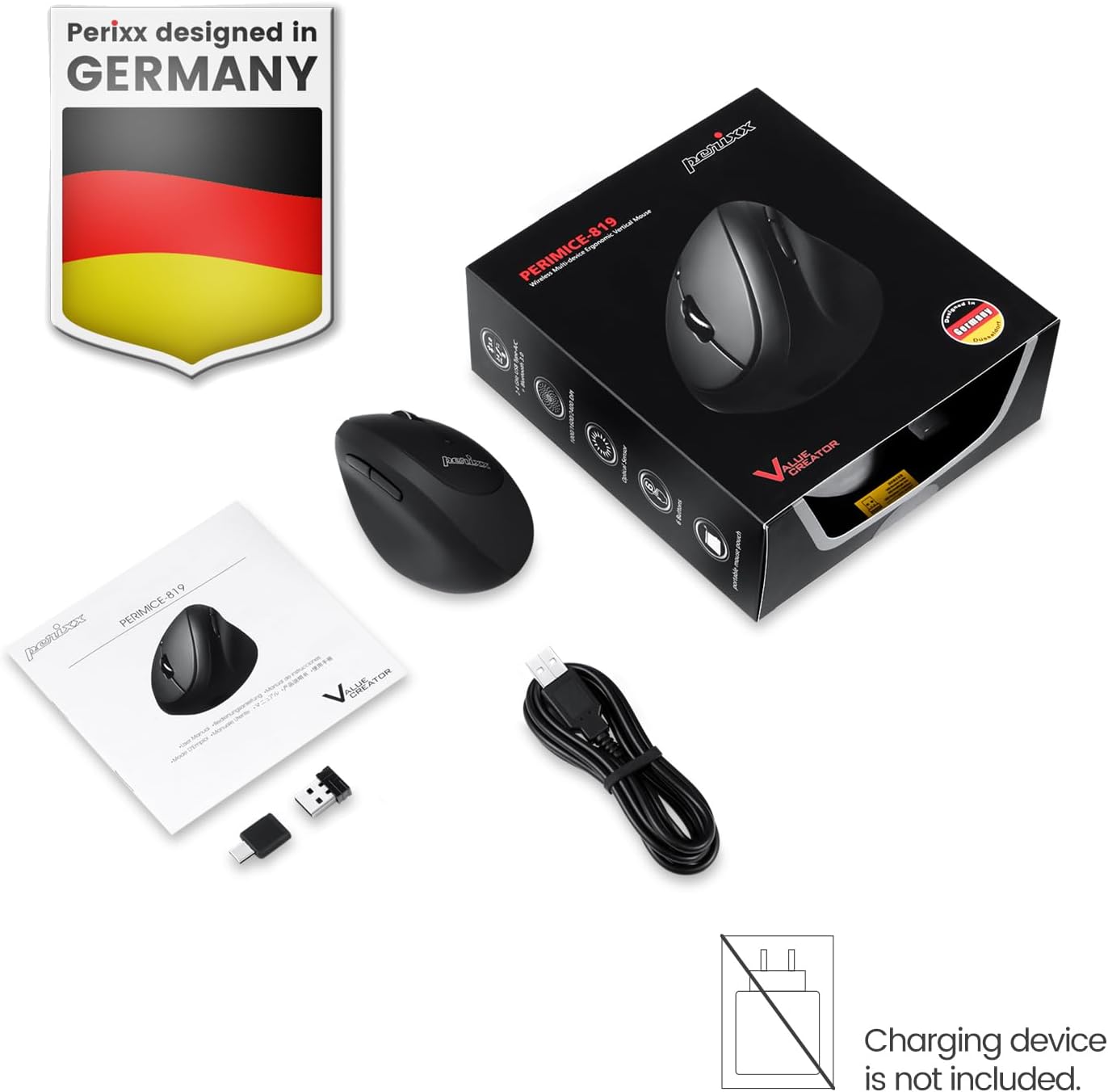
Image: The package includes the mouse, USB-A and USB-C receivers, a charging cable, and the user manual.
۴. د تنظیم لارښوونې
۳.۱ د موږک چارج کول
Before initial use, fully charge the mouse. Connect the provided charging cable to the mouse's charging port and to a USB power source. The LED indicator will show charging status. A full charge can last up to 15 days with typical use (4 hours/day).

Image: Connect the mouse to a USB port using the charging cable to recharge its internal battery.
۳.۲ د موږک سره نښلول
The PERIMICE-819B offers three wireless connection methods:

Image: The bottom of the mouse displays the connectivity switch and receiver storage.
- 2.4 GHz Wireless (USB-A or USB-C Receiver):
- Locate the USB-A or USB-C receiver stored in the mouse's bottom compartment.
- Plug the desired receiver into an available USB port on your computer.
- په ښکته برخه کې د ON/OFF سویچ په کارولو سره موږک چالان کړئ.
- موږک باید په اتوماتيک ډول وصل شي.
- بلوتوث پیوستون
- د ON/OFF سویچ په کارولو سره موږک چالان کړئ.
- Press the 'Connect' button on the bottom of the mouse to enter Bluetooth pairing mode. The LED indicator will flash.
- په خپل وسیله (کمپیوټر، ټابلیټ، سمارټ فون) کې، د بلوتوټ ترتیباتو ته لاړ شئ او د نویو وسایلو لټون وکړئ.
- Select "PERIMICE-819B" from the list of available devices to pair.

Image: The mouse supports Bluetooth, 2.4 GHz USB-A, and 2.4 GHz USB-C wireless connections.
4. عملیاتي لارښوونې
4.1 د DPI تعدیل
The PERIMICE-819B features an adjustable DPI (Dots Per Inch) switch, allowing you to change the mouse cursor speed and sensitivity. Press the DPI button, located behind the scroll wheel, to cycle through the available settings: 1000, 1600, and 2400 DPI. Choose the setting that best suits your task and preference.
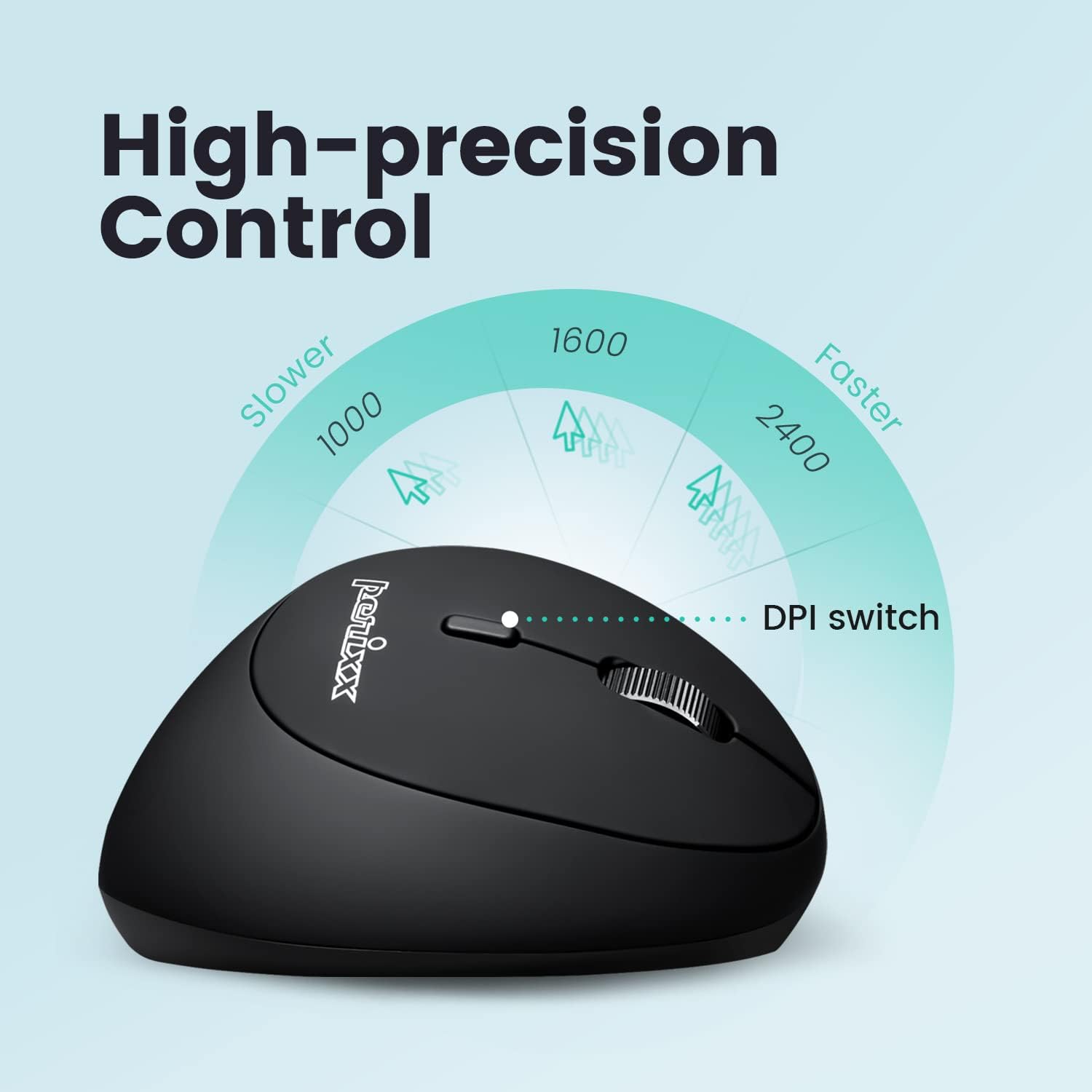
Image: Adjust the mouse sensitivity using the DPI switch for optimal control.
4.2 Silent Click Buttons
The left and right mouse buttons are designed for silent clicking, providing a quiet working environment.
4.3 د نیویګیشن بټن
The mouse includes convenient forward and backward buttons located on the side, typically operated by the thumb. These buttons allow for quick navigation in web براوزرونه او file سپړونکي Note: Forward and backward buttons may not be fully functional on macOS.

Image: Use the side buttons for quick page navigation (backward and forward).
5. ساتنه
5.1 د بیټرۍ مدیریت
The PERIMICE-819B features a built-in rechargeable Li-Po 300mAh battery. To conserve power, the mouse will automatically enter sleep mode after a period of inactivity. Move the mouse or click a button to wake it up. Recharge the mouse when the battery indicator shows low power to ensure uninterrupted use.
5.2 پاکول
To clean the mouse, use a soft, dry cloth. Avoid using harsh chemicals or abrasive materials that could damage the surface.
6. ستونزه حل کول
- موږک ځواب نه ورکوي:
- ډاډ ترلاسه کړئ چې موږک چالان دی.
- د بیټرۍ کچه وګورئ او که اړتیا وي نو چارج کړئ.
- For 2.4 GHz connection, ensure the receiver is securely plugged into a USB port. Try a different USB port.
- د بلوتوث اتصال لپاره، ډاډ ترلاسه کړئ چې ستاسو په وسیله کې بلوتوث فعال شوی او موږک په سمه توګه جوړه شوی دی. بیا جوړه کولو هڅه وکړئ.
- Cursor movement is erratic or stops:
- Ensure the mouse sensor is clean and free from obstructions.
- Use the mouse on a suitable surface (e.g., a mouse pad).
- د ټیټ بیټرۍ لپاره وګورئ.
- Interference from other wireless devices can affect performance. Try moving closer to the receiver or device.
- د DPI ترتیب نه بدلیږي:
- ډاډ ترلاسه کړئ چې تاسو د DPI سم سویچ تڼۍ فشاروئ.
- The change in cursor speed should be noticeable. If not, try restarting the mouse and your device.
7. مشخصات
| فیچر | تفصیل |
|---|---|
| د ماډل شمیره | PERIMICE-819 (12013) |
| د ارتباط ټیکنالوژي | Bluetooth, 2.4 GHz Radio Frequency (USB-A, USB-C) |
| د خوځښت کشف | نظري |
| د DPI تنظیمات | 1000 / 1600 / 2400 |
| ځانګړي ځانګړتیاوې | Ergonomic Design, Portable, Rechargeable, Silent-Click |
| د بیټرۍ ډول | Built-in Li-Po 300mAh |
| د اوسط بیټرۍ ژوند | Up to 60 hours (approx. 15 days at 4 hours/day) |
| د توکي وزن | 2.93 اونس |
| د محصول ابعاد (LxWxH) | 4.5 x 2.64 x 2.28 انچه |
| رنګ | تور |
| مطابقت | Windows OS, Linux Ubuntu 16.04, Chromebook, iPadOS, Android, Amazon Fire Tablet. Partial compatibility with macOS (forward/backward buttons not available). |
8. تضمین او ملاتړ
Perixx products typically come with a manufacturer's warranty. For specific warranty details, please refer to the warranty information included with your purchase or visit the official Perixx website. For technical support, product inquiries, or assistance with troubleshooting, please contact Perixx customer service through their official channels.
جوړونکی: Perixx کمپیوټر GmbH
Webسایټ: www.perixx.com