
Samsung Galaxy S22, S22+, S22 Ultra
د سامسنګ ګیلیکسي S22 لړۍ کارونکي لارښود
The Illustrated Manual for Samsung Galaxy S22, S22+, and S22 Ultra
پیژندنه
This user guide provides comprehensive instructions for operating the Samsung Galaxy S22, S22+, and S22 Ultra smartphones. It is designed to help users understand and utilize the full range of features available on their device, ensuring an optimal user experience.
The Samsung Galaxy S22 series offers advanced functionalities for communication, productivity, and entertainment. This manual covers essential setup procedures, daily operations, maintenance tips, and troubleshooting steps.
محصول پای ته ورسیدview

د انځور تفصیل: The front cover of the "Samsung Galaxy S22 User Guide for Seniors" book. The title is prominently displayed at the top. Below the title, a hand holds a purple Samsung Galaxy S22 series phone with its S Pen stylus. The author's name, Joseph F. Morris, is at the bottom.
The Samsung Galaxy S22, S22+, and S22 Ultra are flagship smartphones known for their powerful processors, high-quality cameras, and vibrant displays. Key features include advanced camera systems, S Pen integration (on Ultra models), robust battery life, and comprehensive connectivity options.
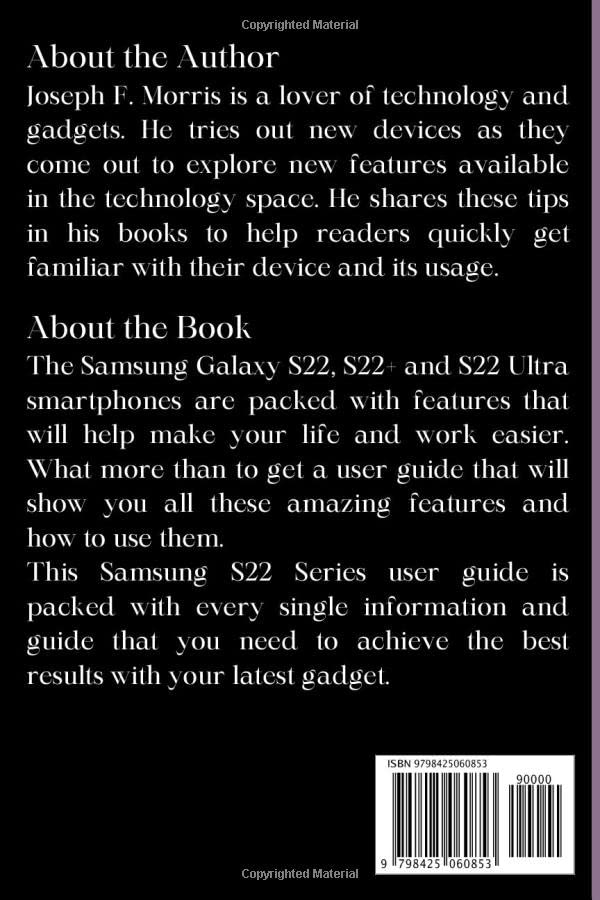
د انځور تفصیل: The back cover of the "Samsung Galaxy S22 User Guide for Seniors" book. It contains sections titled "About the Author" and "About the Book," providing a brief biography of Joseph F. Morris and a summary of the book's content, including a list of topics covered. An ISBN barcode is visible at the bottom right.
تنظیم او ابتدايي ترتیب
دا برخه ستاسو د سامسنګ ګیلیکسي S22 لړۍ وسیلې لپاره د لومړني تنظیم کولو پروسې له لارې تاسو ته لارښوونه کوي.
۱. د وسیلې فعالول او بنسټیز تنظیم
- پاور آن: د پاور تڼۍ فشار ورکړئ او ونیسئ تر هغه چې د سامسنګ لوګو څرګند شي.
- د ژبې انتخاب: له لیست څخه خپله خوښه ژبه غوره کړئ.
- د وای فای اتصال: د تنظیم کولو او اړینو تازه معلوماتو ډاونلوډ کولو لپاره د وای فای شبکې سره وصل شئ.
- شرایط او شرایط: د کارونکي د جواز پای تړون او د محرمیت پالیسي ولولئ او ومنئ.
- د ګوګل حساب تنظیم کول: د خپل ګوګل حساب سره ننوتل یا یو نوی جوړ کړئ. دا د ګوګل پلی پلورنځي او نورو ګوګل خدماتو ته د لاسرسي لپاره اړین دی.
- د سامسنګ حساب تنظیم کول: Sign in with your Samsung account or create a new one for access to Samsung-specific features and services.
- د امنیت تنظیم: Set up a screen lock (PIN, pattern, password, fingerprint, or face recognition) for device security.
2. Transferring Data from Another Device
You can easily transfer data from your old device to your new Galaxy S22 using Samsung Smart Switch.
- Ensure both devices are charged and have Smart Switch installed (pre-installed on new Samsung devices).
- On your new Galaxy S22, open Smart Switch.
- Select "Receive data" and choose your old device type (Galaxy/Android, iPhone/iPad, Windows Phone, BlackBerry).
- Follow the on-screen prompts to connect the devices (wirelessly or via USB cable) and select the data you wish to transfer.
3. Setting Up Emergency Contacts
It is recommended to set up emergency contacts for quick access in critical situations.
- ورتګ ترتیبات > خوندیتوب او بیړني حالت.
- ټایپ کړئ طبي معلومات or بیړنۍ اړیکې.
- Add contacts who can be reached in an emergency. These contacts can be accessed from the lock screen without unlocking the phone.
4. eSIM Setup
The Galaxy S22 series supports eSIM functionality, allowing you to use a digital SIM card.
- ورتګ ترتیبات > ارتباطات > د سیم کارت مدیر.
- ټپ eSIM اضافه کړئ.
- Follow the on-screen instructions to scan a QR code provided by your carrier or enter activation code manually.
ستاسو وسیله چلول
This section covers various aspects of daily operation for your Samsung Galaxy S22 series smartphone.
1. Camera Tips and Tricks
Maximize your photography with these camera features:
- پرو حالت: For advanced users, Pro mode allows manual control over ISO, shutter speed, focus, white balance, and exposure.
- یو ځل اخیستل: Capture multiple types of photos and videos with one tap. The AI analyzes the scene and suggests the best shots.
- د شپې حالت: Use Night mode in low-light conditions to capture brighter and clearer photos.
- Director's View: Record video using multiple cameras simultaneously, allowing you to switch perspectives while filming.
2. S Pen Tips and Tricks (Galaxy S22 Ultra)
For Galaxy S22 Ultra users, the integrated S Pen offers enhanced productivity and creativity.
- هوايي قومانداني: Remove the S Pen to automatically launch Air Command, providing quick access to features like Create note, Smart select, Screen write, and Live message.
- د سکرین بند یادښت: Quickly jot down notes even when the screen is off by simply removing the S Pen.
- هوايي کړنې: Use the S Pen as a remote control for your phone, performing actions like taking photos, controlling media playback, or navigating presentations with gestures.
- Text Extraction: Use Smart select to extract text from images or non-selectable areas.
3. Mail Services and Communication
Manage your emails and communication effectively.
- د بریښنالیک حسابونو اضافه کول: ورتګ ترتیبات > حسابونه او بیک اپ > د حسابونو اداره کول > حساب اضافه کړئ. Select your email provider and follow the prompts.
- Calls and Call Settings: Access the Phone app to make calls. Customize call settings such as call forwarding, call blocking, and voicemail by tapping the three-dot menu in the Phone app and selecting ترتیبات.
4. Media and Media Playback Options
Enjoy your multimedia content on your device.
- ګالری: View and organize your photos and videos.
- Samsung Music/Google Play Music: خپل غږ غږ کړئ files.
- ویډیو پلیر: The default video player supports various formats.
5. بې سیم چارج کول
The Galaxy S22 series supports wireless charging and Wireless PowerShare.
- بې سیم چارج کول: Place your device on a compatible Qi-certified wireless charger. Ensure the phone is centered on the charging pad.
- Wireless PowerShare: Share your phone's battery power with other compatible devices (e.g., Galaxy Buds, smartwatches, or other Qi-enabled phones). To activate, pull down the Quick Settings panel and tap the Wireless PowerShare icon. Place the device you want to charge on the back of your Galaxy S22.
6. Calendar and Time Converter
- Calendar App: Use the pre-installed Calendar app to manage your schedule, set reminders, and create events.
- Time Converter: While not a dedicated app, you can use the World Clock feature within the Clock app to view times in different time zones, effectively acting as a time converter.
ساتنه او اصلاح کول
Regular maintenance helps ensure your device performs optimally.
۴.۲. د بیټرۍ د اصلاح کولو لارښوونې
- تطابق وړ بیټرۍ: Enable Adaptive Battery in ترتیبات > د بیټرۍ او وسایلو ساتنه > بیټرۍ to limit battery usage for infrequently used apps.
- د بریښنا خوندي کولو حالت: Activate Power Saving mode for extended battery life when needed.
- د سکرین روښانتیا: د سکرین روښانتیا کمه کړئ یا د تطبیق وړ روښانتیا فعاله کړئ.
- د شاليد اپليکېشن کارول: Restrict background data and refresh for apps that consume excessive power.
- تیاره حالت: Using Dark mode can save battery on AMOLED displays.
۵.۱. د وسایلو پاملرنه
The Device Care feature helps you manage your phone's performance, storage, and security.
- ورتګ ترتیبات > د بیټرۍ او وسایلو ساتنه.
- Here you can optimize your phone, check battery usage, manage storage, memory, and device security.
د ستونزو حل کول
عامې ستونزې او د هغوی حل لارې.
- وسیله ځواب نه ورکوي: If your device is frozen, press and hold the Volume Down button and the Power button simultaneously for about 7-10 seconds to force restart.
- د اپلیکیشن خرابیدل: د اپلیکیشن کیش او ډیټا پاک کړئ (ترتیبات > ایپس > [د اپلیکیشن نوم] > ذخیره کول > کیچ پاک کړئ / ډاټا پاک کړئ). که ستونزه دوام وکړي، اپلیکیشن بیا نصب کړئ.
- د شبکې د اتصال مسلې:
- د وای فای/موبایل ډیټا بند او فعال کړئ.
- خپل وسیله بیا پیل کړئ.
- د شبکې ترتیبات بیا تنظیم کړئ (ترتیبات > عمومي مدیریت > بیا تنظیم کړئ > د شبکې تنظیمات بیا تنظیم کړئ).
- Find My Mobile Setting: If your device is lost or stolen, use Samsung's Find My Mobile service. Ensure it's enabled beforehand by going to ترتیبات > بایومتریک او امنیت > زما موبایل ومومئ. You can then locate, lock, or wipe your device remotely via the Find My Mobile webسایټ
مشخصات
Key specifications for the Samsung Galaxy S22 series (general information based on the book's scope).
| فیچر | تفصیل |
|---|---|
| ماډلونه پوښل شوي | Samsung Galaxy S22, S22+, S22 Ultra |
| عملیاتي سیسټم | Android (version at time of release) with One UI |
| پروسیسر | Octa-core (specific chipset varies by region) |
| ښودل | Dynamic AMOLED 2X (sizes vary by model) |
| د کیمرې سیسټم | Multi-lens rear camera setup, high-resolution front camera |
| بیټرۍ | Built-in rechargeable battery with fast and wireless charging support |
| ارتباط | 5G, Wi-Fi, Bluetooth, NFC, USB-C |
| د ایس قلم ملاتړ | Integrated for Galaxy S22 Ultra, external support for other models |
تضمین او ملاتړ
د تضمین په اړه د تفصيلي معلوماتو لپاره، مهرباني وکړئ د سامسنګ رسمي شرکت ته مراجعه وکړئ webسایټ یا د تضمین کارت چې ستاسو وسیله سره شامل دی. د تضمین شرایط او مقررات ممکن د سیمې او پرچون پلورونکي له مخې توپیر ولري.
For technical support, software updates, or service inquiries, please visit the official Samsung Support website or contact Samsung customer service directly. You can find contact details and support resources on the Samsung webستاسو د سیمې لپاره ځانګړی سایټ.
آنلاین سرچینې:
- د سامسنګ رسمي ملاتړ: https://www.samsung.com/us/support/
- Samsung Community Forums: https://us.community.samsung.com/
Ask a question about this manual
Ask about setup, troubleshooting, compatibility, parts, safety, or missing instructions. Manuals+ will review the question and use this page’s manual context to help answer it.