
1. محصول ختم شوview
The Prolink DL-7203E is a portable LTE Mobile Wi-Fi device designed to provide high-speed wireless connectivity on the go. It functions as a 4G router, allowing multiple devices to connect to the internet via a SIM card. Additionally, it features a built-in power bank function for charging other devices.
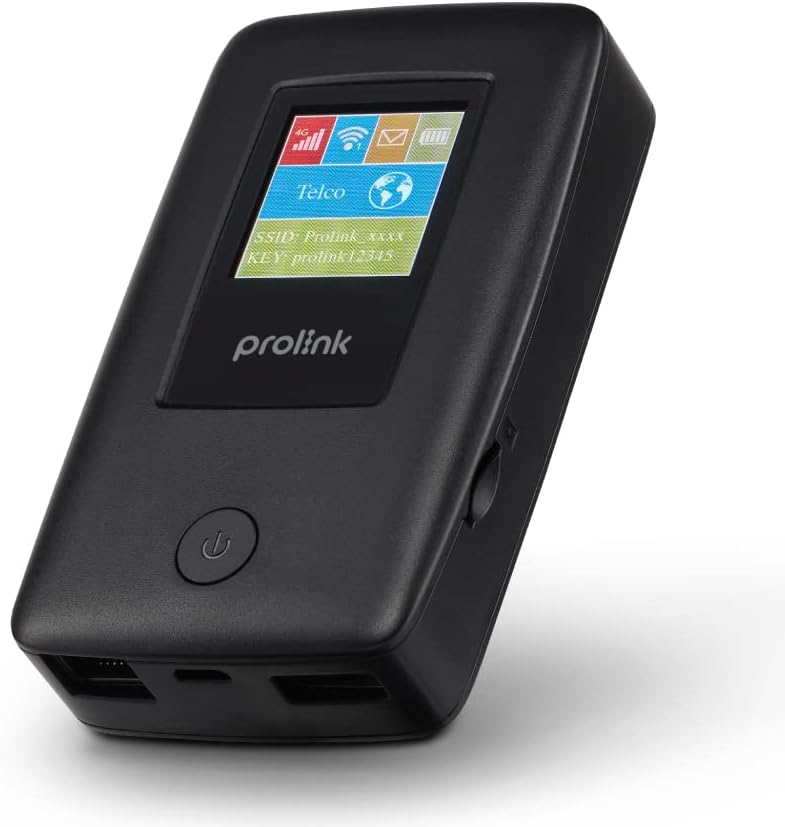
Figure 1.1: Prolink DL-7203E LTE Mobile Wi-Fi device.

Figure 1.2: Key features and capabilities of the Prolink DL-7203E.
د بسته محتويات
- Prolink DL-7203E LTE Mobile Wi-Fi Device
- د USB چارج کیبل
- د چټک پیل لارښود (په دې لارښود کې شامل نه دی)
2. د وسیلې ترتیب
Familiarize yourself with the various components and ports of your DL-7203E device.

شکل ۱: مخ او اړخ view of the Prolink DL-7203E with labeled components.
- LCD Screen Indicator: Displays signal strength, battery level, Wi-Fi status, and network information.
- د سیم کارت سلاټ: Insert your Nano SIM card here.
- RJ45 LAN/WAN Port: For wired Ethernet connection to devices or an existing network.
- د چارج کولو بندر (USB-C): Connect the provided USB cable for charging the device.
- USB Type-A Port (Output): Used for the power bank function to charge other devices.
- د بریښنا تڼۍ: د وسیلې آن/بند کولو لپاره فشار ورکړئ او ونیسئ.
3. د تنظیم کولو لارښود
۳.۱ د سیم کارت داخلول
- ډاډ ترلاسه کړئ چې وسیله بنده ده.
- د وسیلې په اړخ کې د سیم کارت سلاټ ومومئ.
- Carefully insert your Nano SIM card into the slot until it clicks into place. Ensure the correct orientation as indicated on the device.
- که چیرې د تطبیق وړ وي، د سیم کارت سلاټ پوښ وتړئ.
3.2 د وسیلې چارج کول
- Connect the provided USB charging cable to the USB-C charging port on the DL-7203E.
- د کیبل بل پای د USB بریښنا اډاپټر (شامل نه دی) یا د کمپیوټر USB پورټ سره وصل کړئ.
- The battery indicator on the LCD screen will show charging status. A full charge provides up to 25 hours of connectivity.
3.3 بریښنا کول / بندول
- د فعالولو لپاره: د بریښنا تڼۍ فشار ورکړئ او ونیسئ تر هغه چې د LCD سکرین روښانه شي.
- د بریښنا بندولو لپاره: د بریښنا تڼۍ فشار ورکړئ او ونیسئ تر هغه چې وسیله بنده شي.

Figure 3.1: The Auto APN feature enables plug-and-play functionality in over 185 countries.
4. عملیات
۵.۱ د وای فای له لارې د وسایلو نښلول
- Ensure the DL-7203E is powered on and has an active internet connection (indicated by the signal icon on the LCD).
- په خپل وای فای فعال شوي وسیله (سمارټ فون، لیپ ټاپ، ټابلیټ) کې، د شته وای فای شبکو لټون وکړئ.
- Select the SSID (network name) displayed on the DL-7203E's LCD screen.
- Enter the Wi-Fi Key (password) also displayed on the LCD screen.
- Your device should now be connected to the internet. The DL-7203E supports up to 16 Wi-Fi devices simultaneously.

Figure 4.1: Share internet connection with up to 16 devices simultaneously.
۶.۳ د پاور بانک په توګه کارول
The DL-7203E can double as a portable power bank to charge your mobile devices.
- Connect your mobile device's charging cable to the USB Type-A output port on the DL-7203E.
- The DL-7203E will begin charging your device.

Figure 4.2: The DL-7203E can charge your devices on the go.
4.3 Connecting via LAN/WAN Port
The RJ45 port allows for wired connectivity.
- د LAN حالت: Connect a device (e.g., laptop, desktop) to the DL-7203E via an Ethernet cable for a wired internet connection.
- د WAN حالت: Connect the DL-7203E to an existing wired network (e.g., hotel Ethernet) to share that internet connection wirelessly.
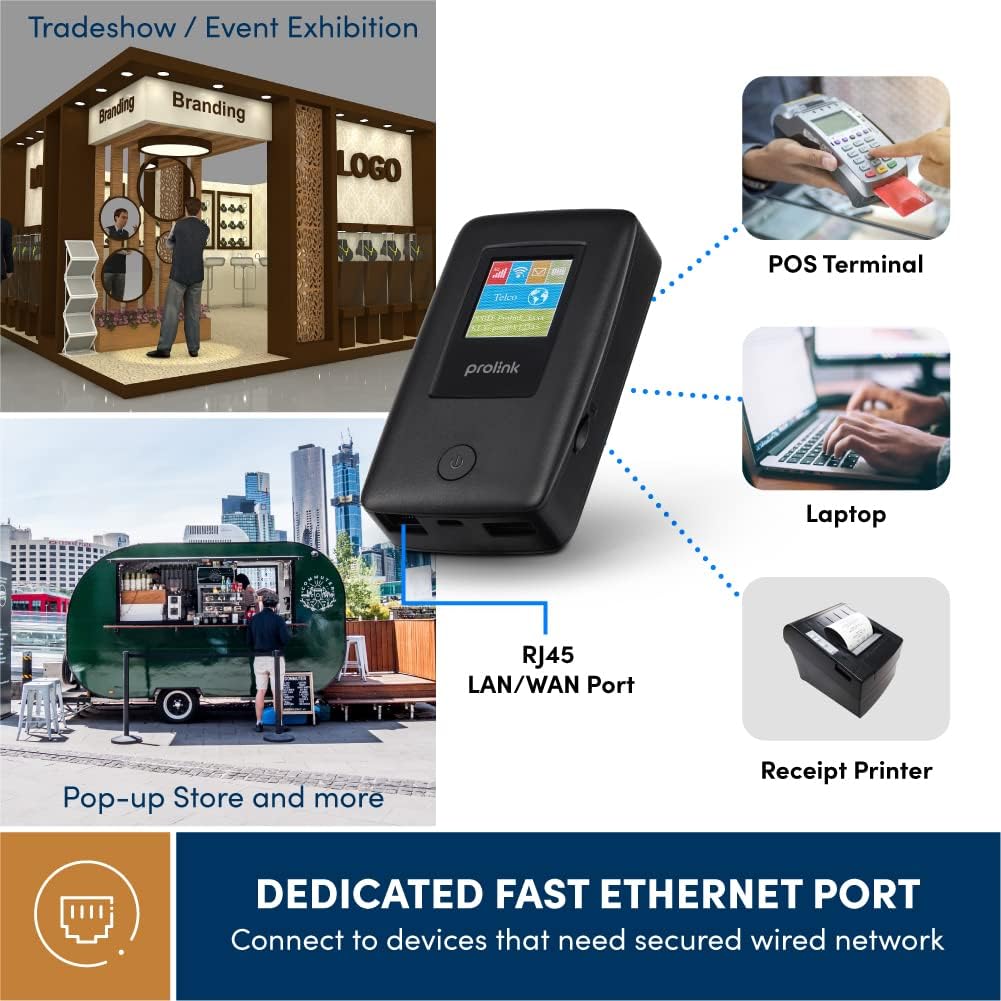
Figure 4.3: Utilize the dedicated Ethernet port for secured wired network connections.
4.4 File Sharing via MicroSD Card
The built-in microSD card slot supports up to 64GB, allowing for easy file شریکول
- په ټاکل شوي سلاټ کې د مایکرو ایس ډی کارت دننه کړئ.
- Access the shared content wirelessly from connected devices through the device's web interface or the mProMifi App.

Figure 4.4: Share media content wirelessly across your network via a microSD card.
4.5 Using the mProMifi App
For enhanced control and monitoring, download the mProMifi App (available for devices with P/N: LTE-DL7203E-E, S/N starting from "265201" or later). The app allows you to manage settings, view connected devices, and monitor data usage.
5. کلیدي ځانګړتیاوې
- چټکه اړیکه: Enjoy high-speed connectivity of up to 150Mbps via LTE and up to 300Mbps via Wi-Fi hotspot.
- د بیټرۍ اوږد ژوند: Equipped with a 5200mAh (or 6000mAh for updated models) battery, providing up to 25 hours of continuous connectivity.
- د څو کاروونکو لاسرسی: Share your internet connection with up to 16 Wi-Fi enabled devices simultaneously.
- د سفر دوستانه: Supports automatic APN configuration for over 185 countries, making it ideal for international travel.
- د بریښنا بانک فعالیت: Charge your smartphones and other USB-powered devices on the go.
- ایترنیټ پورټ: Provides a reliable wired connection for devices without wireless capabilities or for sharing an existing wired network.
- د مایکرو ایس ډی کارت سلاټ: Supports up to 64GB for convenient wireless file شریکول

Figure 5.1: Enjoy extended connectivity with up to 25 hours of battery life.

Figure 5.2: The compact design allows you to stay connected wherever you are.
6. ساتنه
- پاکول: Use a soft, dry cloth to clean the device. Avoid liquid cleaners or aerosols.
- د بیټرۍ پاملرنه: To prolong battery life, avoid exposing the device to extreme temperatures. If storing for a long period, charge the battery to about 50% before storage.
- ذخیره کول: وسیله په یخ او وچ ځای کې د مستقیم لمر وړانګو او رطوبت څخه لرې وساتئ.
7. ستونزه حل کول
عام مسایل او حل لارې
| ستونزه | احتمالي لامل | د حل لاره |
|---|---|---|
| د انټرنیټ اتصال نشته | No SIM card inserted, SIM card not activated, poor signal, incorrect APN settings. | Ensure SIM is correctly inserted and active. Move to an area with better signal. The device has Auto APN, but if issues persist, check network provider settings. |
| د وای فای سره وصل نشو | د وای فای پاسورډ غلط دی، وسیله له روټر څخه ډیره لرې ده، وای فای غیر فعال دی. | Verify Wi-Fi password. Move closer to the DL-7203E. Ensure Wi-Fi is enabled on the device. |
| Battery Not Charging / Draining Quickly | Faulty cable/adapter, high usage, old battery. | Try a different USB cable and power adapter. Reduce the number of connected devices or usage time. Contact support if battery life significantly degrades. |
| Device Freezes / Unresponsive | د سافټویر خرابوالی. | Perform a soft reset by holding the power button until the device restarts. If persistent, a factory reset might be needed (refer to advanced settings via web انٹرفیس). |
8. مشخصات
| فیچر | تفصیل |
|---|---|
| د ماډل نوم | DL-7203E (LTE-DL7203E) |
| برانډ | پرولینک |
| بې سیم مخابرات | ۴ جي ایل ټي ای، وای فای (۸۰۲.۱۱ اې سي) |
| د وای فای سرعت | تر 300Mbps پورې |
| د LTE سرعت | تر 150Mbps پورې |
| د بیټرۍ ظرفیت | 5200mAh (updated models 6000mAh) |
| د بیټرۍ ژوند | تر 25 ساعتونو پورې |
| د وای فای اعظمي کاروونکي | 16 |
| د سیم کارت ډول | نانو سیم |
| بندرونه | RJ45 LAN/WAN, USB-C Charging, USB Type-A Output |
| MicroSD Support | تر 64GB پورې |
| ابعاد (L x W x H) | 15.4 x 9.2 x 4.4 سانتي متره |
| وزن | 161 ګرامه |
| رنګ | تور |
9. تضمین او ملاتړ
Prolink products come with a local warranty and technical support. For any inquiries or assistance, please contact Prolink support.

Figure 9.1: Prolink Official Store support information.
- د بریښنالیک ملاتړ: support@prolink2u.com
- د تلیفون ملاتړ: (65) 6357 0666
- For the most up-to-date support information, please visit the official Prolink website or your regional Prolink support page.