
1. پیژندنه
This manual provides essential instructions for the installation, operation, and maintenance of your Chieftec Scorpion 3 White ATX Case (Model GL-03W-OP). Please read this manual thoroughly before beginning assembly to ensure proper setup and to maximize the lifespan of your product.
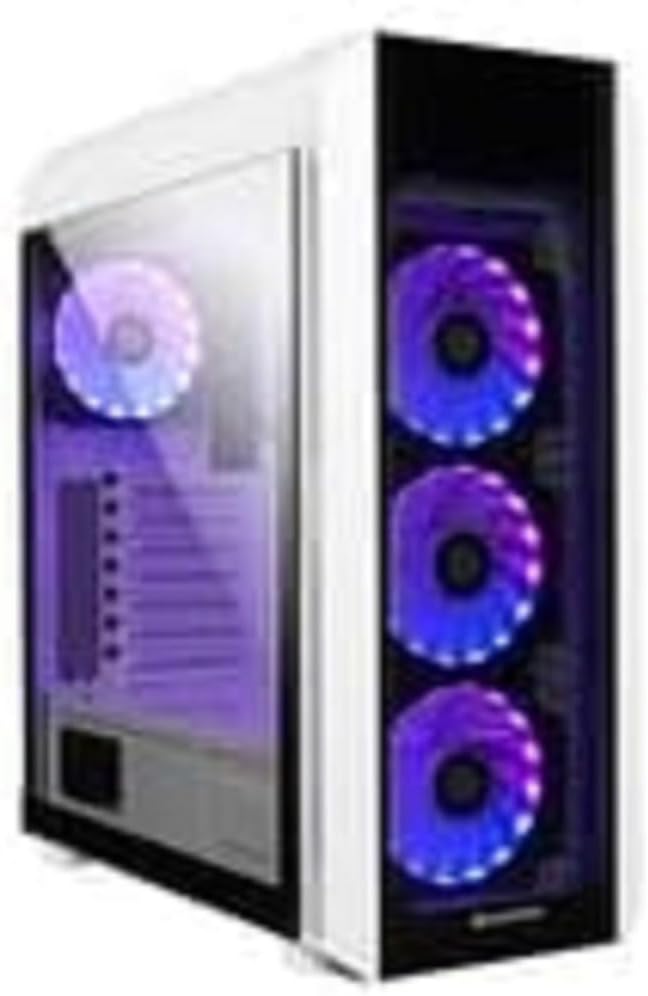
شکل 1: The Chieftec Scorpion 3 White ATX Case, showcasing its white exterior, tempered glass side panel, and three front-mounted, illuminated cooling fans. A single illuminated fan is visible at the rear.
۲. د اجزاو تنظیم او نصب کول
This section guides you through the process of installing your computer components into the Chieftec Scorpion 3 White ATX Case.
2.1. تیاری
- Ensure you have all necessary components: motherboard, CPU, RAM, graphics card, storage drives, and power supply unit (PSU).
- Gather tools: Phillips head screwdriver, zip ties for cable management.
- په پاکه، جامد نه سطحه کار وکړئ. د جامد ضد لاسي تسمه کارولو په اړه فکر وکړئ.
۳.۲. د قضیې پرانیستل
- Carefully remove the side panels. Typically, the tempered glass side panel is secured with thumbscrews at the rear.
- Set the panels aside on a soft, non-abrasive surface to prevent scratches.
۳. د بریښنا رسولو واحد (PSU) نصب کول
- The Chieftec Scorpion 3 supports rear-mount PSUs.
- Slide the PSU into its designated bay at the bottom rear of the case.
- Secure the PSU with screws from the exterior rear of the case.
2.4. د مور بورډ نصب کول
- د I/O شیلډ د قضیې په شا کې په کټ آوټ کې نصب کړئ.
- Align your ATX motherboard with the pre-installed standoffs.
- Carefully place the motherboard onto the standoffs and secure it with screws.
۴. د ذخیره کولو ډرایو نصب کول
- Locate the drive bays for 2.5" SSDs and 3.5" HDDs.
- Install your storage drives into the appropriate bays and secure them.
۶. د ګرافیک کارت او پراختیا کارتونه
- د قضیې له شا څخه اړین PCIe سلاټ پوښونه لرې کړئ.
- Insert your graphics card or other expansion cards into the motherboard's PCIe slots and secure them with screws.
2.7. د کیبل مدیریت
- Route all cables (PSU, data, front panel) through the designated cutouts to the rear of the motherboard tray.
- Use zip ties or Velcro straps to bundle and secure cables for improved airflow and aesthetics.
2.8. Closing the Case
- Once all components are installed and cables managed, reattach the side panels.
- Secure the tempered glass panel with its thumbscrews.
۴. د قضیې چلول
The Chieftec Scorpion 3 White ATX Case provides the housing and cooling for your PC components. Its operation primarily involves the use of the front panel controls and integrated cooling system.
3.1. د فرنټ پینل کنټرولونه
- د بریښنا تڼۍ: د خپل کمپیوټر د چالانولو یا بندولو لپاره فشار ورکړئ.
- د بیا تنظیم تڼۍ: د خپل کمپیوټر د بیا پیلولو لپاره فشار ورکړئ.
- USB پورټونه: د USB وسایل وصل کړئ.
- آډیو جیکونه: هیډفونونه او مایکروفونونه وصل کړئ.
3.2. د یخولو سیسټم
The case is equipped with multiple fan mounts and pre-installed 120mm fans to ensure optimal airflow.
- Ensure all fans are properly connected to your motherboard or a fan controller.
- Monitor system temperatures using software to ensure adequate cooling.
- The illuminated fans provide aesthetic appeal and can often be controlled via motherboard software for RGB lighting effects.
4. ساتنه
Regular maintenance helps ensure optimal performance and longevity of your Chieftec Scorpion 3 White ATX Case and its components.
۱. د دوړو پاکول
- فریکونسی: Clean dust filters and interior components every 3-6 months, or more frequently in dusty environments.
- د دوړو فلټرونه: The case features removable dust filters (e.g., top, front, bottom). Gently remove and clean them with water and mild soap, or use a vacuum cleaner. Ensure they are completely dry before reinstallation.
- داخلي: Use compressed air to blow dust out of fans, heatsinks, and other components. Hold fan blades gently to prevent over-spinning.
4.2. بهرنۍ پاکول
- بهرنۍ سطحې په نرمۍ سره مسح کړئ، دamp ټوکر. د کثافاتو پاکوونکو یا محلولونو څخه ډډه وکړئ.
- For the tempered glass panel, use a glass cleaner and a microfiber cloth to prevent streaks.
5. ستونزه حل کول
This section addresses common issues you might encounter with your PC build within the Chieftec Scorpion 3 White ATX Case.
۶.۱. سیسټم نه فعالېږي
- د بریښنا اتصالونه وګورئ: Ensure the PSU is switched on and all power cables (24-pin ATX, 8-pin CPU, PCIe power) are securely connected to the motherboard and components.
- د مخکینۍ پینل نښلونکي: Verify that the front panel power switch cable is correctly connected to the motherboard's front panel header. Refer to your motherboard manual for the correct pinout.
- د PSU فعالیت: Test the PSU independently if possible, or try a known working PSU.
۳. پنکه نه ګرځېږي یا RGB نه روښانه کېږي
- د فین اړیکې: Ensure all fan power cables are securely connected to the motherboard fan headers or a fan controller.
- RGB Connections: If applicable, verify that RGB cables are connected to the correct RGB headers on the motherboard or a dedicated RGB controller.
- د سافټویر کنټرول: Check your motherboard's BIOS/UEFI settings or dedicated fan/RGB control software for fan speed and lighting settings.
5.3. Poor Airflow or High Temperatures
- د دوړو راټولېدل: Clean dust filters and internal components as described in the Maintenance section.
- د فین سمت: Ensure fans are oriented correctly for optimal airflow (e.g., front fans as intake, rear/top fans as exhaust).
- د کیبل مدیریت: د کیبل مدیریت ښه کړئ ترڅو د هوا جریان کې خنډونه کم شي.
6. مشخصات
Detailed technical specifications for the Chieftec Scorpion 3 White ATX Case (Model GL-03W-OP).
| فیچر | تفصیل |
|---|---|
| برانډ | چیف ټیک |
| لړۍ | Scorpion 3 White |
| د ماډل شمیره | GL-03W-OP |
| د قضیې ډول | منځنی برج |
| د مور بورډ مطابقت | ATX |
| مواد | Acrylonitrile Butadiene Styrene (ABS) پلاستیک |
| رنګ | Black (Note: Product name indicates White, but specification lists Black. Please verify product color upon receipt.) |
| د توکي وزن | ۲.۴۵ پونډه |
| د محصول ابعاد (LxWxH) | 19.69 x 19.69 x 11.02 انچه |
| د بریښنا رسولو د نصبولو ډول | شا غونډۍ |
| د یخولو طریقه | هوا |
| د فین اندازه | 120 Millimeters (pre-installed fans) |
Note: Specifications are subject to change without prior notice. Please refer to the manufacturer's official webد خورا تازه معلوماتو لپاره سایټ.
7. د تضمین معلومات
Chieftec products are manufactured to high-quality standards. For specific warranty terms and conditions applicable to your Chieftec Scorpion 3 White ATX Case (Model GL-03W-OP), please refer to the warranty card included with your product or visit the official Chieftec webسایټ
Typically, product warranties cover defects in materials and workmanship under normal use. Damage resulting from improper installation, accident, abuse, modification, or unauthorized repair is generally not covered.
8. د پیرودونکي ملاتړ
Should you encounter any issues or have questions regarding your Chieftec Scorpion 3 White ATX Case, please contact Chieftec customer support.
- آنلاین ملاتړ: Visit the official Chieftec webد FAQs، د ډرایور ډاونلوډونو، او ملاتړ سرچینو لپاره سایټ.
- د اړیکو معلومات: Refer to the product packaging or Chieftec's official website for regional contact details (phone, email).
When contacting support, please have your product model (GL-03W-OP) and purchase information readily available.