
1. پیژندنه
This manual provides detailed instructions for the installation, operation, and maintenance of your SCOORNEST Wireless Security Camera. This compact, battery-operated camera is designed for indoor use, offering 1080P HD video, night vision, and remote monitoring capabilities via a mobile application. Please read this manual thoroughly before using the product to ensure proper function and safety.

Image: The SCOORNEST Wireless Security Camera discreetly placed in a living room, providing wide area surveillance.
2. د محصول ب Featuresې
The SCOORNEST Wireless Security Camera offers a range of features for effective home monitoring:
- ۱۰۸۰P HD ویډیو: واضح او مفصل فو نیولtage.
- بېسیم او بیټرۍ چلول: Flexible placement without the need for constant power outlets.
- د شپې لید: Provides clear monitoring in low-light or dark conditions.
- د حرکت کشف: Alerts you to detected movement, enhancing security.
- د اپلیکیشن ریموټ کنټرول: Monitor and control the camera from your smartphone or tablet.
- د څو سناریو کارول: Suitable for monitoring homes, babies, pets, elderly care, and office spaces.

Image: Key features of the camera, including 1080P resolution, motion detection, WiFi connectivity, and wireless operation.

Image: Demonstration of the camera's 1080P resolution, providing clear and smooth video quality.
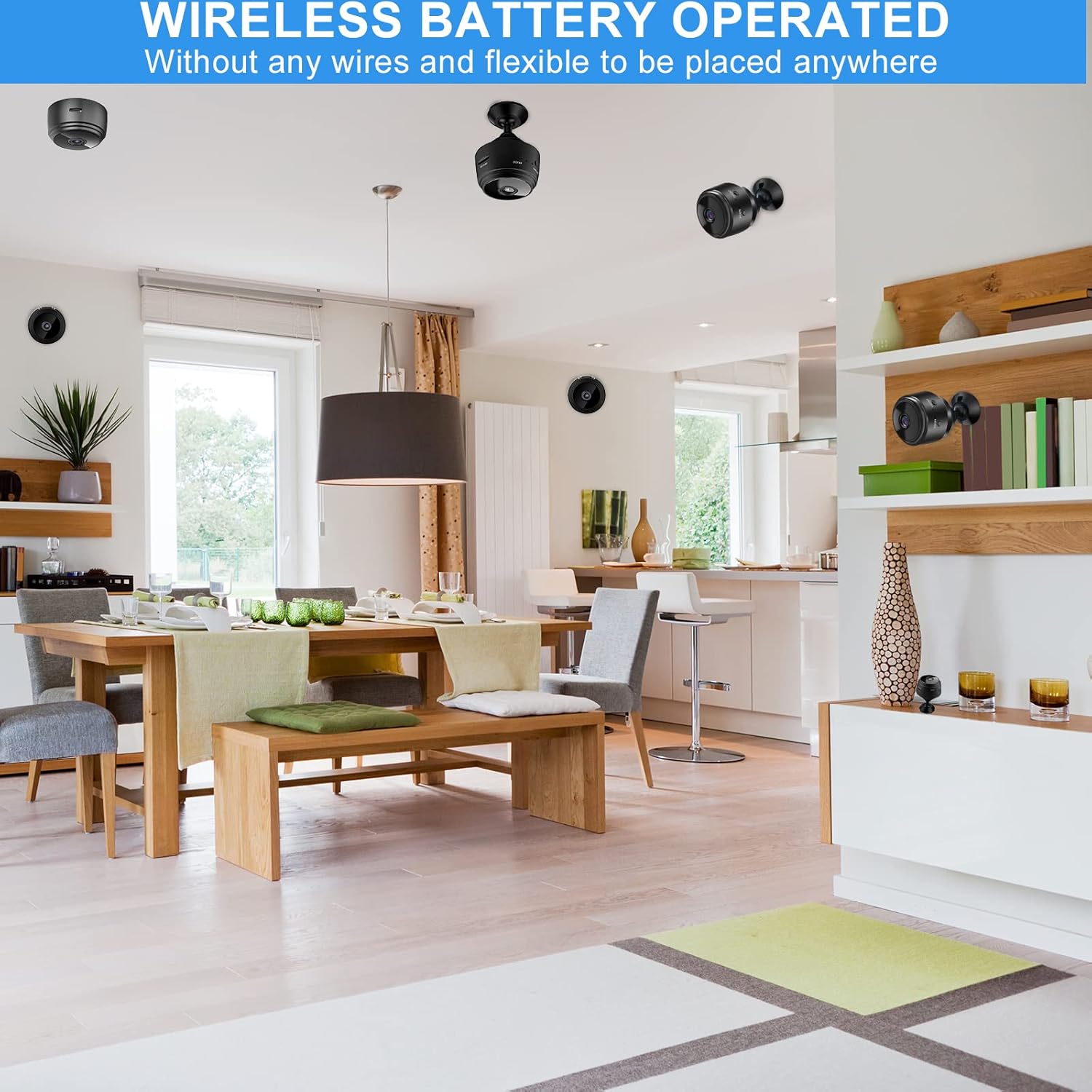
Image: The camera's motion detection feature, sensitive to capture movement and trigger alerts.

Image: Comparison of day and night vision, illustrating the camera's ability to monitor in various lighting conditions.
3. د تنظیم کولو لارښود
Follow these steps to set up your SCOORNEST Wireless Security Camera:
- کیمره چارج کړئ: Before first use, fully charge the camera using the provided USB cable. A red indicator light typically signifies charging, turning off or changing color when complete.
- اپلیکیشن ډاونلوډ کړئ: لټون "HDwifiCamPro" in the App Store (iOS) or Google Play Store (Android) and install it on your smartphone.
- د کیمرې ځواک: د بریښنا تڼۍ فشار ورکړئ او ونیسئ تر هغه چې د شاخص څراغ روښانه شي.
- تلیفون سره وصل شئ: Open the HDwifiCamPro app. Follow the in-app instructions to connect the camera to your phone. This usually involves connecting to the camera's temporary Wi-Fi hotspot first, then configuring it to connect to your home 2.4GHz Wi-Fi network.
- د کیمرې ځای ونیسئ: Place the camera in your desired monitoring location. Its wireless design allows for flexible placement. Ensure it has a clear line of sight to the area you wish to monitor.
Image: Visual guide for connecting the camera to your smartphone and home WiFi network.
4. عملیاتي لارښوونې
Once your camera is set up, you can begin monitoring:
- ژوندی View: Open the HDwifiCamPro app and select your camera to view ژوندۍ ویډیو فیډ.
- ثبتول: The camera supports continuous recording or motion-activated recording. Ensure a microSD card (not included) is inserted for local storage, or utilize cloud storage options if available through the app.
- د حرکت خبرتیاوې: Enable motion detection in the app settings to receive notifications on your phone when movement is detected.
- Night Vision Activation: د شپې لید معمولا په ټیټ رڼا شرایطو کې په اتوماتيک ډول فعال کیږي.
- لرې لاسرسی: As long as your camera is connected to Wi-Fi and your phone has internet access, you can view the live feed and manage settings from anywhere.

Image: Live monitoring of the camera feed on a smartphone.

انځور: Example of using the camera for pet monitoring via the mobile app.

Image: The camera feed can be viewed on multiple devices, including laptops, tablets, and smartphones.
5. ساتنه
د خپلې کیمرې د اوږد عمر او غوره فعالیت ډاډمن کولو لپاره:
- پاکول: د کیمرې لینز او بدن په نرمۍ سره د نرم او وچ ټوکر سره پاک کړئ. د سختو کیمیاوي موادو یا کثافاتو موادو کارولو څخه ډډه وکړئ.
- د بیټرۍ پاملرنه: Recharge the camera regularly, especially if it's not connected to a continuous power source. Avoid fully depleting the battery frequently to prolong its lifespan.
- د سافټویر تازه معلومات: Check the HDwifiCamPro app periodically for firmware updates for your camera. Keeping the software updated can improve performance and security.
- ذخیره کول: If storing the camera for an extended period, ensure it is fully charged and stored in a cool, dry place.
6. ستونزه حل کول
که تاسو د خپلې کیمرې سره ستونزې سره مخ شئ، لاندې عامې ستونزې او حل لارې وګورئ:
| ستونزه | احتمالي لامل | د حل لاره |
|---|---|---|
| کیمره د وای فای سره نه نښلول کیږي | Incorrect Wi-Fi password; camera too far from router; 5GHz Wi-Fi network used. | Ensure correct 2.4GHz Wi-Fi password; move camera closer to router; ensure router supports 2.4GHz. |
| د خراب کیفیت کیفیت | چټل لینز؛ ناکافي رڼا؛ کمزوری وای فای سیګنال. | Clean the lens; ensure adequate lighting or rely on night vision; improve Wi-Fi signal strength. |
| بیټرۍ په چټکۍ سره وچیږي | په مکرر ډول ژوندۍ خپرونه viewing; continuous recording; high motion detection sensitivity. | Reduce live viewing time; use motion-activated recording; adjust motion detection sensitivity; keep camera plugged in if possible. |
| ایپ خبرتیاوې نه ترلاسه کوي | App notifications disabled; motion detection off; phone in Do Not Disturb mode. | Check app notification settings; enable motion detection; disable Do Not Disturb. |
که ستونزې دوام ومومي، مهرباني وکړئ د اړیکو معلوماتو لپاره د تضمین او ملاتړ برخې ته مراجعه وکړئ.
7. مشخصات
| فیچر | تفصیل |
|---|---|
| د محصول ابعاد | 3.98 x 2.4 x 1.46 انچه |
| د توکي وزن | 2.08 اونس |
| د ماډل شمیره | FDA MASK 95 |
| برانډ | SCOORNEST |
| د لینس ډول | پراخه زاویه |
| د لینس ډیزاین | زوم |
| د تمرکز ډول | لاسي تمرکز |
| د لینز پوښښ توضیحات | HD کوټ کول |
| نیټه لومړی شتون لري | د می 10، 2022 |
8. تضمین او ملاتړ
SCOORNEST is committed to providing quality products and customer satisfaction. Your SCOORNEST Wireless Security Camera comes with a یو کلن تضمین from the date of purchase. Additionally, we offer د ژوند تر پایه د خرڅلاو وروسته خدمت.
For any product-related inquiries, technical support, or warranty claims, please contact our customer service team. Refer to the product packaging or the official SCOORNEST webد اړیکو د تازه معلوماتو لپاره سایټ.
You can also find a PDF version of the Instructions for Use دلته.