
1. پیژندنه
Thank you for choosing the ASHATA 95 Keys Wired Mechanical Gaming Keyboard. This compact and versatile keyboard is designed for both gaming and office use, offering a comfortable typing experience with its durable mechanical switches and plug-and-play functionality. This manual provides essential information for setting up, operating, and maintaining your new keyboard.
2. د محصول ب Featuresې
- ۶۱-کليدي ترتیب: Compact design with a full set of essential keys, available with English and Arabic keycaps.
- سیم نښلول: Reliable USB-A connection for stable performance.
- میخانیکي سویچونه: Provides tactile feedback and durability for an enhanced typing and gaming experience.
- پلګ او پلی کول: No complex driver installation required; simply connect and use.
- دوامدار ډیزاین: Features legible, fade-resistant key printing for long-lasting use.
- راحته ټایپ کول: Ergonomically designed for extended use in office or home environments.
- الټرا کمپیکټ ډیزاین: Approximately 60% size of a standard keyboard, saving desk space.
- لوړ پایښت: Rated for over 10 million keystrokes life.
- پتلی او د پور وړ وړ: With a thickness of approximately 1 cm, it is easy to transport.
- خاموش ډیزاین: Equipped with quality silicone keys for a quiet typing environment.
- Independent Multimedia Buttons: Dedicated buttons for quick access to media controls.

انځور: اوورview of the ASHATA Wired Keyboard highlighting its features.

انځور: نږدې انځور view of the comfortable 95-key layout.

انځور: سایډ پروfile illustrating the thin and portable design.

Image: Detail of a keycap, demonstrating the silent design feature.
3. د بسته محتويات
ډاډ ترلاسه کړئ چې ټول توکي په کڅوړه کې شتون لري:
- 1 x تار لرونکی کیبورډ
۴. د تنظیم لارښوونې
The ASHATA 95 Keys Wired Mechanical Gaming Keyboard is designed for simple plug-and-play operation.
- کیبورډ خلاص کړئ: کیبورډ په احتیاط سره د هغې له بسته بندۍ څخه لرې کړئ.
- خپل وسیله سره وصل کړئ: Locate an available USB-A port on your computer (desktop, laptop, etc.). Insert the USB connector of the keyboard cable into the USB-A port.
- اتوماتیک پیژندنه: ستاسو عملیاتي سیسټم (د مثال په توګه، وینډوز) به په اتوماتيک ډول اړین چلوونکي کشف او نصب کړي. دا پروسه معمولا څو ثانیې وخت نیسي.
- کارول پیل کړئ: Once recognized, the keyboard is ready for immediate use.

Image: The keyboard with its integrated USB cable, approximately 1.5m long.

Image: USB interface for plug and play functionality, with cable length of 1.5m.

Image: Keyboard connected and ready for use with a desktop computer.
5. عملیاتي لارښوونې
This keyboard functions like a standard QWERTY keyboard with additional multimedia controls.
۴.۱ اساسي ټایپ کول
Simply press the desired keys to input characters. The keyboard supports both English and Arabic characters, depending on the specific model and your operating system's language settings.
5.2 ملټي میډیا کیلي
The keyboard features dedicated multimedia buttons located above the function keys (F1-F12) for quick access to media controls. These buttons allow you to:
- Adjust Volume (Volume Up, Volume Down, Mute)
- Control Media Playback (Play/Pause, Previous Track, Next Track)
- Open Default Media Player
- Open Default Web براوزر
- د برېښنالیک مراجع پرانیزئ
- د لټون فعالیت

Image: Detail of the independent multimedia buttons for quick access to functions.
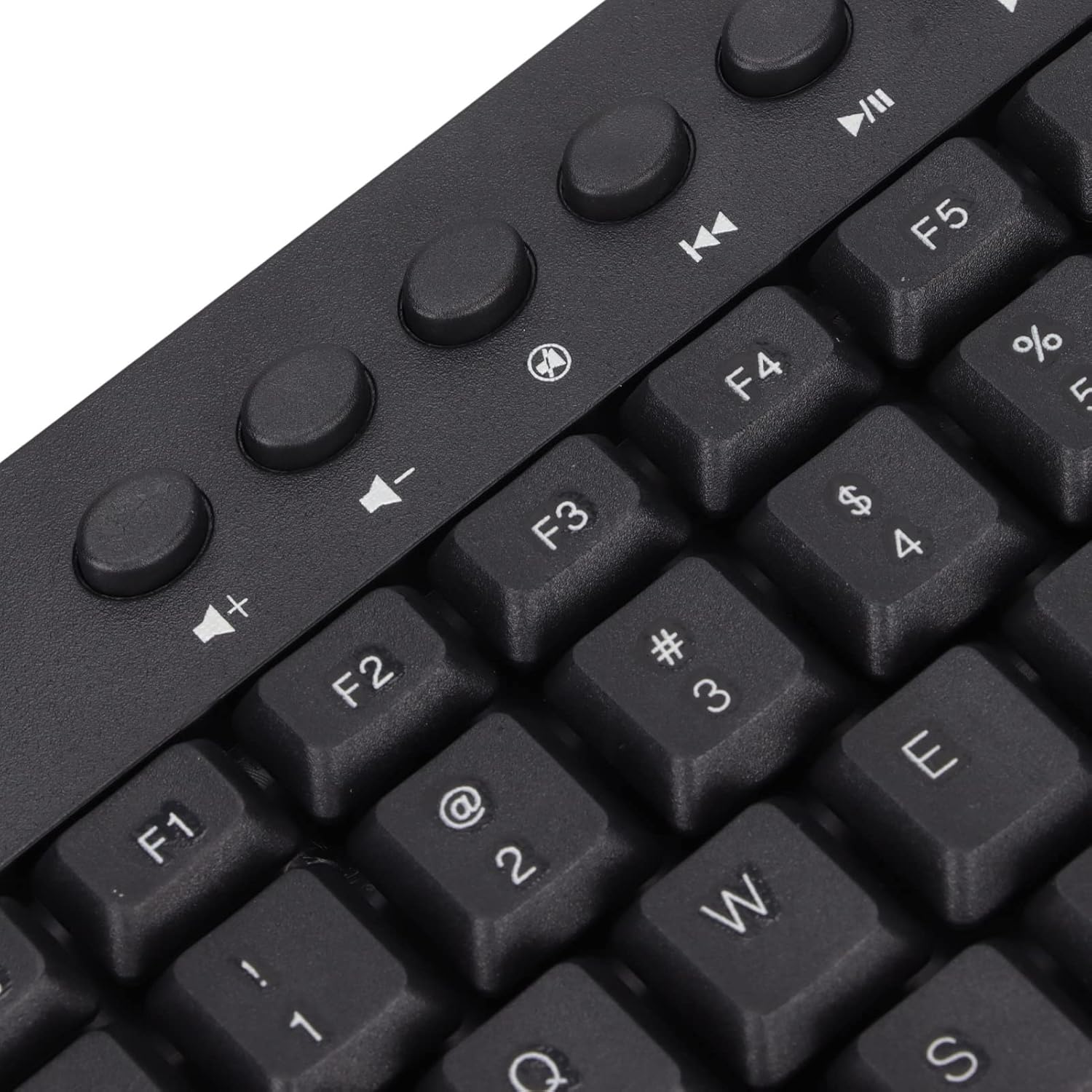
انځور: نږدې انځور view of the dedicated multimedia control keys.

Image: Detail of the right-side keys, including navigation and control keys.
6. ساتنه
To ensure the longevity and optimal performance of your ASHATA keyboard, follow these maintenance guidelines:
- پاکول: Use a soft, dry cloth to wipe the surface of the keyboard. For deeper cleaning, you may use a slightly damp cloth with a mild cleaning solution, ensuring no liquid enters the key switches or internal components.
- د دوړو لرې کول: د کیلي کیپسونو ترمنځ د دوړو او کثافاتو لرې کولو لپاره د فشار شوي هوا څخه کار واخلئ.
- د مایعاتو څخه ډډه وکړئ: په کیبورډ کې مایعات مه تویوئ. که چیرې توی شي، سمدلاسه کیبورډ له خپل کمپیوټر څخه جلا کړئ او بیا وصل کیدو دمخه یې په بشپړه توګه وچیدو ته پریږدئ.
- ذخیره کول: کیبورډ په یخ او وچ ځای کې د مستقیم لمر وړانګو او سختې تودوخې څخه لرې وساتئ.
7. ستونزه حل کول
که تاسو د خپل کیبورډ سره ستونزې سره مخ شئ، لاندې عامې ستونزې او حل لارې وګورئ:
۵.۱ کیبورډ ځواب نه ورکوي
- د USB اتصال وګورئ: Ensure the USB cable is securely plugged into a working USB-A port on your computer. Try a different USB port.
- کمپیوټر بیا پیل کړئ: ځینې وختونه، د کمپیوټر یو ساده بیا پیل کول کولی شي د اتصال ستونزې حل کړي.
- په بل وسیله ازموینه: Connect the keyboard to another computer to determine if the issue is with the keyboard or your original device.
۵.۲ کیلي په سمه توګه کار نه کوي
- پاکې کیلي: Check for any debris or foreign objects lodged under the non-functioning keys. Use compressed air to clear them.
- د سافټویر شخړه: ډاډ ترلاسه کړئ چې هیڅ متضاد سافټویر یا ډرایورونه نصب شوي ندي چې ممکن د کیبورډ ان پټ سره مداخله وکړي.
7.3 Multimedia Keys Not Working
- Operating System Settings: Verify that your operating system's media key settings are configured correctly.
- د غوښتنلیک مطابقت: Some applications may not fully support universal multimedia keys.
که دا ګامونه ستونزه حل نه کړي، مهرباني وکړئ د نورو مرستو لپاره د پیرودونکو ملاتړ سره اړیکه ونیسئ.
8. مشخصات
| فیچر | تفصیل |
|---|---|
| برانډ | ASHATA |
| د ماډل شمیره | ASHATA8x4ni917wp552-12 |
| د ارتباط ټیکنالوژي | USB-A (وایر شوی) |
| د کلیدونو شمیر | 95 |
| د سویچ ډول | میخانیکي |
| مواد | پلاستیک |
| رنګ | Black (Arabic layout) |
| مطابقت لرونکې وسیلې | PC (Desktop, Laptop) |
| د مطابقت وړ عملیاتي سیسټم کورنۍ | وینډوز |
| د کیبل اوږدوالی | Approx. 1.5m / 1.6yd |
| ځانګړی ځانګړنه | خپلواک ملټي میډیا بټن |

انځور: ښکته view of the keyboard, displaying regulatory information and adjustable feet.
9. تضمین او ملاتړ
د تضمین معلوماتو او د پیرودونکو ملاتړ لپاره، مهرباني وکړئ هغه اسناد وګورئ چې ستاسو د پیرود سره شامل دي یا مستقیم پرچون پلورونکي / جوړونکي سره اړیکه ونیسئ. د هر ډول تضمین ادعا لپاره د پیرود ثبوت وساتئ.