
1. پیژندنه
Thank you for choosing the Xiaomi MI A2 L50M7 50-inch 4K UHD LED Smart TV. This manual provides essential information for the safe and efficient use of your television. Please read it thoroughly before operating the device and retain it for future reference.
2. د خوندیتوب معلومات
- د بریښنا رسول: ډاډ ترلاسه کړئ چې تلویزیون د سم حجم سره د بریښنا آوټ لیټ سره وصل دیtage لکه څنګه چې د محصول په لیبل کې ښودل شوي.
- وینټیلیشن: د هوا د جریان لارې مه بندوئ. د تلویزیون شاوخوا کافي ځای پریږدئ ترڅو د هوا جریان مناسب وي ترڅو د ډیر تودوخې مخه ونیول شي.
- اوبه او رطوبت: تلویزیون د باران، رطوبت سره مه مخ کوئ، یا هغه شیان مه ځای پر ځای کوئ چې د مایعاتو څخه ډک وي یا په تلویزیون کې نږدې وي.
- پاکول: د پاکولو دمخه د تلویزیون پلګ خلاص کړئ. نرم، وچ ټوکر وکاروئ. د مایع پاکوونکو یا ایروسول سپرې څخه ډډه وکړئ.
- ځای په ځای کول: تلویزیون په یوه مستحکم او هموار سطحه کېږدئ ترڅو د غورځېدو مخه یې ونیسئ. د مستقیم لمر وړانګو، تودوخې سرچینو او قوي مقناطیسي ساحو څخه یې لرې وساتئ.
- خدمت کول: د تلویزیون د خدمت کولو هڅه مه کوئ. ټولې خدمتونه وړ خدماتو پرسونل ته راجع کړئ.
3. د بسته محتويات
ډاډ ترلاسه کړئ چې ټول توکي په کڅوړه کې شتون لري:
- Xiaomi MI A2 L50M7 50-inch 4K UHD LED Smart TV
- ریموټ کنټرول (دوه AAA بیټرۍ پکې شاملې دي)
- د بریښنا کیبل
- د تلویزیون سټینډ (۲ ټوټې)
- د تلویزیون سټینډ لپاره پیچونه
- د کارونکي لارښود (دا لاسوند)
4. ترتیب کول
4.1 پیک کول
Carefully remove the TV from its packaging. It is recommended to have two people for this process due to the size and weight of the television. Retain the packaging materials for future transport or servicing.
۴.۱ د تلویزیون سټینډ سره نښلول
Place the TV face down on a soft, clean surface to prevent screen damage. Align the stand pieces with the corresponding slots on the bottom of the TV and secure them with the provided screws.

Image: The Xiaomi MI A2 L50M7 TV shown with its two-piece stand securely attached, ready for placement on a flat surface.
4.3 د نښلولو بریښنا
Plug the power cable into the TV's power input, then plug the other end into a wall outlet. Do not power on the TV yet.
۲.۳ د بهرنیو وسایلو نښلول
Connect your external devices such as set-top boxes, gaming consoles, or Blu-ray players to the HDMI ports. Use the USB ports for external storage devices. For antenna or cable TV, connect the coaxial cable to the ANTENNA IN port.
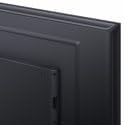
انځور: نږدې انځور view of the back panel of the Xiaomi MI A2 L50M7 TV, highlighting the various input and output ports for connecting external devices.
۳.۴ د ابتدايي تنظیم وزرډ
After connecting all devices and power, press the power button on the remote control or TV. The TV will guide you through the initial setup process, including:
- د ژبې انتخاب: خپله غوره ژبه غوره کړئ.
- د شبکې پیوستون: د خپل کور وای فای شبکې سره وصل شئ.
- د چینل سکین: د شته ډیجیټل او انلاګ چینلونو لپاره سکین وکړئ.
- د ګوګل حساب تنظیم کول: Sign in with your Google account to access Smart TV features and apps.
5. چلول
5.1 ریموټ کنټرول اوورview
The remote control allows you to navigate the TV's functions. Insert the two AAA batteries into the remote control, ensuring correct polarity.

Image: The sleek black remote control for the Xiaomi MI A2 L50M7 TV, featuring various buttons for power, volume, channel, navigation, and smart TV functions.
5.2 اساسي دندې
- ځواک: د تلویزیون د چالانولو یا بندولو لپاره د بریښنا تڼۍ فشار ورکړئ.
- حجم: د غږ کچه تنظیمولو لپاره د حجم پورته/ښکته کولو تڼۍ وکاروئ.
- چینل: Use the Channel Up/Down buttons to change TV channels.
- داخلول: Press the Input button to select different input sources (HDMI 1, HDMI 2, AV, etc.).
۴.۲ د سمارټ تلویزیون ځانګړتیاوې
Your Xiaomi MI A2 L50M7 is a Smart TV with built-in Wi-Fi, allowing access to a variety of online content and applications. Navigate the Smart TV interface using the remote control's directional pad and OK button.
- اطلاقات: مخکې نصب شوي ایپسونو ته لاسرسی ومومئ یا د اپل پلورنځي څخه نوي ډاونلوډ کړئ.
- جریان: Enjoy content from popular streaming services.
- د انټرنیټ لټون: جوړ شوی کارول web د انټرنیټ سرف کولو لپاره براوزر.
۳.۳ د انځور او غږ ترتیبات
Access the TV's settings menu to customize picture and sound preferences. You can adjust brightness, contrast, color, sound mode, equalizer settings, and more to suit your viewد چاپیریال.
6. ساتنه
۵.۱ د پردې پاکول
په نرمۍ سره سکرین د نرم، لینټ نه پاک ټوکر سره پاک کړئ. د سختو نښو لپاره، یو څه لږampټوکر په اوبو یا ځانګړي سکرین پاکونکي سره وتړئ (ډاډ ترلاسه کړئ چې دا د LED سکرینونو لپاره خوندي دی) او په نرمۍ سره یې ومینځئ. فشار مه ورکوئ.
۵.۲ د تلویزیون د بدن پاکول
د تلویزیون د پاکولو لپاره د نرم، وچ ټوکر څخه کار واخلئasing. Avoid abrasive materials or chemical cleaners that could damage the finish.
6.3 د سافټویر تازه معلومات
Periodically check for software updates through the TV's settings menu. Keeping your TV's software up-to-date ensures optimal performance and access to the latest features and security patches.
7. ستونزه حل کول
| ستونزه | احتمالي حل |
|---|---|
| هیڅ ځواک نشته | وګورئ چې د برېښنا کیبل په خوندي ډول د تلویزیون او دیوال ساکټ دواړو سره وصل دی. ډاډ ترلاسه کړئ چې ساکټ فعال دی. |
| انځور نشته، خو غږ شته | تایید کړئ چې سمه د ننوتلو سرچینه غوره شوې ده. د بهرنیو وسیلو سره د کیبل اتصالونه وګورئ. |
| غږ نشته، خو انځور شته | د غږ کچه وګورئ او ډاډ ترلاسه کړئ چې تلویزیون خاموش نه دی. د بهرنیو وسیلو لپاره د آډیو کیبل اتصالونه تایید کړئ. |
| ریموټ کنټرول کار نه کوي | بیټرۍ بدل کړئ. ډاډ ترلاسه کړئ چې د ریموټ او د تلویزیون د IR سینسر ترمنځ هیڅ خنډ شتون نلري. |
| د وائی فای سره وصل نشو | Ensure your Wi-Fi router is on and within range. Re-enter the Wi-Fi password. Try restarting both the TV and the router. |
8. مشخصات

Image: The Xiaomi MI A2 L50M7 50-inch 4K UHD LED Smart TV displaying a vibrant image, showcasing its slim bezels and modern design.
- ماډل: L50M7
- د سکرین اندازه: 50 انچه
- قرارداد: 4K الټرا ایچ ډي (3840 x 2160)
- د ښودلو ټیکنالوژي: LED
- د سمارټ تلویزیون ځانګړتیاوې: Yes, with Wi-Fi connectivity
- ابعاد (محصول): Approximately 8 x 14.4 x 76 cm (This dimension appears to be for a component or packaging, please refer to product packaging for full TV dimensions)
- وزن (محصول): 12.1 کیلو ګرامه
- د ریموټ کنټرول بیټرۍ: 2 x AAA (شامل)
- ASIN: B0B3254FHN
- د توکو شمیره: L50M7-EAEU
9. تضمین او ملاتړ
د تضمین معلوماتو لپاره، مهرباني وکړئ د خپل محصول سره شامل شوي تضمین کارت ته مراجعه وکړئ یا رسمي Xiaomi ته مراجعه وکړئ. website. For technical support or service inquiries, please contact Xiaomi customer service through their official channels.