
1. محصول ختم شوview
The Lenovo HQ08 Wireless Stereo In-Ear Headphones are designed for an immersive audio experience, featuring Bluetooth 5.0 connectivity, a built-in microphone, and a portable charging case. These earbuds offer stable transmission, low latency, and efficient power consumption, making them suitable for various activities including gaming and music listening.

Image 1.1: Lenovo HQ08 Wireless Stereo In-Ear Headphones in their charging case.
2. کلیدي ځانګړتیاوې
- د بلوتوټ 5.0 ارتباط: Ensures stable transmission within a 10-meter range, with low latency and low power consumption.
- د لوړ فعالیت آډیو: Delivers clear high frequencies, smooth mid-range, deep low frequencies, and 360-degree surround stereo sound.
- د شور کمولو ټیکنالوژي: Equipped with a new generation of noise reduction for accurate sound capture and effective ambient noise cancellation.
- د سمارټ ټچ کنټرول: Easy operation for play/pause, volume adjustment, call answering, and other functions.
- ارګونومیک ډیزاین: Made from skin-safe materials with an in-ear design that fits the ear canal, comfortable to wear, and fall-resistant.
- IPX5 Splash-Proof: Designed to resist splashes, rain, and sweat, suitable for active use.
- د بیټرۍ اوږد ژوند: Charging case with 380 mAh battery capacity provides extended playtime.
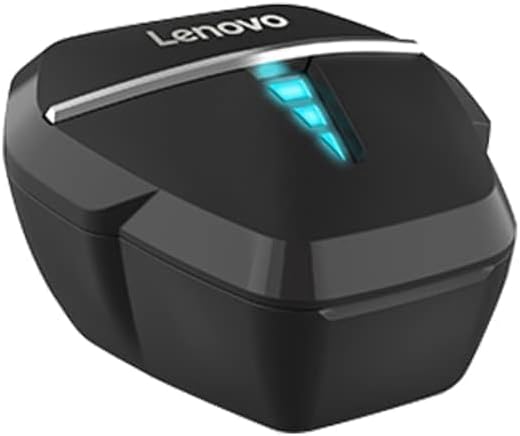
Image 2.1: Visual representation of key features including ultra-low latency, dual mode, 7.1 virtual soundtrack, HD call, gaming/music modes, hall switch, AAC audio decoding, breathing light, and long battery life.

Image 2.2: Illustration highlighting the strong battery life and the 380mAh charging case capacity.

Image 2.3: Depiction of the surround sound feature, enhancing the gaming experience with professional audio and noise reduction.
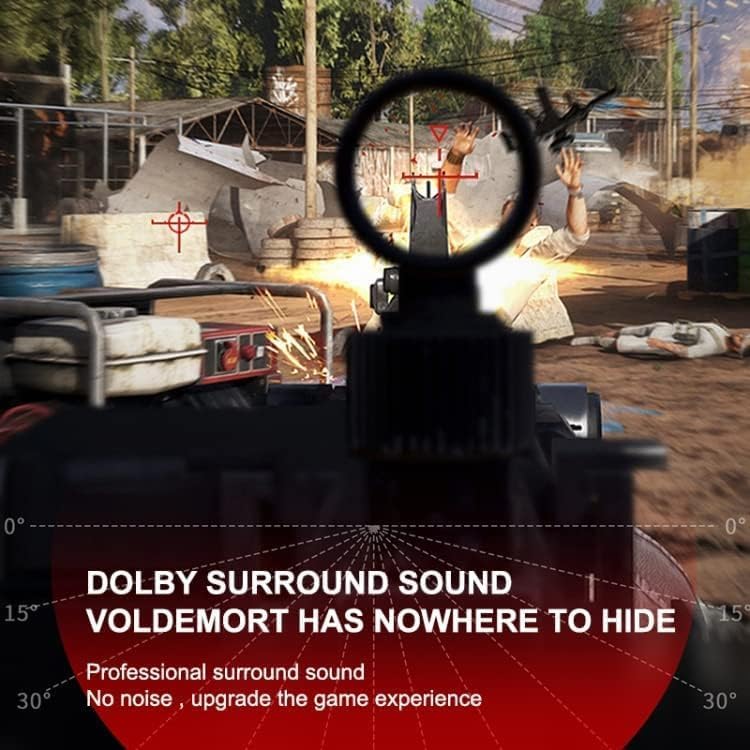
Image 2.4: Visual confirming the IPX5 splash-proof rating, indicating resistance to rain and sweat.
3. د تنظیم کولو لارښود
۴.۱ د ایربډز او کیس چارج کول
- د غوږ بډونه د چارج کولو په بکس کې واچوئ. ډاډ ترلاسه کړئ چې په سمه توګه ځای پر ځای شوي دي.
- د چارج کولو قضیه د یو مناسب USB کیبل په کارولو سره د بریښنا سرچینې سره وصل کړئ.
- The indicator lights on the case and/or earbuds will show charging status. Fully charge before first use.
3.2 د وسیلې سره جوړه کول
- د چارج کولو قضیه پرانیزئ. د غوږ بډونه به په اتوماتيک ډول د جوړې کولو حالت ته ننوځي (د شاخص څراغونه به روښانه شي).
- په خپل وسیله (سمارټ فون، ټابلیټ، او نور) کې، بلوتوث فعال کړئ.
- لټون available Bluetooth devices and select "Lenovo HQ08" from the list.
- Once connected, the indicator lights on the earbuds will typically stop flashing or change color.
- If pairing fails, turn off Bluetooth on your device, place earbuds back in the case, close and reopen, then repeat steps 2-4.
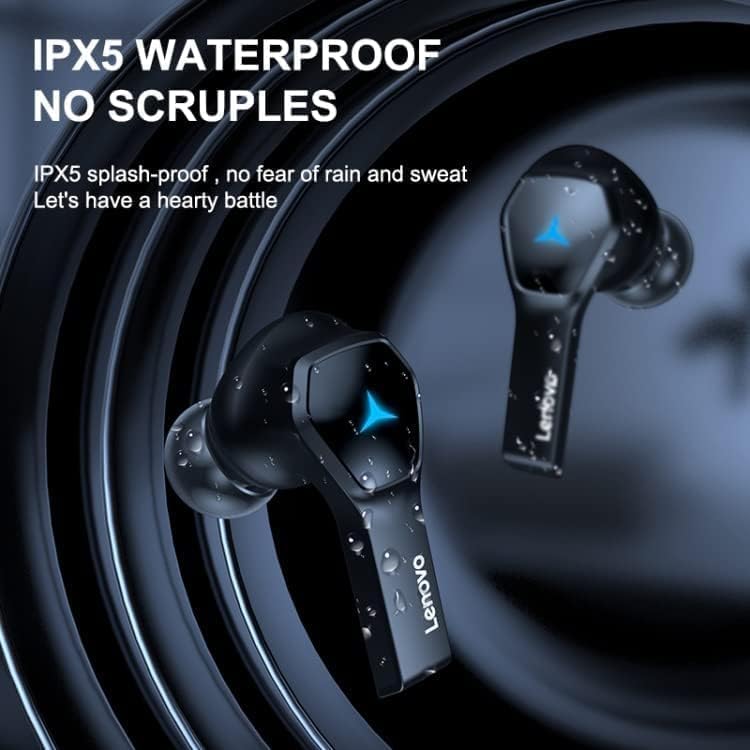
Image 3.1: The Lenovo HQ08 earbuds, charging case, and packaging, illustrating the product components.
4. عملیاتي لارښوونې
The Lenovo HQ08 earbuds feature smart touch controls for various functions. The exact touch patterns may vary slightly, but common functions are listed below:
4.1 بنسټیز کنټرولونه
- پاور آن/بند: Earbuds typically power on automatically when removed from the case and power off when placed back in. Manual power on/off might involve a long press on the touch area.
- پلی کول / ودرول: په دواړو غوږونو کې یو ځل کلیک وکړئ.
- بله لار: په ښي غوږۍ کې دوه ځله ټایپ کړئ.
- مخکینی لار په چپ غوږۍ کې دوه ځله ټایپ کړئ.
- حجم پورته کول: په ښي غوږۍ درې ځله ټایپ کړئ.
- کموالی: په چپ غوږۍ کې درې ځله ټایپ کړئ.
۶.۳ د زنګ وهلو مدیریت
- ځواب / پای کال: د راتلوونکي زنګ په جریان کې په دواړو ایربډونو یو ځل کلیک وکړئ.
- زنګ رد کړئ: د راتلوونکي زنګ په جریان کې په دواړو غوږونو اوږد فشار ورکړئ.
4.3 د غږ مرسته
- د غږ همکار فعاله کړئ: Long press on either earbud (when not on a call) to activate your device's voice assistant (Siri, Google Assistant, etc.).

Image 4.1: The Lenovo HQ08 earbuds being worn, demonstrating their comfortable in-ear fit.
5. ساتنه او پالنه
- پاکول: د غوږ بډونه او د چارج کولو کیس په منظم ډول د نرم، وچ، لینټ نه پاک ټوکر سره پاک کړئ. سخت کیمیاوي مواد یا د کثافاتو مواد مه کاروئ.
- د غوږونو لارښوونې: د غوږونو څوکې لرې کړئ او د اعلان سره یې پاک کړئamp که اړتیا وي، ټوکر یې ومینځئ. ډاډ ترلاسه کړئ چې دوی په بشپړه توګه وچ دي مخکې له دې چې بیا وصل شي.
- د چارج کولو بندرونه: د غوږونو په غوږونو او د قضیې دننه د چارج کولو تماسونه پاک او له کثافاتو څخه پاک وساتئ.
- ذخیره کول: کله چې په کارولو کې نه وي، د غوږ بډونه د چارج کولو په قضیه کې وساتئ ترڅو دوی خوندي شي او چارج یې وساتي.
- د اوبو څخه ډډه کول: While the earbuds are IPX5 splash-proof, they are not fully waterproof. Avoid submerging them in water.
- دحرارت درجه: Do not expose the earbuds or case to extreme temperatures (hot or cold) or high humidity.
6. ستونزه حل کول
| ستونزه | د حل لاره |
|---|---|
| د غوږونو غوږونه نه جوړېږي/نښلېږي. |
|
| یوازې یو غوږ بډ کار کوي. |
|
| ټیټ حجم یا د غږ خراب کیفیت. |
|
| د چارج کولو مسلې. |
|
7. د محصول مشخصات
| فیچر | تفصیل |
|---|---|
| برانډ | Lenovo |
| د ماډل نوم | HQ08 |
| رنګ | تور |
| د ارتباط ټیکنالوژي | بېسیم (بلوتوث ۵.۳) |
| د غوږ ځای پرځای کول | په غوږ کې |
| د هیډفون فارم فاکتور | ریښتیني بې سیم |
| خنډ | 32 اوم |
| د شور کنټرول | د فعال شور منسوخ کول (ANC) |
| شاملې برخې | د بې سیم چارج قضیه |
| د عمر سلسله توضیحات | بالغ |
| جوړونکی | Lenovo |
| Ear Tip Shape | ګردې لارښوونې |
| سټایل | په غوږ کې |
| د آډیو ډرایور ډول | متحرک چلوونکی |
| ځانګړي ځانګړتیاوې | Lightweight, IPX5 Splash-proof |
| مواد | پلاستیک |
| وړاندیز شوي استعمالونه | Gaming, Music, Calls |
| مطابقت لرونکې وسیلې | ګرځنده تلیفونونه |
| د کیبل ځانګړتیا | Cable-free |
| د اوبو د مقاومت کچه | IPX5 (د سپلیش ضد) |
| بلوتوث نسخه | 5.0 |
| د کنټرول طریقه | لمس |
| د چارج کولو قضیه بیټرۍ | 380 mAh |
| Approximate Playtime | ۸ ساعته |
8. تضمین او ملاتړ
8.1 د تضمین معلومات
د محصول د معلوماتو له مخې، شتون لري تضمین نشته provided for this product. Please refer to your retailer's return policy for any issues.
8.2 د پیرودونکي ملاتړ
For further assistance or inquiries, please contact the retailer or visit the official Lenovo support website. Keep your purchase receipt for any potential service requests.