
1. محصول ختم شوview
The elemage ZS-GQ3 is a 2K outdoor security camera designed for reliable surveillance. It features 2K (2560 x 1440) HD resolution, PIR motion detection, two-way audio communication, and advanced night vision capabilities up to 15 meters. With an IP65 waterproof rating, it is suitable for various outdoor conditions. The camera operates on a built-in battery and connects via 2.4 GHz WiFi (5 GHz WiFi is not supported).
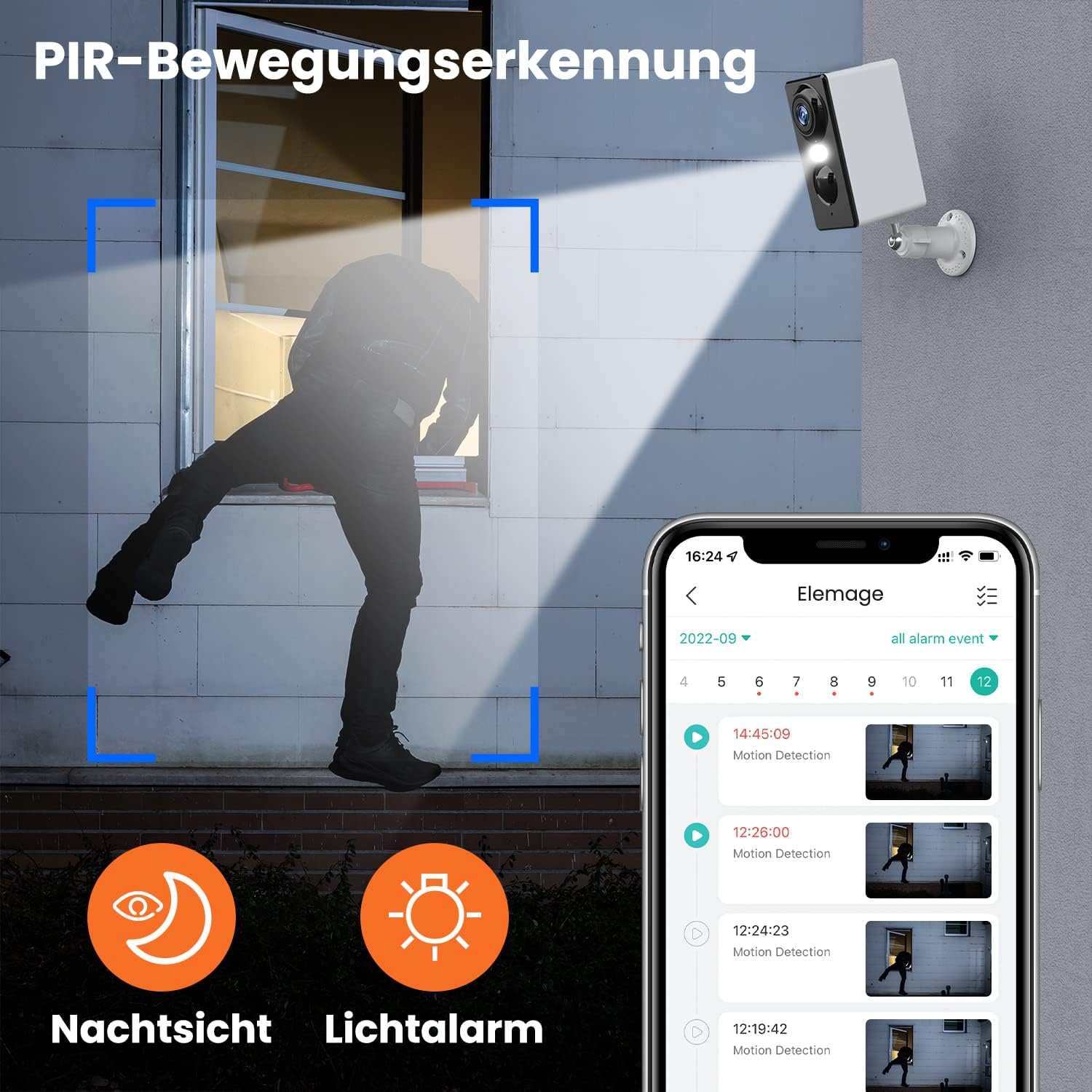
انځور 1.1: The elemage ZS-GQ3 camera features PIR motion detection, night vision, and a light alarm for enhanced security.
2. د بسته محتويات
مهرباني وکړئ تصدیق کړئ چې لاندې ټول توکي ستاسو په کڅوړه کې شامل دي:
- elemage 2K Outdoor Security Camera (ZS-GQ3)
- د وال ماونټ بریکٹ
- د USB چارج کیبل
- د نصبولو پیچونه او دیوال پلګونه
- د کارن لارښود

انځور 2.1: The complete package contents of the elemage ZS-GQ3 security camera.
3. د تنظیم کولو لارښود
3.1 ابتدايي چارج کول
Before first use, fully charge the camera's built-in battery using the provided USB cable and a standard 5V USB power adapter (not included). A full charge ensures optimal performance and battery life.
3.2 د نصب نصب
ډاونلوډ او نصب کړئ 'elemage Cam' application on your smartphone. The app is available for both iPhone and Android devices. لټون 'elemage Cam' in your device's app store.
3.3 Camera Pairing and WiFi Connection
- Open the 'elemage Cam' app and create an account or log in.
- د نوي وسیله اضافه کولو لپاره د ایپ دننه لارښوونې تعقیب کړئ.
- ډاډ ترلاسه کړئ چې ستاسو سمارټ فون د الف سره وصل دی 2.4 GHz وائی فای شبکه. The camera does not support 5 GHz WiFi.
- During the pairing process, you will be prompted to connect the camera to your home WiFi network. Enter your WiFi credentials carefully.
- Once connected, the camera's status indicator will confirm successful pairing.
3.4 د کیمرې پورته کول
کیمره د دیوال نصبولو لپاره ډیزاین شوې ده. هغه ځای غوره کړئ چې مطلوب چمتو کوي viewing angle and is within range of your 2.4 GHz WiFi network. Use the included wall mount bracket, screws, and wall plugs for secure installation.
- Mark the drilling points using the mount bracket as a template.
- سوري وکړئ او د دیوال پلګونه دننه کړئ.
- Secure the mount bracket to the wall with the screws.
- Attach the camera to the mount bracket and adjust the angle as needed.

انځور 3.1: The camera is IP65 waterproof, allowing for outdoor installation in various weather conditions.
4. عملیاتي لارښوونې
4.1 ژوندی View
Access the 'elemage Cam' app on your smartphone to view the live feed from your camera anytime, anywhere. The live view provides real-time monitoring of your property.
۶.۲ د پیر حرکت کشف
The camera is equipped with PIR (Passive Infrared) motion detection. When motion is detected, the camera will automatically begin recording and send push notifications to your smartphone. You can review recorded events within the app.
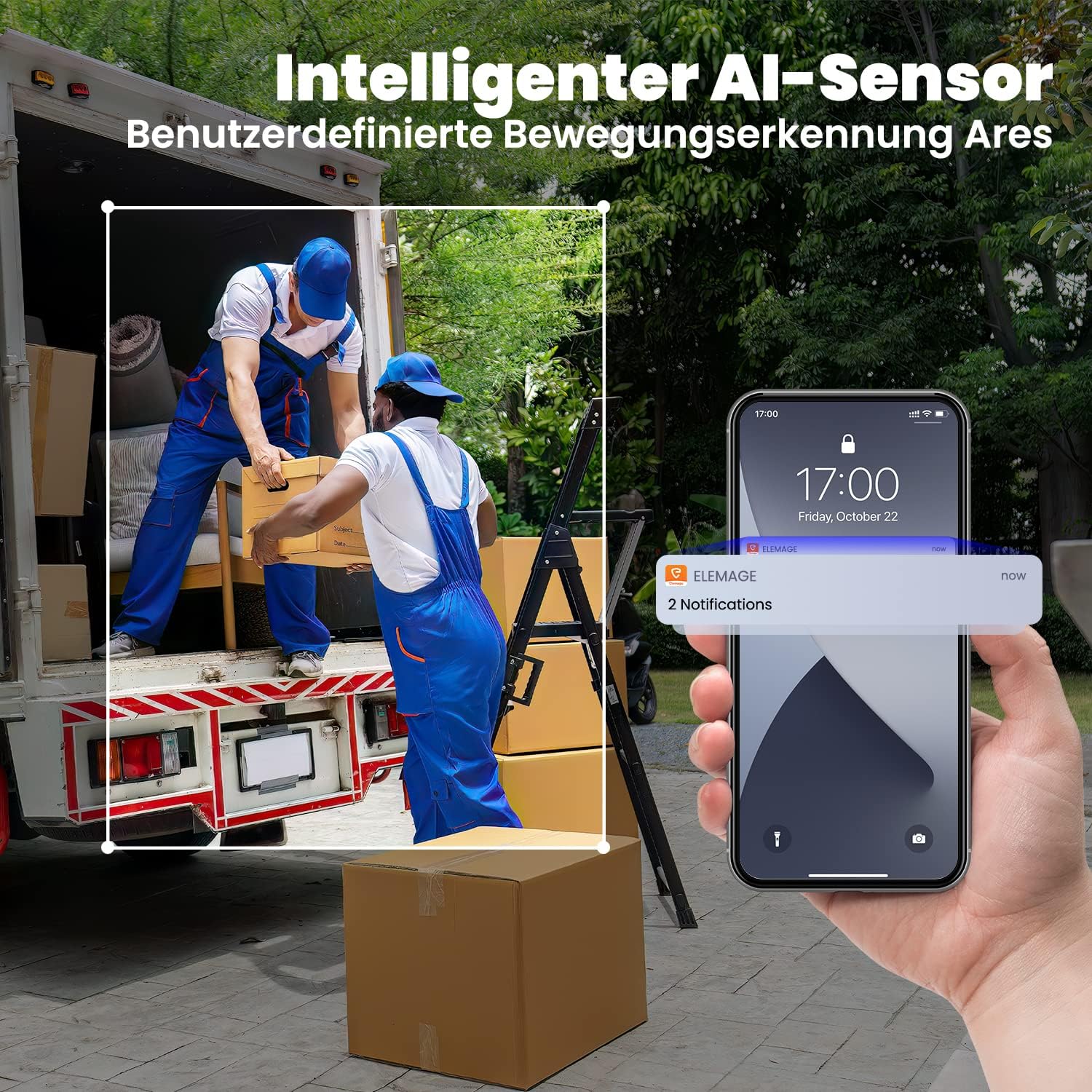
انځور 4.1: Intelligent AI sensor provides user-defined motion detection and sends notifications to your phone.
۴.۴ دوه اړخیزه آډیو
Utilize the built-in microphone and speaker for two-way communication. Through the 'elemage Cam' app, you can speak to visitors or deter intruders directly from your smartphone.

انځور 4.2: Engage in real-time conversation with two-way audio functionality.
4.4 د شپې لید
The camera offers advanced night vision, providing clear surveillance even in low-light conditions. It supports both black-and-white and colored night vision, with an effective range of up to 15 meters.

انځور 4.3: Experience clear color night vision with a long-distance view.
۵.۸ د ذخیره کولو اختیارونه
The camera supports local storage via a MicroSD card (2GB to 128GB, not included) and cloud storage options (subscription may be required). Recorded footage ته لاسرسی کیدی شي او بیاviewed through the 'elemage Cam' app.
4.6 Multi-Device Viewing
You can share access to your camera's live feed with multiple users. After sharing, several phones can view the security camera simultaneously through the 'elemage Cam' app.

انځور 4.4: View the camera feed from multiple phones, anytime and anywhere.
5. ساتنه
5.1 د بیټرۍ مدیریت
The 'elemage Cam' app will send a reminder when the camera's battery level drops below 20%. Recharge the camera promptly to ensure continuous operation. Battery life varies based on usage, motion detection frequency, and environmental factors.
5.2 پاکول
Although the camera is IP65 waterproof, regularly clean the lens and camera body with a soft, damp ټوکر د دوړو، خاورې، یا د اوبو داغونو لرې کولو لپاره چې ممکن د خنډ سره مخ شي view. Do not use harsh chemicals or abrasive materials.
5.3 د فرم ویئر تازه معلومات
Periodically check the 'elemage Cam' app for available firmware updates. Keeping your camera's firmware up-to-date ensures optimal performance, security, and access to new features.
6. ستونزه حل کول
- کیمره له وای فای سره نه نښلي: Ensure your WiFi network is 2.4 GHz. Verify the WiFi password is correct. Move the camera closer to the router to improve signal strength.
- د حرکت کشف خبرتیاوې نشته: Check the motion detection settings in the 'elemage Cam' app. Ensure notifications are enabled for the app on your smartphone. Verify the camera's battery level.
- د انځور کمزوری کیفیت: د کیمرې لینز پاک کړئ. ډاډ ترلاسه کړئ چې د کیمرې په ساحه کې هیڅ خنډ شتون نلري viewد خپل انټرنیټ اتصال سرعت وګورئ.
- د بیټرۍ لنډ ژوند: Reduce the sensitivity of motion detection or the duration of recorded events. Ensure the camera is not in an area with excessive motion.
- د دوه اړخیزه غږ ستونزې: Ensure your phone's microphone and speaker are enabled for the 'elemage Cam' app. Check the camera's audio settings in the app.
For more detailed troubleshooting or specific issues, refer to the help section within the 'elemage Cam' application or contact customer support.
7. مشخصات
| فیچر | مشخصات |
|---|---|
| د ماډل شمیره | ZS-GQ3 |
| د ویډیو ثبتولو حل | 2K (2560 x 1440) |
| د مؤثره ویډیو حل | 1080 Pixels (Note: Product title states 2K, this might be a base resolution) |
| Viewزاویه | 120 Radians (approx. 68.75 degrees) |
| د چوکاټ نرخ | 15 fps |
| د بې سیمه مخابراتو ټیکنالوژي | وای فای (یوازې 2.4 GHz) |
| د بریښنا سرچینه | Battery Powered, Solar Powered (optional accessory) |
| د بیټرۍ ډول | Lithium-ion (1 CR2032 battery included for internal clock/memory, main battery is built-in rechargeable) |
| د IP درجه بندي | IP65 پنروک |
| ذخیره کول | MicroSD card (2-128GB, not included), Cloud Storage |
| د نصب کولو ډول | دیوال غر |
| رنګ | سپین |
| وزن | 136 ګرامه |
| تصدیقونه | CE, FCC, MSDS, RoHS, UN38.3 |
8. تضمین او ملاتړ
For warranty information, please refer to the documentation provided at the time of purchase or contact elemage customer support directly. If you encounter any issues or have questions regarding your elemage ZS-GQ3 camera, please reach out to the manufacturer's support team for assistance. Contact details are typically available on the product packaging or the official elemage webسایټ