
پیژندنه
The Keychron C2 is a full-size (104-key) wired mechanical keyboard designed for both Mac and Windows operating systems. It features durable Red mechanical switches and retro-colored ABS keycaps, providing a comfortable and responsive typing experience. This manual provides essential information for setting up, operating, maintaining, and troubleshooting your Keychron C2 keyboard.

Image: The Keychron C2 Full Size Wired Mechanical Keyboard connected to a computer setup.
د بسته محتويات
ډاډ ترلاسه کړئ چې ټول توکي په کڅوړه کې شتون لري:
- Keychron C2 Full Size Wired Mechanical Keyboard
- USB-C ته USB-A کیبل
- کیکیپ پلر
- Extra Keycaps for Mac and Windows operating systems
چمتو کول
- کیبورډ وصل کړئ: Plug the USB-C end of the provided cable into the keyboard's USB-C port and the USB-A end into an available USB port on your computer. The keyboard is a wired-only device and does not require batteries.
- د عملیاتي سیسټم حالت غوره کړئ: Locate the operating system switch on the back or side of the keyboard. Slide the switch to the appropriate position for your computer (Mac or Windows). This ensures correct function key mapping.
- د کیبورډ زاویه تنظیم کړئ: The keyboard features 2-level adjustable feet. Flip out the feet on the underside of the keyboard to achieve your preferred typing angle for ergonomic comfort.
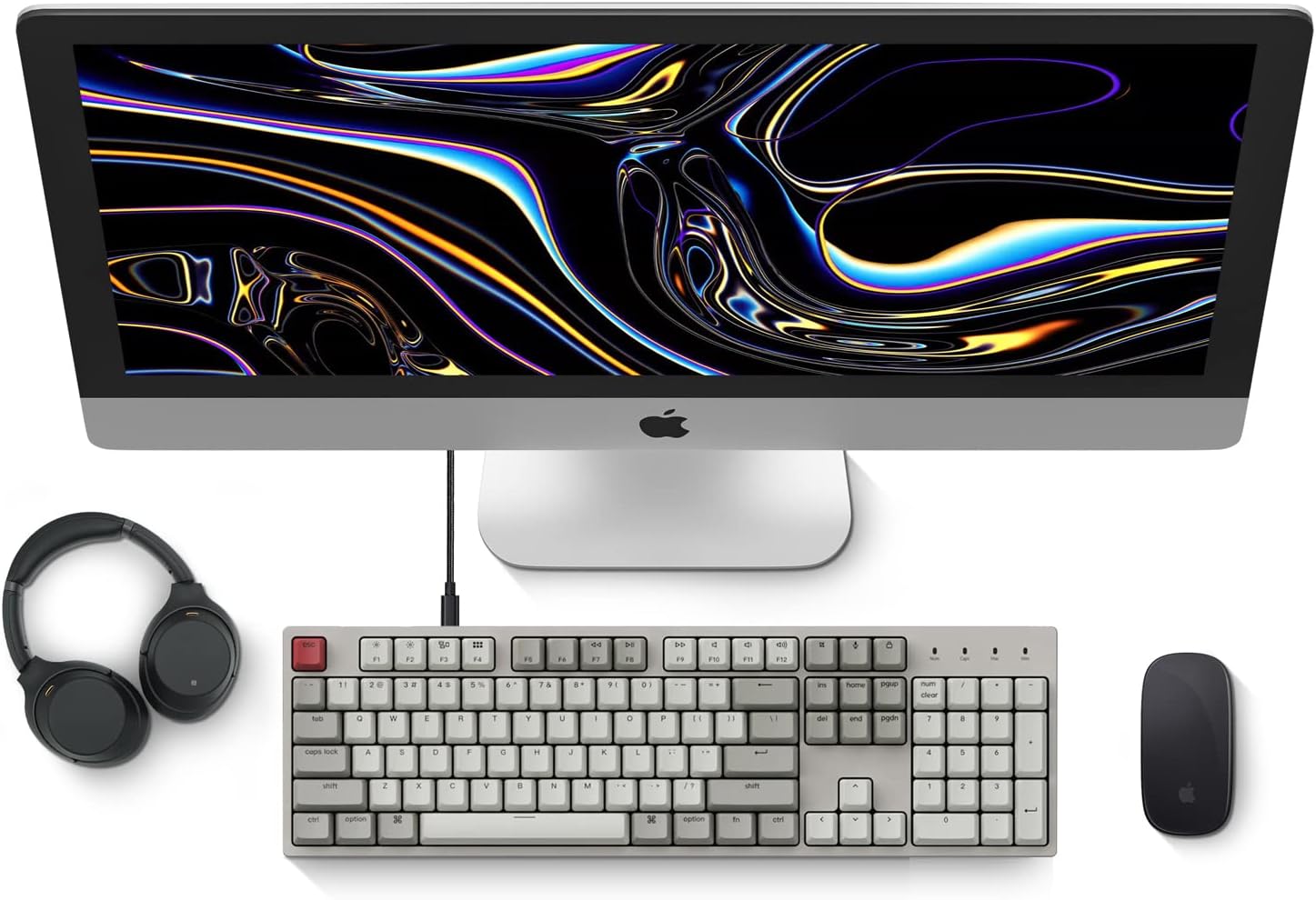
Image: Diagram showing compatibility with Mac and Windows operating systems.

انځور: اړخ view of the Keychron C2 keyboard illustrating the adjustable feet for angle customization.
عملیاتي لارښوونې
بنسټیز کارونه
- ټایپ کول: The keyboard features a standard 104-key full-size layout.
- ملټي میډیا کلیدونه: The top row of function keys (F1-F12) includes multimedia controls. These functions are optimized for Mac but are also compatible with Windows.
- Siri/Cortana Key: A dedicated key is provided for activating Siri (on Mac) or Cortana (on Windows).
د کیلي کیپ بدلول
The Keychron C2 comes with extra keycaps for both Mac and Windows layouts. To replace keycaps:
- Use the provided keycap puller to gently remove the desired keycap by hooking it onto the keycap and pulling upwards.
- Align the new keycap with the switch stem and press down firmly until it clicks into place.

انځور: نږدې انځور view of the Keychron Red mechanical switches beneath removed keycaps.
ساتنه
- پاکول: خپل کیبورډ په منظم ډول پاک کړئ ترڅو د دوړو او کثافاتو د راټولیدو مخه ونیسئ. د کی کیپونو ترمنځ ذرات لرې کولو لپاره نرم برش یا فشار شوی هوا وکاروئ. د سطحې پاکولو لپاره، یو څه d وکاروئamp, lint-free cloth. Avoid harsh chemicals.
- د کیلي کیپ پاملرنه: While durable, avoid excessive force when removing or installing keycaps to prevent damage to the keycap stems or switches.
- د کیبل مدیریت: Ensure the USB-C cable is not bent sharply or placed under heavy objects to prolong its lifespan.

Image: Close-up of the ABS keycaps on the Keychron C2 keyboard.
د ستونزو حل کول
- کیبورډ ځواب نه ورکوي:
- Check the USB-C cable connection at both the keyboard and the computer. Ensure it is securely plugged in.
- هڅه وکړئ چې کیبورډ په خپل کمپیوټر کې بل USB پورټ سره وصل کړئ.
- Verify that the operating system switch on the keyboard is set correctly (Mac/Windows).
- خپل کمپیوټر بیا پیل کړئ.
- ځانګړي کیلي کار نه کوي:
- Carefully remove the non-functional keycap using the keycap puller. Inspect the mechanical switch for any visible damage or debris.
- Clean around the switch with compressed air.
- د کیلي کیپ په کلکه بیا ولګوئ.
- د کیلي ناسمه پایله:
- Ensure the operating system switch is set to the correct mode for your computer.
- Check your computer's keyboard settings to ensure the correct layout is selected.
مشخصات
| فیچر | تفصیل |
|---|---|
| برانډ | کیکرون |
| د ماډل نوم | Keychron C2 |
| د ماډل شمیره | HS-C2K1Z |
| د ارتباط ټیکنالوژي | USB-C (وایر شوی) |
| مطابقت لرونکې وسیلې | لپ ټاپ، کمپیوټر |
| د مطابقت وړ عملیاتي سیسټم کورنۍ | MacOS، وینډوز |
| د کلیدونو شمیر | 104 |
| د سویچ ډول | Linear (Red Switch) |
| د کیکیپ مواد | ABS (Acrylonitrile Butadiene Styrene) |
| د کیبورډ ترتیب | QWERTY |
| ځانګړی ځانګړنه | Backlit (Single Color) |
| د توکي وزن | 5390 ګرامه |
| د بریښنا سرچینه | د بریښنا تار شوی |
تضمین او ملاتړ
د تضمین معلوماتو، تخنیکي ملاتړ، یا نورو مرستو لپاره، مهرباني وکړئ رسمي کیکرون ته مراجعه وکړئ website or contact Keychron customer service. Details regarding product registration and specific warranty terms can be found through official Keychron channels.