
TECURS MK204
TECURS MK204 Mechanical Gaming Keyboard User Manual
ماډل: MK204
پیژندنه
Thank you for choosing the TECURS MK204 Mechanical Gaming Keyboard. This manual provides essential information for setting up, operating, and maintaining your keyboard. Please read it carefully to ensure optimal performance and longevity of your device.
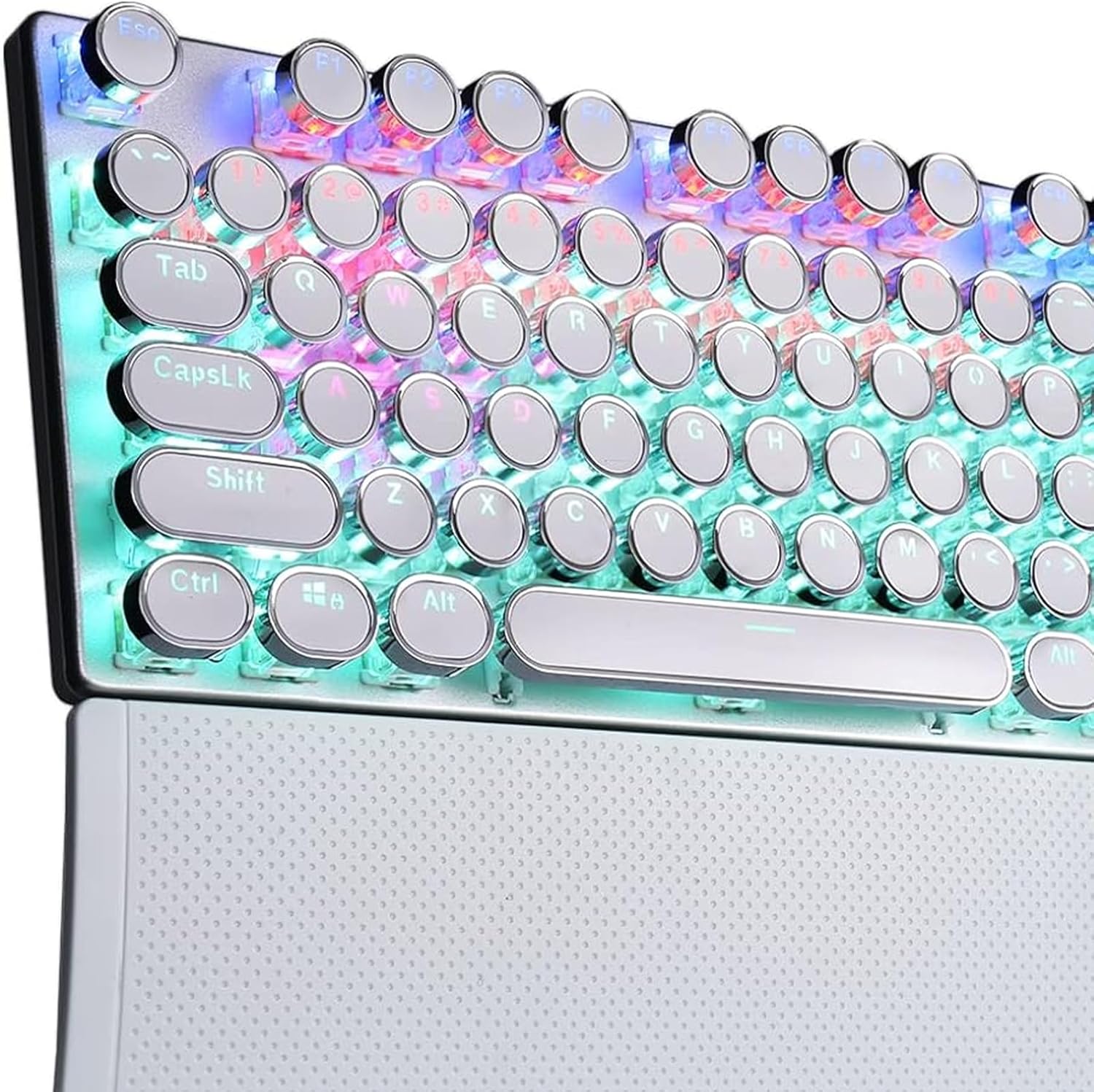
Image 1: The TECURS MK204 Mechanical Gaming Keyboard, showcasing its QWERTZ layout and vibrant RGB backlighting.
د تنظیم کولو لارښوونې
- بسته بندي کول: Carefully remove the keyboard from its packaging. Ensure all components are present: the TECURS MK204 keyboard and the USB cable.
- د USB کیبل سره نښلول:
The keyboard features a Micro USB port. Connect one end of the provided USB cable to the keyboard's Micro USB port. The cable can be routed in three directions (left, center, or right) from the keyboard's underside for cable management.

Image 2: The TECURS MK204 keyboard integrated into a typical computer setup, illustrating its wired connection.
- ستاسو وسیله سره نښلول: Connect the other end of the USB cable to an available USB port on your computer (PC, Mac, Laptop) or gaming console (PS4, PS5, Xbox).
- د ډرایور نصب کول (پلګ او پلی): The TECURS MK204 keyboard is a Plug & Play device. Your operating system should automatically detect and install the necessary drivers. No additional software installation is typically required.
- لومړنۍ ازموینه: Once connected, the keyboard's RGB lighting should illuminate. Test basic key functions by typing in a text editor.
عملیاتي لارښوونې
د RGB روښانتیا طریقې
The keyboard features eight programmable RGB lighting modes. These modes can be adjusted to suit your preferences, enhancing your gaming or typing experience, especially in low-light environments.
- د بدلولو طریقې: Refer to the keyboard's function keys (Fn combinations) for specific commands to cycle through the available RGB modes.
- Adjusting Brightness/Speed: Certain key combinations may also allow you to adjust the brightness level or the speed of dynamic lighting effects.
د میکرو تعریف
The TECURS MK204 supports macro definition, allowing you to customize key functions for complex commands or sequences.
- د پروګرام کولو میکرو: Macro programming typically involves using a dedicated software (if available) or specific key combinations on the keyboard itself. Consult the manufacturer's website for any available software or detailed instructions on macro setup.
- ګټې: Macros can streamline repetitive tasks or execute complex in-game actions with a single key press.
د غوښې ضد ټیکنالوژي
The keyboard incorporates anti-ghosting technology, ensuring that multiple simultaneous key presses are registered accurately. This is particularly beneficial for fast-paced gaming where many keys might be pressed at once.

Image 3: A user engaged in gaming, demonstrating the keyboard's application in a high-performance environment.
ساتنه
Regular maintenance helps preserve the keyboard's functionality and appearance.
- د کیلي کیپس پاکول: The interchangeable ABS keycaps are designed for easy cleaning.
- کیبورډ له خپل وسیله څخه جلا کړئ.
- Gently remove keycaps using a keycap puller (if provided, or a suitable tool).
- Clean keycaps with a soft, damp ټوکر او نرم صابون محلول. ډاډ ترلاسه کړئ چې دوی په بشپړه توګه وچ دي مخکې لدې چې بیا وصل کړئ.
- Use compressed air to remove dust and debris from underneath the keycaps.
- د چوکاټ پاکول: Wipe the aluminum frame with a soft, dry, or slightly damp ټوکر د کثافاتو پاکونکو څخه ډډه وکړئ.
- ذخیره کول: کله چې د اوږدې مودې لپاره نه کارول کیږي، کیبورډ په وچ، دوړو څخه پاک چاپیریال کې وساتئ.
د ستونزو حل کول
| ستونزه | احتمالي حل |
|---|---|
| کیبورډ ځواب نه ورکوي |
|
| د RGB څراغ کار نه کوي |
|
| کیلي چپکونکې یا غیر ځواب ورکوونکې دي |
|
مشخصات
| فیچر | تفصیل |
|---|---|
| برانډ | TECURS |
| د ماډل شمیره | MK204 |
| ترتیب | QWERTZ (جرمني) |
| کلیدي شمیره | 88 keys (80% TKL) |
| د سویچ ډول | Mechanical (Classic Blue Switches) |
| ارتباط | Wired (Micro USB) |
| شاته رڼا کول | RGB (8 programmable modes) |
| مواد | Aluminum frame, ABS keycaps |
| ځانګړي ځانګړتیاوې | Ergonomic design, Macro definition support, Anti-ghosting technology, 3-way cable routing |
| مطابقت لرونکې وسیلې | PC, Laptop, Mac, Game Consoles (PS4, PS5, Xbox) |
تضمین او ملاتړ
For warranty information and technical support, please refer to the documentation included with your purchase or visit the official TECURS webسایټ
جوړونکی: TECURS
ASIN: B0BC8KSNVT
Ask a question about this manual
Ask about setup, troubleshooting, compatibility, parts, safety, or missing instructions. Manuals+ will review the question and use this page’s manual context to help answer it.