
1. پیژندنه
This manual provides detailed instructions for the proper use and maintenance of your Obbug Bluetooth Headset, Model YYK-530. Please read this manual thoroughly before using the product to ensure optimal performance and longevity.
2. د بسته محتويات
ډاډ ترلاسه کړئ چې ټول توکي ستاسو په کڅوړه کې شتون لري:
- 1 x Obbug Bluetooth Headset
- 1 x د چارج کولو قضیه
- 1 x د USB ډول-C چارج کیبل
- 1 x Ear Hat (replacement ear tip)
- 1 x د کارونکي لارښود
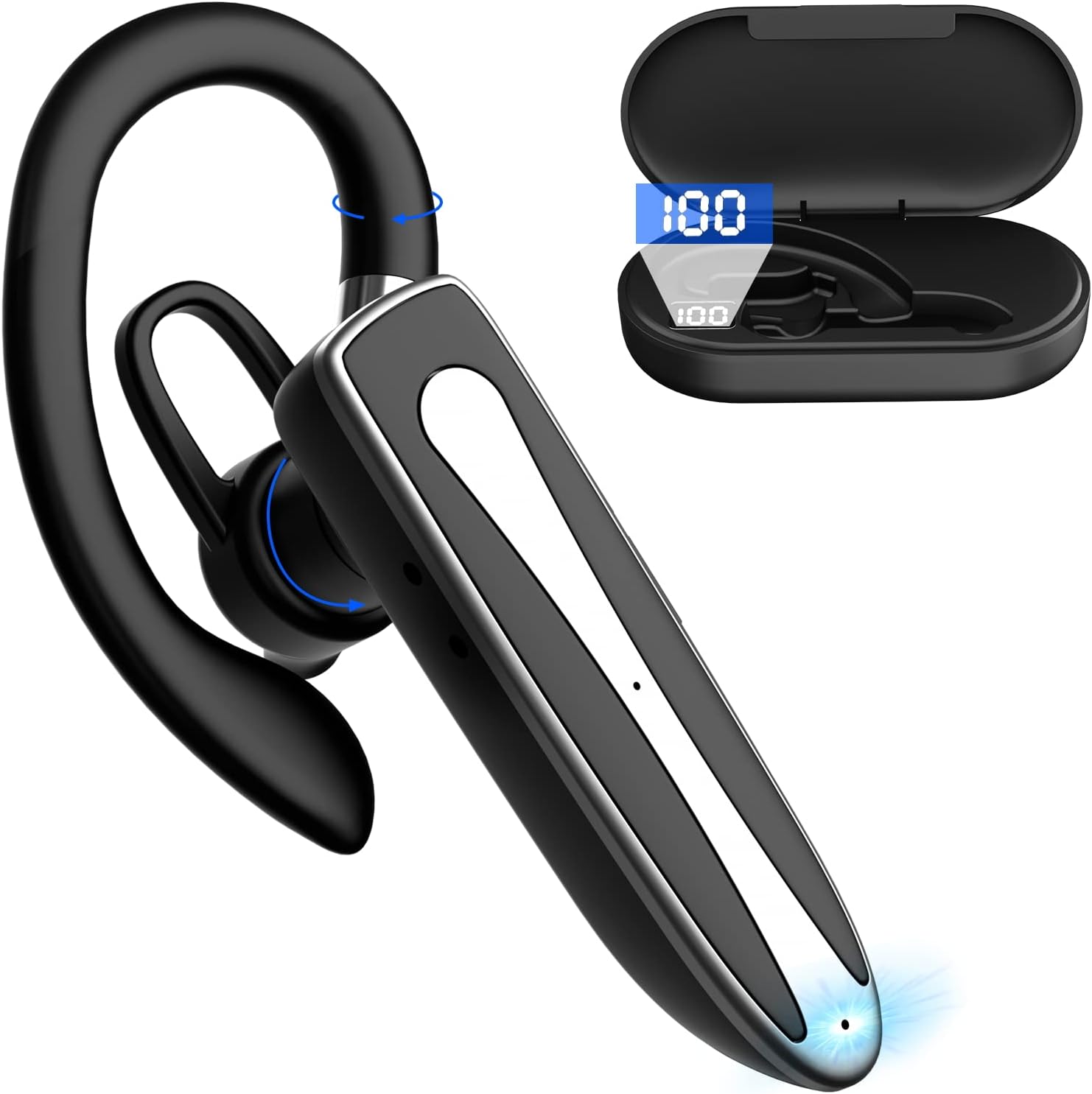
Image 2.1: Obbug Bluetooth Headset YYK-530 and its charging case.
3. د محصول ب Featuresې
- د بلوتوټ 5.1 ټیکنالوژي: Provides stable connection and clear audio.
- د بیټرۍ اوږد ژوند: Up to 80 hours of continuous use with the charging case.
- راحته او د تنظیم وړ ډیزاین: Flexible earhook and rotatable boom mic for left or right ear wear.
- CVC8.0 Noise Reduction: د شاليد شور کمولو سره د زنګ وهلو وضاحت لوړوي.
- پراخه مطابقت: Connects with most Bluetooth-enabled devices including smartphones, tablets, and computers.
- د لاسونو څخه وړیا تلیفون کول: Integrated microphone for convenient communication.

Image 3.1: Illustration of CVC8.0 Noise Reduction for clear audio.
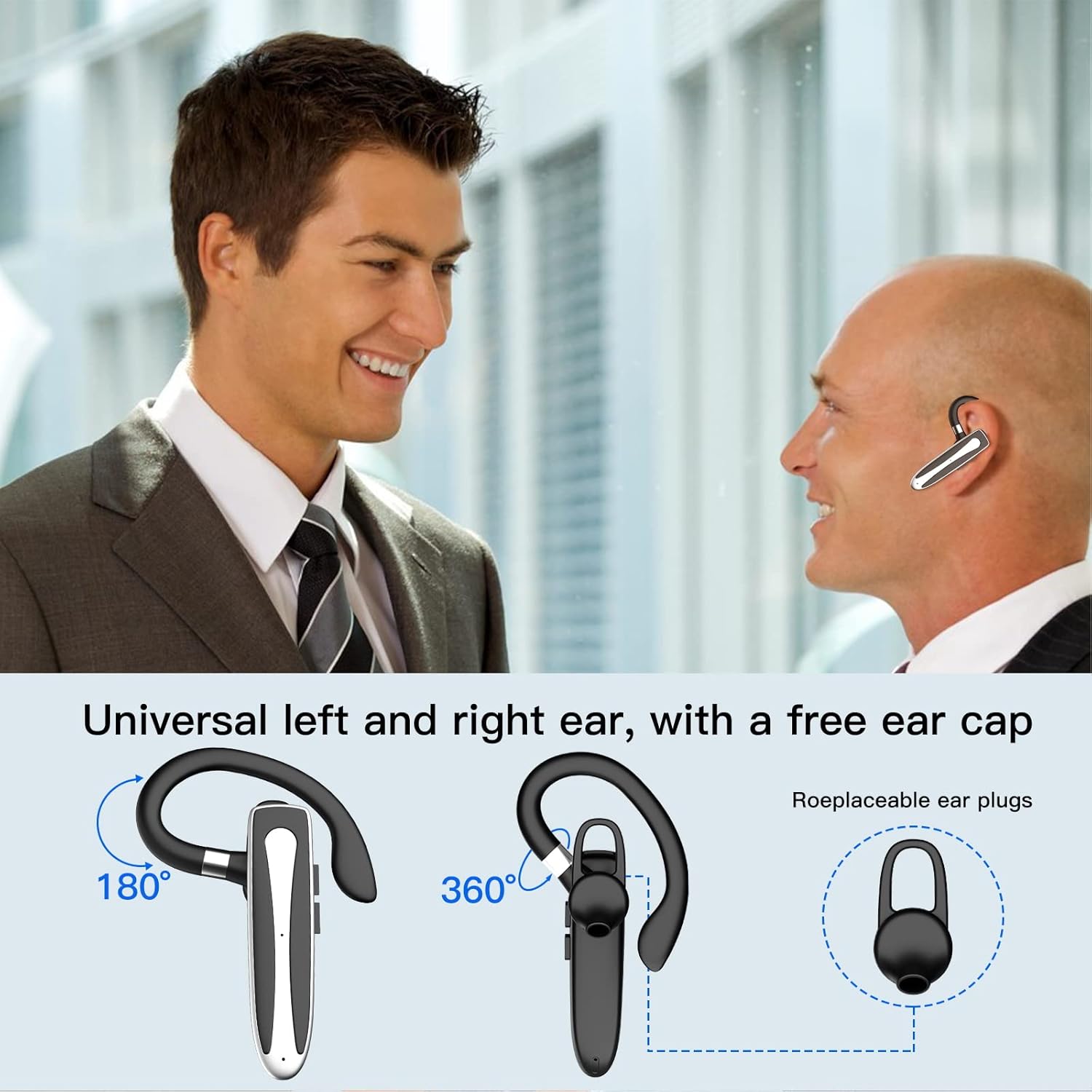
Image 3.2: Diagram illustrating the dual microphone noise reduction processing.
4. ترتیب کول
۲.۱ د هیډسیټ او کیس چارج کول
د لومړي ځل کارولو دمخه، هیډسیټ او د هغې د چارج کولو قضیه په بشپړه توګه چارج کړئ.
- Place the headset into the charging case.
- د USB Type-C کیبل د کیس د چارج کولو پورټ او د بریښنا سرچینې سره وصل کړئ (د مثال په توګه، د USB دیوال اډاپټر، د کمپیوټر USB پورټ).
- The charging indicator on the case will show charging status. A full charge typically takes 1.5 hours.

Image 4.1: The Type-C charging port on the charging case.

Image 4.2: Battery life and charging time information for the headset and case.
4.2 د وسیلې سره جوړه کول
The headset uses Bluetooth 5.1 for wireless connection.
- پاور آن: Take the headset out of the charging case, or press and hold the Multi-function Button until the indicator light flashes blue and red, indicating pairing mode.
- بلوتوث فعال کړئ: په خپل وسیله (سمارټ فون، ټابلیټ، او نور) کې، د بلوتوټ ترتیباتو ته لاړ شئ او بلوتوټ فعال کړئ.
- وسیله غوره کړئ: In the list of available devices, select "YYK-530".
- پیوستون تایید کړئ: Once connected, the headset indicator light will flash blue slowly, and your device will show "Connected".

Image 4.3: Illustration of optimal Bluetooth connection distance (within 10 meters).
4.3 Connecting to Two Devices Simultaneously
The headset supports connecting to two Bluetooth devices at the same time.
- Connect the headset to the first device (e.g., Phone A) as described in Section 4.2.
- Turn off Bluetooth on the first device. The headset will re-enter pairing mode.
- Connect the headset to the second device (e.g., Phone B) as described in Section 4.2.
- Turn on Bluetooth on the first device. The headset should automatically reconnect to both devices.
You can now answer calls or play music from either connected device.

Image 4.4: Step-by-step guide for connecting the headset to two devices.
۶ د هیډسیټ اغوستل
The headset is designed for comfortable wear on either the left or right ear.
- The earhook can rotate 360° vertically and 360° horizontally to fit your preferred angle.
- The retractable earhook can be adjusted to fit the shape of your ear.

Image 4.5: The headset's adjustable design for left or right ear wearing.
5. عملیاتي لارښوونې
۸ پاور آن/بند
- پاور آن: Take the headset out of the charging case, or press and hold the Multi-function Button for approximately 3 seconds until the indicator light flashes blue.
- بندول: Place the headset back into the charging case, or press and hold the Multi-function Button for approximately 5 seconds until the indicator light flashes red and then turns off.
۶.۳ د زنګ وهلو مدیریت
- ځواب / پای کال: یو ځل د ملټي فنکشن تڼۍ فشار ورکړئ.
- زنګ رد کړئ: Press and hold the Multi-function Button for approximately 2 seconds.
- وروستنۍ شمیره بیا ولیکئ: د ملټي فنکشن تڼۍ دوه ځله فشار ورکړئ.
5.3 د میوزیک غږ
- پلی کول / ودرول: یو ځل د ملټي فنکشن تڼۍ فشار ورکړئ.
- بله لار: د حجم پورته کولو تڼۍ کېکاږئ او ونیسئ.
- مخکینی لار د حجم ښکته تڼۍ فشار او وساتئ.
5.4 د حجم کنټرول
- حجم زیات کړئ: د حجم پورته کولو تڼۍ کېکاږئ.
- حجم کم کړئ: د حجم کمولو تڼۍ کېکاږئ.
۳.۳ د غږ معاون فعالول
Activate your device's voice assistant (Siri, Google Assistant) directly from the headset.
- د غږ همکار فعاله کړئ: Triple-press the Multi-function Button.

Image 5.1: The headset supports activation of Siri and Google Assistant.
6. ساتنه
- Clean the headset and charging case regularly with a soft, dry cloth.
- د وسیلې د سختې تودوخې، رطوبت، یا زنګ وهونکو موادو سره د مخ کیدو څخه ډډه وکړئ.
- کله چې هیډسیټ نه کارول کیږي، نو د هغې د ساتنې او چارج ساتلو لپاره یې په چارج کولو بکس کې وساتئ.
- هڅه مه کوئ چې وسیله پخپله جلا کړئ یا ترمیم کړئ. د مرستې لپاره د پیرودونکي خدمت سره اړیکه ونیسئ.
7. ستونزه حل کول
7.1 Headset Not Powering On
- ډاډ ترلاسه کړئ چې هیډسیټ په بشپړه توګه چارج شوی دی. دا د چارج کولو په قضیه کې ځای په ځای کړئ او قضیه د بریښنا سرچینې سره وصل کړئ.
- Press and hold the Multi-function Button for 3-5 seconds to power on.
۶.۲ د وسیلې سره جوړه نشي کیدی
- Ensure the headset is in pairing mode (indicator flashes blue and red).
- په خپل وسیله کې بلوتوث بند کړئ او بیرته یې چالان کړئ.
- Ensure the headset is within 10 meters of your device and there are no significant obstacles.
- په خپل وسیله کې د بلوتوث جوړه کولو لیست پاک کړئ او بیا جوړه کولو هڅه وکړئ.
۷.۳ غږ نشته یا د غږ خراب کیفیت
- په هیډسیټ او ستاسو وصل شوي وسیله دواړو کې حجم تنظیم کړئ.
- ډاډ ترلاسه کړئ چې هیډسیټ ستاسو وسیله سره په سمه توګه وصل دی.
- Move closer to your device to ensure you are within Bluetooth range.
- د نورو بېسیم وسیلو څخه د هر ډول مداخلې لپاره وګورئ.
8. مشخصات
| فیچر | مشخصات |
|---|---|
| د ماډل نوم | YYK-530 |
| برانډ | اوبګ |
| د ارتباط ټیکنالوژي | بې سیم (بلوتوث) |
| بلوتوث نسخه | 5.1 |
| د بلوتوټ رینج | تر ۳۲ فوټو (۱۰ متره) پورې |
| د شور کنټرول | Sound Isolation (CVC8.0 Noise Reduction) |
| د غوږ شکل | د غوږ هوک |
| د بیټرۍ ژوند (هیډسیټ) | ۳ ساعته (تقریبا) |
| د بیټرۍ ژوند (د چارج کولو کیس سره) | Up to 80 Hours (approx.) |
| د چارج کولو وخت | 1.5 ساعته |
| د چارج کولو بندر | د USB ډول-C |
| د اوبو د مقاومت کچه | پنروک |
| د توکي وزن | 4.9 اونس (0.14 کیلوګرامه) |
| د فریکونسی رینج | 20Hz - 20,000Hz |
| مطابقت لرونکې وسیلې | Cellphones, Desktops, Laptops, Telephones |

Image 8.1: The headset is compatible with a wide range of Bluetooth-enabled devices.
۷. تضمین او د پیرودونکو ملاتړ
The Obbug Bluetooth Headset comes with a 1-month replacement warranty.
For any questions, issues, or support needs, please contact our customer service. We offer 24-hour customer service to assist you.
مهرباني وکړئ د ځانګړو اړیکو توضیحاتو لپاره خپل د پیرود اسنادو ته مراجعه وکړئ.