
پیژندنه
This manual provides essential information for the proper setup, operation, and maintenance of your Defunc Home 40W Multiroom Smart Speaker. Please read these instructions carefully before using the product to ensure optimal performance and longevity.
محصول پای ته ورسیدview
اجزا شامل دي
- Defunc Home 40W Speaker
- د بریښنا اډاپټر
- بیس سټنډ
- د کارونکي لارښود (دا لاسوند)
- د تضمین کارت
کلیدي ځانګړتیاوې
- بې سیمه ارتباط: Connect and control up to 32 speakers using the Defunc HOME app. Stream the same audio everywhere or select different tracks for each room.
- Uninterrupted Playback: Enjoy continuous playback via Wi-Fi, ensuring phone calls do not interrupt your audio.
- څو اړخیز مطابقت: Supports Wi-Fi, Bluetooth 5.0, and AUX IN for flexible connection options.
- د تخصیص وړ ډیزاین: Adapt the speaker's appearance with interchangeable front covers (available separately) or personalize with your own image.
- Advanced App Functions: The Defunc HOME app allows volume adjustment, equalizer configuration, speaker grouping/ungrouping, and easy switching between stereo/mono modes.
- د سمارټ مرستیال ادغام: Compatible with Alexa and Airplay2.
چمتو کول
۱. خلاصول او ځای پر ځای کول
Carefully remove all components from the packaging. Place the speaker on a stable, flat surface or mount it using a compatible wall or floor stand (sold separately). Ensure adequate ventilation around the speaker.
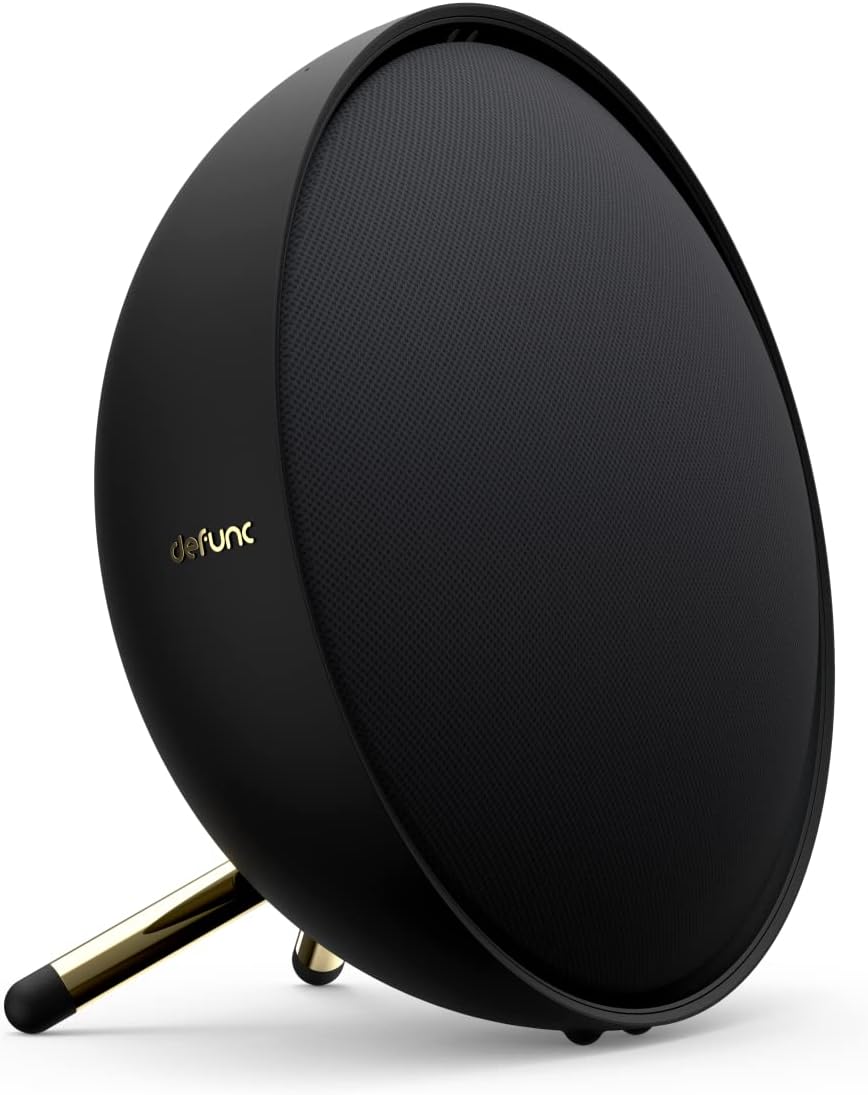
Image: Defunc Home speaker with its stand.
2. د بریښنا پیوستون
- Connect the power adapter to the DC input port on the back of the speaker.
- Plug the power adapter into a wall outlet. The speaker will power on automatically or enter standby mode.

انځور: شاته view of the Defunc Home speaker, highlighting connection ports.
3. Initial App Setup (Recommended)
- ډاونلوډ کړئ Defunc HOME ستاسو د وسیلې د ایپ پلورنځي څخه اپلیکیشن.
- Open the app and follow the on-screen instructions to connect your speaker to your Wi-Fi network. This step is crucial for multiroom functionality and smart assistant integration.
- During setup, you may be prompted to link your Alexa or Airplay2 accounts.
عملیاتي لارښوونې
پاور آن/بند
The speaker powers on when connected to an electrical outlet. To put it into standby mode or fully power off, use the Defunc HOME app or refer to the specific power button instructions if available on your model.
د حجم کنټرول
- Via Defunc HOME App: Adjust the volume precisely within the application.
- Via Source Device: Control volume from your connected smartphone, tablet, or computer.
- On Speaker: Use the physical volume buttons located on the top of the speaker (if present).
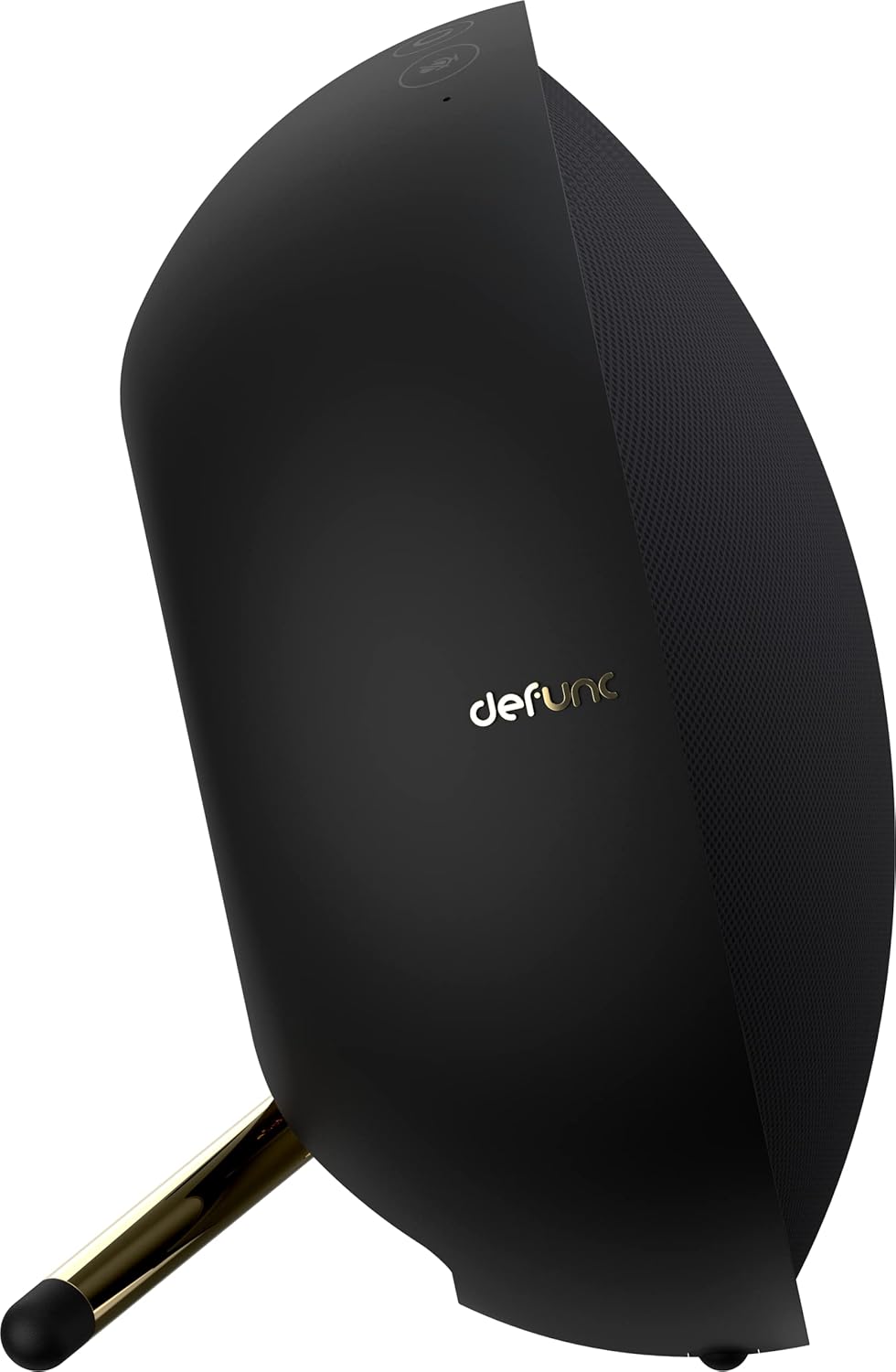
انځور: پورته view of the Defunc Home speaker, displaying control buttons.
د پلې بیک کنټرول
Playback (play, pause, skip tracks) can be controlled through the Defunc HOME app, your streaming application, or the physical controls on the speaker.
ارتباط
Wi-Fi Connection (Defunc HOME App)
For multiroom audio, Alexa, and Airplay2 functionality, connect your speaker to your home Wi-Fi network using the Defunc HOME app. This provides the most stable and feature-rich experience.
د بلوتوث جوړې کول
- ډاډ ترلاسه کړئ چې سپیکر فعال دی.
- Press and hold the Bluetooth pairing button on the speaker (refer to the diagram in the app or on the speaker for exact location) until the indicator light flashes, indicating pairing mode.
- On your device (smartphone, tablet), go to Bluetooth settings and select "Defunc Home" from the list of available devices.
- یوځل چې جوړه شي، د شاخص رڼا به قوي شي.
په پیوستون کې
Connect an external audio source (e.g., MP3 player, CD player) to the AUX IN port on the speaker using a 3.5mm audio cable. The speaker will automatically switch to AUX mode or you may need to select it via the app or speaker controls.
Defunc HOME App Functionality
The Defunc HOME app is central to managing your speaker system. It allows you to:
- د څو خونو کنټرول: Group up to 32 speakers for synchronized audio or assign different audio to individual speakers.
- د برابرولو ترتیبات: د آډیو پرو تنظیم کړئfileستاسو د غوره توبونو سره سم.
- سټیریو/مونو حالت: Switch between stereo and mono playback for individual speakers or grouped pairs.
- د سرچینې انتخاب: Easily switch between Wi-Fi, Bluetooth, and AUX input.
- د فرم ویئر تازه معلومات: Receive and install updates to enhance speaker performance and features.
- د سمارټ مرستیال ادغام: Manage Alexa and Airplay2 settings.
ساتنه
پاکول
Wipe the speaker's exterior with a soft, dry cloth. Do not use liquid cleaners or abrasive materials, as these can damage the finish. Ensure the speaker is unplugged before cleaning.
ذخیره کول
کله چې د اوږدې مودې لپاره نه کارول کیږي، سپیکر په یخ او وچ ځای کې وساتئ، د مستقیم لمر وړانګو او سختې تودوخې څخه لرې.
د ستونزو حل کول
| ستونزه | احتمالي لامل | د حل لاره |
|---|---|---|
| هیڅ ځواک نشته | د برېښنا کیبل نه دی وصل شوی؛ آوټ لیټ فعال نه دی. | Ensure power cable is securely connected to speaker and a working electrical outlet. |
| نه غږ | Volume too low; incorrect input source; device not paired/connected. | Increase volume. Check selected input source (Wi-Fi, Bluetooth, AUX). Re-pair Bluetooth device or check Wi-Fi connection in app. |
| بلوتوث ناتار | Device out of range; interference. | Move device closer to speaker. Avoid obstacles. Re-pair if necessary. |
| د وای فای اتصال مسلې | Incorrect Wi-Fi password; router issues; speaker too far from router. | Verify Wi-Fi password in the Defunc HOME app. Restart your router. Move speaker closer to router. |
| Alexa/Airplay2 Not Responding | Not properly linked; network issues. | Check account linking in the Defunc HOME app. Ensure stable Wi-Fi connection. |
مشخصات
| فیچر | تفصیل |
|---|---|
| برانډ | بې کاره |
| د ماډل شمیره | D2072 |
| د محصول ابعاد | 8.5D x 20W x 20H سانتي متره |
| د توکي وزن | 2 کیلوګرامه |
| رنګ | تور |
| د ارتباط ټیکنالوژي | بلوتوث ، وائی فای |
| د بې سیمه مخابراتو ټیکنالوژي | وای فای |
| د سپیکر تولید ځواک | 40 Watts (for this model) |
| د تعدد ځواب | 20 GHz |
| د آډیو وتلې حالت | سټیریو |
| د کنټرول طریقه | غوښتنلیک |
| مطابقت لرونکې وسیلې | سمارټ فون |
| وړاندیز شوي استعمالونه | کور آډیو |
| د بریښنا سرچینه | د بریښنا تار شوی |
| مواد | پلاستیک |
| ځانګړي ځانګړتیاوې | Bluetooth, Multi-room capability, Alexa, Airplay2 |
تضمین او ملاتړ
د تضمین معلومات
Your Defunc Home speaker comes with a standard manufacturer's warranty. Please refer to the included Warranty Card for specific terms, conditions, and duration of coverage. Keep your proof of purchase for warranty claims.
د پیرودونکي ملاتړ
For technical assistance, troubleshooting beyond this manual, or warranty inquiries, please visit the official Defunc website or contact their customer support. Contact details can typically be found on the warranty card or the Defunc webسایټ