
د پروسکان PSP1678
د پروسکان PSP1678 بلوتوټ سپیکر کارن لارښود
ماډل: PSP1678
پیژندنه
د پیرودلو لپاره مننهasing the PROSCAN PSP1678 LED Light Up Bluetooth Speaker. This manual provides essential information for the safe and efficient operation of your device. Please read it thoroughly before use and retain it for future reference.
The PSP1678 is a versatile portable speaker featuring Bluetooth connectivity, built-in FM radio, USB/TF card input, AUX input, and a microphone input, all complemented by dynamic LED lighting and a built-in rechargeable battery.
د خوندیتوب معلومات
- سپیکر د سختې تودوخې، مستقیم لمر وړانګو، یا لوړ رطوبت سره مه مخ کوئ.
- د سپیکر قوي تاثیراتو ته د غورځولو یا تابع کولو څخه ډډه وکړئ.
- پخپله واحد مه جلا کوئ، ترمیم یې مه کوئ یا یې بدلوئ. ټولې خدمتونه وړ پرسونل ته راجع کړئ.
- سپیکر د اوبو او نورو مایعاتو څخه لرې وساتئ. دا محصول د اوبو ضد نه دی.
- یوازې ټاکل شوی چارجینګ کیبل او بریښنا اډاپټر وکاروئ.
- سپیکر په نرم او وچ ټوکر پاک کړئ. د کثافاتو پاکوونکي یا محلول مه کاروئ.
- د سپیکر چلولو پر مهال مناسب هوا ورکول ډاډمن کړئ.
د بسته محتويات
- PROSCAN PSP1678 بلوتوټ سپیکر
- د USB چارج کیبل
- د کارونکي لارښود (دا لاسوند)
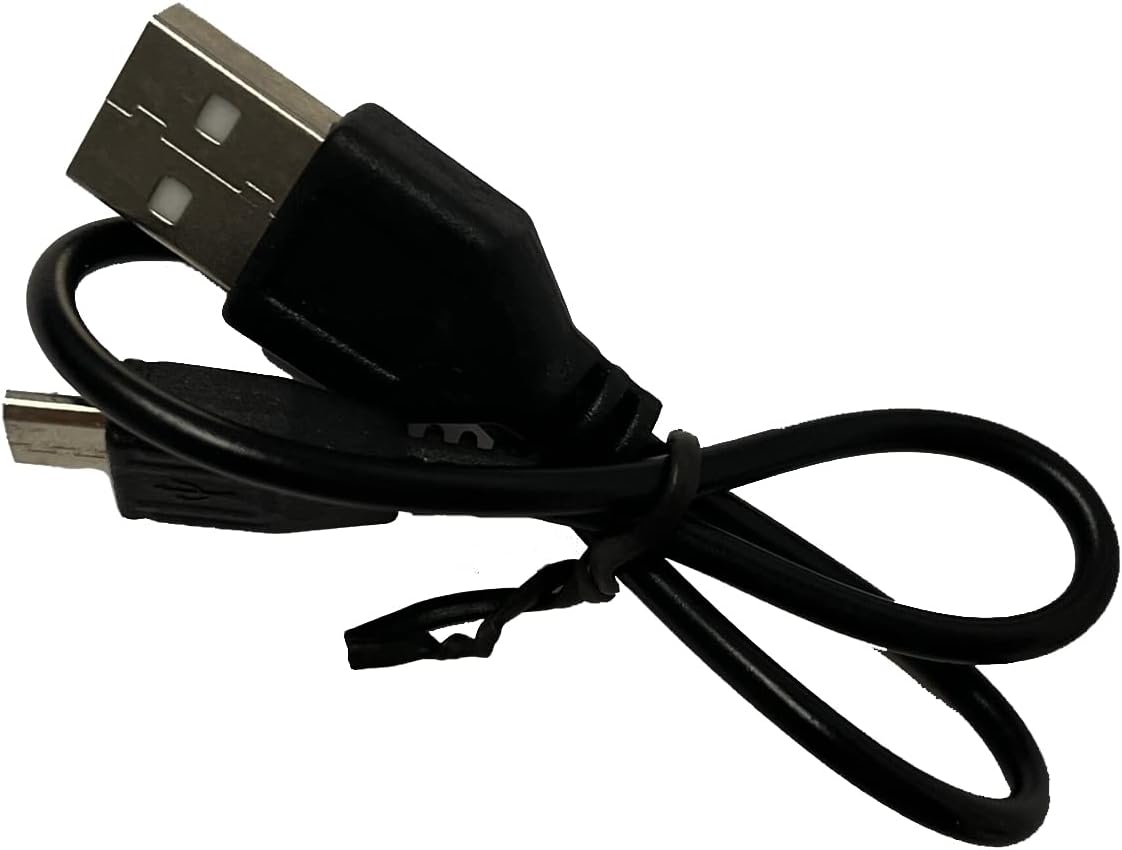
Image: Included USB Charging Cable. This cable is used to recharge the speaker's internal battery.
محصول پای ته ورسیدview
Familiarize yourself with the various parts and controls of your PROSCAN PSP1678 speaker.

انځور: مخکینۍ برخه view of the PROSCAN PSP1678 speaker, showcasing the dual 4-inch speakers with active LED lighting. The PROSCAN logo is visible between the speakers.

Image: Top panel of the PROSCAN PSP1678 speaker, showing the control buttons, USB port, TF card slot, AUX input, microphone input, and the main volume/mode knob.
د کنټرول پینل دندې:
- د بریښنا تڼۍ: د سپیکر آن/بند کولو لپاره فشار ورکړئ او ونیسئ.
- د حالت تڼۍ: Short press to switch between Bluetooth, FM Radio, USB/TF, and AUX modes.
- د پلی کولو/پاز بټن: In Bluetooth/USB/TF mode, press to play or pause. In FM mode, press to auto-scan and save stations.
- Previous/Volume Down Button: د مخکینۍ ټریک/سټیشن لپاره لنډ فشار ورکړئ. د حجم کمولو لپاره اوږد فشار ورکړئ.
- Next/Volume Up Button: د راتلونکي ټریک/سټیشن لپاره لنډ فشار ورکړئ. د حجم زیاتولو لپاره اوږد فشار ورکړئ.
- USB پورټ: د USB فلش ډرایو پلې بیک لپاره.
- د TF کارت سلاټ: د TF (MicroSD) کارت پلې بیک لپاره.
- AUX داخلول: د بهرنیو آډیو وسیلو د نښلولو لپاره 3.5 ملي میتر جیک.
- د مایکروفون داخلول: د مایکروفون د نښلولو لپاره ۶.۳ ملي میتر جیک.
- د DC 5V چارج کولو بندر: د USB چارج کولو کیبل د نښلولو لپاره.
- د حجم نوب: د ماسټر حجم تنظیمولو لپاره ګرځوي.
چمتو کول
1. د سپیکر چارج کول
Before first use, fully charge the speaker. Connect the small end of the included USB charging cable to the DC 5V charging port on the speaker and the other end to a USB power adapter (not included) or a computer USB port. The charging indicator light will illuminate during charging and turn off when fully charged.
د چارج کولو وخت: نږدې ۸-۹ ساعته.
2. بریښنا کول/بندول
فشار ورکړئ او ونیسئ د بریښنا تڼۍ on the control panel for approximately 3 seconds to turn the speaker On or Off.
عملیاتي لارښوونې
1. د بلوتوث حالت
- سپیکر چالان کړئ. دا به په اتوماتيک ډول د بلوتوث جوړه کولو حالت ته ننوځي، چې د ځلیدونکي LED څراغ او د اوریدلو وړ اشارې لخوا ښودل کیږي.
- په خپل ګرځنده وسیله (سمارټ فون، ټابلیټ، او نور) کې بلوتوث فعال کړئ.
- لټون "PSP1678" in the list of available Bluetooth devices.
- Select "PSP1678" to connect. Once successfully paired, you will hear a confirmation sound, and the LED light will stop flashing.
- تاسو اوس کولی شئ د سپیکر له لارې له خپل وسیله څخه آډیو غږ کړئ.
یادونه: سپیکر به په اتوماتيک ډول هڅه وکړي چې د وروستي جوړه شوي وسیلې سره بیا وصل شي کله چې بریښنا فعاله شي.
2. د ایف ایم راډیو حالت
- Turn on the speaker. Press the د موډ تڼۍ repeatedly until you hear the FM radio prompt.
- د شته ایف ایم سټیشنونو د اتوماتیک سکین کولو او خوندي کولو لپاره، لنډ فشار ورکړئ د پلی/پاز تڼۍسپیکر به په اتوماتيک ډول سټیشنونه سکین او ذخیره کړي.
- د کارولو مخکینی او Next Buttons د خوندي شوي سټیشنونو ترمنځ نیویګیټ کولو لپاره.
۵.۴. د USB/TF کارت پلے بیک
- Insert a USB flash drive or TF (MicroSD) card into the respective port.
- سپیکر به په اتوماتيک ډول USB یا TF حالت ته لاړ شي او د آډیو غږول به پیل کړي files (MP3 format recommended). If it doesn't, press the د موډ تڼۍ to select the correct mode.
- د کارولو پلی/ودرول, مخکینی، او Next Buttons د پلې بیک کنټرولولو لپاره.
۶.۴. د AUX ان پټ حالت
- د ۳.۵ ملي میتر آډیو کیبل یوه پای (شامل نه ده) د سپیکر د AUX ان پټ پورټ سره وصل کړئ.
- د کیبل بل پای د خپل بهرني وسیلې (د مثال په توګه، MP3 پلیر، کمپیوټر) د آډیو آوټ پټ جیک سره وصل کړئ.
- فشار ورکړئ د موډ تڼۍ د AUX حالت ته د بدلولو لپاره.
- Control audio playback from your connected external device.
5. د مایکروفون ننوت
Connect a wired microphone (not included) to the Microphone Input jack. The microphone audio will be mixed with the current audio playback. Adjust the main volume knob to control the overall sound level.
6. د LED څراغ کنټرول
The LED lights on the speaker automatically activate when the speaker is powered on. There is no dedicated button to turn the lights off or change patterns. They are designed to enhance the audio experience.
ساتنه
- پاکول: د سپیکر بهرنۍ برخه پاکولو لپاره له نرم، وچ، لینټ څخه پاک ټوکر څخه کار واخلئ. د مایع پاکوونکو، ایروسولونو یا محلولونو څخه کار مه اخلئ.
- ذخیره کول: کله چې د اوږدې مودې لپاره نه کارول کیږي، سپیکر په یخ او وچ ځای کې وساتئ، د مستقیم لمر وړانګو او سختې تودوخې څخه لرې.
- د بیټرۍ پاملرنه: To prolong battery life, avoid fully discharging the battery frequently. Recharge the speaker regularly, even if not in use, to maintain battery health.
د ستونزو حل کول
| ستونزه | احتمالي لامل | د حل لاره |
|---|---|---|
| سپیکر نه خلاصیږي. | بیټرۍ ټیټه یا ختمه شوې ده. | د ورکړل شوي USB کیبل په کارولو سره سپیکر په بشپړ ډول چارج کړئ. |
| غږ نشته. | Volume is too low. Incorrect mode selected. Device not connected properly. | Increase volume on speaker and connected device. Press Mode button to select correct input. Reconnect Bluetooth/AUX cable. |
| د بلوتوث له لارې جوړه نشي کیدی. | سپیکر د جوړې کولو په حالت کې نه دی. وسیله ډیره لرې ده. مداخله. | Ensure speaker is in Bluetooth mode (flashing LED). Move device closer to speaker. Turn off other Bluetooth devices. |
| د ایف ایم راډیو استقبال کمزوری دی. | کمزوری سیګنال. | سپیکر داسې سیمې ته انتقال کړئ چې ښه استقبال ولري. بیا اتومات سکین ترسره کړئ. |
| USB/TF کارت نه غږیږي. | غلط file format. Card/drive not inserted correctly. | ډاډ ترلاسه کړئ files are in MP3 format. Reinsert the USB drive/TF card firmly. Press Mode button to select correct input. |
مشخصات
| فیچر | تفصیل |
|---|---|
| د ماډل شمیره | د PSP1678 |
| د سپیکر ځواک | 5W x 2 |
| د سپیکر اندازه | 4 انچ x 2 |
| ارتباط | بلوتوث، USB، TF کارت، AUX، FM راډیو |
| د مایکروفون داخلول | هو |
| د بریښنا سرچینه | Built-in Rechargeable Battery, Corded Electric (via USB) |
| د محصول ابعاد (د x څلویښتم x څلویښتم) | ۸۳.۸" x ۵۵.۷" x ۴۴.۱" |
| د توکي وزن | ۲.۴۵ پونډه |
| UPC | 058465824457 |

Image: PROSCAN PSP1678 speaker with approximate dimensions indicated: 15.47 inches height, 7.28 inches width, and 5.9 inches depth.
تضمین او ملاتړ
PROSCAN products are designed and manufactured to the highest quality standards. For warranty information or technical support, please refer to the warranty card included with your purchase or visit the official PROSCAN webسایټ. د تضمین ادعاوو لپاره د پیرود ثبوت وساتئ.
For further assistance, you may contact PROSCAN customer service through their official channels. Please have your model number (PSP1678) and purchase details ready.
یادونه: د تضمین شرایط او مقررات ممکن د سیمې له مخې توپیر ولري.
Ask a question about this manual
Ask about setup, troubleshooting, compatibility, parts, safety, or missing instructions. Manuals+ will review the question and use this page’s manual context to help answer it.