
پیژندنه
Thank you for choosing the Dpofirs Portable MP3 Player. This device is designed to provide high-quality, lossless audio playback in a compact and durable form factor. This manual will guide you through the setup, operation, and maintenance of your new MP3 player.
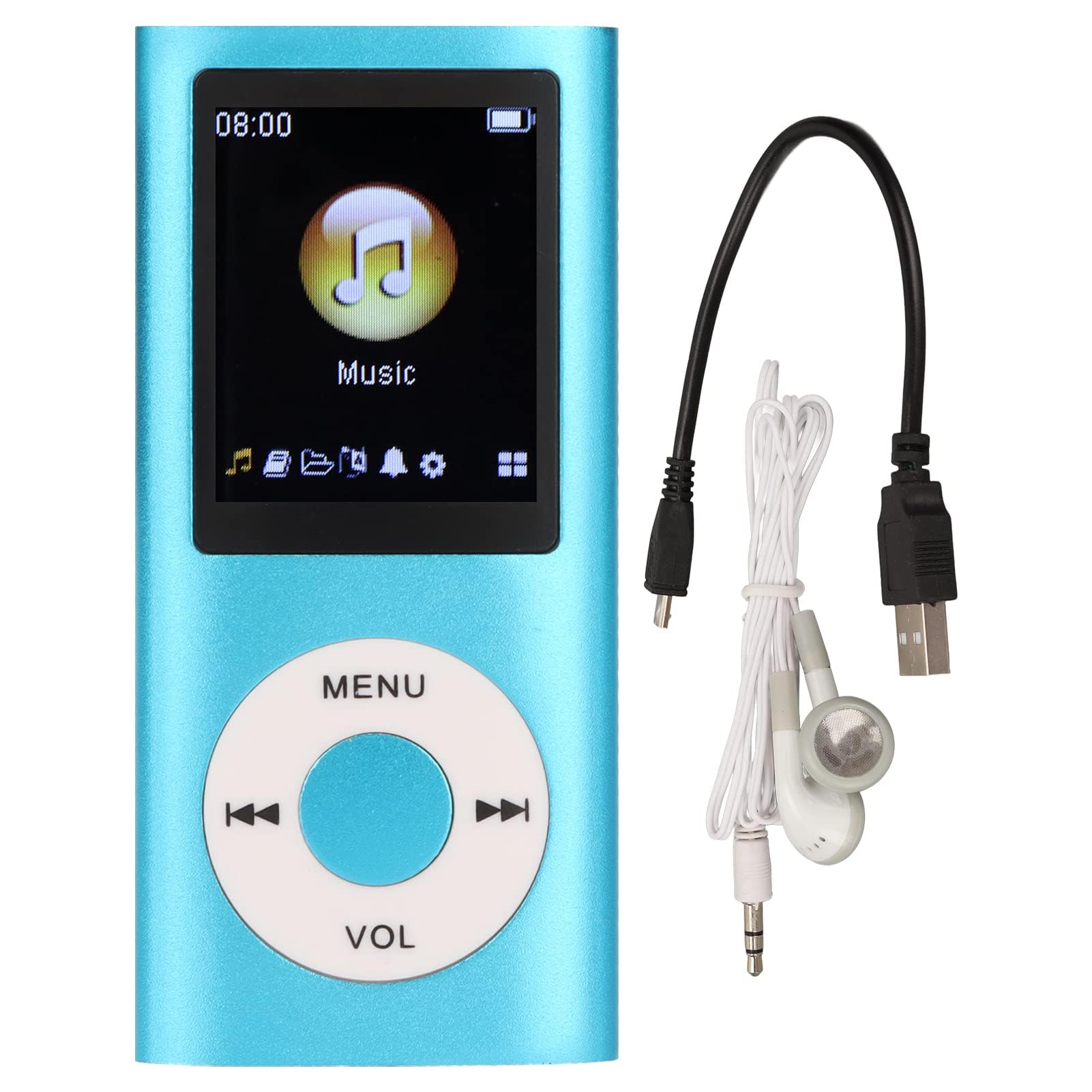
Image: The Dpofirs Portable MP3 Player, featuring a blue aluminum alloy casing and a circular control pad. A person is visible in the background, enjoying music with headphones.
د بسته محتويات
مهرباني وکړئ د لاندې توکو لپاره په بسته کې وګورئ:
- 1 x Dpofirs MP3 Player
- 1 x د چارج کولو کیبل
- 1 ایکس اییرفونونه
کلیدي ځانګړتیاوې
- بې ضرره غږ کیفیت: د MP3، WMA، FLAC، APE، AAC، OGG، او ACELP آډیو فارمیټونو ملاتړ کوي.
- د پراخیدو وړ حافظه: Supports up to 64GB memory card (not included). MYMAHDI memory cards are recommended.
- د کاروونکي دوستانه انٹرفیس: Easy navigation for selecting songs, creating playlists, and managing playback.
- د بیټرۍ اوږد ژوند: په بشپړ چارج کې تر 8 ساعتونو پورې دوامداره پلې بیک.
- دوامدار ډیزاین: Constructed from premium aluminum alloy for enhanced durability.
- د پلې بیک طریقې: Supports sequential and random playback, and sleep shutdown function.
چمتو کول
1. د وسیلې چارج کول
د لومړي ځل کارولو دمخه، خپل MP3 پلیر په بشپړه توګه چارج کړئ.
- Connect the provided charging cable to the MP3 player's charging port.
- د کیبل بل پای د USB بریښنا اډاپټر (شامل نه دی) یا د کمپیوټر USB پورټ سره وصل کړئ.
- The device will indicate charging status. A full charge typically takes approximately 2 hours.
مهم: Ensure the charging cable is functioning correctly. If the device does not charge, try a different USB port or adapter.
2. د میموري کارت داخلول
The MP3 player requires a memory card for storing music.
- Locate the memory card slot on the side of the MP3 player.
- Gently insert a microSD card (up to 64GB, not included) into the slot until it clicks into place.
- د لرې کولو لپاره، کارت لږ څه دننه کړئ تر هغه چې راووځي.
یادونه: A memory card is not included with the player. MYMAHDI brand memory cards are recommended for optimal performance.
۲. د غوږونو نښلول
Connect the provided earphones or your preferred 3.5mm audio headphones to the headphone jack on the MP3 player.
عملیاتي لارښوونې
1. بریښنا فعال/بند
- To power on, press and hold the power button (usually the Play/Pause button or a dedicated power button) until the screen lights up.
- د بریښنا بندولو لپاره، د بریښنا تڼۍ بیا فشار ورکړئ او ونیسئ تر هغه چې سکرین بند نشي.
2. بنسټیز نیویګیشن
The MP3 player features a circular control pad with several buttons:
- مینو: اصلي مینو ته لاسرسی ومومئ یا بیرته پخوانۍ سکرین ته لاړ شئ.
- VOL (+/-): د حجم کچه تنظیم کړئ.
- پلی کول / ودرول: پلے بیک پیل یا بند کړئ.
- راتلونکی/پخوانی: Skip to the next track or go back to the previous track. Long press to fast forward/rewind.
۵.۳. د موسیقۍ لیږدول Files
To transfer music to your MP3 player:
- Connect the MP3 player to your computer using the charging cable.
- The player should appear as a removable disk drive on your computer.
- خپل میوزیک ډریګ او پریږدئ files (MP3, WMA, FLAC, APE, AAC, OGG, ACELP) into the player's memory card folder.
- د کیبل له منحل کولو دمخه وسیله په خوندي ډول له خپل کمپیوټر څخه وباسئ.
4. د موسیقۍ غږول
- From the main menu, navigate to the "Music" or "Audio" section.
- خپل میوزیک د هنرمند، البوم، ژانر، یا ټولو سندرو له مخې براوز کړئ.
- د غږولو پیل کولو لپاره یوه سندره غوره کړئ.
- Use the Play/Pause, Next/Previous, and VOL buttons to control playback.
۶. د پلې بیک اختیارونه
- پلی لیستونه: Create and manage custom playlists directly on the device.
- Shuffle/Repeat: Toggle between sequential playback, shuffle, and repeat modes.
- د خوب بندول: Set a timer for the device to automatically power off.
ساتنه
- وسیله وچه وساتئ. رطوبت کولی شي داخلي سرکټونه زیانمن کړي.
- د سخت تودوخې څخه ډډه وکړئ.
- Clean the device with a soft, dry cloth. Do not use harsh chemicals or cleaning agents.
- سکرین له سکریچونو څخه خوندي کړئ.
- وسیله په خوندي ځای کې ذخیره کړئ کله چې نه کارول کیږي.
د ستونزو حل کول
وسیله نه فعالیږي:
- Ensure the battery is charged. Connect the player to a power source and allow it to charge for at least 30 minutes.
- د اوږدې مودې (۱۰-۱۵ ثانیو) لپاره د بریښنا تڼۍ فشار او ونیسئ.
Cannot hear any sound:
- Check if the earphones are properly connected to the headphone jack.
- د VOL+ تڼۍ په کارولو سره حجم زیات کړئ.
- Test with a different pair of earphones to rule out faulty headphones.
- غږ ډاډمن کړئ fileفایلونه خراب شوي نه دي او په ملاتړ شوي بڼه کې دي.
موسیقي files are not recognized:
- Ensure the memory card is properly inserted and recognized by the device.
- ډاډ ترلاسه کړئ چې میوزیک files are in one of the supported formats (MP3, WMA, FLAC, APE, AAC, OGG, ACELP).
- Try reformatting the memory card (this will erase all data) and re-transferring the music.
- Ensure the memory card is not full.
وسیله کنګل کیږي یا غیر ځواب ویونکې کیږي:
- د بریښنا تڼۍ د شاوخوا ۱۰-۱۵ ثانیو لپاره فشار ورکړئ او ونیسئ ترڅو بیا پیل کړئ.
- If available, use a small pin to press the reset button (if present on the device).
مشخصات
| برانډ | ډیپوفیرز |
| د ماډل شمیره | Dpofirs5yhtvp70d23123-13 |
| مواد | د المونیم مصر |
| بیټرۍ | جوړ شوی 200mAh لیتیم بیټرۍ |
| د چارج کولو وخت | نږدې 2 ساعته |
| د پلې بیک وخت | تر ۱۲ ساعتونو پورې (په بشپړه توګه چارج شوی) |
| د میموري کارت ملاتړ | Up to 64GB (microSD, not included) |
| ملاتړ شوي آډیو فارمیټونه | MP3، WMA، FLAC، APE، AAC، OGG، ACELP |
| د ارتباط ټیکنالوژي | Auxiliary, Bluetooth, Wi-Fi (Note: Bluetooth/Wi-Fi functionality not detailed in product description, focusing on core MP3 player features) |
| رنګ | آبي |
| د اصلي هیواد | چین |
تضمین او ملاتړ
Specific warranty information for this product is not provided in the available documentation. Please refer to the retailer's return policy or contact the seller directly for details regarding warranty coverage.
For technical support or further assistance, please contact Dpofirs customer service through the platform where you purchased the product.