
1. پیژندنه او وروستهview
This manual provides detailed instructions for the proper setup, operation, and maintenance of your Techbee TE02 Indoor Digital Electrical Outlet Timer Plug. This device is designed to automate the power supply to your electrical appliances, offering convenience, energy savings, and enhanced home security through its programmable features.
The Techbee TE02 timer plug features a large, easy-to-read display and intuitive controls, allowing for precise scheduling of up to 20 ON/OFF programs per day. It also includes advanced functions such as a countdown timer and a random ON/OFF mode for vacation security. Its built-in battery ensures that your programmed settings are retained even during power outages.
2. د محصول ب Featuresې
- Extensive Programming: Supports up to 20 weekly ON-OFF timing programs for flexible scheduling.
- د شمېرنې شمیره: Allows for precise delay ON/OFF timing, from 1 second up to 99 hours, 59 minutes, and 59 seconds.
- Anti-theft Random Mode: Activates lights or other appliances at varying times to simulate occupancy, deterring potential intruders.
- د کاروونکي دوستانه نندارتون: Features a large screen for clear visibility of digits and numbers.
- بریښنا اووtage ساتنه: Equipped with a built-in NiMH 1.2V battery to retain programmed settings for over 30 days during power interruptions.
- Versatile Time Format: Interchangeable 12-hour (AM/PM) and 24-hour formats.
- د ځمکې لاندې ځای: Designed with a 3-prong plug and socket for safe use with a wide range of appliances.
- خاموش عملیات: Operates completely silently, making it suitable for home use.
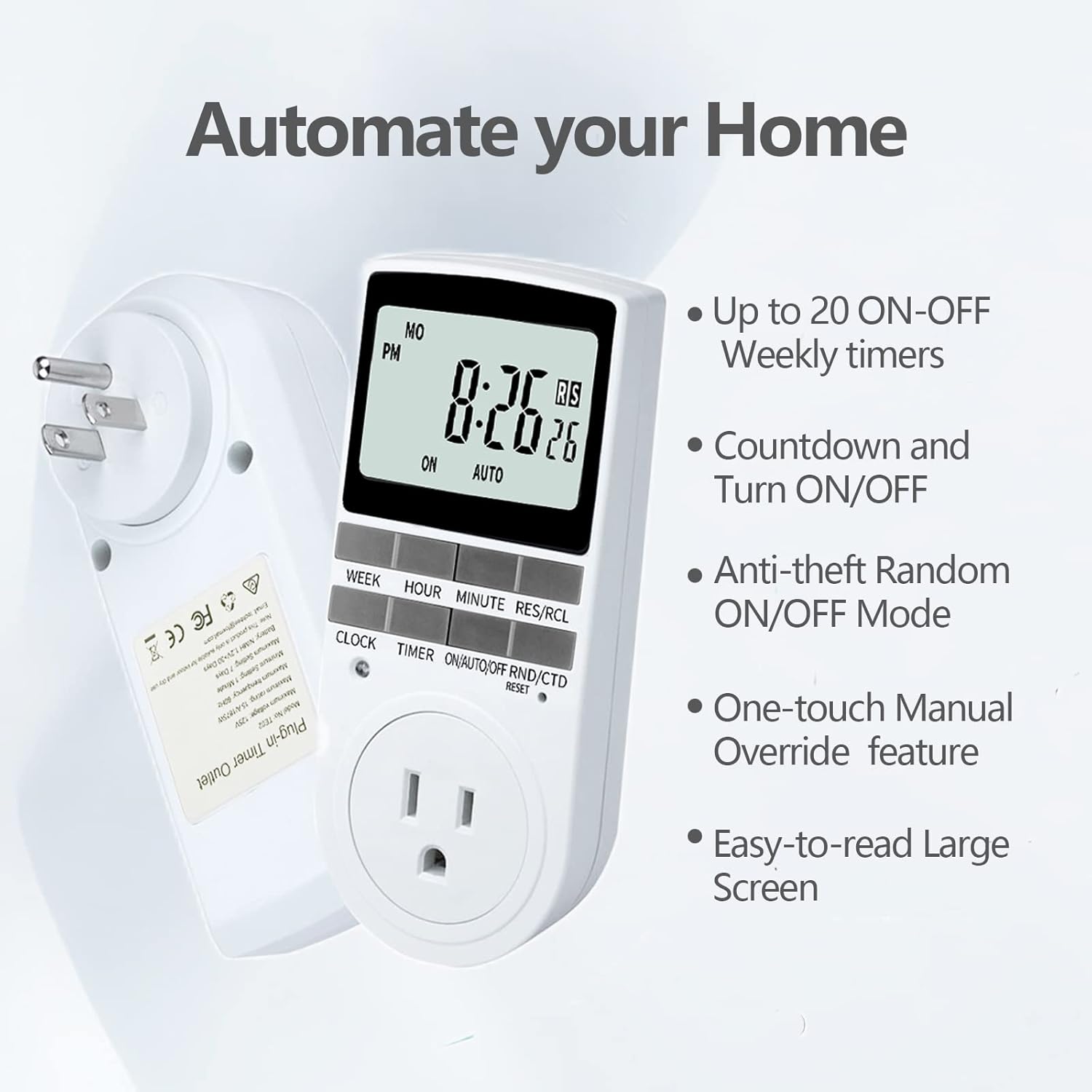
Figure 2.1: Key features of the Techbee TE02 Digital Timer Plug.
3. مشخصات
| مشخصات | ارزښت |
|---|---|
| د ماډل شمیره | TE02 |
| اعظمي حجمtage | 125V |
| اعظمي درجه | 15A / 1875W |
| اعظمي فریکونسی | 60Hz |
| د تنظیم کولو لږترلږه وقفه | 1 Minute (1 second for countdown) |
| Maximum Setting Duration | 7 ورځې |
| د بیټرۍ ډول | NiMH 1.2V (retains settings >30 days) |
| د ترتیباتو شمیر | 20 ON-OFF programs |

Figure 3.1: Technical data and features as displayed on the product packaging.
4. ترتیب کول
Before initial use, it is recommended to plug the timer into a live outlet for at least 30 minutes to charge the internal battery. This ensures that the timer retains its settings even if unplugged or during a power outage.
- Unpack the timer plug and included instruction manual.
- Locate a standard 125V grounded electrical outlet.
- Plug the Techbee TE02 timer directly into the wall outlet. The display should illuminate.
- فشار ورکړئ RESET button (usually a small recessed button) using a non-metallic pointed object (like a pen tip) to clear all previous settings and ensure proper function.
- Proceed to set the current time and day as described in the 'Operating Instructions' section.

Figure 4.1: The Techbee TE02 Digital Timer Plug ready for setup.
ویډیو ۳.۱: یو اوورview of the Techbee TE02 timer plug, including unboxing and initial setup steps.
5. عملیاتي لارښوونې
۵.۱. د اوسني وخت او ورځې ټاکل
- فشار ورکړئ ساعت تڼۍ. ښودنه به اوسنی وخت وښيي.
- د ساتلو په وخت کې ساعت ت buttonۍ ، ت .ۍ اونۍ د اوسني ورځې ټاکلو لپاره (MO, TU, WE, TH, FR, SA, SU).
- د ساتلو په وخت کې ساعت ت buttonۍ ، ت .ۍ ساعت to set the current hour (12-hour or 24-hour format).
- د ساتلو په وخت کې ساعت ت buttonۍ ، ت .ۍ دقیقه د اوسنۍ دقیقې ټاکلو لپاره.
- خوشې کړئ ساعت امستنې خوندي کولو لپاره ت buttonۍ.
5.2. Programming ON/OFF Times (Up to 20 Programs)
- فشار ورکړئ ټیمر button to enter programming mode. The display will show "1 ON".
- مطبوعاتي اونۍ to select the day(s) for this program (e.g., MO, TU, WE, TH, FR, SA, SU, or various combinations).
- مطبوعاتي ساعت د مطلوب آن ساعت تنظیم کولو لپاره.
- مطبوعاتي دقیقه د مطلوب آن دقیقې تنظیم کولو لپاره.
- مطبوعاتي ټیمر بیا. ښودنه به "1 بند" ښکاره کړي.
- Repeat steps 2-4 to set the desired OFF time for this program.
- فشار ته دوام ورکړئ ټیمر to cycle through programs "2 ON", "2 OFF" up to "20 ON", "20 OFF", setting each as needed.
- د ټولو مطلوبو پروګرامونو تنظیم کولو وروسته، فشار ورکړئ ساعت د پروګرام کولو حالت څخه د وتلو او اوسني وخت نندارې ته د بیرته راستنیدو لپاره تڼۍ.

Figure 5.1: Programming the timer for daily routines.
5.3. د شمېرنې شمیره
The countdown function allows the timer to turn ON or OFF after a specified duration.
- فشار ورکړئ ON/AUTO/OFF RND/CTD button repeatedly until "CTD" appears on the display.
- مطبوعاتي ساعت, دقیقه، او RES/RCL (for seconds) to set the desired countdown duration.
- مطبوعاتي ټیمر to start the countdown. The display will show the remaining time.
- Once the countdown reaches zero, the connected appliance will either turn ON or OFF, depending on its initial state.

Figure 5.2: Setting a countdown timer to turn an appliance ON or OFF.
5.4. Random Function (Anti-theft Mode)
The random function helps deter intruders by turning connected lights or appliances ON and OFF at irregular intervals.
- فشار ورکړئ ON/AUTO/OFF RND/CTD button repeatedly until "RND" appears on the display.
- The timer will now randomly turn the connected appliance ON and OFF within a set time window (typically 6 PM to 6 AM, but the Techbee TE02 offers random from any time).
- د غیر فعالولو لپاره، فشار ورکړئ ON/AUTO/OFF RND/CTD button again until "AUTO" or "ON"/"OFF" is displayed.

Figure 5.3: Utilizing the random function for home security.
5.5. لارښود اوورایډ
You can manually switch the timer's output state without affecting the programmed settings.
- فشار ورکړئ ON/AUTO/OFF RND/CTD د موډونو له لارې سایکل کولو لپاره تڼۍ: ON (always on), آټو (follows programs), بند (always off), RND (random), CTD (countdown).
- وټاکئ ON or بند for immediate control. The timer will remain in this state until manually changed or switched back to آټو.
6. ساتنه
- پاکول: د پاکولو دمخه ټایمر د بریښنا له ساکټ څخه جلا کړئ. بهرنۍ برخه د نرم او وچ ټوکر سره پاک کړئ. مایع پاکوونکي یا د کثافاتو موادو څخه کار مه اخلئ.
- ذخیره کول: If storing the timer for an extended period, ensure the internal battery is charged by plugging it in for a few hours every few months. Store in a cool, dry place away from direct sunlight and extreme temperatures.
- بیټرۍ: The internal NiMH battery is designed for long-term use and retains settings for over 30 days. It is not user-replaceable.
7. ستونزه حل کول
- د ټایمر ښودنه خالي ده:
- ډاډ ترلاسه کړئ چې ټایمر په خوندي ډول په ژوندۍ بریښنایی رسنۍ کې ولګول شوی.
- The internal battery might be fully discharged. Plug the timer in for at least 30 minutes to charge it.
- هغه پروګرامونه چې فعال نه دي:
- ډاډ ترلاسه کړئ چې اوسنی وخت او ورځ په سمه توګه تنظیم شوي دي.
- وګورئ چې ټایمر فعال دی آټو حالت
- Ensure the ON/OFF programs are set correctly and do not overlap in an unintended way.
- Confirm the connected appliance is functioning correctly and its power switch is in the ON position.
- Timer Not Responding to Buttons:
- Perform a full reset by pressing the RESET button with a pointed object. You will need to re-enter all settings after a reset.
- Appliance Does Not Turn ON/OFF with Countdown:
- ډاډ ترلاسه کړئ چې ټایمر فعال دی CTD mode and the countdown duration is set.
- Verify the connected appliance is working and its power switch is ON.
8. تضمین او ملاتړ
For warranty information, technical support, or any inquiries regarding your Techbee TE02 Digital Timer Plug, please refer to the official documentation provided with your product or visit the official Techbee store.
تاسو کولی شئ د لیدنې له لارې اضافي ملاتړ او محصول معلومات ومومئ Techbee Store on Amazon.
A detailed PDF instruction manual is also available for download: د کارولو لارښوونې (PDF).