
پیژندنه
This manual provides detailed instructions for the setup, operation, maintenance, and troubleshooting of your TECURS Wireless Gaming Keyboard. Please read this manual thoroughly before using the product to ensure proper function and longevity.
د بسته محتويات
د کڅوړې د پرانیستلو پر مهال، ډاډ ترلاسه کړئ چې لاندې لیست شوي ټول توکي شتون لري او په ښه حالت کې دي:
- TECURS Wireless Gaming Keyboard
- USB Receiver (2.4 GHz)
- د USB چارج کولو کیبل (مایکرو USB)
- د کارن لارښود
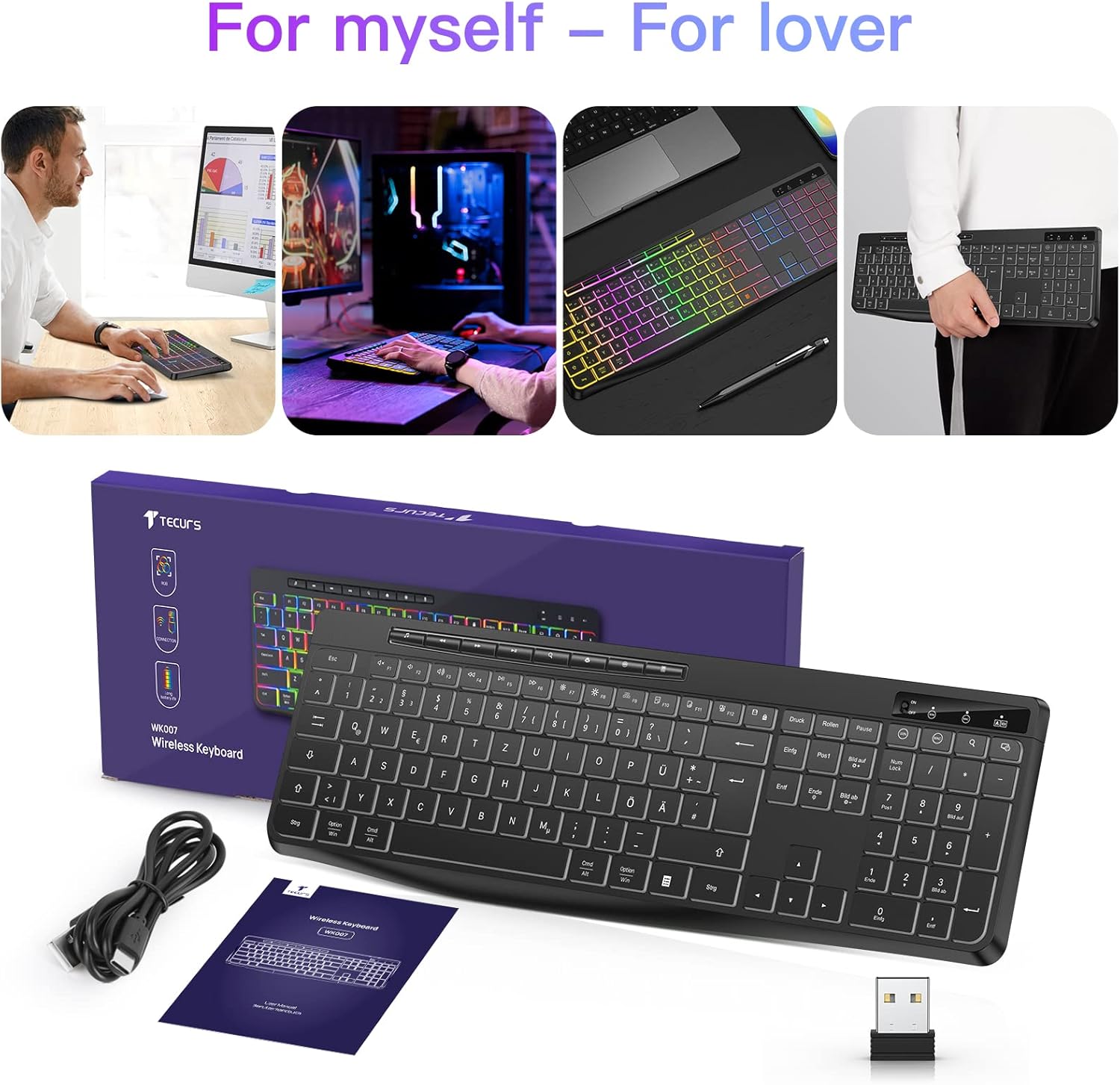
Image: The TECURS Wireless Gaming Keyboard, its USB receiver, USB charging cable, and user manual laid out on a surface.
چمتو کول
1. د کیبورډ سره نښلول
- Locate the USB receiver. It is typically stored in a compartment on the keyboard or included separately in the packaging.
- Insert the USB receiver into an available USB port on your computer, laptop, or compatible gaming console (PS4, PS5).
- Turn on the keyboard using the power switch, usually located on the top edge or underside of the keyboard. The keyboard should automatically connect to the receiver.

Image: The TECURS Wireless Gaming Keyboard shown with its compact USB receiver, illustrating the wireless connection method.
۱. ابتدايي چارج کول
The keyboard comes with a built-in rechargeable Lithium-ion battery. For optimal performance, it is recommended to fully charge the keyboard before first use.
- Connect the Micro USB charging cable to the keyboard's charging port and the other end to a USB power source (e.g., computer USB port, USB wall adapter).
- An indicator light will typically show the charging status. Refer to the keyboard's specific indicator behavior for details.
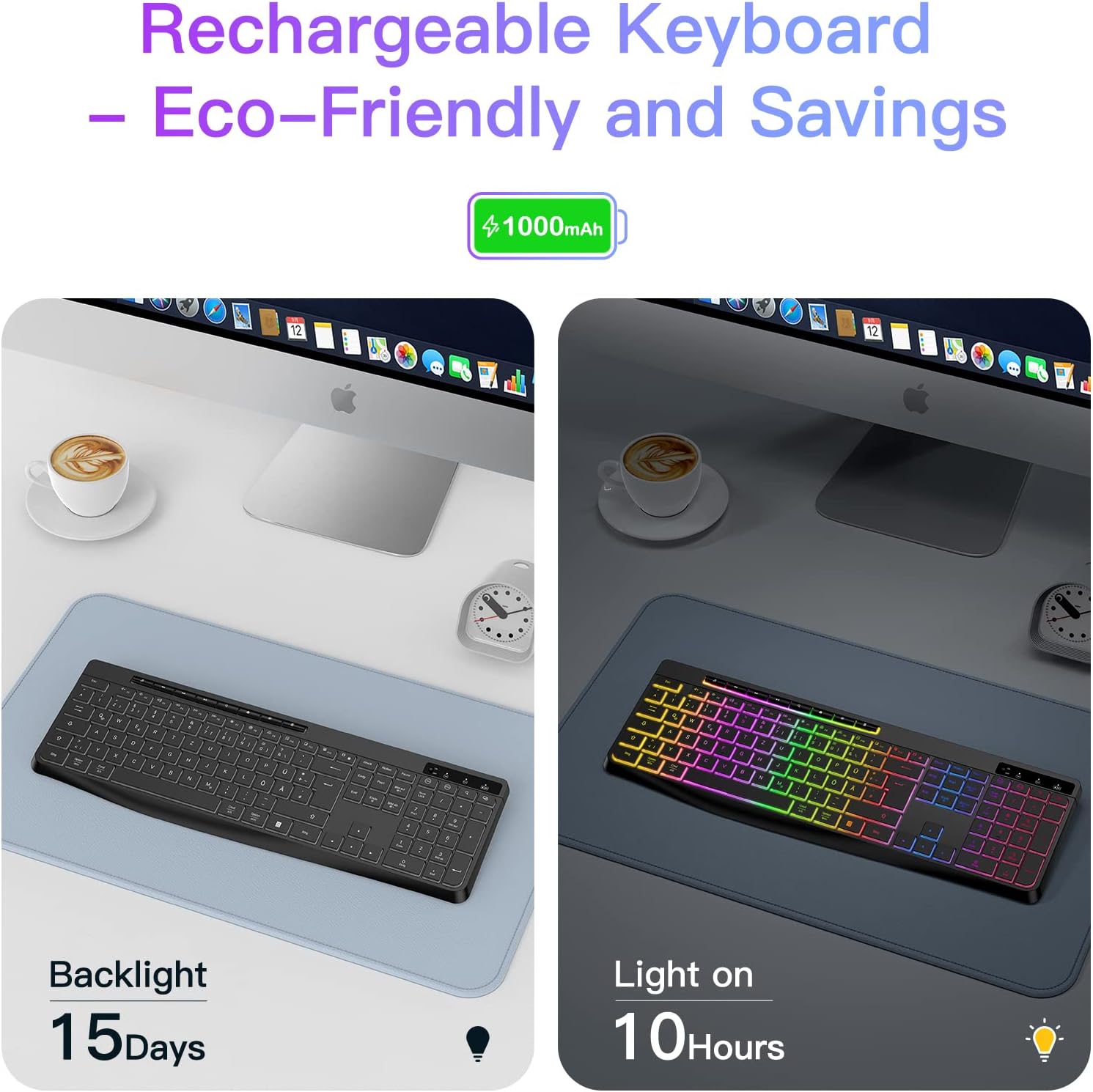
Image: An illustration demonstrating the battery life of the keyboard: up to 15 days with backlight off and 10 hours with backlight on, based on a 1000mAh battery.
۴.۳. د بېسیم رینج
The keyboard operates wirelessly with a receiving distance of 8-10 meters, providing flexibility in your workspace or gaming setup.

Image: A visual representation of the wireless keyboard's effective receiving distance, typically 8-10 meters, highlighting freedom from cables.
عملیاتي لارښوونې
۱. اساسي ټایپ کول
The keyboard features a QWERTZ layout (German layout) with standard key functions. Simply begin typing after successful connection.
2. د backlight کنټرول
The keyboard includes an RGB backlight feature. Use the dedicated backlight control keys (often located near the function keys or as a combination with the Fn key) to:
- بیک لائټ فعال/بند کړئ.
- د روښانتیا کچه تنظیم کړئ.
- Cycle through different color modes or effects.
Refer to the keyboard's specific key legends for exact backlight control combinations.
۴.۲. ملټي میډیا کیلي
Dedicated multimedia keys are provided for quick access to functions such as volume control, play/pause, and track skipping. These keys are typically located above the function key row.
4. د سیسټم مطابقت
The keyboard is compatible with various operating systems and devices:
- عملیاتي سیسټمونه: وینډوز، ماک، لینوکس
- مطابقت لرونکي وسایل: PC, Laptops, PS4, PS5, Game Consoles
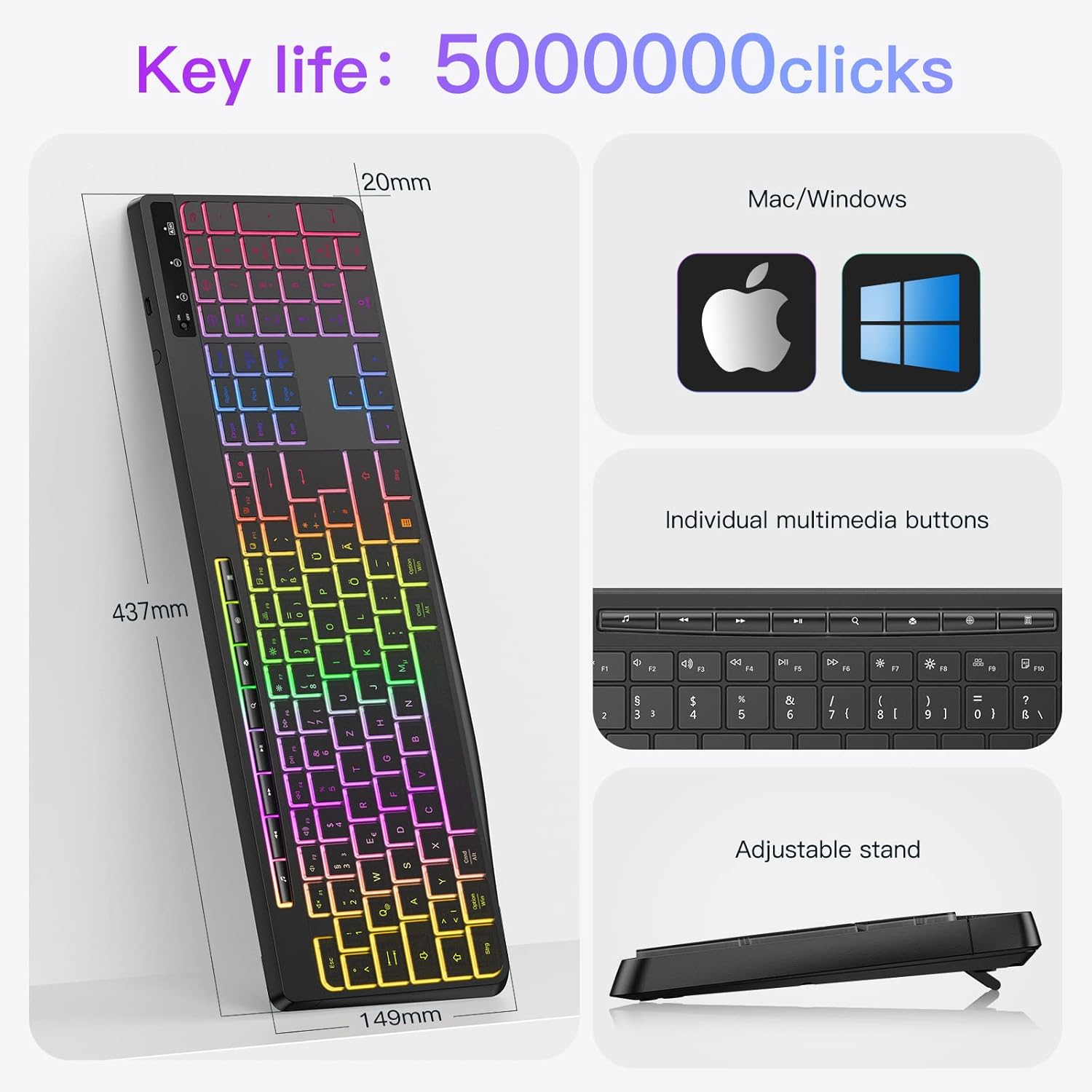
Image: An infographic detailing the keyboard's dimensions (437mm length, 149mm width, 20mm thickness), key life of 50 million clicks, compatibility with Mac/Windows, individual multimedia buttons, and an adjustable stand.
۵.۳. ارام عملیات
The keyboard features silent keys designed to minimize typing noise, making it suitable for quiet environments.

Image: A person typing on the backlit keyboard in a dimly lit room, with a sleeping child in the background, emphasizing the low noise operation.
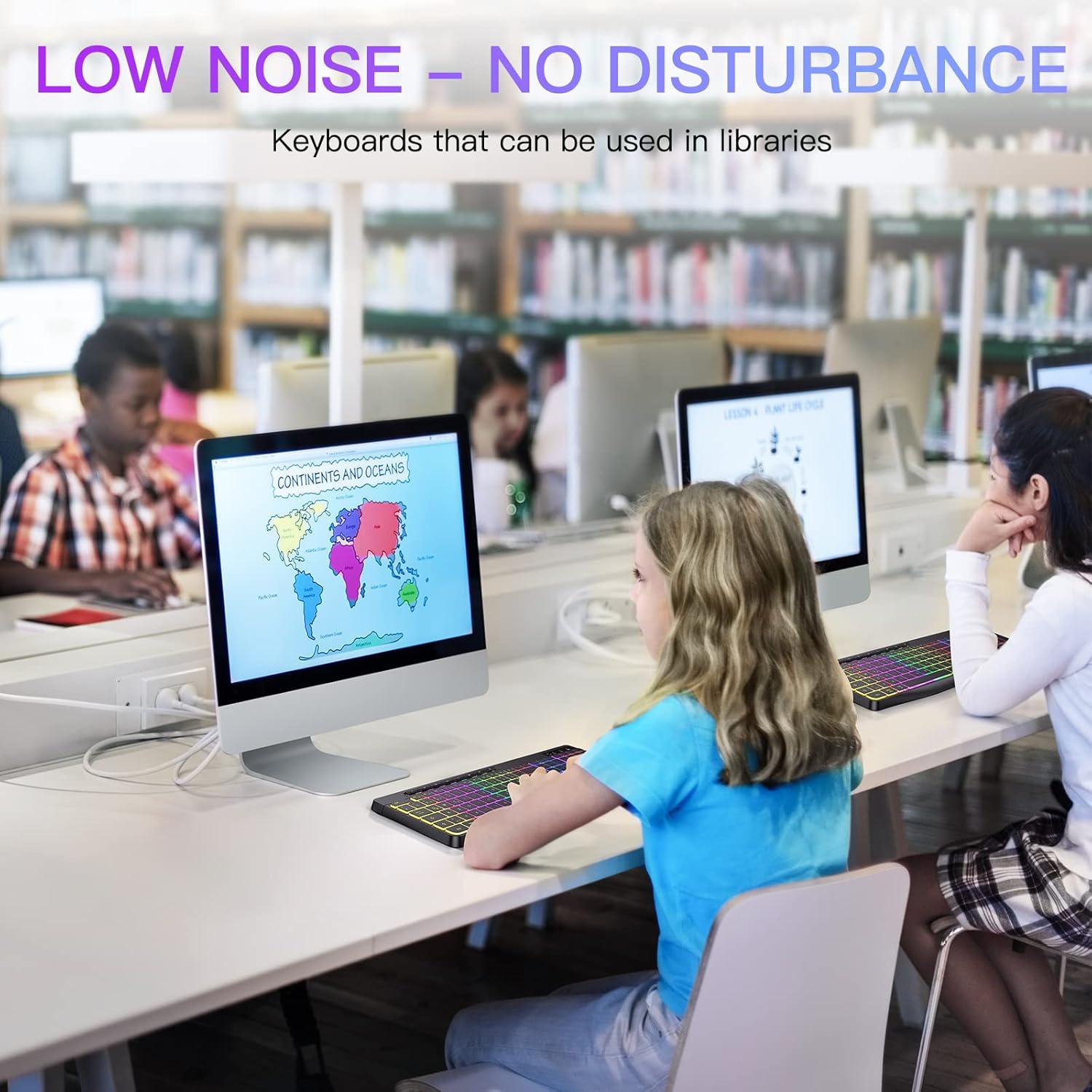
Image: Children using the keyboard in a library setting, illustrating its suitability for environments where low noise is preferred.
ساتنه
1. پاکول
د خپل کیبورډ پاکولو لپاره:
- Turn off the keyboard and disconnect it from any power source.
- د نرم، لینټ پاک ټوکر څخه په روښانه توګه کار واخلئampد اوبو یا نرم پاکولو محلول سره پای ته رسیدلی.
- Wipe the keycaps and surface gently. Avoid excessive moisture.
- د کیلي ګانو ترمنځ د دوړو او کثافاتو لپاره، فشار شوي هوا وکاروئ.
Note: The keyboard is designed to be waterproof, offering protection against accidental spills. However, it is not designed for immersion in water.
2. د بیټرۍ پاملرنه
د بیټرۍ ژوند اوږدولو لپاره:
- د بیټرۍ په مکرر ډول د بشپړ چارج کولو څخه ډډه وکړئ.
- Charge the keyboard regularly, especially if it will be stored for an extended period.
- Store the keyboard in a cool, dry place.
د ستونزو حل کول
| ستونزه | احتمالي لامل | د حل لاره |
|---|---|---|
| کیبورډ ځواب نه ورکوي | Low battery; USB receiver not connected; Keyboard not powered on; Driver issue. | Charge the keyboard; Ensure USB receiver is securely plugged in; Turn on the keyboard; Try a different USB port; Restart your device. |
| Backlight کار نه کوي | د شا څراغ بند دی؛ ټیټ بیټرۍ. | Press the backlight control key(s) to turn it on or adjust brightness; Charge the keyboard. |
| کیلي چپکونکې یا غیر ځواب ورکوونکې دي | د کیلي ګانو لاندې کثافات؛ د مایع توییدل. | Clean the keyboard using compressed air or a damp cloth; If liquid spill, turn off immediately, clean, and allow to dry completely before use. |
| د بیټرۍ لنډ ژوند | Frequent backlight use; Battery degradation over time. | Reduce backlight brightness or turn it off when not needed; Ensure full charge cycles; If battery life significantly degrades, consider contacting support. |
مشخصات
| فیچر | تفصیل |
|---|---|
| برانډ | TECURS |
| د ماډل شمیره | SPT-WK007 |
| د ارتباط ټیکنالوژي | ۲.۴ GHz بېسیم (USB رسیور) |
| د کیبورډ ترتیب | QWERTZ (German Layout) |
| شاته څراغ | RGB, Adjustable |
| ځانګړي ځانګړتیاوې | Ergonomic, Rechargeable, Backlit, Integrated Stand, Waterproof |
| مطابقت لرونکي عملیاتي سیسټمونه | Windows, Mac, Linux, PS4, PS5 |
| مطابقت لرونکې وسیلې | PC, Laptop, Game Console |
| د بیټرۍ ډول | لیتیم آیون (۱ پکې شامل دی) |
| د چارج کولو بندر | مایکرو USB |
| ابعاد (L x W x H) | 43.7 cm x 14.9 cm x 2 cm |
| وړاندیز شوی کارول | Business, Gaming |
تضمین او ملاتړ
For warranty information and technical support, please refer to the documentation provided with your purchase or visit the official TECURS webسایټ. د تضمین ادعاوو لپاره د پیرود ثبوت وساتئ.