
VYSER F2 Projector
VYSER F2 Projector User Manual
Model: F2 Projector
1. پیژندنه
This manual provides detailed instructions for the setup, operation, and maintenance of your VYSER F2 Projector. Please read this manual thoroughly before using the projector to ensure proper functionality and to maximize your viewing experience. The VYSER F2 Projector is a versatile device designed for various entertainment and presentation needs, offering high-definition projection with multiple connectivity options.
۲. په بکس کې څه دي؟
Upon unboxing your VYSER F2 Projector, please verify that all the following items are included:
- VYSER F2 Projector
- ریموټ کنټرول
- د کارونکي لارښود (دا لاسوند)
- HDMI کیبل
- د بریښنا کیبل
3. محصول ختم شوview
Familiarize yourself with the components and ports of your VYSER F2 Projector.

Figure 3.1: VYSER F2 Projector with key features highlighted.
3.1 مخ View
- فوکس لینز: د اټکل شوي انځور وضاحت تنظیموي.
- د IR ترلاسه کونکي: د ریموټ کنټرول څخه سیګنالونه ترلاسه کوي.
۴.۲ اړخ او شا Views (بندرونه او کنټرولونه)
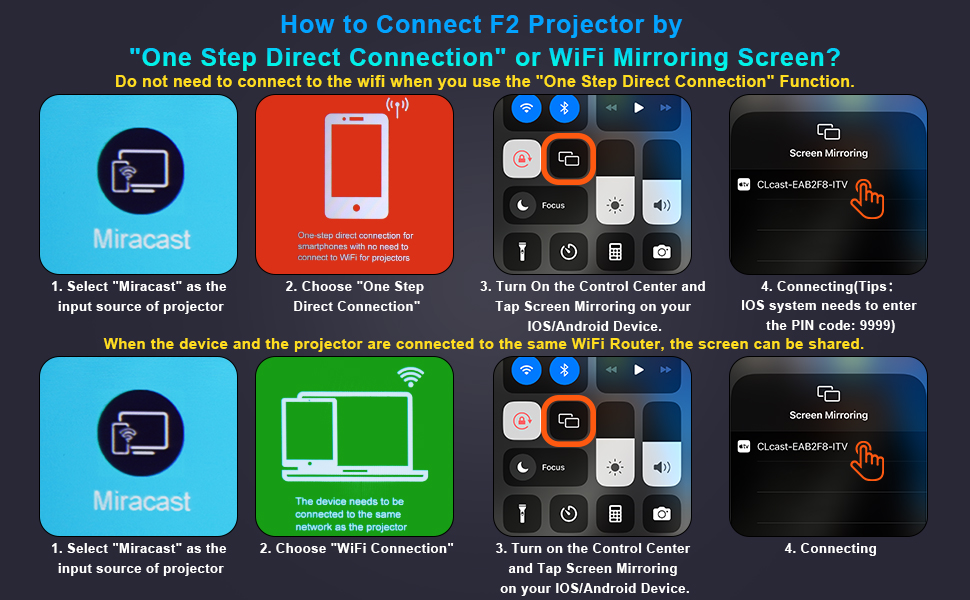
Figure 3.2: Multiple connection options on the VYSER F2 Projector.
- د HDMI پورټونه (x2): Connect to devices like laptops, TV sticks, gaming consoles (e.g., PS5/Xbox).
- د USB پورټونه (x2): د میډیا پلې بیک لپاره USB ډرایوونه وصل کړئ.
- د AV پورټ: د AV کیبل په کارولو سره زړو وسیلو سره وصل شئ.
- د 3.5mm آډیو تولید: بهرني سپیکرې یا هیډفونونه وصل کړئ.
- د بریښنا ننوتل: د بریښنا کیبل سره وصل کړئ.
- Cooling Windows: د تودوخې د ضایع کیدو لپاره مناسب هوا تضمین کړئ.
- On-board Controls: Buttons for power, menu, input source, and navigation.
3.3 360 Degree View د پروجیکټر
Video 3.1: A comprehensive 360-degree view of the VYSER F2 Projector, showcasing its design and various ports from all angles.
4. ترتیب کول
Follow these steps to set up your VYSER F2 Projector for the first time.
4.1 ځای پرځای کول
Place the projector on a stable, flat surface. Ensure there is adequate ventilation around the projector to prevent overheating. The projection distance can range from 5-15 feet, allowing for an adjustable screen size of 50-300 inches.
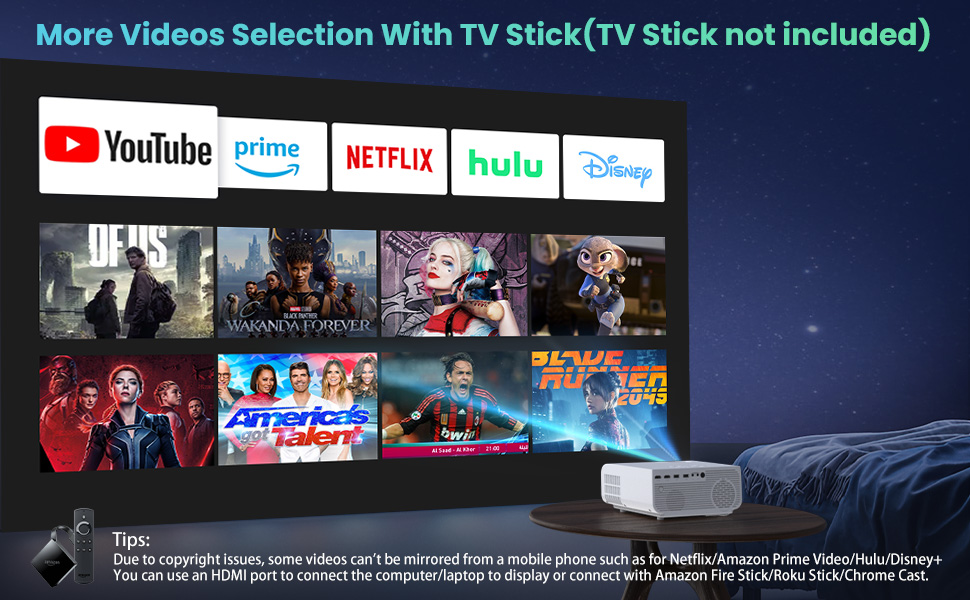
Figure 4.1: Adjustable display size from 50 to 300 inches.
The projector can be placed on a table, mounted on a tripod, or ceiling-mounted. Use the adjustable foot at the bottom of the projector to fine-tune the projection angle if needed.
4.2 د بریښنا نښلول
- Connect the power cable to the Power Input port on the projector.
- د برښنا کیبل بل پای د بریښنا په پای کې ولګوه.
- Press the Power button on the projector or remote control to turn it on.
۴.۳ تمرکز او د کیسټون سمون
- د تمرکز سمون: Rotate the focus lens ring on the front of the projector until the image appears clear and sharp.
- د کیسټون سمون: Use the keystone correction dial (usually on top or side) to adjust the image shape if it appears trapezoidal. The projector supports ±15° keystone correction.
5. عملیاتي لارښوونې
Learn how to connect your devices and utilize the various features of your projector.
5.1 د نښلولو وسایل
The VYSER F2 Projector offers multiple ways to connect your devices:
- HDMI: For high-definition video and audio from laptops, gaming consoles, TV boxes, etc.
- USB: د میډیا لوبولو لپاره fileپه مستقیم ډول د USB فلش ډرایو څخه.
- ای وی: For connecting older devices with AV output.
5.2 Wireless Connectivity (Screen Mirroring)
The projector supports 5G/2.4G WiFi for seamless screen mirroring from your smartphone or tablet.
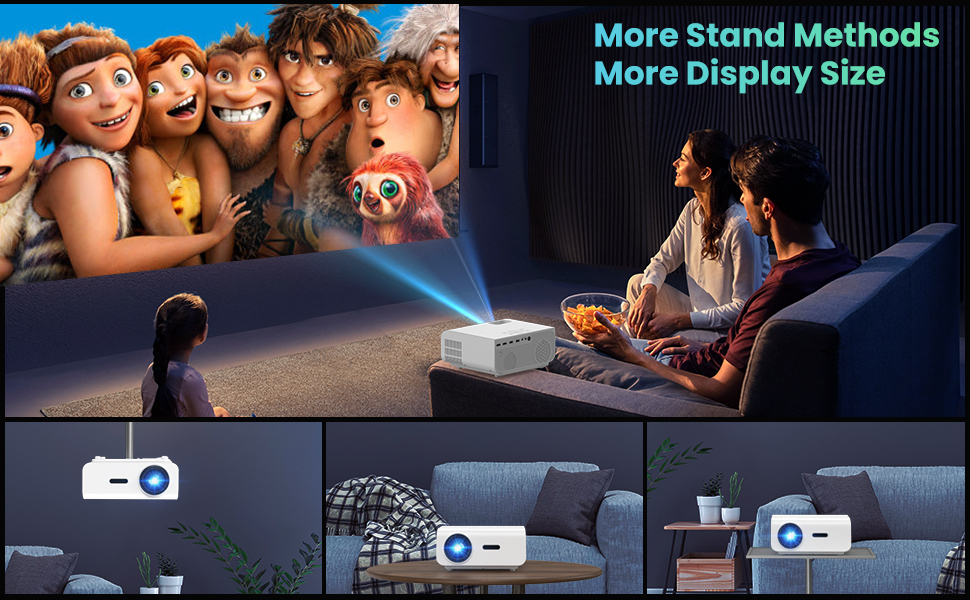
Figure 5.1: 5G/2.4G WiFi Screen Mirroring for various devices.
One-Step Direct Connection: This feature allows direct connection to your phone without needing a WiFi network. Ideal for outdoor use or when a router is unavailable.
Video 5.1: Demonstration of the F2 Projector's One-Step Direct Connection with WiFi and Bluetooth, showing quick setup for phone mirroring.
For detailed steps on screen mirroring, refer to the on-screen instructions by selecting "Miracast" from the input source menu.
Note: Due to copyright restrictions, some streaming services (e.g., Netflix, Amazon Prime Video, Hulu, Disney+) may block screen mirroring. For these services, it is recommended to use an HDMI connection with a compatible device like a Fire TV Stick, Roku Stick, or laptop.
5.3 د بلوتوث اتصال
The projector features Bluetooth 5.1 for connecting to external Bluetooth speakers or headphones, enhancing your audio experience.

Figure 5.2: Bluetooth connection for external audio devices.
To connect: Navigate to the Bluetooth settings on the projector, enable Bluetooth, and select your desired audio device from the list of available devices. (Note: The projector connects to Bluetooth speakers, not directly to smartphones/tablets via Bluetooth for audio input).
5.4 د مینو نیویګیشن
Use the remote control or the on-board buttons to navigate the projector's menu. Options typically include input source selection, picture settings (brightness, contrast, color), sound settings, and system settings.
6. ساتنه
مناسب ساتنه ستاسو د پروجیکټر اوږد عمر او غوره فعالیت تضمینوي.
- د عینکو پاکول: د پروجیکټر لینز په نرمۍ سره پاکولو لپاره د نظري لینزونو لپاره په ځانګړي ډول ډیزاین شوی نرم، لینټ نه پاک ټوکر وکاروئ. د کثافاتو موادو یا سخت کیمیاوي موادو څخه ډډه وکړئ.
- د دوړو لرې کول: Regularly clean the cooling vents to prevent dust buildup, which can affect performance and lifespan. Use a soft brush or compressed air.
- ذخیره کول: کله چې د اوږدې مودې لپاره نه کارول کیږي، پروجیکټر په یخ او وچ ځای کې وساتئ، په غوره توګه په خپل اصلي بسته بندۍ یا محافظتي پوښ کې.
- په سمه توګه د بریښنا بندول: تل د بریښنا تڼۍ په کارولو سره پروجیکټر بند کړئ او پریږدئ چې یخ شي مخکې لدې چې یې خلاص کړئ یا حرکت ورکړئ.
7. ستونزه حل کول
که تاسو د خپل پروجیکټر سره ستونزې سره مخ شئ، نو لاندې عام د ستونزو حل کولو مرحلو ته مراجعه وکړئ:
| ستونزه | احتمالي لامل / حل |
|---|---|
| هیڅ انځور یا "نه سیګنال" پیغام نشته |
|
| خړ انځور |
|
| Trapezoidal image |
|
| هیڅ غږ یا ټیټ غږ نشته |
|
| Screen mirroring issues (e.g., Netflix not working) |
|
| Projector overheating or shutting down |
|
8. مشخصات
Key technical specifications for the VYSER F2 Projector:
| فیچر | تفصیل |
|---|---|
| برانډ | VYSER |
| ماډل | F2 پروجیکٹر |
| اصلي حل | ۱۹۲۰ x ۱۰۸۰ (اصلي ۱۰۸۰P) |
| روښانتیا | 12000 Lux (350 ANSI Lumens) |
| د تناسب تناسب | 10000:1 (implied from image comparison) |
| د پروجیکشن اندازه | 50-300 انچه |
| د پروجیکشن فاصله | 5-15 فوټ |
| د ارتباط ټیکنالوژي | Wireless (5G/2.4G WiFi), Bluetooth 5.1, HDMI (x2), USB (x2), AV, 3.5mm Audio Out |
| د کیسټون اصلاح | ±15° لارښود |
| د توکي وزن | ۲.۴۵ پونډه |
| رنګ | White-White |
9. تضمین او ملاتړ
VYSER is committed to providing excellent customer service and technical support for your projector.
- د ټول عمر د پیرودونکي خدمت: Enjoy lifetime customer service and technical support for your VYSER F2 Projector.
- For any inquiries, technical assistance, or warranty claims, please contact VYSER customer support through the platform where you purchased the product or refer to the official VYSER webد اړیکو معلوماتو لپاره سایټ.
Ask a question about this manual
Ask about setup, troubleshooting, compatibility, parts, safety, or missing instructions. Manuals+ will review the question and use this page’s manual context to help answer it.