
CelsusSound S100
CelsusSound S100 Bone Conduction Headphones User Manual
Model: S100-GreyUS
برانډ: سیلسس ساؤنډ
پیژندنه
This manual provides detailed instructions for the safe and effective use of your CelsusSound S100 Bone Conduction Headphones. Please read this manual thoroughly before operating the device and retain it for future reference.
په بکس کې څه دي
ډاډ ترلاسه کړئ چې ټول توکي په کڅوړه کې شتون لري:
- 1 x CelsusSound S100 Bone Conduction Headphones
- 1 x د ډول-C چارج کیبل
- ۱ x لارښود لارښود (دا سند)
- 1 x Headphone Box (Carrying Case)

Image: The CelsusSound S100 Bone Conduction Headphones, showcasing their sleek, over-ear design.
چمتو کول
1. د هیډفون چارج کول
Before first use, fully charge your S100 headphones. The headphones feature a Type-C charging port.
- ورکړل شوی ټایپ-سي چارجینګ کیبل د هیډفونونو چارج کولو پورټ سره وصل کړئ.
- د کیبل بل پای د یو مناسب USB بریښنا سرچینې سره وصل کړئ (د مثال په توګه، د کمپیوټر USB پورټ، دیوال اډاپټر).
- بشپړ چارج شاوخوا 2 ساعته وخت نیسي.
- The LED indicator will change color or turn off once charging is complete.

Image: Close-up of the CelsusSound S100 headphones showing the Type-C charging port and an indicator light, illustrating the charging process.
2. د بلوتوث جوړه کول
The S100 headphones utilize Bluetooth 5.2 for a fast and stable connection up to 33 feet (10 meters).
- ډاډ ترلاسه کړئ چې هیډفونونه بند دي.
- د بریښنا تڼۍ فشار ورکړئ او ونیسئ تر هغه چې د LED شاخص نیلي او سور روښانه شي، د جوړه کولو حالت په ګوته کوي.
- On your device (smartphone, tablet, PC, smart watch), enable Bluetooth and search for available devices.
- Select "S100" from the list of found devices.
- یوځل چې وصل شي، د LED شاخص به معمولا یو قوي نیلي رڼا یا ورو ورو فلش وښيي.
- The headphones are compatible with iOS and Android phones, tablets, PCs, and TVs.

Image: A graphic illustrating the Bluetooth 5.2 connection process between the S100 headphones and a mobile phone, highlighting the wireless signal.
عملیاتي لارښوونې
کنټرولونه
The S100 headphones feature multi-function buttons for easy control:
- د بریښنا تڼۍ: د بریښنا د فعالولو/بندولو لپاره فشار ورکړئ او ونیسئ. د موسیقۍ غږولو/بندولو یا زنګونو ته ځواب ورکولو/پای ورکولو لپاره لنډ فشار ورکړئ.
- حجم پورته (+): د حجم زیاتولو لپاره لنډ فشار ورکړئ. د راتلونکي ټریک لپاره اوږد فشار ورکړئ.
- حجم ښکته (-): د حجم کمولو لپاره لنډ فشار ورکړئ. د پخوانۍ ټریک لپاره اوږد فشار ورکړئ.
- د غږ کنټرول: Double-tap the Power button to activate your device's voice assistant.

Image: A diagram showing the location and function of the control buttons on the CelsusSound S100 headphones, including volume, power, and Type-C charging port.
Open-Ear Comfort and Awareness
Designed with an innovative open-ear structure, the S100 headphones allow you to enjoy high-quality audio while remaining aware of your surroundings. This is particularly beneficial for outdoor activities like running, cycling, or working, where situational awareness is crucial for safety.

Image: A person wearing the CelsusSound S100 headphones, demonstrating the open-ear design that allows for environmental awareness, along with icons for lightweight, stable design, built-in mic, and 360° foldable.
Waterproof and Sweatproof Design
The S100 headphones are IP54 rated, making them resistant to sweat and light rain. This design ensures durability and reliable performance during various sports and outdoor activities such as fitness, running, cycling, rock climbing, and yoga.

Image: The CelsusSound S100 headphones shown with water droplets, emphasizing their IP54 waterproof and sweatproof capabilities, suitable for various outdoor sports.
Audio Quality and Microphone
Experience high-fidelity stereo audio with the S100's bone conduction technology and speaker unit. The sound profile is balanced with clear highs, soft mids, and deeper bass. The built-in dual microphones feature advanced ENC (Environmental Noise Cancellation) technology, reducing ambient noise for clear high-definition voice calls.
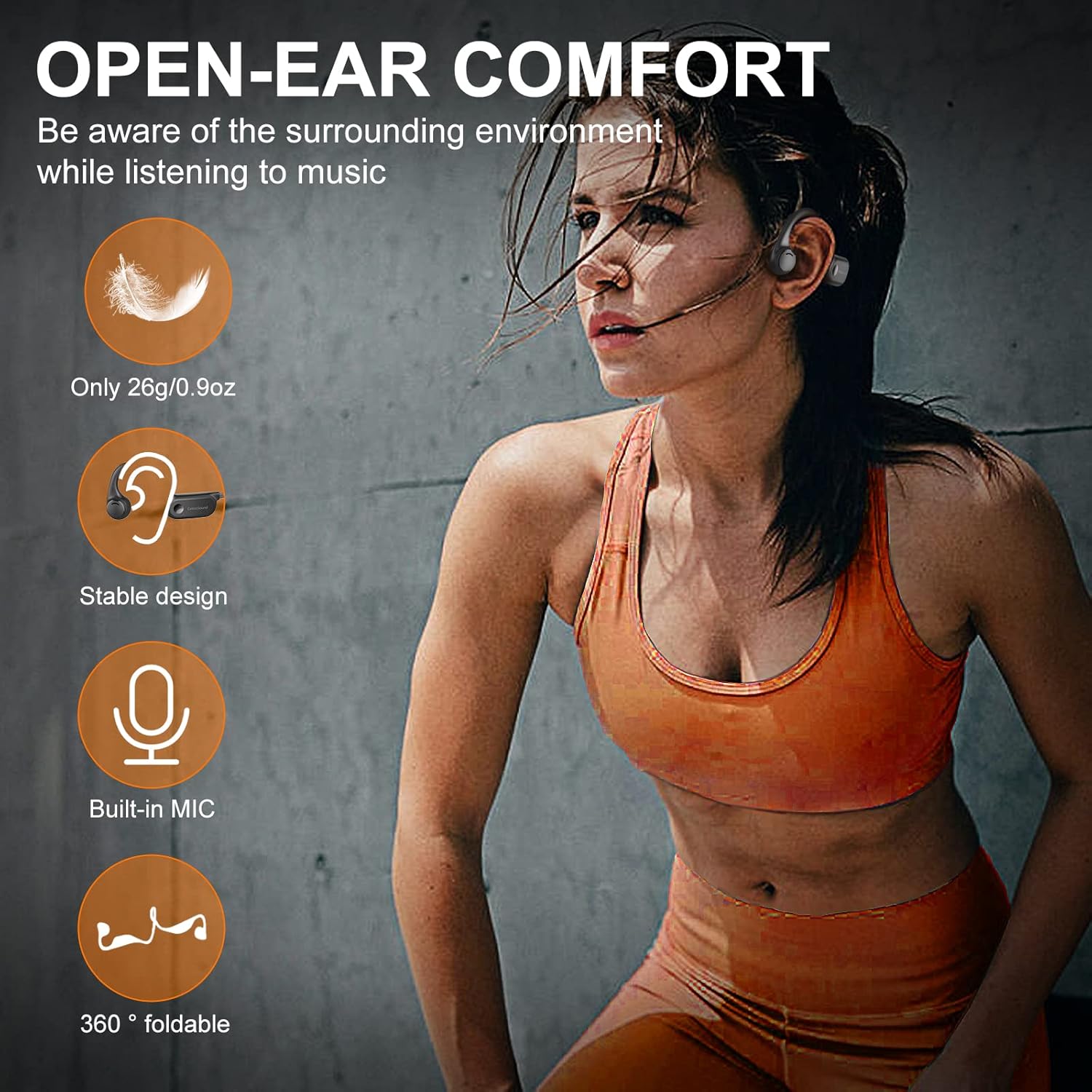
Image: A visual representation of the internal components of the CelsusSound S100 headphones, highlighting the innovative combination of bone conduction technology and speaker unit for Hi-Fi stereo sound, with a graph showing "Better Sound Effects" compared to others.
د بیټرۍ فعالیت
The S100 headphones are equipped with a 220mAh high-quality lithium battery, providing up to 10 hours of continuous music playback and call time. The standby time is up to 360 hours.

Image: A graphic illustrating the battery performance of the CelsusSound S100 headphones, showing 360 hours standby, 10 hours playtime, and 2 hours charging time, with a battery icon indicating 10H Music Play.
ساتنه
- هیډفونونه په منظم ډول د نرم او وچ ټوکر سره پاک کړئ.
- د کثافاتو پاکونکو یا محلولونو کارولو څخه ډډه وکړئ.
- ډاډ ترلاسه کړئ چې د چارج کولو پورټ پوښ په خوندي ډول تړل شوی کله چې چارج نه وي ترڅو د IP54 اوبو مقاومت وساتي.
- هیډفونونه په یخ او وچ ځای کې وساتئ، د سختې تودوخې او مستقیم لمر وړانګو څخه لرې.
- The memory titanium material allows for 360° bending; however, avoid excessive force to prevent damage.
د ستونزو حل کول
| ستونزه | احتمالي لامل | د حل لاره |
|---|---|---|
| بریښنا نشي چلولی | ټیټ بیټرۍ | هیډفونونه په بشپړ ډول چارج کړئ. |
| د وسیلې سره جوړه نشي کیدی | هیډفونونه د جوړې کولو په حالت کې ندي؛ په وسیله کې بلوتوټ بند دی؛ وسیله ډیره لرې ده. | ډاډ ترلاسه کړئ چې هیډفونونه د جوړې کولو حالت کې دي (په نیلي/سور رنګ کې ځلیږي). په خپل وسیله کې بلوتوث فعال کړئ. وسیله د هیډفونونو سره نږدې کړئ. |
| نه غږ یا ټیټ حجم | غږ ډېر ټیټ دی؛ هیډفونونه نه دي وصل شوي؛ په وسیله کې غلط آډیو آوټ پټ غوره شوی دی. | Increase volume on headphones and device. Re-pair headphones. Check device's audio output settings. |
| د مایکروفون ضعیف کیفیت | Environmental noise; microphone obstructed. | Ensure microphone is clear. Move to a quieter environment if possible. |
مشخصات
| فیچر | تفصیل |
|---|---|
| د ماډل نوم | S100 |
| د ارتباط ټیکنالوژي | بېسیم (بلوتوث ۵.۳) |
| د بلوتوټ رینج | تر 33 فوټو پورې (10 متره) |
| د بیټرۍ ژوند | تر 10 ساعتو لوبو پورې |
| ولاړ وخت | تر 360 ساعتونو پورې |
| د چارج کولو وخت | نږدې 2 ساعته |
| د اوبو د مقاومت کچه | IP54 (Sweatproof) |
| د آډیو ډرایور ډول | د هډوکو د چلولو چلوونکی |
| مایکروفون | Built-in with ENC Noise Reduction |
| مواد | Silicone and Memory Titanium |
| د توکي وزن | 0.9 اوز (26g) |
| د غوږ ځای پرځای کول | غوږ خلاص کړئ |
تضمین او ملاتړ
CelsusSound stands behind the quality of its products. For warranty information, technical support, or any inquiries, please refer to the contact details provided on the product packaging or visit the official CelsusSound webسایټ
مهرباني وکړئ د تضمین ادعاګانو لپاره د پیرود ثبوت وساتئ.
Ask a question about this manual
Ask about setup, troubleshooting, compatibility, parts, safety, or missing instructions. Manuals+ will review the question and use this page’s manual context to help answer it.