
1. پیژندنه
This manual provides detailed instructions for the safe and efficient operation of your Zebronics Zeb-Buddy 100 Portable Bluetooth Speaker. Please read this manual thoroughly before using the device and retain it for future reference.
2. محصول ختم شوview او ځانګړتیاوې
The Zebronics Zeb-Buddy 100 is a portable Bluetooth v5.0 speaker designed for versatile audio playback. It features a compact design with an integrated handle for easy transport and a mobile holder for hands-free use. Key features include:
- د بلوتوث v5.0 اتصال: د بېسیم آډیو سټریمینګ لپاره.
- د TWS فعالیت: Allows pairing of two Zeb-Buddy 100 speakers for stereo audio.
- تار لرونکی مایکروفون: Includes a 6.3mm wired microphone for karaoke.
- د پلې بیک ډیری اختیارونه: Supports AUX, micro SD card, and USB input.
- جوړ شوی ایف ایم راډیو: For listening to radio stations.
- د رسنیو کنټرول: Integrated buttons for easy control of playback.
- د چارج وړ بیټرۍ: Provides up to 5 hours of playback time.
- د RGB رڼا طریقې: Multiple light modes for enhanced ambiance.
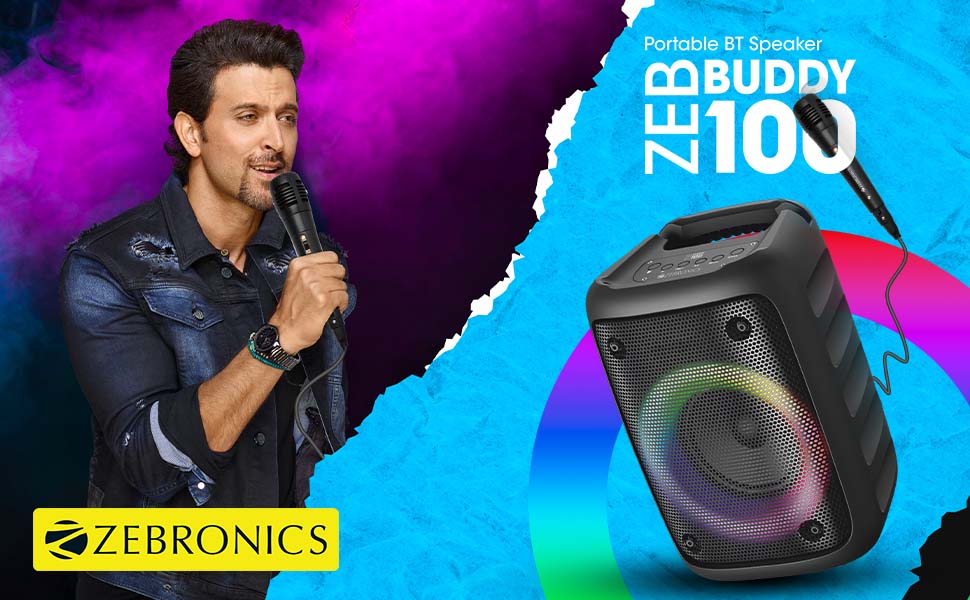
Image: The Zeb-Buddy 100 speaker shown with its included wired microphone, highlighting its portable design and control panel.
انځور: یو زاویه لرونکی view of the Zeb-Buddy 100 speaker, showcasing its compact form factor and side details.
3. ترتیب کول
۳.۱ د سپیکر چارج کول
- د چارج کولو کیبل د سپیکر د چارج کولو پورټ سره وصل کړئ.
- Connect the other end of the cable to a suitable USB power adapter (not included).
- د چارج کولو شاخص به روښانه شي. بشپړ چارج نږدې 4 ساعته وخت نیسي.
3.2 د بلوتوټ جوړه کول
- د بریښنا تڼۍ په فشار او نیولو سره سپیکر ته بریښنا ورکړئ.
- The speaker will enter Bluetooth pairing mode, indicated by a flashing LED.
- په خپل ګرځنده وسیله کې، بلوتوټ فعال کړئ او د شته وسایلو لټون وکړئ.
- Select "Zeb-Buddy 100" from the list to pair.
- Once paired, the speaker will confirm the connection, and the LED will stop flashing.
۳.۴ TWS (ریښتینی بې سیم سټیریو) جوړه کول
To experience stereo audio, you can pair two Zeb-Buddy 100 speakers together:
- Ensure both Zeb-Buddy 100 speakers are powered on and not connected to any Bluetooth device.
- په یوه سپیکر کې (دا به لومړنی سپیکر وي)، د TWS تڼۍ فشار ورکړئ او ونیسئ.
- لومړنی ویناوال به د دوهم ویناوال لټون وکړي.
- Once connected, both speakers will indicate a successful TWS pairing.
- Now, connect your mobile device to the primary speaker via Bluetooth as described in section 3.2. Audio will play in stereo through both speakers.

Image: Three Zeb-Buddy 100 speakers demonstrating their multiple RGB light modes, illustrating the TWS capability.
4. عملیاتي لارښوونې
4.1 د حالت انتخاب
Press the 'M' (Mode) button on the speaker to switch between Bluetooth, AUX, Micro SD, USB, and FM Radio modes.
۳ آډیو غږول
- پلی کول / ودرول: د Play/Pause تڼۍ کېکاږئ.
- بله لار: د 'بل' تڼۍ کېکاږئ.
- مخکینی لار د 'مخکینی' تڼۍ کېکاږئ.
- حجم پورته کول: Press and hold the 'Next' button.
- کموالی: Press and hold the 'Previous' button.
۶.۳ د کاراوکی فعالیت
- Connect the wired microphone to the 6.3mm microphone input port on the speaker.
- Adjust the microphone volume using the dedicated knob on the speaker (if available) or through the main volume controls.
- Ensure music is playing from your chosen source (Bluetooth, AUX, etc.) for background audio.
د ۶.۵ ایف ایم راډیو عملیات
- د 'M' تڼۍ په کارولو سره د FM راډیو حالت ته لاړ شئ.
- Press the Play/Pause button once to auto-scan and save available FM channels.
- Use the 'Next' and 'Previous' buttons to navigate between saved channels.
5. ساتنه
To ensure the longevity and optimal performance of your Zeb-Buddy 100 speaker:
- سپیکر د اوبو، رطوبت او مستقیم لمر وړانګو څخه لرې وساتئ.
- سپیکر په نرم او وچ ټوکر پاک کړئ. سخت کیمیاوي مواد یا د کثافاتو پاکوونکي مه کاروئ.
- د سپیکر قوي تاثیراتو ته د غورځولو یا تابع کولو څخه ډډه وکړئ.
- په یخ او وچ ځای کې ذخیره کړئ کله چې د اوږدې مودې لپاره نه کارول کیږي.
6. ستونزه حل کول
| ستونزه | احتمالي لامل | د حل لاره |
|---|---|---|
| سپیکر نه چالانېږي. | ټیټ بیټرۍ یا هیڅ چارج نشته. | سپیکر په بشپړه توګه چارج کړئ. |
| د بلوتوث له لارې جوړه نشي کیدی. | سپیکر د جوړې کولو په حالت کې نه دی؛ د وسیلې بلوتوټ بند دی؛ له سپیکر څخه ډیر لرې دی. | Ensure speaker is in pairing mode. Turn Bluetooth on/off on your device. Move device closer to speaker. |
| غږ نشته. | Volume too low; incorrect mode selected; faulty cable (AUX/USB). | Increase volume. Select correct input mode. Check/replace cables. |
| د TWS جوړه ناکامه شوه. | Speakers already connected to another device; too far apart. | Disconnect speakers from other devices. Ensure speakers are close to each other. |
| مایکروفون کار نه کوي. | Microphone not fully plugged in; volume too low. | Ensure microphone is securely connected. Adjust microphone volume. |
7. مشخصات
- نښه: زربونیکس
- د موډل نوم: زیب بډی ۶۰۰
- د ارتباط ټیکنالوژي: مرستندویه، بلوتوث، USB، بېسیم
- د بلوتوت نسخه: v5.0
- د سپیکر اعظمي تولید ځواک: 15 واټ
- د تعدد ځواب: ۲۰ هرټز - ۴۰ کلو هرټز
- د آډیو محصول حالت: سټیریو (د TWS سره)
- د سپیکر اندازه: 52 Millimetres (Driver)
- د بریښنا سرچینه: د بیټرۍ چلول
- د بیټرۍ د چارج وخت: 4 ساعته
- د لوبیدو وخت: 5 ساعته
- د کنټرول طریقه: ټچ کنټرول
- مطابقت لرونکي وسایل: سمارټ فون، ټابلیټ
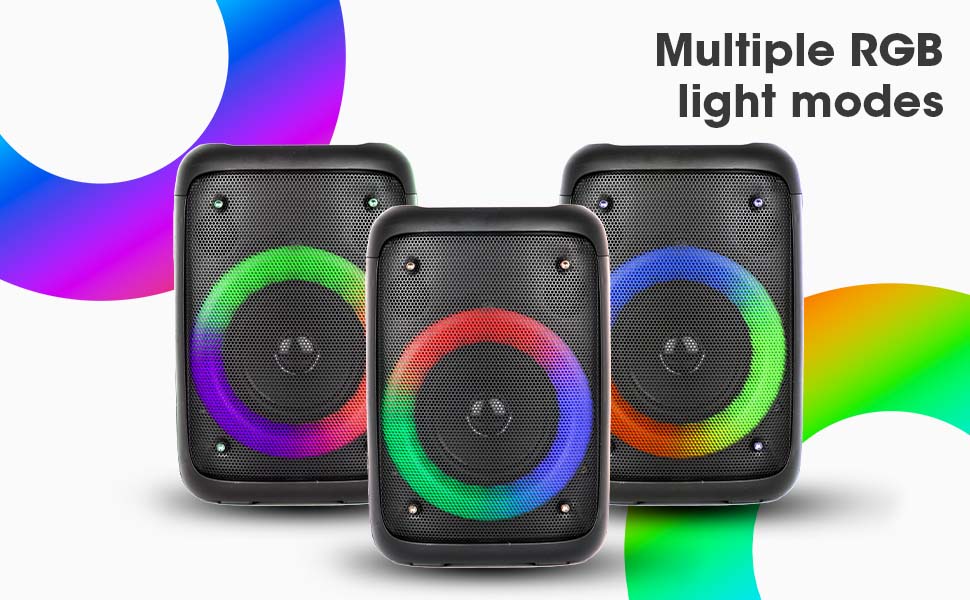
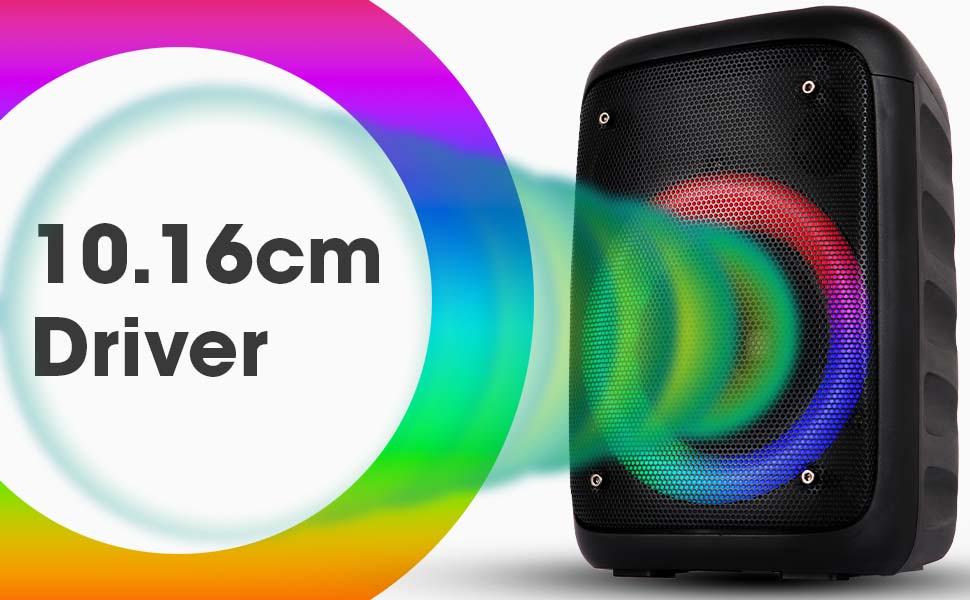
Image: The Zeb-Buddy 100 speaker with an overlay indicating its 10.16cm (4-inch) driver size.
8. تضمین او ملاتړ
The Zebronics Zeb-Buddy 100 comes with a د یو کال د بار وړلو تضمین to the service center. For any support, service, or warranty claims, please contact Zebronics customer support or visit their official website for service center locations and contact information.
مهرباني وکړئ د تضمین تصدیق لپاره خپل د پیرود رسید وساتئ.