
پروسکان PDVD1332
Proscan 13.3" Portable DVD Player
Model: PDVD1332 - User Manual
پیژندنه
This manual provides comprehensive instructions for the safe and efficient operation of your Proscan 13.3" Portable DVD Player, model PDVD1332. Please read this manual thoroughly before using the device and retain it for future reference.
د خوندیتوب مهم معلومات
د بریښنایی شاک، اور، یا ټپي کیدو خطر کمولو لپاره، تل د دې محصول کارولو پرمهال د خوندیتوب لومړني احتیاطي تدابیر تعقیب کړئ.
- واحد باران یا رطوبت ته مه ښکاره کوئ.
- د وینټیلیشن هیڅ خلاصون مه بندوئ.
- یوازې د جوړونکي لخوا مشخص شوي ضمیمې / لوازم وکاروئ.
- د برښنا د طوفان په وخت کې یا کله چې د اوږدې مودې لپاره نه کارول کیږي یونټ خلاص کړئ.
- ټول خدمتونه وړ خدمت پرسونل ته راجع کړئ.
د بسته محتويات
ډاډ ترلاسه کړئ چې لاندې ټول توکي ستاسو په بسته کې شامل دي:
- Proscan 13.3" Portable DVD Player (PDVD1332)
- ریموټ کنټرول
- د AC ځواک اډیپټر
- د موټر چارجر
- غوږوالۍ
- د کارن لارښود

Image showing the Proscan 13.3" Portable DVD Player alongside its travel essentials: remote control, earbuds, car charger, and AC power adapter. These accessories are designed to enhance the user's experience, especially during travel.
محصول پای ته ورسیدview
Familiarize yourself with the various components and controls of your portable DVD player.
مخ او پورته View

The Proscan 13.3" Portable DVD Player shown open, displaying its large screen and the intuitive control panel located on the base. The screen is swiveled for optimal viewing.
اړخ View او بندرونه

یوه مفصله اړخ view of the Proscan Portable DVD Player, illustrating the accessible ports including USB, Card Slot (SD/MMC), Headphone Jack, AV Out, AV In, On/Off Switch, and DC 12V Power input.
کلیدي کنټرولونه:
- MODE/SETUP: Access menu settings.
- VOL +/-: د حجم کچه تنظیم کړئ.
- پلی/پاز: پلے بیک پیل یا بند کړئ.
- ودرول: بیا غږول بند کړئ.
- مخکینی/بل: Navigate tracks or chapters.
- USB/SD/MMC: Ports for external media.
- د AV دننه/بهر: Audio/Video input and output.
- DC 12V: د AC اډاپټر یا موټر چارجر لپاره د بریښنا ان پټ.
چمتو کول
د بیټرۍ چارج کول
The portable DVD player is equipped with a built-in lithium-polymer battery for extended playback. Before first use, fully charge the battery.
- Connect the AC power adapter to the DC 12V input port on the player.
- د AC بریښنا اډاپټر په معیاري دیوال کې ولګوئ.
- The charging indicator light will illuminate. Once fully charged, the light may change color or turn off (refer to specific indicator behavior in the manual if available).
- For car use, connect the car charger to the DC 12V input and plug it into your vehicle's cigarette lighter socket.
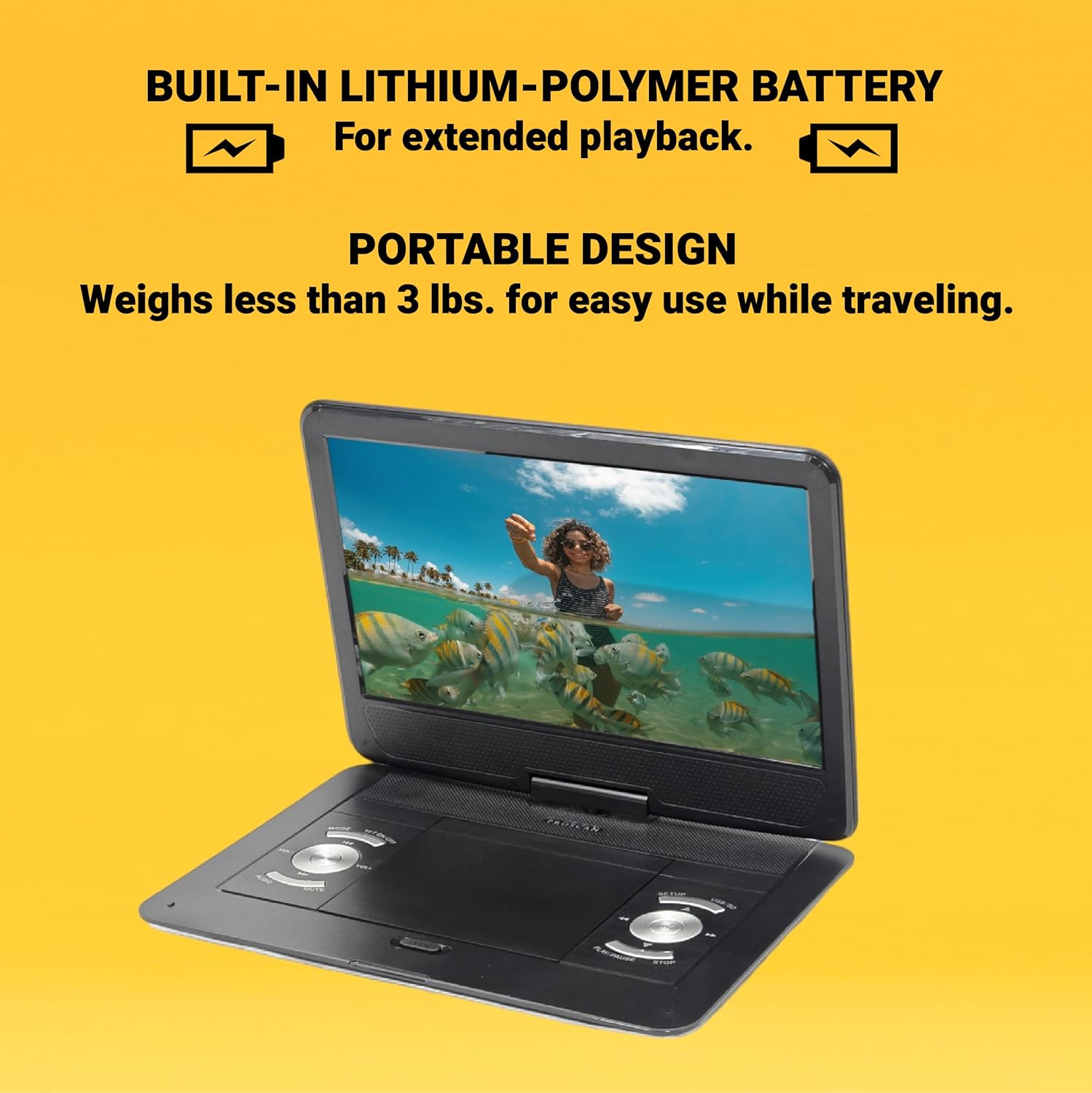
This image emphasizes the Proscan Portable DVD Player's built-in lithium-polymer battery, which provides extended playback, and its lightweight, portable design, weighing less than 3 lbs, making it ideal for travel.
بریښنا کول / بند کول
- د بریښنا د فعالولو لپاره، د ON/OFF سویچ "ON" حالت ته سلایډ کړئ.
- د بریښنا بندولو لپاره، د ON/OFF سویچ "بند" حالت ته سلایډ کړئ.
عملیاتي لارښوونې
Playing a DVD/CD
- د ډیسک کمپارټمینټ پوښ خلاص کړئ.
- Carefully place a DVD or CD onto the disc spindle with the label side facing up.
- ډیسک په نرمۍ سره فشار ورکړئ تر هغه چې دا په خپل ځای کې راشي.
- د ډیسک کمپارټمینټ پوښ وتړئ.
- The player will automatically begin reading the disc. If not, press the پلی/پاز تڼۍ
Using USB/SD/MMC Media
The player supports MP3 and JPEG files from USB drives, SD cards, and MMC cards.
- Insert your USB drive into the USB port or your SD/MMC card into the card slot.
- د کارولو موډ button to select the appropriate input source (USB or CARD).
- د خپل له لارې نیویګیټ کړئ files کاروي مخکینی/بل buttons and select with the پلی/پاز تڼۍ
د حجم تنظیم کول
د کارولو VOL +/- buttons on the player or the remote control to adjust the audio volume.
د ریموټ کنټرول په کارولو سره
The included remote control provides full functionality for operating the DVD player from a distance. Ensure the remote has working batteries and is pointed towards the player's IR sensor.
ساتنه او پالنه
- د سکرین پاکول: Use a soft, lint-free cloth to gently wipe the screen. Do not use liquid cleaners or abrasive materials.
- د واحد پاکول: د لوبغاړي بهرنۍ برخه د نرم او وچ ټوکر سره پاک کړئ.
- د ډیسک پاملرنه: ډیسکونه د هغوی د څنډو سره لاس کړئ. پاک او له سکریچونو څخه پاک وساتئ. کله چې کارول نه وي نو ډیسکونه د دوی په بکسونو کې وساتئ.
- ذخیره کول: کله چې د اوږدې مودې لپاره نه کارول کیږي، لوبغاړی په یخ او وچ ځای کې د مستقیم لمر وړانګو او سخت تودوخې څخه لرې وساتئ.
د ستونزو حل کول
| ستونزه | احتمالي لامل | د حل لاره |
|---|---|---|
| هیڅ ځواک نشته | بیټرۍ ختمه شوې ده؛ د بریښنا اډاپټر په سمه توګه نه دی وصل شوی. | Charge the battery; Ensure power adapter is securely connected. |
| No disc playback | Disc inserted incorrectly; Disc is dirty or scratched; Incorrect region code. | Reinsert disc correctly; Clean or replace disc; Ensure disc is compatible with player's region. |
| غږ نشته | Volume too low; Mute function activated; Headphones not connected properly. | Increase volume; Deactivate mute; Reconnect headphones securely. |
| ریموټ کنټرول کار نه کوي | بیټرۍ مړه شوي یا په غلط ډول داخل شوي دي؛ د ریموټ او پلیر ترمنځ خنډ. | بیټرۍ بدل کړئ؛ سمه قطبي والی ډاډمن کړئ؛ خنډونه لرې کړئ. |
مشخصات
- ماډل: PDVD1332
- د سکرین اندازه: 13.3 انچه TFT LCD
- د ښودلو ډول: LCD
- ملاتړ شوي ډیسک فارمیټونه: DVD, DVD-R/RW, CD-R/RW
- Supported Media Formats: MP3, JPEG (via USB/SD/MMC)
- معلومات: USB, SD/MMC Card Slot, AV In, DC 12V
- پایلې: Headphone Jack, AV Out
- بیټرۍ: Built-in Lithium-Polymer
- وزن: تقریبا 4 پونډه
- ابعاد: نږدې 15.85 x 14.37 x 3.47 انچه
- رنګ: تور
تضمین او ملاتړ
This product is sold as a renewed item. Please refer to the specific warranty terms provided by the seller or retailer at the time of purchase. For technical support or service inquiries, please contact the seller or the Proscan customer service department. Keep your purchase receipt as proof of purchase for any warranty claims.
For further assistance, you may visit the official Proscan website or contact their customer support line, details for which are typically found on the product packaging or the seller's information page.
Ask a question about this manual
Ask about setup, troubleshooting, compatibility, parts, safety, or missing instructions. Manuals+ will review the question and use this page’s manual context to help answer it.