
پیژندنه
This manual provides detailed instructions for setting up, operating, maintaining, and troubleshooting your TECURS MK206 Wireless Gaming Mechanical Keyboard. Please read this manual thoroughly to ensure proper use and to maximize your keyboard's features.
محصول پای ته ورسیدview
The TECURS MK206 is an 80% TKL (Tenkeyless) mechanical keyboard designed for gaming and daily use, offering versatile connectivity options and customizable RGB lighting.
کلیدي ځانګړتیاوې:
- Triple Connection Modes: USB-C Wired, 2.4G Wireless, Bluetooth (up to 3 devices).
- 87-Key Compact Layout.
- Red Mechanical Switches for quiet and fast actuation.
- 18 Colorful RGB Backlit Effects with adjustable speed and brightness.
- Programmable Software (Windows only) for lighting and key customization.
- Ergonomic Design with adjustable tilt angles.
- Durable Rechargeable Battery.
- N-کیلي رول اوور.
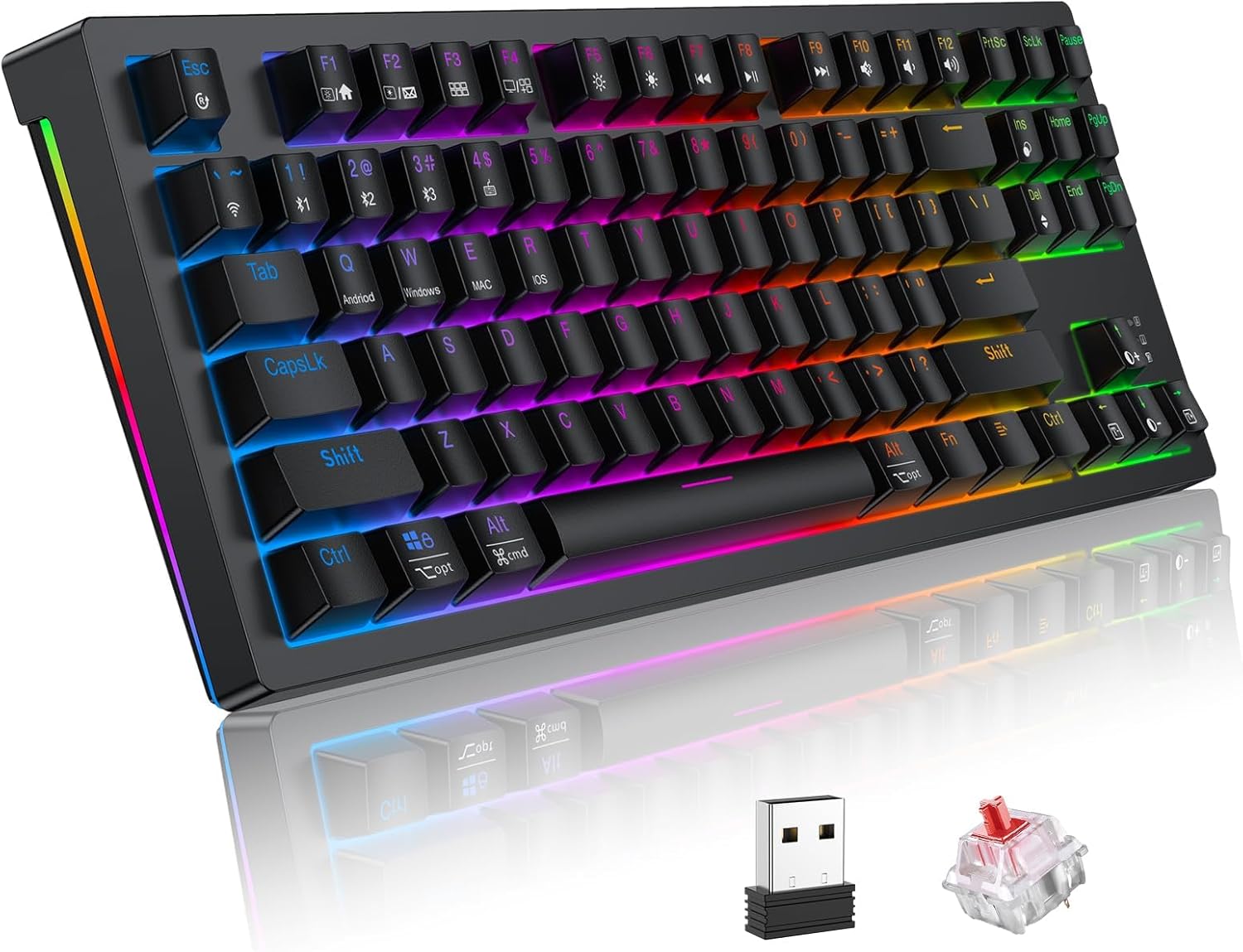
Image: TECURS MK206 Wireless Gaming Mechanical Keyboard, showcasing its compact design, included USB dongle, and a sample red mechanical switch.
چمتو کول
د بسته محتويات:
- TECURS MK206 Mechanical Keyboard
- USB-C کیبل
- 2.4G بې سیم رسیور
- کیکیپ پلر
- د کارونکي لارښود (دا لاسوند)
ستاسو د کیبورډ سره نښلول:
The keyboard supports three connection modes: Wired, 2.4G Wireless, and Bluetooth.
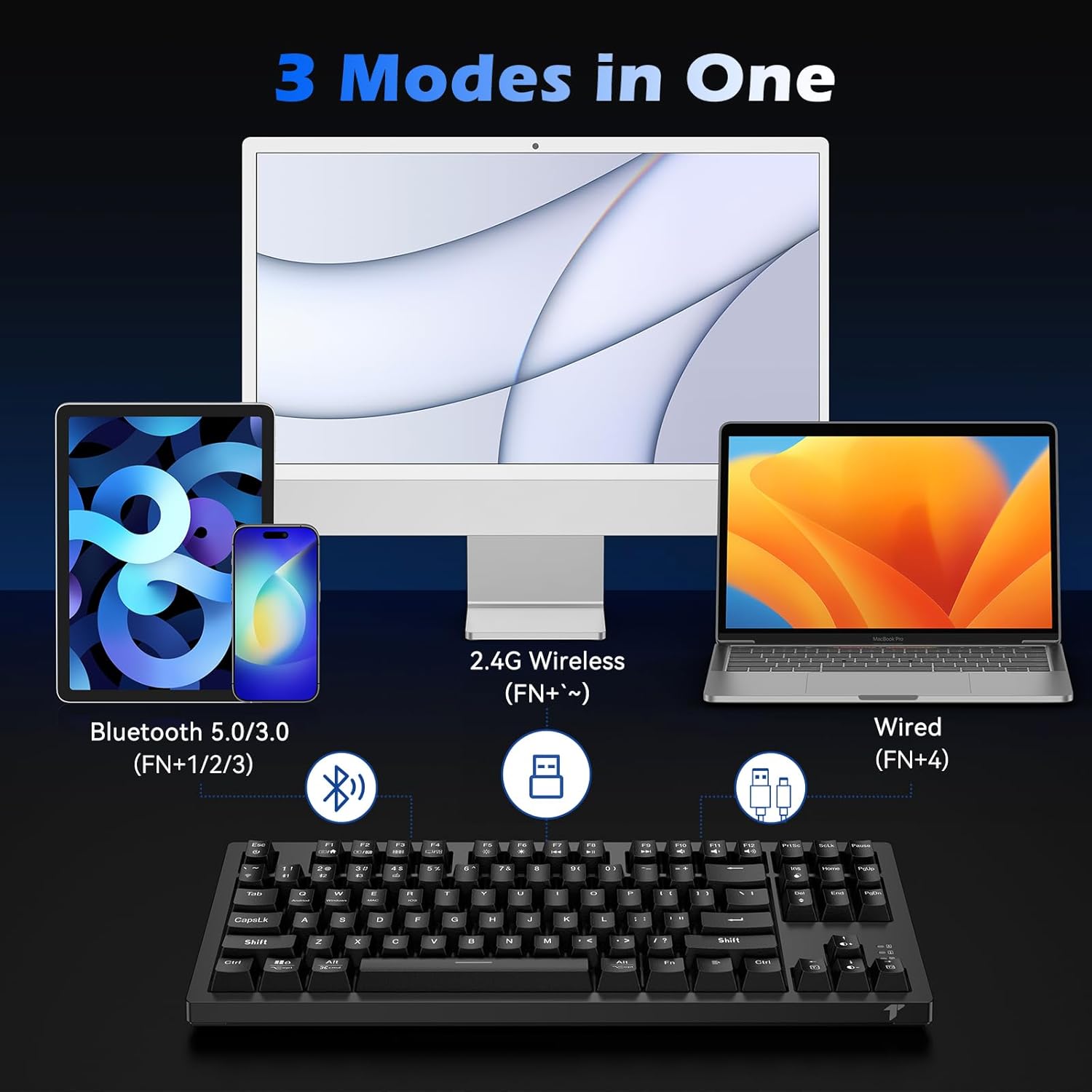
Image: Diagram illustrating the three connection modes: Bluetooth 5.0/3.0, 2.4G Wireless, and USB-C Wired.
1. Wired Mode (Fn+4):
Connect the provided USB-C cable from the keyboard to an available USB port on your computer. The keyboard will automatically switch to wired mode and begin charging.
2. 2.4G Wireless Mode (Fn+~):
Insert the 2.4G wireless receiver into a USB port on your computer. Turn on the keyboard. Press Fn + ~ (tilde key) to activate 2.4G wireless mode. The keyboard should connect automatically.
3. Bluetooth Mode (Fn+1, Fn+2, or Fn+3):
The keyboard can store up to three Bluetooth devices.
- کیبورډ چالان کړئ.
- فشار ورکړئ او ونیسئ Fn + 1 (یا 2، یا 3) for 3-5 seconds until the indicator light flashes rapidly, indicating pairing mode.
- On your device (PC, Mac, Tablet, Smartphone), search for Bluetooth devices and select "TECURS Keyboard" (or similar name).
- یوځل چې وصل شي، د شاخص څراغ به ځلیدل ودروي.
- د جوړه شوي بلوتوث وسیلو ترمنځ د بدلولو لپاره، په ساده ډول فشار ورکړئ Fn + 1, Fn + 2، یا Fn + 3.
عملیاتي لارښوونې
د RGB شاته رڼا کنټرول:
The keyboard features 18 colorful RGB backlight effects.
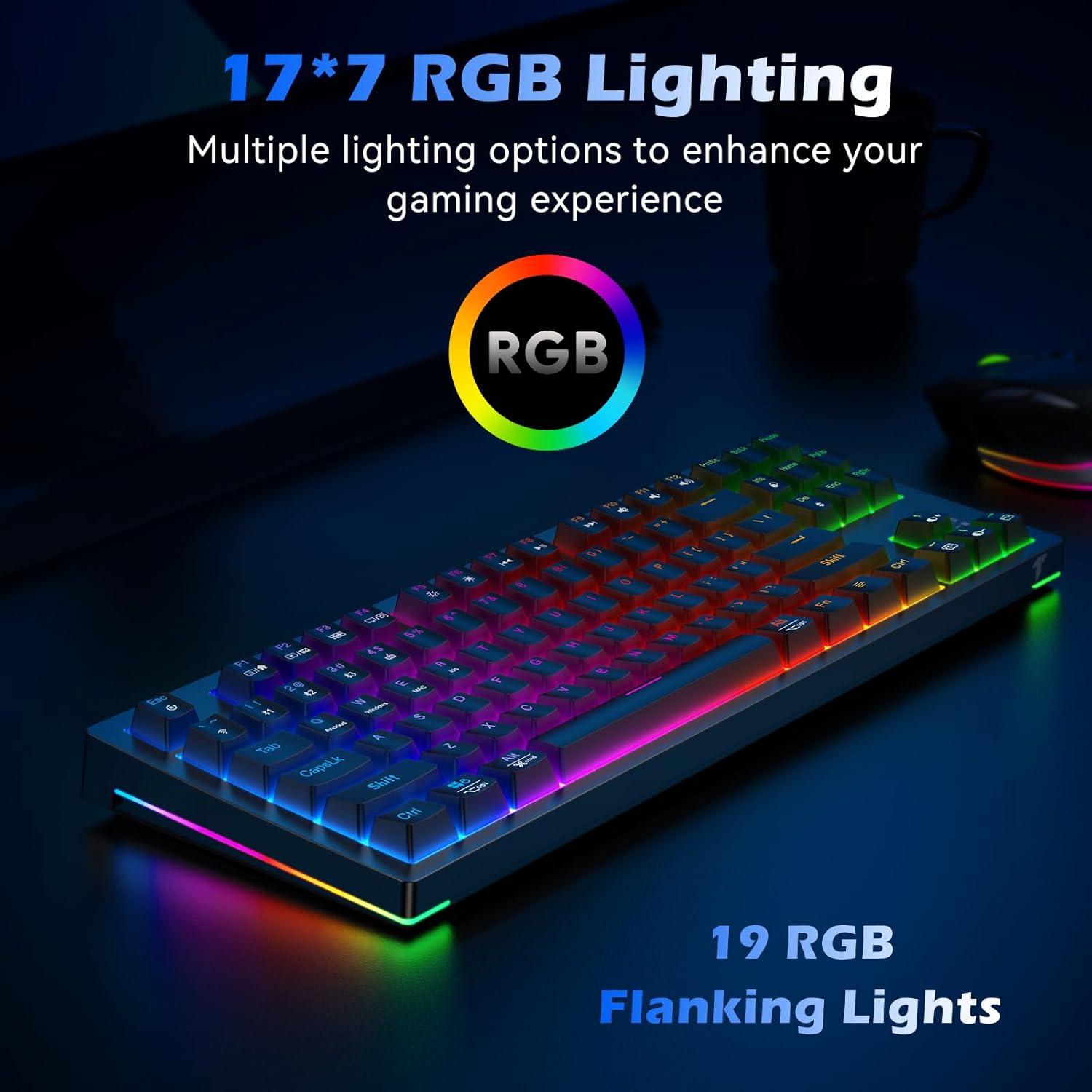
Image: The TECURS MK206 keyboard illuminated with vibrant RGB backlighting, highlighting the 19 RGB flanking lights.
- Fn + Ins: د بیک لایټ حالتونو له لارې سایکل وکړئ.
- Fn + ډیل: Change backlight colors (for certain modes).
- Fn + PgUp: د شاته رڼا روښانتیا زیاته کړئ.
- Fn + PgDn: Decrease backlight brightness (can turn off).
- Fn + کیڼ تیر: د بیک لایټ سرعت کم کړئ.
- Fn + ښي تیر: د بیک لایټ سرعت زیات کړئ.
ملټي میډیا او فعالیت کیلي:
د کارولو Fn key in combination with the F-keys for multimedia and system functions.

Image: Close-up of the keyboard's F-keys, illustrating their dual functions when combined with the Fn key, including media controls and lighting adjustments.
| کلیدي ترکیب | فعالیت |
|---|---|
| Fn + F1 | زما کمپیوټر |
| Fn + F2 | د لټون |
| Fn + F3 | محاسبه کوونکی |
| Fn + F4 | د رسنیو پلیر |
| Fn + F5 | مخکینی ټریک |
| Fn + F6 | بله لار |
| Fn + F7 | پلی/ودرول |
| Fn + F8 | ودریږئ |
| Fn + F9 | خاموش |
| Fn + F10 | حجم ښکته |
| Fn + F11 | حجم پورته |
| Fn + F12 | کیبورډ لاک کړئ |
| Fn+وین | د وینډوز کیلي لاک / انلاک کړئ |
Programmable Software (Windows Only):
For advanced customization of lighting effects and key functions, download the dedicated software from the official TECURS webسایټ
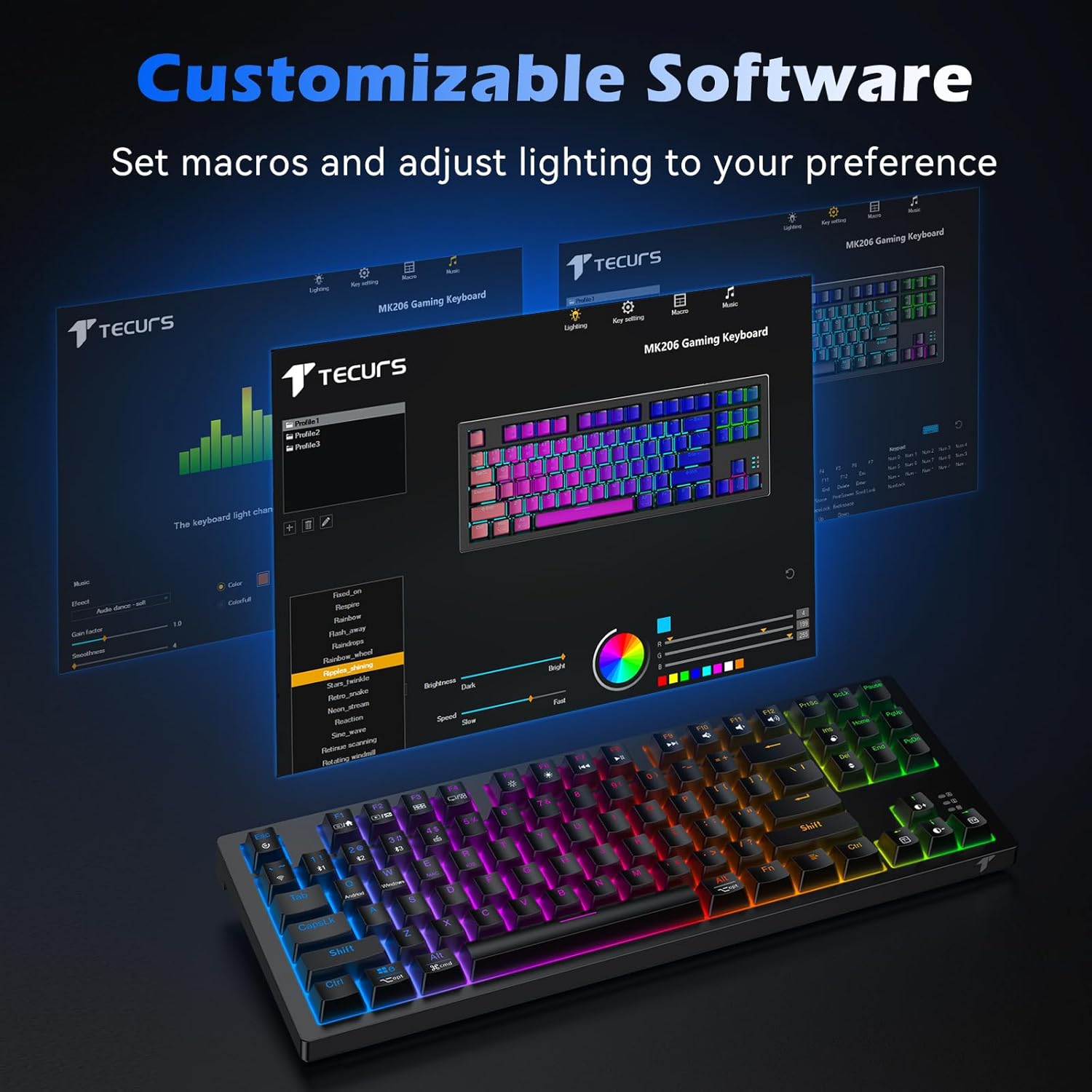
Image: Screenshot of the TECURS MK206 Gaming Keyboard's customizable software interface, showing options for macro settings and lighting adjustments.
Note: The programmable software is not compatible with Mac systems.
ساتنه
پاکول:
To clean your keyboard, disconnect it from all power sources. Use a soft, dry cloth to wipe down the keycaps and chassis. For deeper cleaning, you can use a keycap puller (included) to remove keycaps and clean underneath with a small brush or compressed air.

Image: Hands using a keycap puller and a small brush to clean the TECURS MK206 keyboard, demonstrating how to maintain the mechanical switches.
د بیټرۍ پاملرنه:
The keyboard has a built-in rechargeable lithium battery.
- Charge the keyboard using the provided USB-C cable.
- To conserve battery life, turn off the RGB lighting (Fn + PgDn repeatedly) or switch off the keyboard when not in use.
- د کیبورډ ډیر تودوخې ته د افشا کولو څخه ډډه وکړئ.
د ستونزو حل کول
عام مسایل او حل لارې:
- کیبورډ ځواب نه ورکوي:
1. Ensure the keyboard is charged. Connect it via USB-C cable to check if it works in wired mode.
2. For wireless modes, ensure the correct mode is selected (Fn + ~ د ۲.۴ جي لپاره، Fn + 1/2/3 for Bluetooth).
3. For 2.4G, ensure the USB receiver is properly inserted.
4. For Bluetooth, ensure your device's Bluetooth is on and the keyboard is paired. Try re-pairing if necessary.
5. Try restarting your computer.
- د RGB څراغ کار نه کوي یا بند پاتې دی:
1. Ensure the backlight is not turned off (Fn + PgDn).
2. Try cycling through different lighting modes (Fn + Ins).
3. If using the programmable software, ensure settings are correctly applied.
- هغه کیلي چې راجستر نه کیږي یا دوه ځله ټایپ کیږي:
1. Clean under the affected keycaps (refer to Maintenance section).
2. Ensure the keyboard firmware is up to date (check TECURS official webسایټ).
3. If the issue persists, it may indicate a hardware problem.
- Programmable software not detecting keyboard:
1. Ensure the keyboard is connected via USB-C wired mode when using the software.
2. Verify you have downloaded the correct software version from the TECURS official webسایټ
3. The software is only compatible with Windows systems.
Video: An official product video from Tecurs Mall demonstrating the TECURS Gaming Keyboard's Bluetooth Mechanical features for PC/XBOX/PS4. This video highlights the keyboard's multi-device compatibility and mechanical key action.
مشخصات
| فیچر | تفصیل |
|---|---|
| د ماډل شمیره | MK206 |
| ابعاد | 14.4 x 5.3 x 1.4 انچه |
| د توکي وزن | ۲.۴۵ پونډه |
| ارتباط | بلوتوث / 2.4G بېسیم / تار لرونکی (USB-C) |
| د کلیدونو شمیر | 87 |
| د سویچ ډول | سور میخانیکي سویچونه |
| شاته رڼا کول | RGB (۱۸ اغیزې) |
| بیټرۍ | 1 Lithium Ion battery required (built-in rechargeable) |
| مطابقت لرونکې وسیلې | Laptop, PC, Xbox, Tablet, Smartphone |
| عملیاتي سیسټمونه | Windows XP/Vista/7/8/10/11, Mac OS, Linux OS, Android |
تضمین او ملاتړ
For warranty information and technical support, please visit the official TECURS webسایټ ته مراجعه وکړئ یا د دوی د پیرودونکو خدماتو سره اړیکه ونیسئ. د تضمین ادعاوو لپاره خپل د پیرود رسید وساتئ.
Official TECURS Store: TECURS Amazon Store