
1. محصول ختم شوview
The Xiaomi Redmi Buds 4 Lite are True Wireless Stereo (TWS) earbuds designed for a comfortable audio experience. They feature Bluetooth 5.3 connectivity, AI Call Noise Cancelling, and an IP54 water resistance rating, making them suitable for various activities including gaming, calls, music, and exercise.

Image: Xiaomi Redmi Buds 4 Lite TWS Wireless Earbuds in their charging case.
2. د بسته محتويات
ډاډ ترلاسه کړئ چې ټول توکي په کڅوړه کې شتون لري:
- Xiaomi Redmi Buds 4 Lite Earbuds (Left and Right)
- د چارج کولو قضیه
- د کارونکي لارښود (دا لاسوند)
3. ترتیب کول
۱. ابتدايي چارج کول
Before first use, fully charge the earbuds and the charging case. Connect the charging case to a power source using a compatible USB cable. The indicator light on the case will show charging status.

Image: The charging case connected to a power source for charging.
3.2. د وسیلې سره جوړه کول
- ډاډ ترلاسه کړئ چې د غوږ بډونه د چارج کولو په قضیه کې دي او د قضیې پوښ خلاص دی.
- په خپل وسیله (سمارټ فون، ټابلیټ، او نور) کې، بلوتوث فعال کړئ.
- لټون available Bluetooth devices and select "Redmi Buds 4 Lite" from the list.
- The earbuds will automatically connect. A voice prompt or indicator light will confirm successful pairing.
The Redmi Buds 4 Lite support د ګوګل چټک جوړه for quick and seamless connection with compatible Android devices.

Image: Earbuds and case illustrating Google Fast Pair feature.
۳. د غوږونو اییربډونه اغوستل
Gently insert the earbuds into your ears. Adjust them for a snug and comfortable fit. The lightweight design and rounded tips ensure they stay securely in place during various activities.
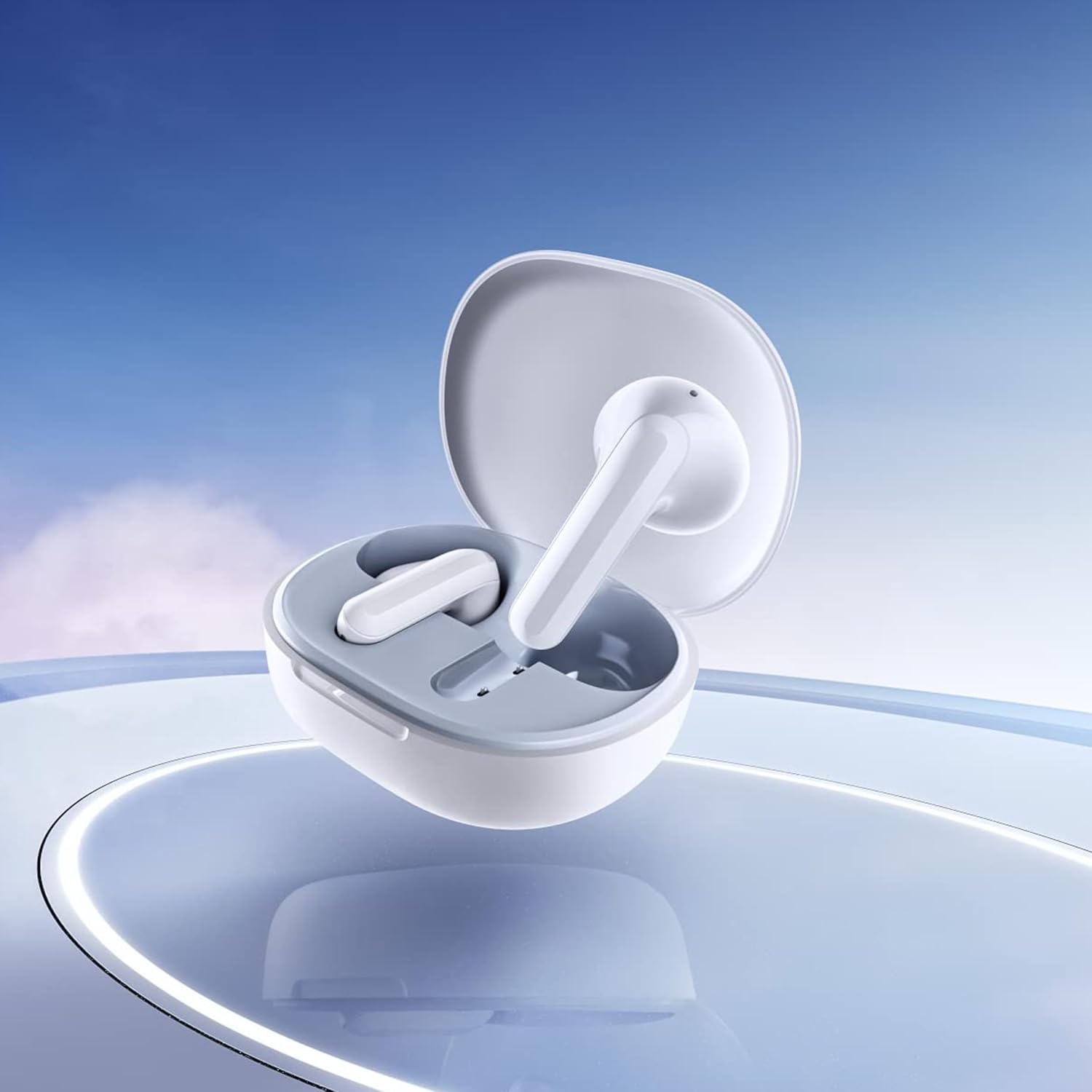
Image: Close-up of the individual earbuds, highlighting their design.
4. عملیاتي لارښوونې
4.1. د ټچ کنټرولونه
The Redmi Buds 4 Lite feature intuitive touch controls for media playback and call management. Specific touch gestures may vary slightly, but common functions include:
- پلی کول / ودرول: په دواړو غوږونو کې یو ځل کلیک وکړئ.
- بله لار: په ښي غوږۍ کې دوه ځله ټایپ کړئ.
- مخکینی لار په چپ غوږۍ کې دوه ځله ټایپ کړئ.
- ځواب / پای کال: په دواړو غوږونو کې یو ځل کلیک وکړئ.
- زنګ رد کړئ: په هر غوږ کې فشار ورکړئ او ونیسئ.
- د غږ همکار فعاله کړئ: په دواړو غوږونو درې ځله ټایپ کړئ.
4.2. AI Call Noise Cancelling
The earbuds are equipped with AI Call Noise Cancelling technology to enhance call clarity by reducing background noise during phone conversations.
۴.۴. د کم ځنډ لوبې کولو حالت
For an optimized gaming experience, the earbuds offer a low-latency mode. Refer to your device's Bluetooth settings or the official Xiaomi app (if available) for activation instructions.
5. ساتنه
5.1. پاکول
Regularly clean your earbuds and charging case to maintain optimal performance and hygiene. Use a soft, dry, lint-free cloth. Do not use abrasive cleaners or immerse the earbuds or case in water.
۹. د اوبو مقاومت (IP54)
The Redmi Buds 4 Lite have an IP54 rating, meaning they are protected against dust ingress and splashing water from any direction. This makes them suitable for workouts and light rain. However, they are not designed for swimming or showering. Avoid exposing them to high-pressure water or submerging them.

Image: Earbuds shown with an IP54 water resistance indicator.
5.3. ذخیره کول
کله چې په کارولو کې نه وي، د غوږ غوږوالۍ د چارج کولو په قضیه کې وساتئ ترڅو دوی خوندي شي او ډاډ ترلاسه شي چې دوی چارج پاتې دي. په یخ او وچ ځای کې د مستقیم لمر وړانګو او سخت تودوخې څخه لرې وساتئ.
6. ستونزه حل کول
۶.۲. د غوږۍ غوږۍ نه جوړېږي
- ډاډ ترلاسه کړئ چې دواړه غوږونه چارج شوي دي.
- Place earbuds back in the case, close the lid, then open it again to reset.
- د خپل وسیله بلوتوث بند او فعال کړئ.
- Forget "Redmi Buds 4 Lite" from your device's Bluetooth list and try pairing again.
۷.۱. بې غږه یا ټیټ غږ
- په خپل وسیله او ایربډ دواړو کې د غږ کچه وګورئ.
- ډاډ ترلاسه کړئ چې اییربډونه ستاسو په غوږونو کې په سمه توګه ځای پر ځای شوي دي.
- د غوږونو د سپیکرو څخه هر ډول کثافات پاک کړئ.
- غوږوالۍ خپل وسیله سره وصل کړئ.
۴.۲. د زنګ وهلو کیفیت مسلې
- ډاډ ترلاسه کړئ چې د غوږ بډونه په بشپړ ډول چارج شوي.
- د سیګنال مداخلې څخه د مخنیوي لپاره خپل وصل شوي وسیلې ته نږدې شئ.
- The AI Call Noise Cancelling feature helps, but extreme noisy environments may still affect clarity.
۳. د غوږۍ غوږۍ نه چارج کېږي
- ډاډ ترلاسه کړئ چې د چارج کولو کیبل په خوندي ډول د قضیې او بریښنا سرچینې دواړو سره وصل دی.
- ډاډ ترلاسه کړئ چې د غوږونو او د قضیې دننه د چارج کولو تماسونه پاک او له کثافاتو څخه پاک دي.
- د چارج کولو بل کیبل یا د بریښنا اډاپټر هڅه وکړئ.
7. مشخصات
| فیچر | تفصیل |
|---|---|
| د ماډل نوم | Redmi Buds 4 Lite |
| د ارتباط ټیکنالوژي | بېسیم (بلوتوث ۵.۳) |
| بلوتوث نسخه | 5.3 |
| د بلوتوټ رینج | 10 متره |
| د آډیو ډرایور ډول | متحرک ډرایور (۱۶.۱ ملي متره) |
| د بیټرۍ ژوند | تر ۴۸ ساعتونو پورې (د چارج کولو کیس سره) |
| د کنټرول طریقه | لمس، د رسنیو کنټرول |
| د شور کنټرول ځانګړتیاوې | د AI کال شور لغوه کول |
| د اوبو د مقاومت کچه | IP54 (د اوبو په وړاندې مقاومت لرونکی) |
| د توکي وزن | 39 Grams (total), 1.38 ounces (product) |
| د محصول ابعاد | 2.56 x 1.89 x 1.02 انچه |
| مواد | پلاستیک (د غوږونو بکس او کیس) |
| رنګ | سپین |
| د غوږ ځای پرځای کول | په غوږ کې |
| مطابقت لرونکې وسیلې | Devices with Bluetooth 5.3 and supporting A2DP, AVRCP, HFP profiles |

انځور: مخکینۍ برخه view of the Redmi Buds 4 Lite in their charging case.

انځور: اړخ view of the Redmi Buds 4 Lite in their charging case.
8. تضمین او ملاتړ
8.1. د تضمین معلومات
Warranty details for the Xiaomi Redmi Buds 4 Lite are typically provided with your purchase documentation. Please refer to the warranty card or contact your retailer for specific terms and conditions regarding your product's warranty coverage.
8.2. د پیرودونکي ملاتړ
For further assistance, technical support, or inquiries, please visit the official XIAOMI website or contact their customer service department. You can often find support contact information on the product packaging or the brand's official online channels.
Official XIAOMI Store: په ایمیزون کې د XIAOMI پلورنځی