
پیژندنه
The Hama C-Rotate Pro is a versatile and robust flash drive designed for convenient data storage and transfer. Featuring both USB-C 3.0 and USB 3.0/3.1 (Gen. 1) Type-A connectors, it offers broad compatibility with various devices. Its rotating mechanism protects the connectors, making it ideal for on-the-go use. This manual provides essential information for setting up, operating, maintaining, and troubleshooting your device.
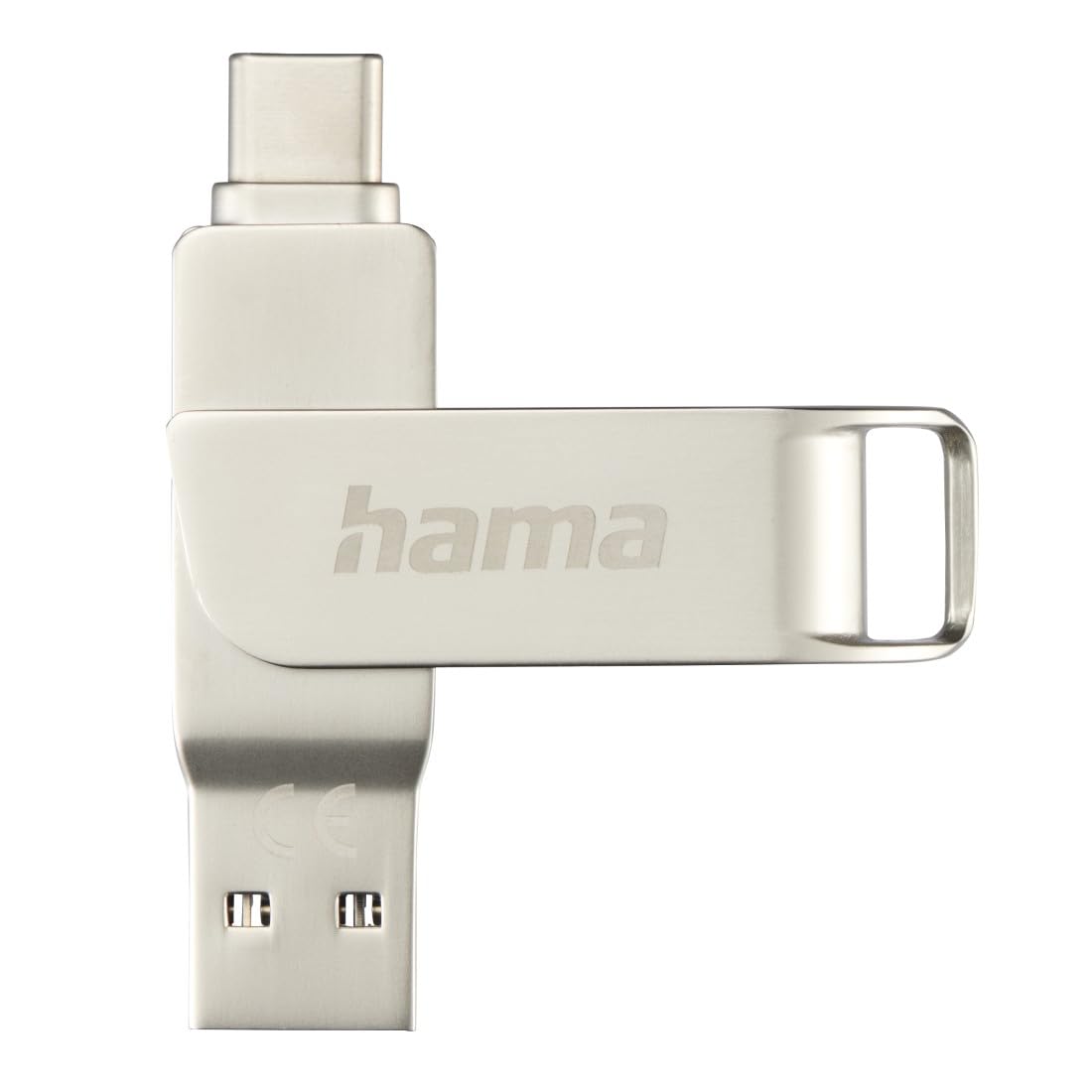
Image: The Hama C-Rotate Pro flash drive, showcasing its dual USB-A and USB-C connectors and the protective rotating metal casing.
چمتو کول
The Hama C-Rotate Pro flash drive is designed for plug-and-play functionality, requiring no special driver installation for most operating systems.
- Identify the correct port: Determine whether your device has a USB-C port or a standard USB-A port.
- Rotate the connector: فلز په نرمۍ سره وګرځوئ casing to expose either the USB-C or the USB-A connector.
- Insert the flash drive: Plug the appropriate connector into the corresponding port on your computer, smartphone, or other compatible device.
- Device recognition: Your operating system (Windows 10/8/7, MacOS 9.x or higher) should automatically recognize the flash drive as a removable storage device.
Important Note: Never attempt to use both the USB-C and USB-A connectors simultaneously. Only one connector should be exposed and connected at a time.
عملیاتي لارښوونې
Once connected, the Hama C-Rotate Pro functions like any standard removable storage device.
- لاسرسی Files: خپل کمپیوټر خلاص کړئ file explorer (Windows) or Finder (macOS) and locate the drive, typically labeled as a removable disk.
- لېږدول Files: ډریګ او پریږدئ files to and from the flash drive. For optimal speed, ensure you are using a USB 3.0/3.1 (Gen. 1) or USB-C 3.0 port.
- Full HD Video Playback/Recording: The drive supports direct recording and playback of Full HD videos, provided your device and software support this functionality.
- خوندي لرې کول: Always safely eject the flash drive from your operating system before physically removing it to prevent data corruption.

Image: The Hama C-Rotate Pro with its USB-C connector ready for use.

Image: The Hama C-Rotate Pro with its USB-A connector ready for use.
ساتنه
The Hama C-Rotate Pro is designed with a robust metal casing for durability. Minimal maintenance is required.
- پاکول: Use a soft, dry cloth to wipe the exterior of the flash drive. Avoid liquid cleaners or abrasive materials.
- ذخیره کول: When not in use, rotate the casing to protect both connectors from dust and physical damage. Store in a cool, dry place.
- سمبالول: Avoid dropping the device or subjecting it to excessive force.
د ستونزو حل کول
- Issue: Flash drive not recognized by the device.
- حل لاره:
- ډاډ ترلاسه کړئ چې فلش ډرایو په بشپړ ډول په USB پورټ کې داخل شوی دی.
- په خپل وسیله کې یو بل USB پورټ هڅه وکړئ.
- Ensure only one connector (USB-C or USB-A) is exposed and connected at a time.
- خپل کمپیوټر یا وسیله بیا پیل کړئ.
- Check if your operating system is compatible (Windows 10/8/7, MacOS 9.x or higher).
- ستونزه: د معلوماتو د لیږد سرعت ورو دی.
- حل لاره:
- Ensure you are connecting the flash drive to a USB 3.0/3.1 (Gen. 1) or USB-C 3.0 port on your device. Connecting to a USB 2.0 port will result in significantly slower speeds.
- تایید کړئ چې د files being transferred are not excessively fragmented or corrupted.
- نور هغه غوښتنلیکونه بند کړئ چې ممکن د سیسټم سرچینې کاروي یا د ډیسک عملیات ترسره کوي.
- Issue: Data corruption or loss.
- حل لاره:
- Always use the "Safely Remove Hardware" or "Eject" option in your operating system before physically disconnecting the flash drive.
- Avoid disconnecting the drive during active data transfer.
مشخصات
| د ماډل نوم | C-Rotate Pro |
| د ماډل شمیره | هام_ن۲۱_۰۰۱۸۸۲۳۷ |
| د ذخیره کولو ظرفیت | 64 جي بي |
| انٹرفیس | USB-C 3.0, USB 3.0/3.1 (Gen. 1) Type-A |
| د لوستلو سرعت | Up to 70 MB/s (with USB 3.0/3.1 Gen. 1 or USB-C 3.0 interface) |
| مواد | فلزي |
| ابعاد (L x W x H) | 62.2 mm x 14 mm x 8.9 mm |
| وزن | 16.34 ګرامه |
| د عملیاتي سیسټم مطابقت | Windows 10/8/7, MacOS 9.x or higher |
| ځانګړي ځانګړتیاوې | Rotating mechanism, OTG (On-The-Go) functionality |
د ملاتړ معلومات
For further assistance or to access the official product page and additional resources, please visit the Hama webسایټ
- آنلاین لارښود: The user manual for the Hama C-Rotate Pro USB stick can be found on www.hama.com under item number 00182490.
- جوړونکی Webسایټ: For general product information and support, visit www.hama.com.
د تضمین معلومات معمولا د محصول په بسته بندۍ کې چمتو کیږي یا د تولید کونکي په رسمي پاڼه کې شتون لري website. Please refer to those resources for details regarding your product's warranty.