
TECURS B0C5QJ6F34
TECURS Wireless Gaming Keyboard
د کارن لارښود
محصول پای ته ورسیدview
The TECURS Wireless Gaming Keyboard is designed for an optimal typing and gaming experience. It features advanced 2.4 GHz wireless technology for stable and fast data transmission, ensuring no delays or drops within a 33-foot range. The keyboard utilizes silent membrane technology, providing a responsive typing experience with minimal noise, ideal for quiet environments. Its full-size, ergonomic design includes an inclination angle for comfortable typing during extended use. Dedicated multimedia keys offer convenient control over media functions, and the monochromatic backlight with adjustable brightness enhances visibility in various lighting conditions. This keyboard is widely compatible with Windows XP, Windows 8, and Windows 10 operating systems, making it suitable for desktops, laptops, and other devices.

Image: The TECURS Wireless Gaming Keyboard, showcasing its full-size layout with vibrant, multi-color backlighting. A compact USB receiver is visible to the right of the keyboard, indicating its wireless connectivity.
تنظیم او نصب کول
Setting up your TECURS Wireless Gaming Keyboard is a straightforward process, designed for quick plug-and-play functionality.
- کیبورډ خلاص کړئ: Carefully remove the keyboard and the USB receiver from its packaging.
- د USB ریسیور ومومئ: The compact USB receiver is typically stored in a compartment on the keyboard or included separately in the box.
- رسیدونکي سره وصل کړئ: د USB ریسیور په خپل کمپیوټر (ډیسټاپ یا لیپ ټاپ) کې موجود USB پورټ کې دننه کړئ.
- د کیبورډ بریښنا: Ensure the keyboard is charged or has sufficient battery. There might be a power switch on the keyboard; turn it to the 'ON' position if present.
- اتوماتیک پیوستون: The keyboard should automatically connect to your computer within a few seconds. No additional drivers are typically required for basic functionality.
- لومړنی لګښت: For optimal performance, it is recommended to fully charge the keyboard before its first use. Use the provided USB charging cable to connect the keyboard to a USB power source.
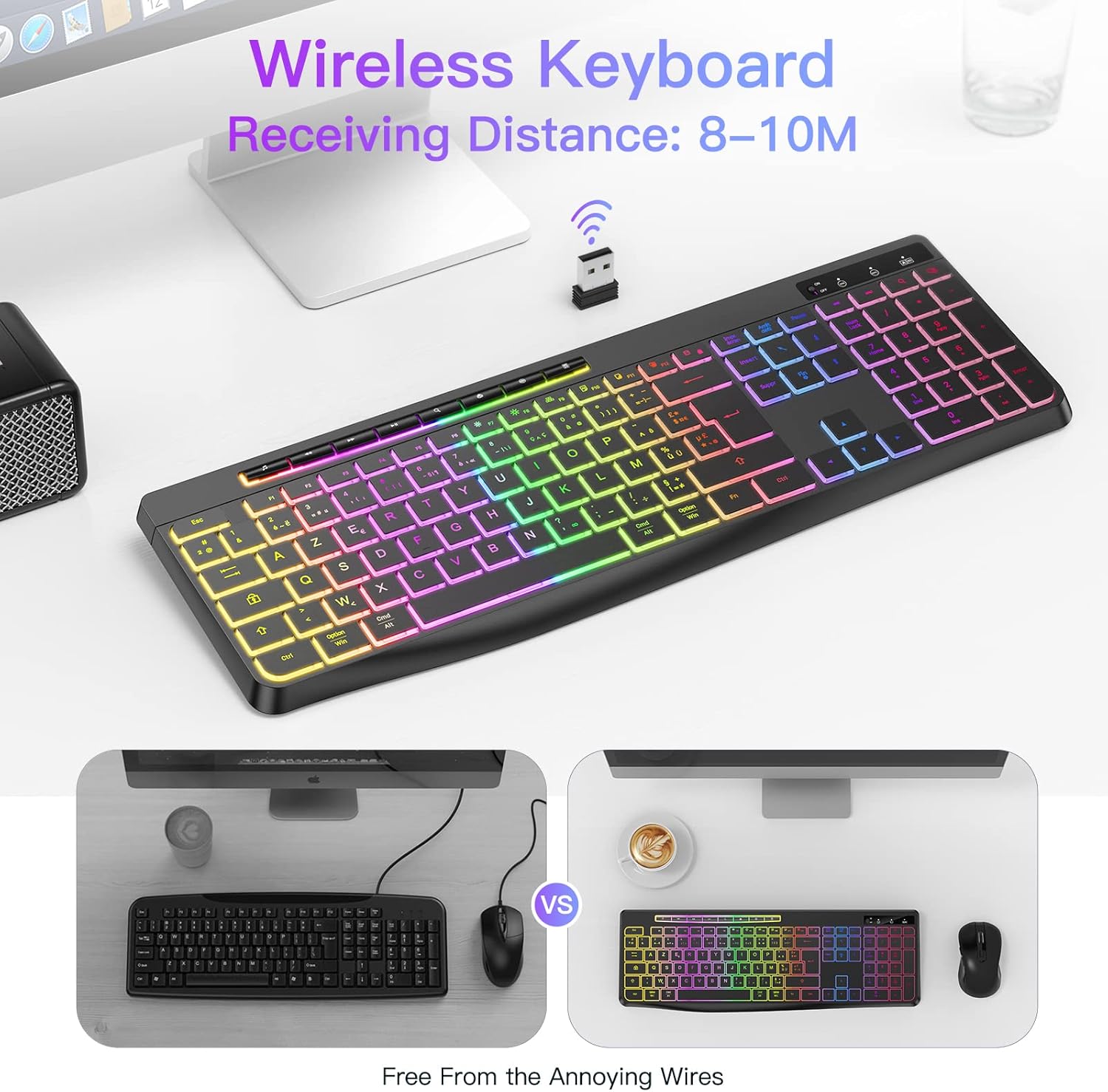
Image: The TECURS Wireless Keyboard positioned on a desk, with its USB receiver prominently displayed. An icon above the receiver indicates a wireless signal, illustrating the 8-10 meter receiving distance.
عملیاتي لارښوونې
بنسټیز کارول
Once connected, the keyboard functions like a standard full-size keyboard. Its silent membrane keys provide a comfortable and quiet typing experience, suitable for various environments.

Image: A person's hands are shown typing on the TECURS keyboard, which features colorful backlighting. The image emphasizes the low noise operation, with a muted speaker icon, suggesting its suitability for quiet environments like a bedroom where a child is sleeping in the background.
ملټي ميډياويکي کیلي
The keyboard includes dedicated multimedia keys for quick access to media controls. These keys are typically located along the top row (F-keys) and can be activated directly or by pressing the Fn key in combination with the respective F-key.
- د حجم کنټرول: حجم پورته، ښکته یا خاموش تنظیم کړئ.
- میډیا پلے بیک: Play/pause, stop, previous track, next track.
- نورې دندې: Access calculator, web browser, email, etc. (refer to keyboard legends for specific functions).

انځور: یو مفصل view of the keyboard highlighting its dimensions (437mm length, 149mm width, 20mm thickness) and key features. Insets show compatibility with Mac/Windows, the row of individual multimedia buttons, and the adjustable stand at the back of the keyboard.
د شاتنۍ رڼا کنټرول
The keyboard features a monochromatic backlight with adjustable brightness. This allows you to customize the illumination to suit your environment and preference.
- د شاته رڼا بدلول: Use the dedicated backlight key (often indicated by a light bulb icon or combined with Fn + سکرول لاک or similar) to turn the backlight on/off.
- روښانتیا تنظیم کړئ: Use the brightness control keys (often Fn + پاڼه پورته / مخ ښکته or similar) to increase or decrease the backlight intensity.
Note: The backlight may automatically turn off after a period of inactivity to conserve battery. Press any key to reactivate it.

Image: A split image demonstrating the keyboard's backlight feature. The left side shows the keyboard with the backlight off, indicating a "Backlight 15 Days" battery life. The right side shows the keyboard with the backlight on, indicating "Light on 10 Hours" battery life, with a 1000mAh battery icon at the top.
ساتنه او پالنه
Proper maintenance ensures the longevity and optimal performance of your TECURS Wireless Gaming Keyboard.
- پاکول:
- د پاکولو دمخه کیبورډ له خپل کمپیوټر څخه جلا کړئ.
- د نرم، لینټ پاک ټوکر څخه لږ څه کار واخلئampد سطحې د پاکولو لپاره د اوبو یا یو نرم پاکولو محلول سره مینځل کیږي.
- د سختو کیمیاوي موادو، خړوبونکو پاکوونکو، یا ډیر رطوبت څخه ډډه وکړئ.
- د کیلي ګانو ترمنځ د دوړو او کثافاتو د لرې کولو لپاره د فشار شوي هوا څخه کار واخلئ.
- د بیټرۍ پاملرنه:
- The keyboard uses a rechargeable Lithium-ion battery.
- د بیټرۍ د عمر د اوږدولو لپاره د هغې د بار بار بشپړ چارج کولو څخه ډډه وکړئ.
- Charge the keyboard using the provided USB cable and a standard USB power source.
- If storing the keyboard for an extended period, charge it to about 50% and store in a cool, dry place.
- ذخیره کول: Store the keyboard in a clean, dry environment away from extreme temperatures and direct sunlight.
د ستونزو حل کول
If you encounter issues with your TECURS Wireless Gaming Keyboard, refer to the following common troubleshooting steps:
| ستونزه | احتمالي حل |
|---|---|
| Keyboard not responding / No connection. |
|
| د شا څراغ کار نه کوي یا تیاره دی. |
|
| کیلي چپکونکې یا بې ځوابه دي. |
|
د محصول مشخصات
| فیچر | تفصیل |
|---|---|
| برانډ | TECURS |
| د ماډل شمیره | B0C5QJ6F34 |
| رنګ | تور |
| د ارتباط ټیکنالوژي | ۲.۴ GHz بېسیم (USB رسیور) |
| د عملیاتي سیسټم مطابقت | Windows XP, Windows 8, Windows 10 |
| مطابقت لرونکې وسیلې | د لوبو کنسول، لپ ټاپ، کمپیوټر |
| د کیبورډ توضیحات | جھلی |
| ځانګړي ځانګړتیاوې | Multimedia Shortcuts, Backlit |
| د کلیدونو شمیر | 104 |
| د شاليد رنګ مدیریت | Single Color (Monochromatic) |
| د بیټرۍ ډول | لیتیم آیون (د چارج وړ) |
| کلیدي ژوند | 50,000,000 کلیکونه |
تضمین او ملاتړ
For warranty information, technical support, or any inquiries regarding your TECURS Wireless Gaming Keyboard, please contact TECURS customer service directly. Details can typically be found on the product packaging, the official TECURS webسایټ، یا د پرچون پلورونکي له لارې چیرې چې محصول اخیستل شوی و.
The manufacturer, TECURS, is committed to providing quality products and support to its customers.
Ask a question about this manual
Ask about setup, troubleshooting, compatibility, parts, safety, or missing instructions. Manuals+ will review the question and use this page’s manual context to help answer it.