
1. محصول ختم شوview
The HOU Slim Bluetooth Keyboard Case is designed to enhance the functionality and protection of your iPad. It features a minimalist, ultra-thin, and lightweight design, making it ideal for portability. The case is constructed from silicon-containing tech leather, offering wear-resistant and stain-resistant properties. Its magnetic stand provides two ergonomic tilt angles for comfortable typing and viewing.

Image 1.1: HOU Slim Bluetooth Keyboard Case with iPad in open position, showcasing the keyboard and screen.
کلیدي ځانګړتیاوې:
- ډېر نری او سپک: Weighing approximately 434 grams and 0.6 cm thin, designed for easy transport.
- دوامدار مواد: Made from PU (with silicon) + synthetic leather for enhanced durability and easy cleaning.
- مقناطیسي سټینډ: Offers 115° for typing and 125° for viewing, providing stable support.
- Magnetic Separation: Keyboard and iPad can be easily separated due to dual magnetic points.
- د اوږد ژوند بیټرۍ: د کارونې اوږد وخت چمتو کوي.
- دقیق فټ: Specifically designed for iPad 10th and 11th Generation models.
۲. په بکس کې څه دي؟
مهرباني وکړئ د ترلاسه کولو پرمهال د خپل کڅوړې مینځپانګه وګورئ:
- HOU Slim Bluetooth Keyboard Case
- د مقناطیسي چارج کیبل
- د کارونکي لارښود (دا لاسوند)
3. مطابقت
This HOU Slim Bluetooth Keyboard Case is compatible with the following iPad models:
- iPad 10th Generation 10.9 inch (2022 models: A2696/A2757/A2777/A3162)
- iPad 11th Generation 11 inch A16 (2025 models: A3354/A3355/A3356)

Image 3.1: Diagram illustrating the compatible iPad models for the HOU keyboard case.
۴. د تنظیم لارښوونې
۳.۲ ستاسو د آی پیډ کیس سره وصل کول
- Align your compatible iPad with the backplate of the keyboard case.
- The iPad will securely attach to the case via strong magnets. No force or snapping is required.

Image 4.1: A user attaching an iPad to the HOU keyboard case using magnetic attraction.
4.2 د بلوتوټ جوړه کول
- Ensure your iPad's Bluetooth is turned on.
- Turn on the HOU keyboard case. The Bluetooth indicator light on the keyboard will begin to flash.
- په خپل iPad کې، لاړ شئ ترتیبات> بلوتوټ.
- Select the HOU keyboard from the list of available devices.
- Once paired, the indicator light will stop flashing, and your iPad will show the keyboard as connected.

Image 4.2: An iPad screen displaying the Bluetooth connection status and battery level of the connected keyboard.
۳.۱ د کیبورډ چارج کول
Use the provided magnetic charging cable to charge the keyboard. Connect the magnetic end to the keyboard's charging port and the other end to a USB power source. The iPad can display the keyboard's battery level in real-time.

انځور ۲: یوه نږدې انځور view of the magnetic charging port on the HOU keyboard case.
5. عملیاتي لارښوونې
5.1 د دې تنظیم کول Viewزاویه
The magnetic stand allows for two primary ergonomic tilt angles:
- 115° زاویه: Suitable for typing and productivity tasks.
- 125° زاویه: Ideal for media consumption, such as watching videos or reading.

Image 5.1: Illustration of the two adjustable viewing angles (115° and 125°) provided by the magnetic stand.
5.2 Using Shortcut Keys
The keyboard features dedicated shortcut keys for quick access to various iPad functions, including:
- د حجم کنټرول
- د روښانتیا تنظیم کول
- د لټون فعالیت
- د کور سکرین ته لاسرسی
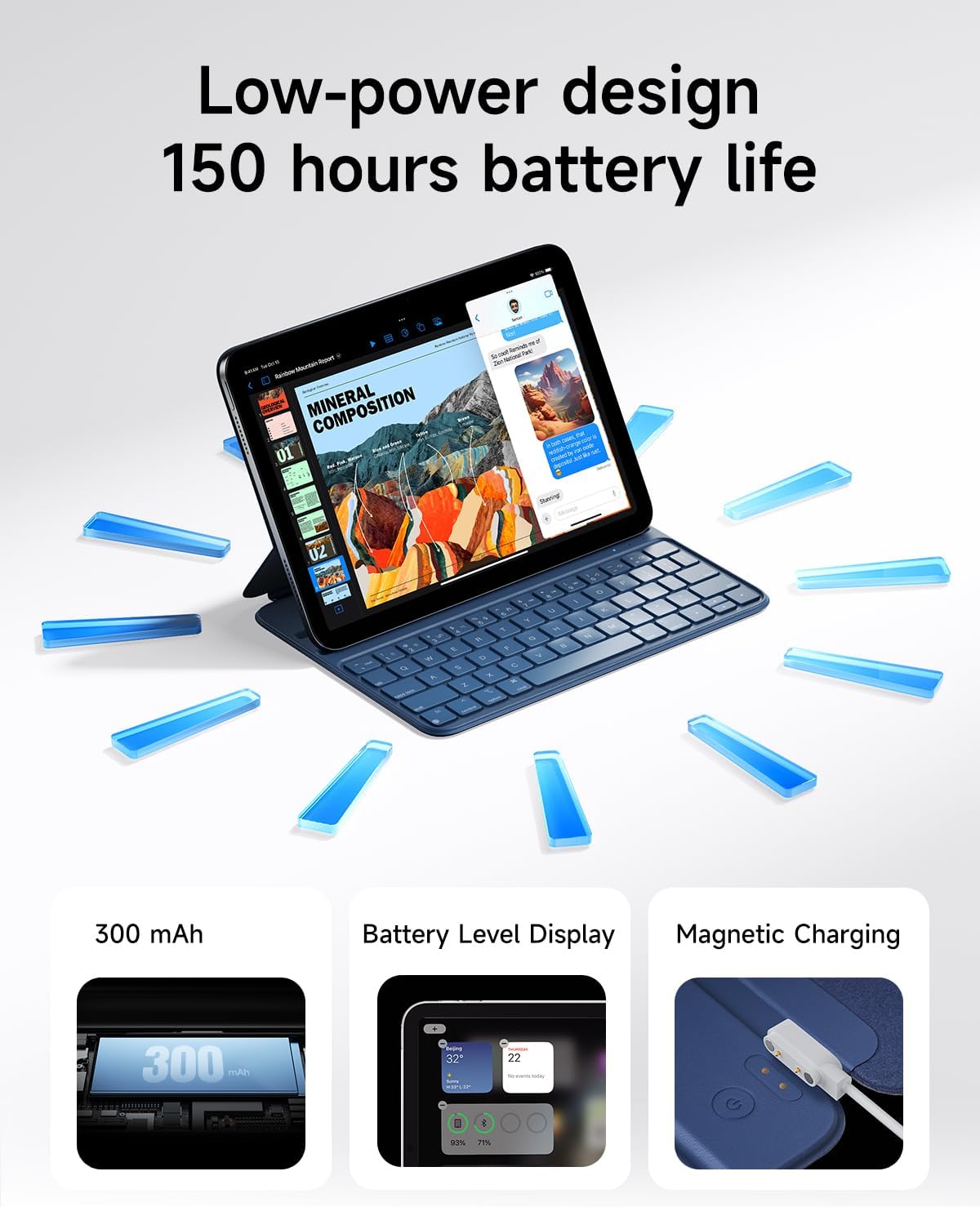
Image 5.2: A close-up of the HOU keyboard highlighting the layout and various shortcut keys.
۳.۱ د ټایپ کولو تجربه
The keyboard is designed with flat keycaps and a scissor-switch structure to provide smooth input, quiet operation, and responsive feedback, reducing fatigue during extended typing sessions.
Video 5.3: This video demonstrates the HOU Keyboard Case for iPad, showing its magnetic attachment, comfortable typing experience, and shortcut key functionality.
6. ساتنه
۷.۱ د قضیې پاکول
The silicon-containing tech leather material is designed to be wear-resistant and stain-resistant. To clean, gently wipe the surface with a soft, damp cloth. For stubborn stains like coffee or ink, a mild soap solution can be used, followed by wiping with a clean, damp ټوکر او هوا وچول.
6.2 د بیټرۍ پاملرنه
To prolong battery life, avoid fully discharging the keyboard frequently. Charge the keyboard regularly, especially if it will be stored for an extended period.
7. ستونزه حل کول
۶.۱ کیبورډ د بلوتوث له لارې نه نښلي
- ځواک چیک کړئ: ډاډ ترلاسه کړئ چې کیبورډ چالان دی او کافي بیټرۍ چارج لري.
- وسیله بیا جوړه کړئ: On your iPad, forget the device in Bluetooth settings and attempt to pair again.
- وسیلې بیا پیل کړئ: Turn off and restart both your iPad and the keyboard.
- قربت: Ensure the keyboard and iPad are within close range during pairing.
7.2 Typing Delay or Unresponsive Keys
- بلوتوث پیوستون Verify a stable Bluetooth connection. Disconnect and reconnect if necessary.
- د بیټرۍ کچه: A low battery can affect performance. Charge the keyboard fully.
- لاسوهنه: د نورو بېسیم وسیلو څخه لیرې شئ چې ممکن د مداخلې لامل شي.
8. مشخصات
| فیچر | تفصیل |
|---|---|
| د محصول ابعاد | 9.8 x 3.3 x 0.3 انچه |
| د توکي وزن | ۱.۳۹ پونډه (تقریبا ۶۳۰ ګرامه) |
| جوړونکی | HOU |
| د توکي ماډل شمیره | A2696/A2777/A2757 |
| بیټرۍ | 1 لیتیم پولیمر بیټرۍ (شامل) |
| مطابقت لرونکې وسیلې | iPad 10th Generation 10.9 inch 2022 & iPad 11th Generation 11 inch A16 2025 |
| د ارتباط ټیکنالوژي | بلوتوث |
| ځانګړي ځانګړتیاوې | Ergonomic, Hotkeys and Media Keys, Lightweight, PU+ABS, Rechargeable |
| رنګ | آبي |
| مواد | اکریلونایتریل بوټاډین سټیرین (ABS) |
9. تضمین او ملاتړ
HOU provides a 12-month extended after-sales service for this product. For any inquiries or support needs, please contact HOU Store Customer Service. 24/7 online support is available.

Image 9.1: HOU Customer Service information, highlighting 24/7 online support and a 12-month extended after-sales service.
Additionally, a 30-day refund/replacement return policy is available through the retailer.