
1. پیژندنه
The Inseego MiFi M2000 is a portable 5G and 4G LTE hotspot designed to provide high-speed internet connectivity on the go. Featuring Wi-Fi 6 technology, it allows you to connect up to 30 Wi-Fi enabled devices simultaneously. Its robust 5050mAh battery ensures all-day operation and can also function as a power bank for other mobile devices. This manual will guide you through the setup, operation, maintenance, and troubleshooting of your MiFi M2000 to ensure optimal performance.
2. د بسته محتويات
مهرباني وکړئ د لاندې توکو لپاره په بسته کې وګورئ:
- Inseego MiFi M2000 Device
- د چارج وړ بیټرۍ (5050mAh)
- د USB ډول - سي کیبل
- د AC ځواک اډیپټر
- د سیم ایجیکټر وسیله (ممکن د سیمې له مخې توپیر ولري)
- د چټک پیل لارښود
3. وسیله ختمه شوهview
Familiarize yourself with the key components of your Inseego MiFi M2000.

شکل 3.1: مخکی view of the Inseego MiFi M2000, showing the touchscreen display with network status, Wi-Fi status, and menu options.

شکل 3.2: اړخ view of the Inseego MiFi M2000, highlighting the USB Type-C port for charging and tethering.
مهمې برخې:
- د ټچ سکرین ښودنه: Provides information on network status, battery level, Wi-Fi name (SSID), password, and allows access to device settings.
- د بریښنا تڼۍ: د وسیلې د چالانولو/بندولو او سکرین د راویښولو/خوبولو لپاره کارول کیږي.
- د USB ډول-C پورټ: For charging the device, connecting to a computer for USB tethering, or using the device as a power bank.
- د سیم کارت سلاټ: Located under the battery cover, for inserting your Nano-SIM card.
4. ترتیب کول
4.1. د سیم کارت نصب کول
- Ensure the MiFi M2000 is powered off.
- د وسیلې شاته پوښ لرې کړئ.
- د سیم کارت سلاټ ومومئ.
- Insert a Nano-SIM card into the slot with the gold contacts facing down and the notched corner aligned correctly. Push gently until it clicks into place.
- د شا پوښ پوښ کړئ.
4.2. د بیټرۍ نصب کول
- د شا پوښ لرې کولو سره، د بیټرۍ اړیکې د بیټرۍ خونې دننه د ټرمینلونو سره سم کړئ.
- بیټرۍ په نرمۍ سره په خپل ځای کې فشار ورکړئ.
- شاته پوښ په خوندي ډول بدل کړئ.
۴. لومړنی بریښنا فعالول
- Press and hold the Power button for a few seconds until the Inseego logo appears on the screen.
- وسیله به بوټ شي او هڅه به وکړي چې د سیلولر شبکې سره وصل شي. دا ممکن یو څو شیبې وخت ونیسي.
- Once connected, the screen will display network status, Wi-Fi name (SSID), and password.
5. د آلې چلول
۱. د وای فای له لارې د وسایلو نښلول
- Ensure your MiFi M2000 is powered on and connected to the cellular network.
- ستاسو په وای فای فعال شوي وسیله (لیپ ټاپ، ټابلیټ، سمارټ فون) کې، د وای فای ترتیبات پرانیزئ.
- Look for the Wi-Fi network name (SSID) displayed on your MiFi M2000's screen. It typically starts with "Inseego" or similar.
- Select the network and enter the Wi-Fi password (also displayed on the MiFi screen) when prompted.
- ستاسو وسیله باید اوس له انټرنیټ سره وصل وي.
5.2. Connecting Devices via USB Tethering
You can connect a single device, such as a laptop, directly to the MiFi M2000 using the USB Type-C cable for a secure, wired internet connection.
- Connect one end of the USB Type-C cable to the MiFi M2000's USB port and the other end to your computer.
- On the MiFi M2000's screen, you may be prompted to select the USB mode. Choose "USB Tethering" or "Internet Sharing."
- Your computer should automatically detect the new network connection.
5.3. د وسیلې چارج کول
To charge your MiFi M2000:
- Connect the USB Type-C cable to the MiFi M2000's USB port.
- Connect the other end of the USB cable to the provided AC power adapter.
- د AC بریښنا اډاپټر د دیوال په یوه برخه کې ولګوئ.
- The battery icon on the MiFi screen will indicate charging status.
۶.۲. د پاور بانک په توګه کارول
The MiFi M2000's large battery can be used to charge other devices.
- Connect your mobile device (phone, tablet) to the MiFi M2000's USB Type-C port using an appropriate charging cable.
- The MiFi M2000 will begin charging the connected device.
5.5. د تنظیماتو اداره کول
You can manage various settings directly from the MiFi M2000's touchscreen display or by accessing the web administration interface from a connected device. The web interface typically offers more advanced options.
- ټچ سکرین: Tap the screen to navigate through menus for basic settings like Wi-Fi name, password, and data usage.
- Web اډمین انٹرفیس: Connect a device to the MiFi's Wi-Fi network. Open a web براوزر او د IP پته دننه کړئ (معمولا
192.168.1.1or192.168.0.1, check your device screen or documentation) to access the administration portal. You will need the admin password, which is often found on the device itself or in the quick start guide.
6. ساتنه
6.1. د سافټویر تازه معلومات
Periodically check for and install software updates to ensure your device has the latest features, security patches, and performance improvements. Updates can usually be initiated through the device's touchscreen menu or the web د ادارې انٹرفیس.
6.2. پاکول
To clean your MiFi M2000:
- وسیله بنده کړئ او ټول کیبلونه پرې کړئ.
- د بهرنۍ برخې د پاکولو لپاره نرم، وچ، له لینټ څخه پاک ټوکر وکاروئ.
- For the touchscreen, use a screen-cleaning solution specifically designed for electronics, applied to the cloth, not directly to the screen.
- Avoid using harsh chemicals, abrasive cleaners, or getting moisture into any openings.
6.3. د بیټرۍ پاملرنه
To prolong the life of your battery:
- د وسیلې له خورا تودوخې سره مخ کیدو څخه مخنیوی وکړئ.
- Do not fully discharge the battery regularly. Charge it before it drops too low.
- که چیرې وسیله د اوږدې مودې لپاره ذخیره کوئ، نو بیټرۍ یې شاوخوا ۵۰٪ چارج کړئ او په یخ او وچ ځای کې یې وساتئ.
7. ستونزه حل کول
If you encounter issues with your MiFi M2000, try the following troubleshooting steps:
7.1. د انټرنیټ اتصال نشته
- د سیګنال ځواک چیک کړئ: Ensure the device is in an area with good cellular coverage. The signal indicator on the screen should show bars.
- د سیم کارت تایید: ډاډ ترلاسه کړئ چې سیم کارت په سمه توګه داخل شوی او د ډیټا پلان سره فعال دی.
- وسیله بیا پیل کړئ: Power off the MiFi M2000, wait a few seconds, then power it back on.
- Check Data Plan: ډاډ ترلاسه کړئ چې ستاسو د معلوماتو پلان فعال دی او شتون لري.
۷.۴. ورو سرعتونه
- د سیګنال ځواک: هغه سیمې ته لاړ شئ چې ښه سیګنال ولري.
- تړل شوي وسایل: Reduce the number of devices connected to the hotspot.
- د شبکې ګنډل: Performance can be affected by network congestion in your area.
- لاسوهنه: Keep the MiFi away from other electronic devices that might cause interference.
7.3. Battery Not Charging / Device Not Powering On
- کیبل او اډاپټر چیک کړئ: Ensure the USB Type-C cable and AC adapter are securely connected and functioning correctly. Try a different cable or adapter if available.
- د بیټرۍ کچه: If the battery is completely drained, it may take a few minutes of charging before the device responds.
- Reinsert Battery: Power off the device, remove and reinsert the battery, then try powering on again.
8. مشخصات
Below are the technical specifications for the Inseego MiFi M2000:
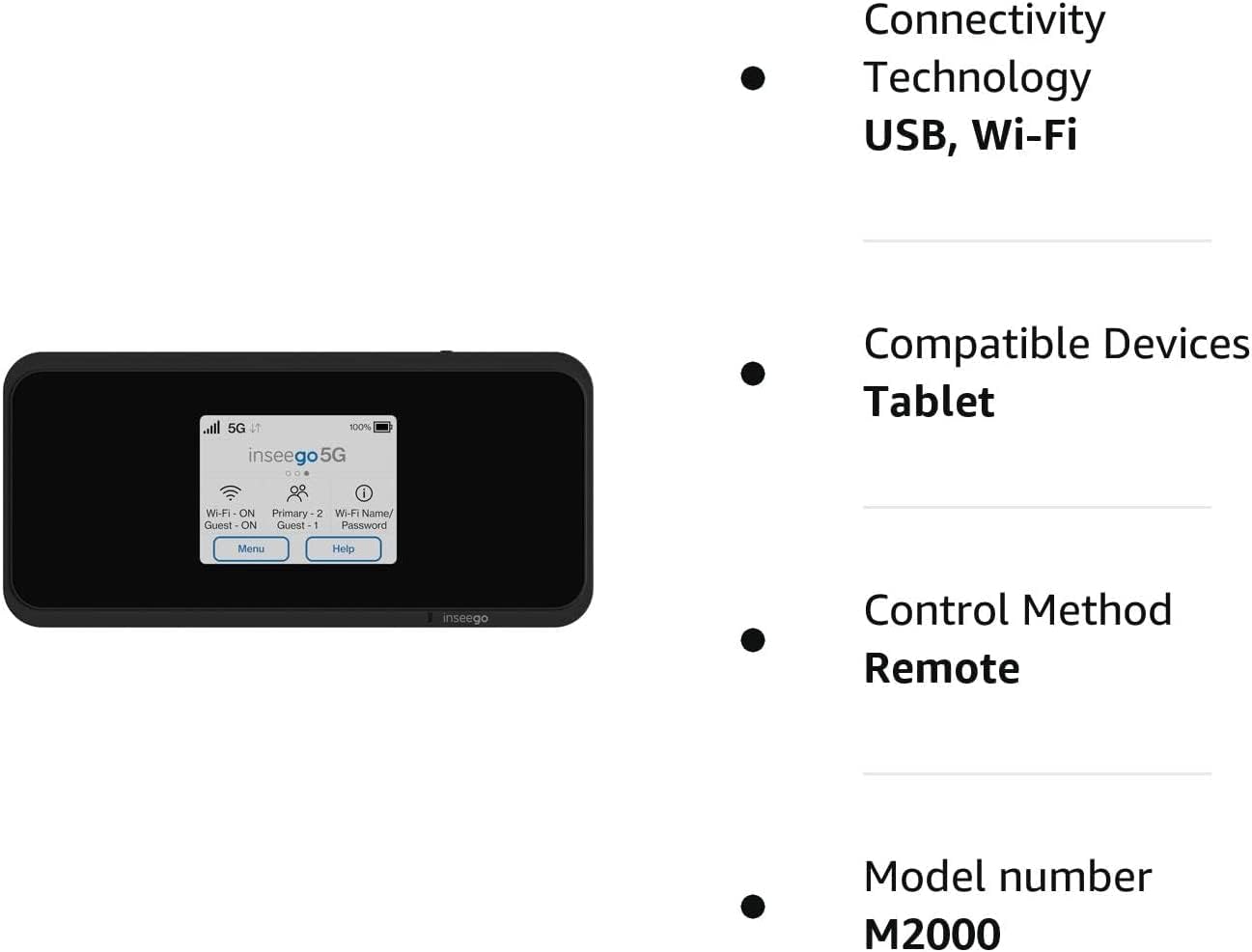
شکل 8.1: Visual representation of key features and specifications for the Inseego MiFi M2000.
| فیچر | مشخصات |
|---|---|
| د ماډل شمیره | M2000 |
| برانډ | Inseego |
| د ارتباط ټیکنالوژي | USB، Wi-Fi |
| د بې سیمه مواصلاتو معیار | 802.11ax (وائی فای 6) |
| د فریکونسی بانډ ټولګی | دوه ګونی بانډ (۵ GHz) |
| امنیت پروټوکول | WPA3 |
| د معلوماتو د لیږد کچه | 1 ګیګابایټ په ثانیه کې |
| د معلوماتو د لیږد اعظمي کچه د اپسټریم څخه پورته | په ثانیه کې 500 میګابیتونه |
| د بندرونو شمیر | ۱ (د USB ډول-سي) |
| د انتن شمیره | 2 |
| د بیټرۍ ظرفیت | 5050mAh (All Day Battery Life) |
| مطابقت لرونکې وسیلې | Tablet, up to 30 Wi-Fi enabled devices |
| د کنټرول طریقه | لمس |
| رنګ | تور |
| عملیاتي سیسټم | [د ملکیت عملیاتي سیسټم] |
| والیtage | 5 ولټه (DC) |
| د LAN پورټ بینډ ویت | 1000 Mbps |
9. د خوندیتوب معلومات
مهرباني وکړئ دا د خوندیتوب لارښوونې ولولئ او تعقیب یې کړئ ترڅو خپل وسیله ته زیان ونه رسوئ یا ځان ته زیان ونه رسوئ:
- وسیله د سختې تودوخې، مستقیم لمر وړانګو، یا لوړې رطوبت سره مه مخ کوئ.
- د وسیلې د غورځولو، پنکچر کولو یا جلا کولو څخه ډډه وکړئ.
- یوازې منظور شوي چارجرونه او لوازمات وکاروئ.
- وسیله د اوبو یا نورو مایعاتو څخه لرې وساتئ.
- Do not operate the device in areas where electronic devices are restricted.
- بیټرۍ او وسیله د ځایی مقرراتو سره سم له منځه یوسئ.
10. تضمین او ملاتړ
For warranty information, technical support, or service inquiries, please refer to the warranty card included with your product or visit the official Inseego webسایټ. د تضمین ادعاوو لپاره د پیرود ثبوت وساتئ.