
پیژندنه
This manual provides detailed instructions for the setup, operation, maintenance, and troubleshooting of your Divoom Songbird Karaoke Bluetooth Speaker. Please read this manual thoroughly before using the product to ensure proper function and longevity.

Figure 1: The Divoom Songbird Karaoke Bluetooth Speaker system, including the main speaker unit, two wireless microphones, and their charging base.
د بسته محتويات
مخکې له دې چې تنظیم پیل کړئ، مهرباني وکړئ تصدیق کړئ چې ټولې برخې په بسته کې شتون لري:
- 1 x SongBird-HQ Speaker Unit
- 2 x بې سیم مایکروفونونه
- 1 x Microphone Charging Base
- ۱ x د کارونکي لارښود (دا سند)
- 1 X USB-C چارج کیبل
- 1 x Aux کیبل
- 1 x Giftbag (packaging)

Figure 2: All items included in the Divoom Songbird Karaoke Bluetooth Speaker package, showing the speaker, microphones, cables, and manual.
چمتو کول
1. د وسیلې چارج کول
The Divoom Songbird speaker and microphones are powered by internal Lithium Ion batteries. For optimal performance, fully charge all components before first use.
- Connect the provided USB-C cable to the charging port on the speaker unit and to a compatible USB power adapter (not included).
- Place the two microphones onto their charging base. Ensure they are seated correctly for charging.
- Charging indicators (LEDs) on the speaker and microphones will illuminate during charging and turn off or change color when fully charged.
۴. لومړنی بریښنا فعالول
- To power on the speaker, locate the power button (refer to Figure 3 for control layout) and press and hold it until you hear an audible prompt or see an indicator light.
- To power on the microphones, slide the power switch on each microphone to the 'ON' position.

Figure 3: Top panel of the Divoom Songbird speaker, illustrating the various control knobs and buttons for operation.
عملیاتي لارښوونې
1. د بلوتوث پیوستون
The Divoom Songbird speaker uses Bluetooth for wireless audio streaming.
- Ensure the speaker is powered on and in Bluetooth pairing mode (usually indicated by a blinking LED).
- On your mobile device or computer, navigate to the Bluetooth settings.
- لټون available devices and select "Divoom Songbird" from the list.
- یوځل چې وصل شي، سپیکر به د اوریدو وړ تایید چمتو کړي، او د LED شاخص به قوي شي.
2. Auxiliary (AUX) Connection
For wired audio playback, use the provided 3.5mm Aux cable.
- Connect one end of the Aux cable to the 3.5mm Aux-in port on the speaker.
- Connect the other end to the headphone jack or audio output of your audio source (e.g., smartphone, MP3 player).
- The speaker will automatically switch to AUX mode or may require manual selection via a mode button.
3. Using the Microphones for Karaoke
The two wireless microphones are designed for karaoke functionality.
- Ensure both the speaker and microphones are powered on.
- The microphones should automatically pair with the speaker. If not, refer to the troubleshooting section.
- Adjust microphone volume and echo effects using the dedicated knobs on the speaker's top panel (refer to Figure 3).
- Sing into the microphone while playing music through the speaker via Bluetooth or AUX.

Figure 4: The two wireless microphones for the Divoom Songbird speaker, shown resting in their charging base.
ساتنه
1. پاکول
د خپل سپیکر ظاهري بڼه او فعالیت ساتلو لپاره:
- بهرنۍ سطحې د نرم، وچ، لینټ نه پاک ټوکر سره پاک کړئ.
- Do not use abrasive cleaners, alcohol, benzene, or other chemical solvents, as these may damage the finish.
- په هر ډول خلاصیدو کې د رطوبت له ننوتلو څخه ډډه وکړئ.
2. ذخیره کول
کله چې د اوږدې مودې لپاره نه کارول کیږي:
- Store the speaker and microphones in a cool, dry place, away from direct sunlight and extreme temperatures.
- Ensure the batteries are partially charged (around 50%) before long-term storage to preserve battery health.
3. د بیټرۍ پاملرنه
The device contains a built-in rechargeable Lithium Ion battery. To maximize battery lifespan:
- د بیټرۍ په مکرر ډول د بشپړ چارج کولو څخه ډډه وکړئ.
- Avoid leaving the device plugged in constantly after it's fully charged.
- که په منظم ډول نه کارول کېږي، نو لږترلږه په هرو دریو میاشتو کې یو ځل وسیله چارج کړئ.
د ستونزو حل کول
If you encounter issues with your Divoom Songbird speaker, refer to the following common problems and solutions:
| ستونزه | احتمالي لامل | د حل لاره |
|---|---|---|
| No power/Device won't turn on | بیټرۍ ختمه شوې. | Charge the speaker and microphones fully using the provided USB-C cable. |
| د بلوتوث له لارې نشي نښلول کیدی | سپیکر د جوړې کولو په حالت کې نه دی؛ د وسیلې بلوتوث بند دی؛ له سپیکر څخه ډیر لرې دی. | Ensure speaker is in pairing mode. Turn Bluetooth off and on again on your device. Move closer to the speaker (within 10 meters). Forget the device on your phone and re-pair. |
| د سپیکر څخه هیڅ غږ نشته | Volume is too low; incorrect input mode; audio source issue. | Increase volume on both the speaker and your audio source. Ensure the correct input mode (Bluetooth/AUX) is selected. Check if the audio source is playing correctly. |
| مایکروفونونه کار نه کوي | Microphones are off; not charged; not paired with speaker. | Ensure microphones are powered on and charged. Power cycle both the speaker and microphones. They should automatically pair. |
مشخصات
Detailed technical specifications for the Divoom Songbird Karaoke Bluetooth Speaker:
- د ماډل شمیره: 90100058218
- نښه: Divoom
- د محصول ابعاد: 28 x 10 x 25 سانتي متره
- د توکي وزن: 1.3 کیلو ګرامه
- د بریښنا سرچینه: د بیټرۍ چلول (1 لیتیم آیون بیټرۍ شامله ده)
- غږ ځواک: 50 واټ
- مایکروفونونه: Dual Microphone 24bit
- د بیټرۍ ژوند: تقریبا 8 ساعته
- د ارتباط ټیکنالوژي: مرستندویه، بلوتوث
- د نښلونکي ډول: 3.5 ملی جیک
- ځانګړي ځانګړتیاوې: بلوتوټ، پورټ ایبل
- رنګ: شین
- وړاندیز شوي استعمالونه: For music players, Karaoke
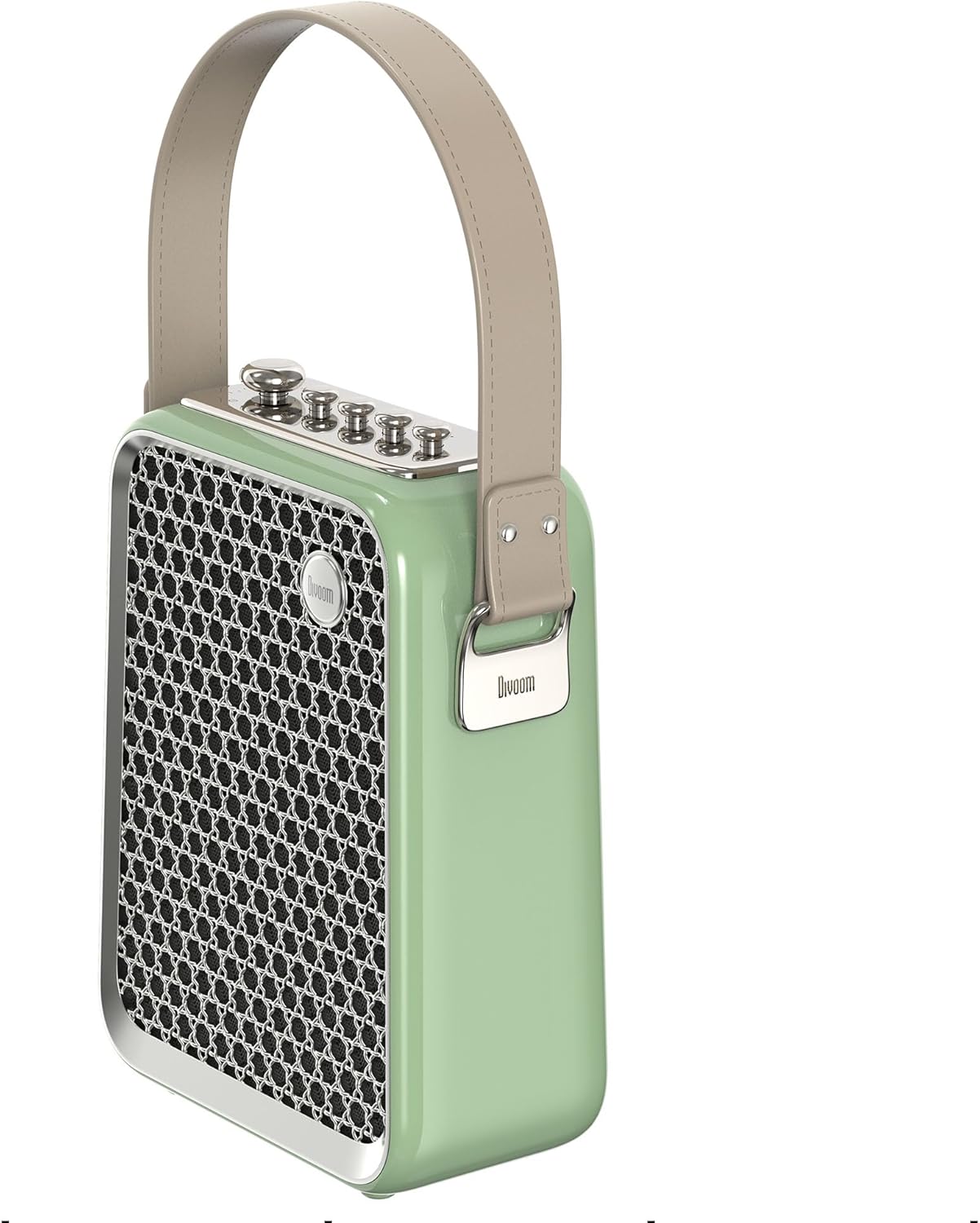
شکل ۳: د اړخ پروfile of the Divoom Songbird speaker, highlighting its compact dimensions and integrated carrying handle.
تضمین او ملاتړ
د تضمین معلومات
This product may be eligible for extended warranty plans and accidental damage protection plans. Please refer to your purchase documentation or contact your retailer for specific warranty terms and conditions applicable to your region.
- د یو کلن غځیدلي تضمین پلان: د پیرودلو لپاره شتون لري.
- 1 Year Accidental Damage Protection Plan: د پیرودلو لپاره شتون لري.
- د دوه کلن غځیدلي تضمین پلان: د پیرودلو لپاره شتون لري.
د پیرودونکي ملاتړ
For technical assistance, troubleshooting beyond this manual, or warranty claims, please contact Divoom customer support. Visit the official Divoom webد اړیکو معلوماتو لپاره سایټ ته مراجعه وکړئ یا د خپل محصول بسته بندۍ سره چمتو شوي ملاتړ توضیحاتو ته مراجعه وکړئ.
تاسو هم کولی شئ لیدنه وکړئ Divoom brand page on Amazon د نورو معلوماتو لپاره.