
پیژندنه
This manual provides detailed instructions for the operation and maintenance of your Cuifati Portable Cassette Player with Auto Reverse. Please read this manual thoroughly before using the device to ensure proper functionality and to maximize your listening experience.
د بسته محتويات
ډاډ ترلاسه کړئ چې لاندې ټول توکي ستاسو په بسته کې شامل دي:
- 1 x Cuifati Portable Cassette Player
- 1 ایکس هیډفون
- ۱ x د USB بریښنا تار
- 1 x د کارونکي لارښود
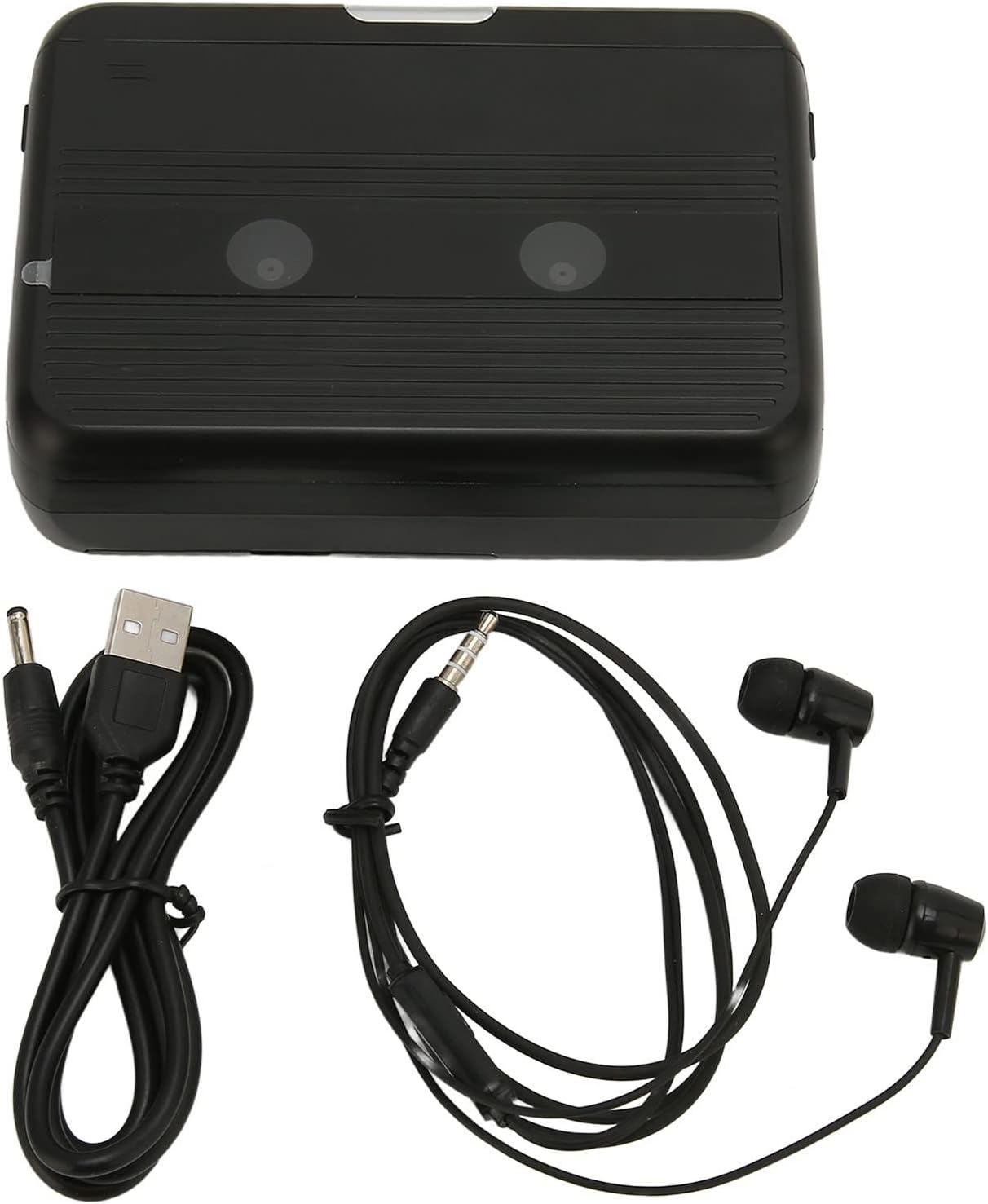
The Cuifati Portable Cassette Player shown alongside its included USB power cord and wired headphones.
محصول پای ته ورسیدview
د خپل کیسټ پلیر د مختلفو برخو او کنټرولونو سره ځان بلد کړئ.
مخکی View (پرانستل)
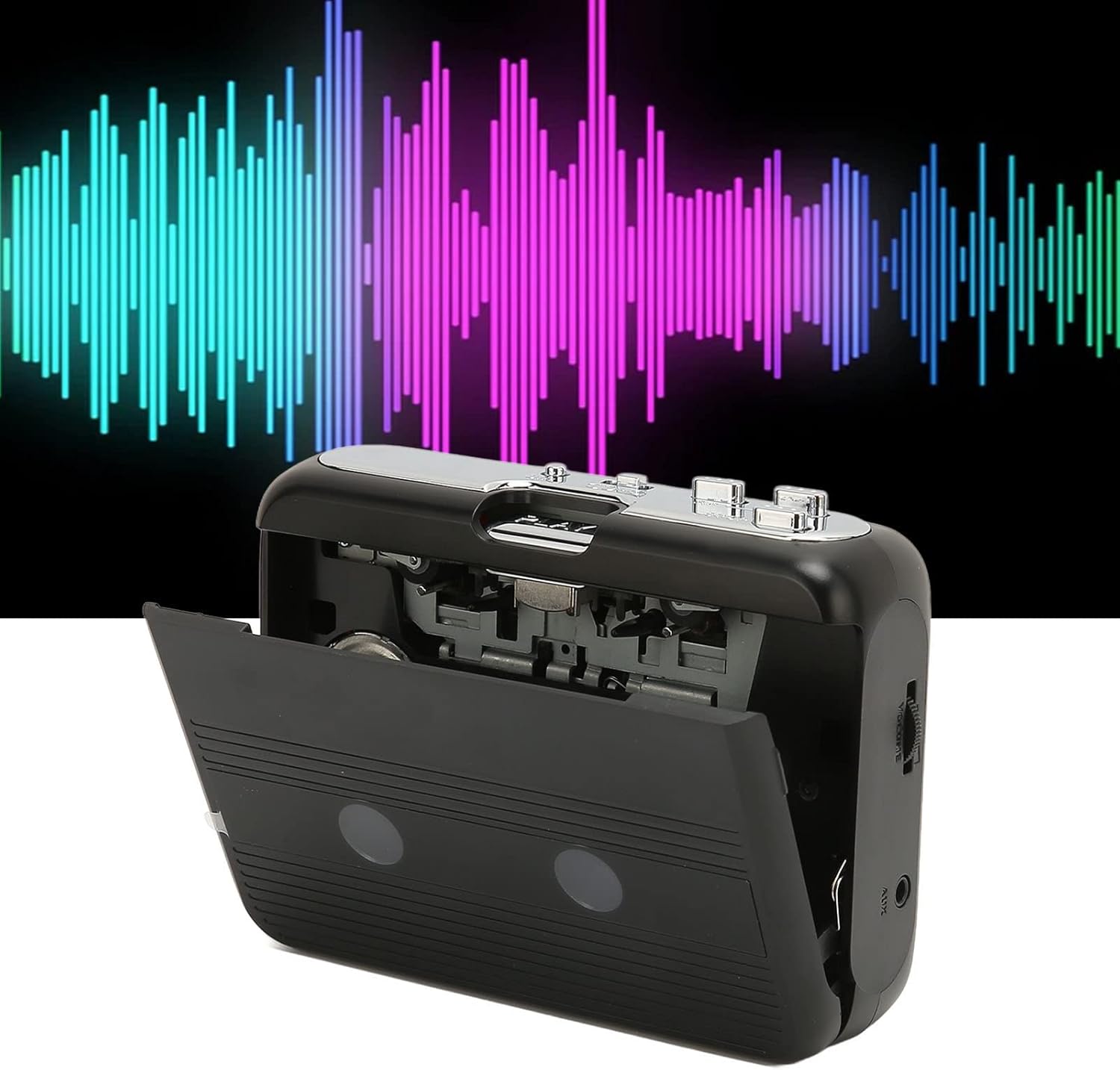
مخکی view of the Cuifati Portable Cassette Player with the cassette compartment door open, revealing the tape mechanism.
مخکی View (بند)
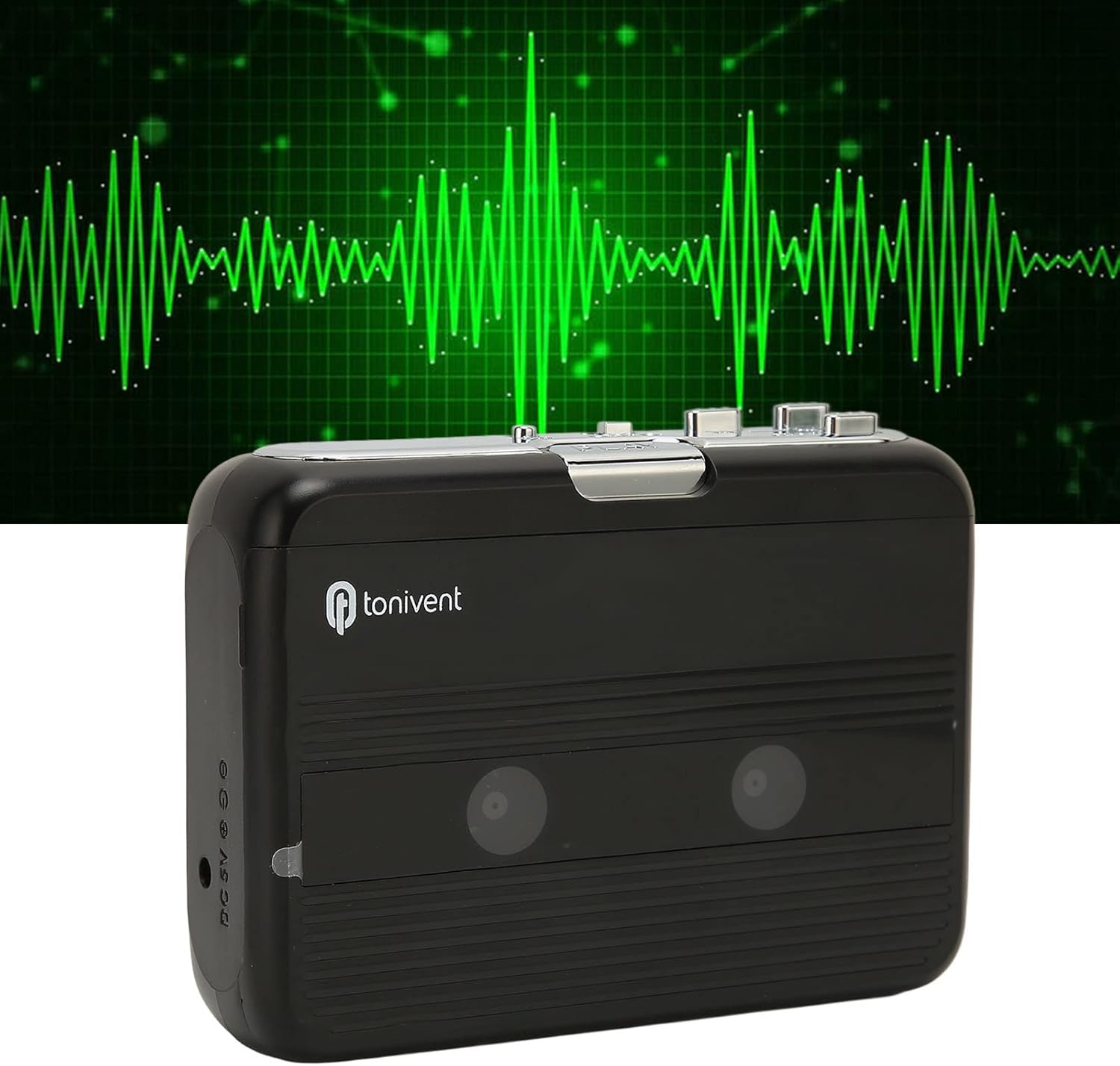
مخکی view of the Cuifati Portable Cassette Player with the cassette compartment door closed.
Cassette Mechanism

تړل view of the cassette player's internal mechanism, showing the tape heads and rollers.
اړخ View (کنټرولونه او بندرونه)

اړخ view of the cassette player, highlighting the volume control wheel and the AUX output port.
کلیدي کنټرولونه:
- د لوبې بټن: د کیسیټ پلې بیک پیل کوي.
- د ت Stopۍ ت :ۍ: Halts playback.
- د چټک مخته تګ (FF) تڼۍ: ټیپ په چټکۍ سره پرمخ وړي.
- د شاته کولو (REW) تڼۍ: ټیپ په چټکۍ سره بیرته راګرځوي.
- Auto Reverse Button: Changes tape direction during playback.
- د حجم کنټرول ویل: د آډیو آوټ پټ کچه تنظیموي.
- FM/Tape Switch: Selects between FM radio and cassette playback mode.
- Headphone/AUX Output Jack: Connects headphones or external audio devices.
- DC 5V داخلول: د USB بریښنا رسولو لپاره.
چمتو کول
د بریښنا رسول
The cassette player can be powered by two (2) AA batteries or via a USB power supply.
- د بیټرۍ نصب کول:
- د وسیلې په شا کې موقعیت لرونکي د بیټرۍ کمپارټمینټ پوښ خلاص کړئ.
- دوه AA بیټرۍ دننه کړئ، د سم قطبیت (+/-) ډاډ ترلاسه کړئ لکه څنګه چې د خونې دننه ښودل شوي.
- د بیټرۍ کمپارټ پوښ په خوندي ډول وتړئ.
- USB Power Connection:
- Connect the small end of the included USB power cord to the DC 5V input port on the cassette player.
- Connect the standard USB end to a USB power adapter (not included) or a computer's USB port.
Inserting a Cassette Tape
- د کیسټ د خونې دروازه په نرمۍ سره پرانیزئ.
- Insert a cassette tape with the exposed tape facing upwards and the side you wish to play facing the front.
- د کیسټ د خونې دروازه تر هغه پورې وتړئ تر څو چې په خوندي ډول کلیک ونه کړي.
عملیاتي لارښوونې
د کیسټونو غږول
- ډاډ ترلاسه کړئ چې د کیسیټ ټیپ په سمه توګه داخل شوی دی.
- Set the FM/Tape switch to the "Tape" position.
- فشار ورکړئ لوبه وکړئ د پلی بیک پیل کولو لپاره تڼۍ.
- تنظیم کړئ د حجم کنټرول څرخ ستاسو د مطلوب اوریدلو کچې ته.
- د بیاځلې ودریدو لپاره ودریږئ تڼۍ
- د چټک مخ په وړاندې کولو لپاره، فشار ورکړئ FF تڼۍ. د بیرته راګرځولو لپاره، فشار ورکړئ REW ت buttonۍ. پریس ودریږئ to disengage.
Auto Reverse Function
The player features an auto-reverse function, allowing the tape to play in both directions without needing to manually flip the cassette.
- د پلې بیک په جریان کې ، فشار ورکړئ په اتوماتيک ډول بیرته button to switch the tape direction. The player will automatically reverse and continue playing the other side of the tape.
د ایف ایم راډیو کارول
- Set the FM/Tape switch to the "FM" position.
- Use the tuning dial (if present, otherwise the FF/REW buttons might serve as tuning) to scan for FM radio stations.
- تنظیم کړئ د حجم کنټرول څرخ ستاسو د مطلوب اوریدلو کچې ته.
Using the Built-in Speaker
The device includes a built-in speaker for direct audio output. No special action is required; audio will play through the speaker unless headphones are connected.
Connecting Headphones or External Audio Devices
For private listening or connecting to external speakers, use the 3.5mm headphone/AUX output jack.
- Plug the included headphones or your own 3.5mm audio cable into the Headphone/AUX Output Jack.
- When headphones are connected, audio will automatically switch from the built-in speaker to the headphones.

A person listening to music with headphones, illustrating the headphone usage.
ساتنه
Proper care ensures the longevity and optimal performance of your cassette player.
- پاکول: د وسیلې بهرنۍ برخه پاکولو لپاره نرم، وچ ټوکر وکاروئ. مایع پاکوونکي یا د کثافاتو مواد مه کاروئ.
- د ټیپ سرونه: Periodically clean the tape heads with a specialized cassette head cleaner to maintain sound quality.
- ذخیره کول: کله چې د اوږدې مودې لپاره نه کارول کیږي، نو د لیکیدو مخنیوي لپاره بیټرۍ لرې کړئ. وسیله په یخ او وچ ځای کې د مستقیم لمر وړانګو او سخت تودوخې څخه لرې وساتئ.
- له دوړې څخه ډډه وکړئ: Keep the cassette compartment closed when not in use to prevent dust accumulation.
د ستونزو حل کول
If you encounter issues with your cassette player, refer to the following common problems and solutions:
| ستونزه | احتمالي لامل | د حل لاره |
|---|---|---|
| هیڅ ځواک نشته | Dead batteries; USB cable not connected; faulty power source. | Replace batteries; ensure USB cable is securely connected to a working power source. |
| د سپیکر/هیډفون څخه غږ نشته | Volume too low; headphones not fully plugged in; FM/Tape switch in wrong position; dirty tape heads. | Increase volume; ensure headphones are fully inserted; set switch to correct mode (Tape/FM); clean tape heads. |
| Poor sound quality (cassette) | Dirty tape heads; worn-out tape; incorrect tape insertion. | Clean tape heads; try a different tape; re-insert tape correctly. |
| د ایف ایم راډیو جامد / ضعیف استقبال | کمزوری سیګنال؛ مداخله. | Relocate the player to an area with better reception; try adjusting the player's orientation. |
| Tape not playing/moving | Tape jammed; mechanism issue; tape not inserted correctly. | Check for tape jams; ensure tape is inserted correctly; if issue persists, contact support. |
مشخصات
| فیچر | تفصیل |
|---|---|
| برانډ | Cuifati |
| د ماډل شمیره | Cuifatibi73wk0z4p |
| ASIN | B0CDD42V9J |
| د بریښنا رسول | 2 x AA Batteries or USB DC 5V |
| افعال | Cassette Playback, Auto Reverse, FM Radio, Built-in Speaker, Headphone Output |
| د آډیو تولید | 3.5mm Headphone/AUX Jack |
| د توکي وزن | 10.3 اونس |
د خوندیتوب مهم معلومات
- وسیله د اوبو، رطوبت، یا ډیرې تودوخې سره مه مخ کوئ.
- د قوي تاثیراتو سره د وسیله له مینځه وړلو یا تابع کولو څخه ډډه وکړئ.
- هڅه مه کوئ چې وسیله پخپله جلا کړئ یا ترمیم کړئ. ټولې خدمتونه وړ پرسونل ته راجع کړئ.
- د بیټرۍ د ځایی مقرراتو سره سم په مسؤلیت سره تصفیه کړئ.
- په لوړ غږ کې د اوږدې مودې لپاره اوریدل کولی شي د اوریدلو زیان ورسوي. غږ خوندي کچې ته تنظیم کړئ.
تضمین او ملاتړ
د تضمین معلوماتو یا تخنیکي ملاتړ لپاره، مهرباني وکړئ د پیرودلو په وخت کې چمتو شوي اسنادو ته مراجعه وکړئ یا خپل پرچون پلورونکي سره اړیکه ونیسئ. د پیرود ثبوت په توګه د پیرود رسید وساتئ.