
1. محصول ختم شوview
The RAZEAK Portable 60% Mechanical Keyboard is a compact, high-performance input device designed for PC and Mac users, particularly gamers. Its 61-key layout saves desk space while retaining full functionality through key combinations. This model features durable mechanical switches and customizable colorful backlighting.
- د ۶۰٪ کمپیکټ ترتیب: Space-saving 61-key design with full functionality via key combinations.
- N-کیلي رول اوور: Ensures all key presses are registered accurately, even during rapid input.
- Dual Colour Translucent Keycaps: Injection-moulded keycaps for durability and enhanced backlighting.
- رنګین شاته رڼا: Multiple LED backlighting modes for visual appeal and low-light visibility.
- Humanistic Design: Adjustable height and detachable USB-C cable for user comfort and portability.
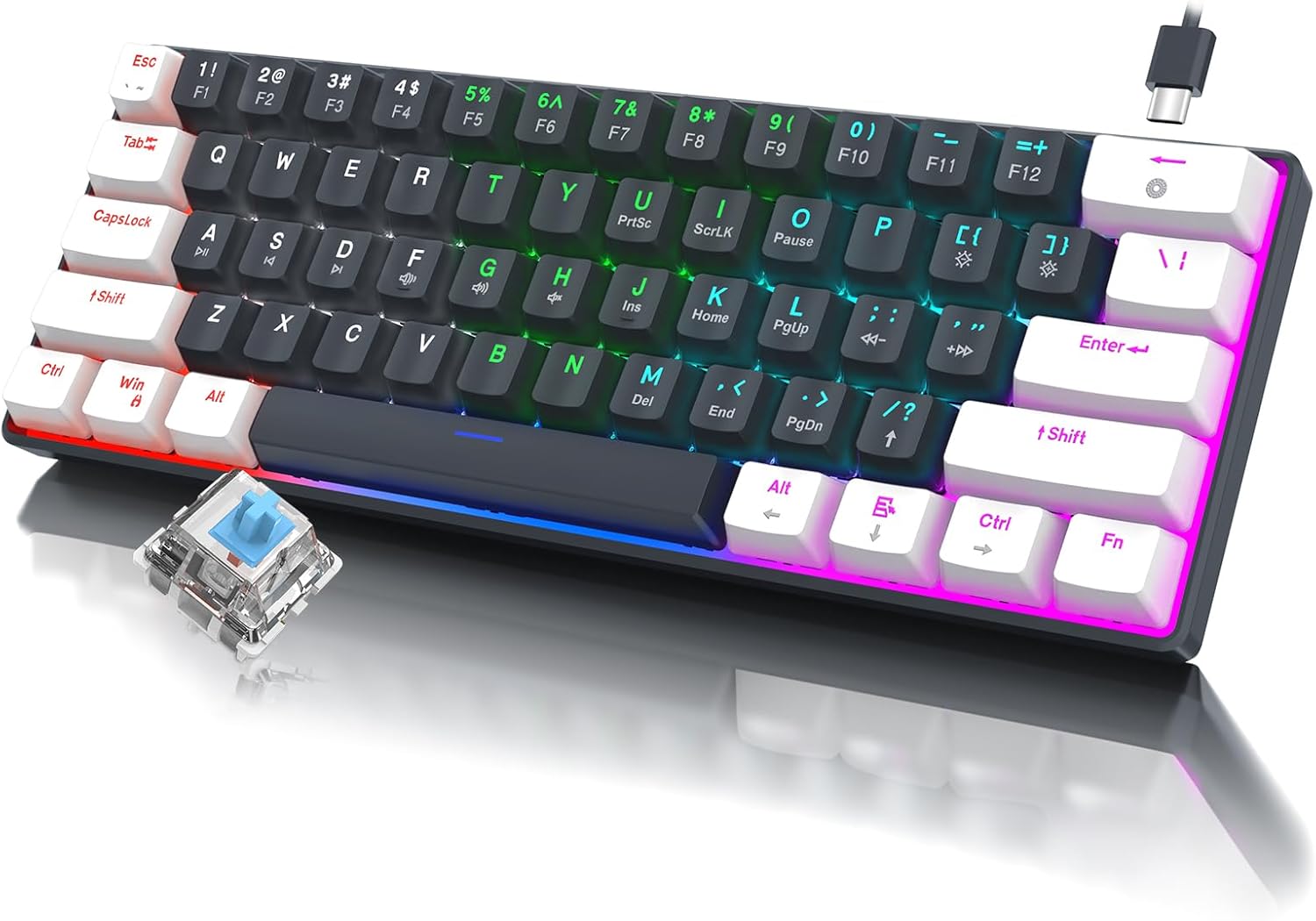
انځور 1.1: اوورview of the RAZEAK Portable 60% Mechanical Keyboard, showcasing its compact design, colorful backlighting, and a detached blue mechanical switch.
2. د بسته محتويات
Please verify that all items are present in the package upon unboxing:
- RAZEAK Portable 60% Mechanical Keyboard
- USB-C کیبل
3. ترتیب کول
۴.۲ د کیبورډ نښلول
- Locate the USB-C port on the back or side of the keyboard.
- د ورکړل شوي USB-C کیبل یوه پای د کیبورډ USB-C پورټ سره وصل کړئ.
- Connect the other end of the USB-C cable to an available USB-A port on your computer (PC or Mac).
- The keyboard will automatically be recognized by your operating system. No additional drivers are typically required.
۳.۴ د کیبورډ لوړوالی تنظیمول
The keyboard features two levels of height adjustment for ergonomic comfort.
- Flip the keyboard over to access the adjustable feet on the underside.
- Gently pull out the small feet for the first level of elevation.
- For a higher angle, pull out the larger feet.
- Ensure both feet are extended evenly to maintain stability.

Image 3.1: Illustration of the keyboard's ergonomic design with adjustable feet, allowing for comfortable typing angles.
4. عملیاتي لارښوونې
۴.۱ کلیدي دندې او ترکیبونه
Due to its compact 60% layout, some functions are accessed via key combinations using the Fn کلید
| ترکیب | فعالیت |
|---|---|
| Fn + 1! to Fn + =+ | F1 to F12 Function Keys |
| Fn + Q | مخکینی ټریک |
| Fn + W | پلی/ودرول |
| Fn + E | بله لار |
| Fn + R | حجم ښکته |
| Fn+T | حجم پورته |
| فېن + ی | خاموش |
| Fn + U | PrntSc (Print Screen) |
| Fn + I | ScrLk (Scroll Lock) |
| Fn + O | وقفه |
| Fn + P | داخلول (داخلول) |
| فېن + [ { | کور |
| فېن + ] } | پای |
| Fn + ; : | PgUp (مخ پورته) |
| فېن + ' " | مخ ښکته (مخ ښکته) |
| فېن + / ? | پورته تیر |
| fn+alt | کیڼ تیر |
| Fn + Ctrl | ښکته تیر |
| Fn + Fn | ښي تیر |

Image 4.1: Layout of the 60% ultra-compact keyboard, highlighting the 61-key configuration and secondary functions accessible via the Fn key.
د 4.2 شاته څراغ کنټرول
The keyboard features multiple LED backlight modes and brightness levels.
- فېن + \|: Cycle through 19 different backlight modes.
- Fn + ; : (PgUp): د شاته رڼا روښانتیا زیاته کړئ.
- Fn + ' " (PgDn): د شاته رڼا روښانتیا کمه کړئ.
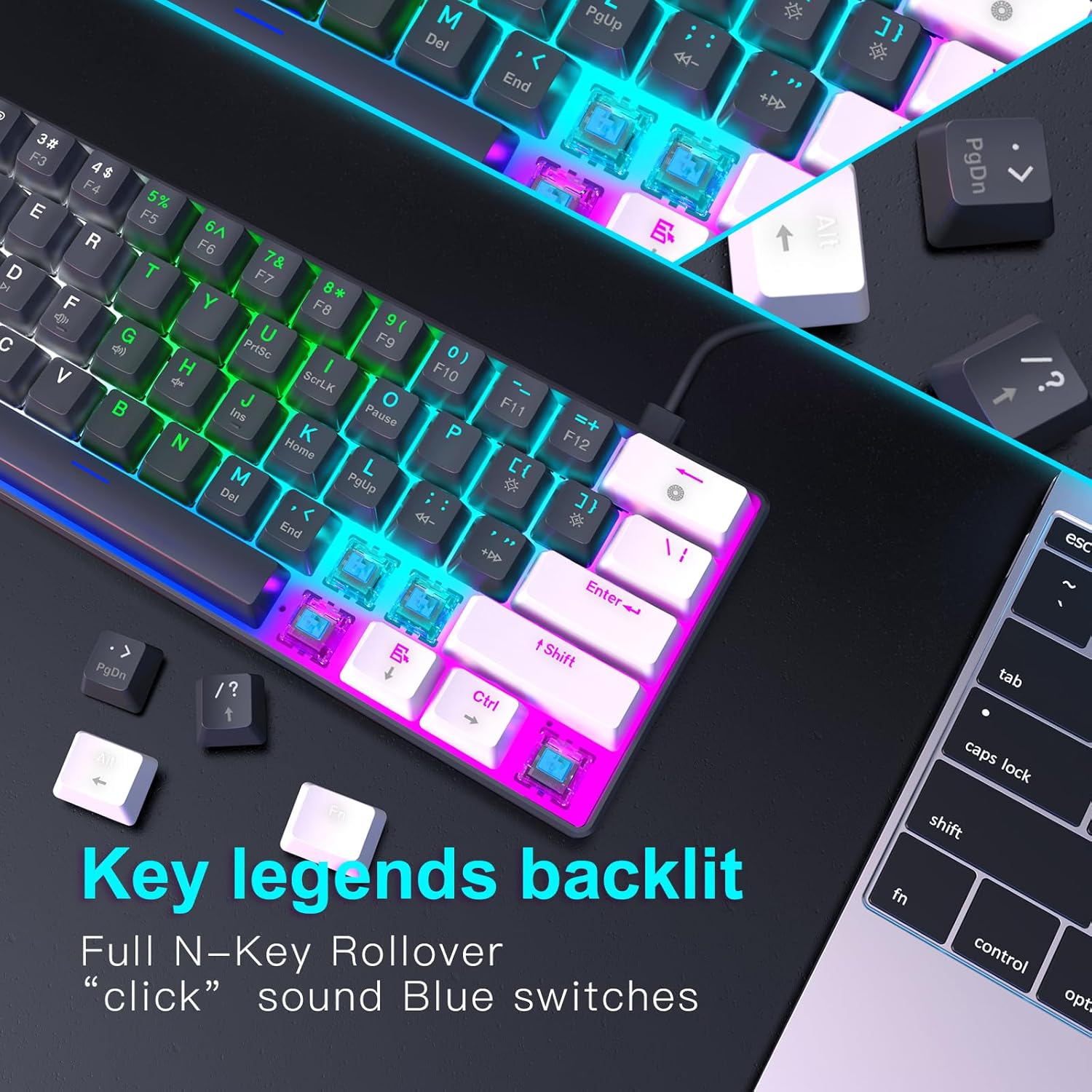
انځور ۳.۱: نږدې انځور view of the keyboard's key legends with active backlighting, demonstrating the translucent keycaps and illuminated mechanical switches.
5. ساتنه
مناسب ساتنه ستاسو د کیبورډ اوږد عمر او غوره فعالیت تضمینوي.
- پاکول: Use a soft, dry cloth to wipe the surface of the keyboard. For dust and debris between keys, use compressed air. Avoid liquid cleaners directly on the keyboard.
- Keycap Removal (Optional): If necessary, keycaps can be carefully removed for deeper cleaning using a keycap puller (not included). Reinstall them by aligning and pressing down gently.
- ذخیره کول: کله چې په کارولو کې نه وي، کیبورډ په پاک او وچ چاپیریال کې د مستقیم لمر وړانګو او سختې تودوخې څخه لرې وساتئ.
- د کیبل پاملرنه: Avoid bending or twisting the USB-C cable excessively to prevent damage.
6. ستونزه حل کول
If you encounter issues with your RAZEAK keyboard, please refer to the following common solutions:
| ستونزه | احتمالي لامل / حل |
|---|---|
| کیبورډ ځواب نه ورکوي |
|
| د شا څراغ کار نه کوي یا تیاره دی |
|
| ځینې کیلي کار نه کوي |
|
7. مشخصات
| فیچر | تفصیل |
|---|---|
| د ماډل نوم | X44-WTBK-BS_B |
| برانډ | RAZEAK |
| د کیبورډ ډول | د میخانیکي لوبو کی بورډ |
| ترتیب | ۶۰٪ (۶۱ کیلي) |
| د سویچ ډول | Blue Switch (Clicky) |
| ارتباط | USB-C (Detachable Cable) |
| شاته څراغ | Colorful LED (19 modes) |
| کلیدي رول اوور | N-کیلي رول اوور |
| کیکیپس | Dual Colour Translucent Injection Moulded |
| د محصول ابعاد | 11.5 x 4.02 x 1.57 انچه |
| د توکي وزن | ۲.۴۵ پونډه |
| مطابقت لرونکې وسیلې | Windows devices (PC/Mac) |
| شاملې برخې | USB کیبل |

Image 7.1: Dimensional diagram of the RAZEAK Portable 60% Mechanical Keyboard, indicating its compact size.
8. تضمین او ملاتړ
RAZEAK products are designed for reliability and performance. For specific warranty details, please refer to the warranty card included with your product or visit the official RAZEAK website. If you require technical assistance or have questions regarding your keyboard, please contact RAZEAK customer support through their official channels.
د نورو معلوماتو او ملاتړ لپاره، تاسو کولی شئ لیدنه وکړئ RAZEAK Store on Amazon.