
پیژندنه
Thank you for choosing CLEYVER Earbuds Pro. This user manual provides essential information for the proper setup, operation, maintenance, and troubleshooting of your new wireless headphones. Please read this manual thoroughly before using the product to ensure optimal performance and longevity.
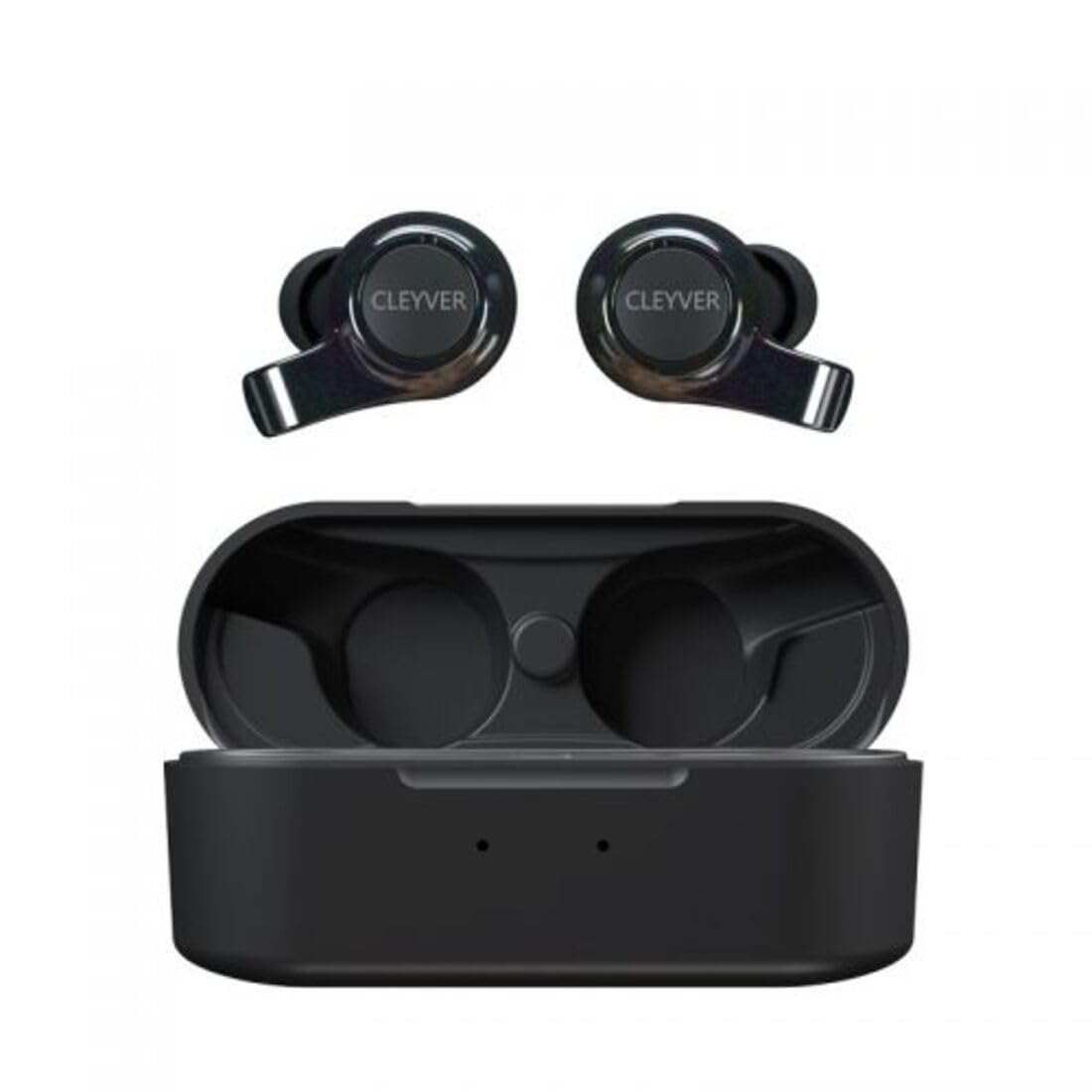
Image: The CLEYVER Earbuds Pro displayed with the CLEYVER brand logo.
د بسته محتويات
ډاډ ترلاسه کړئ چې ټول توکي ستاسو په کڅوړه کې شتون لري:
- CLEYVER Earbuds Pro (Left and Right)
- د بې سیم چارج قضیه
- د USB-C چارج کیبل
- د غوږونو ټپونه (کوچني، منځني، لوی اندازې)
- د کارونکي لارښود (دا لاسوند)

Image: The CLEYVER Earbuds Pro and their accompanying charging case.
محصول پای ته ورسیدview
The CLEYVER Earbuds Pro are designed for a superior audio experience with advanced features. Each earbud is equipped with a dual microphone system for clear calls and Environmental Noise Cancellation (ENC) technology. The earbuds feature a hybrid Touch & Push-button control system for easy management of calls and media playback.
The compact charging case provides extended battery life and supports both wired (USB-C) and wireless charging.

Image: The CLEYVER Earbuds Pro securely placed within their charging case.
چمتو کول
۴.۱. د غوږۍ او کیس چارج کول
د لومړي ځل کارولو دمخه، د غوږ بډونه او د چارج کولو قضیه په بشپړه توګه چارج کړئ.
- د تار چارج کول: ورکړل شوی USB-C کیبل د قضیې چارج کولو پورټ او د بریښنا سرچینې سره وصل کړئ.
- بې سیم چارج کول: د چارج کولو قضیه په یو مناسب بې سیم چارج کولو پیډ کې ځای په ځای کړئ.
The charging case has a 500 mAh battery, providing up to 40 hours of listening time or 7 hours of talk time. A quick 10-minute charge can provide up to 2 hours of autonomy.

Image: Visual representation highlighting the 40 hours of playtime for the CLEYVER Earbuds Pro.
۲. ستاسو د وسیلې سره جوړه کول
- د چارج کولو کیس پوښ خلاص کړئ. د غوږ بډونه به په اتوماتيک ډول د جوړې کولو حالت ته ننوځي.
- په خپل وسیله (سمارټ فون، ټابلیټ، او نور) کې، بلوتوث فعال کړئ.
- لټون available Bluetooth devices and select "CLEYVER Earbuds Pro" from the list.
- یوځل چې وصل شي، د تایید غږ به غږ شي، او د غوږ بډونه به د کارونې لپاره چمتو وي.
The earbuds feature instant pairing when the case lid is opened, simplifying the connection process.

Image: A smartphone screen displaying the CLEYVER Earbuds Pro as a connected Bluetooth device, illustrating the simple setup process.
۳. د غوږونو اییربډونه اغوستل
Choose the eartip size (S, M, L) that provides the most comfortable and secure fit for optimal sound quality and noise isolation. Gently insert the earbuds into your ears and twist slightly to secure them.

Image: A person demonstrating how to properly insert a CLEYVER Earbud Pro into their ear.
د ایربډونو چلول
Touch & Push-Button Controls
The CLEYVER Earbuds Pro feature a hybrid control system combining touch gestures with a physical push-button for precise command execution. Specific functions for playback, call management, and mode switching are detailed in the quick start guide included in the package.
د غږ طریقې
- د چاپیریال شور منسوخ کول (ENC): This technology actively reduces ambient noise, providing clearer audio during calls and an immersive listening experience.
- د روڼتیا حالت: Allows you to hear your surroundings without removing the earbuds. You can choose between full or partial noise isolation to stay aware of your environment.

Image: A person wearing CLEYVER Earbuds Pro, with an overlay indicating 'Transparency Mode' and a phone screen showing options for different sound modes.
د لوبې کولو حالت
Activate Gaming Mode for reduced audio latency, ensuring synchronized sound with on-screen action during gaming sessions.

Image: The CLEYVER Earbuds Pro positioned beside a smartphone screen showing a dynamic racing game, illustrating the 'Gaming Mode' feature.
د کال افعال
Benefit from HD audio and a dual microphone system per earbud, designed to deliver crystal-clear voice quality during calls while minimizing background noise.
Mono or Stereo Use
The earbuds can be used individually (mono mode) or together (stereo mode) according to your preference and situation.
ساتنه
پاکول
د غوره فعالیت او حفظ الصحې ساتلو لپاره په منظم ډول خپل غوږوالۍ او د چارج کولو قضیه پاک کړئ.
- د غوږونو او بکسونو د پاکولو لپاره نرم، وچ، له لینټ څخه پاک ټوکر وکاروئ.
- د غوږونو د بندولو لپاره، هغه له غوږونو څخه لرې کړئ او د اعلان سره یې پاک کړئamp ټوکر، بیا د بیا نښلولو دمخه په ښه توګه وچ کړئ.
- د کثافاتو موادو، محلولونو، یا سخت کیمیاوي موادو کارولو څخه ډډه وکړئ.
ذخیره کول
کله چې په کارولو کې نه وي، د غوږ بډونه د چارج کولو په قضیه کې وساتئ ترڅو دوی د دوړو، زیان څخه خوندي کړي او چارج وساتي.
د اوبو مقاومت
The CLEYVER Earbuds Pro are IPX5 certified, meaning they are protected against low-pressure water jets from any direction. This makes them suitable for workouts and light rain, but they are not designed for submersion in water.
د ستونزو حل کول
If you encounter issues with your CLEYVER Earbuds Pro, refer to the following common solutions:
| ستونزه | احتمالي حل |
|---|---|
| Earbuds نه جوړیږي | ډاډ ترلاسه کړئ چې د غوږ بډونه چارج شوي دي. د خپل آلې بلوتوث بند او فعال کړئ. غوږ بډونه بیرته په قضیه کې ځای په ځای کړئ، وتړئ، بیا یې پرانیزئ ترڅو د جوړې کولو حالت ته بیا ننوځئ. |
| د یو غوږ بډ څخه هیڅ غږ نشته | Check battery level of both earbuds. Re-pair the earbuds with your device. Ensure both earbuds are properly seated in the charging case for connection. |
| د چارج قضیه نه چارج کول | Verify the USB-C cable is securely connected to both the case and power source. If using wireless charging, ensure the case is correctly positioned on the charging pad. |
| ضعیف غږ کیفیت | Ensure earbuds are clean and eartips are correctly sized and sealed in your ear. Move closer to your connected device to avoid interference. |
مشخصات
| فیچر | تفصیل |
|---|---|
| برانډ | Cleyver |
| د ماډل نوم | ODEWPRO |
| رنګ | تور |
| د فارم فکتور | په غوږ کې |
| د ارتباط ټیکنالوژي | بېسیم (بلوتوث ۵.۳) |
| د بلوتوټ رینج | تر 30 مترو پورې |
| مایکروفون | 2 per earbud (with ENC Technology) |
| د شور کنټرول | Environmental Noise Cancellation (ENC), Transparency Mode |
| د اوبو مقاومت | IPX5 Standard (splash resistant) |
| د ایربډ پلی کولو وخت | تر 40 ساعتونو پورې (د چارج کولو قضیې سره) |
| Earbud Talk Time | تر 7 ساعتونو پورې |
| ولاړ وخت | تر 200 ساعتونو پورې |
| د چارج کولو قضیه بیټرۍ | 500 mAh |
| د چارج کولو ډول | USB-C (wired) or Wireless Charging |
| شاملې برخې | User Manual, USB-C Cable, Wireless Charging Case, Eartips |
تضمین او ملاتړ
د تضمین معلومات
The CLEYVER Earbuds Pro come with a 2 کلن تضمین د پیرود نیټې څخه. دا تضمین د تولید نیمګړتیاوې پوښي او ډاډ ورکوي چې ستاسو محصول د عادي استعمال لاندې د ارادې سره سم فعالیت کوي. مهرباني وکړئ د تضمین ادعاوو لپاره د پیرود ثبوت وساتئ.
د پیرودونکي ملاتړ
For further assistance, technical support, or warranty inquiries, please visit the official Cleyver website or contact their customer service through the details provided on your purchase receipt or packaging.