
پیژندنه
د پیرودلو لپاره مننهasing the Arafuna Portable CD Player. This versatile device combines a CD player, Bluetooth speaker, FM radio, USB player, and AUX-in functionality, offering multiple ways to enjoy your audio. Designed for portability and ease of use, it features a built-in rechargeable battery and powerful stereo speakers. Please read this manual carefully before use to ensure proper operation and to maximize your listening experience.
د بسته محتويات
مهرباني وکړئ د لاندې توکو لپاره په بسته کې وګورئ:
- Arafuna Portable CD Player x1
- ریموټ کنټرول x1
- د بریښنا اډاپټر x1
- USB to Type-C Charging Cable x1
- د کارن لارښود x1
د محصول ځانګړتیاوې
- Multi-functional Audio Device: Supports CD, Bluetooth, FM Radio, USB, and AUX-in playback modes.
- دننه د چارج وړ بیټرۍ: Integrated 2000mAh battery for portable use without constant power connection.
- Powerful Stereo Speakers: Equipped with two 15W front-facing stereo speakers for enhanced sound quality.
- د پریښودو ضد محافظت: Ensures uninterrupted playback even during movement, suitable for car use.
- د شالید نمایش: Clear visibility of information in low-light conditions.
- د خوب ټیمر فعالیت: Allows setting a timer for automatic power off.
- Protective CD Lid: Helps protect CDs from dust and damage.
کنټرولونه او بندرونه
Familiarize yourself with the controls and ports of your Arafuna Portable CD Player.

انځور: پورته او اړخ view of the Arafuna Portable CD Player, highlighting numbered controls and ports.
- ولاړ: بریښنا آن/آف.
- د خوب ټایمر ترتیب: د خوب وخت تنظیم کړئ.
- لارښوونه: Switch between CD, Bluetooth, FM, USB, AUX modes.
- مخکینی: Skip to previous track/station.
- وقفه/لوبه: Play or pause current audio.
- درېدل: بیا غږول بند کړئ.
- بل: Skip to next track/station.
- VOL +: حجم زیات کړئ.
- ول -: حجم کم کړئ.
- تکرار کړئ: Cycle through repeat modes (Repeat All, Repeat One, Random Play, A-B Repeat).
- CD Cover Open: Latch to open the CD compartment.
- CD Dust Lid: Transparent lid protecting the CD.
- د ډي سي چارج کولو بندر: Connect power adapter for charging.
- بریښنا فعال/بند: د بریښنا اصلي سویچ.
- Earphone / AUX Out Port: 3.5mm jack for headphones or external speaker output.
- AUX په بندر کې: د بهرنیو آډیو سرچینو سره د نښلولو لپاره 3.5 ملي میتر جیک.
- USB پورټ: د USB ډرایو پلې بیک لپاره.
چمتو کول
۱. ابتدايي چارج کول
Before first use, fully charge the device. Connect the USB to Type-C charging cable to the DC Charging Port (13) and the other end to the power adapter. Plug the adapter into a wall outlet. The charging indicator will show the charging status. A full charge typically takes a few hours.
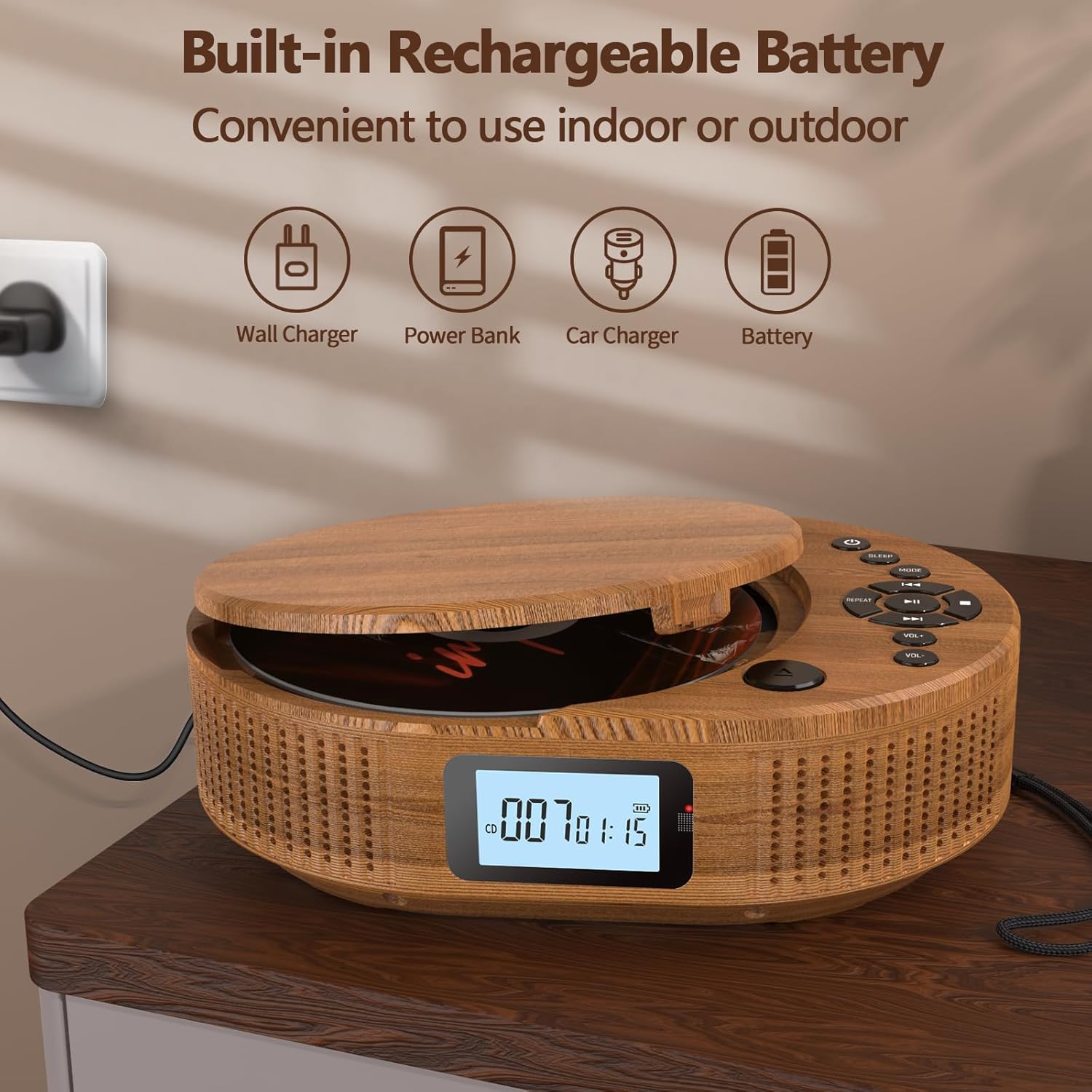
Image: The Arafuna Portable CD Player connected to a power source, illustrating its rechargeable battery feature.
2. بریښنا فعال/بند
To power on the device, slide the main Power On/Off switch (14) to the "ON" position. Press the Standby button (1) to turn the display on. To power off, press the Standby button (1) again or slide the main Power On/Off switch (14) to "OFF" for complete shutdown.
عملیاتي لارښوونې
1. CD Playback Mode
- Open the CD cover by gently lifting the CD Cover Open latch (11).
- یوه سي ډي په سپینډل باندې کېږدئ چې د لیبل اړخ یې پورته وي.
- Close the CD cover until it clicks securely.
- Press the MODE button (3) until "CD" mode is displayed.
- The player will automatically start reading the CD. Press the Play/Pause button (5) to start or pause playback.
- Use the Previous (4) and Next (7) buttons to skip tracks.
- Adjust volume with VOL + (8) and VOL - (9).
- Press the Repeat button (10) to cycle through repeat options (e.g., repeat one, repeat all, random play, A-B repeat).
- د پلې بیک بندولو لپاره د سټاپ تڼۍ (6) کېکاږئ.

Image: The Arafuna Portable CD Player in CD mode, demonstrating its primary function.
2. د بلوتوث حالت
- Press the MODE button (3) until "bt" (Bluetooth) mode is displayed. The device will enter pairing mode, indicated by a flashing Bluetooth icon.
- On your smartphone, tablet, or other Bluetooth device, enable Bluetooth and search for available devices.
- Select "Arafuna BP2211T" (or similar name) from the list to pair.
- Once paired, the Bluetooth icon on the player's display will stop flashing. You can now play audio from your connected device.
- Use the player's controls (Play/Pause, Previous, Next, Volume) or your connected device's controls to manage playback.

Image: The Arafuna Portable CD Player in Bluetooth mode, showing connectivity with a mobile phone.
3. د ایف ایم راډیو حالت
- Press the MODE button (3) until "FM" mode is displayed.
- To auto-scan and save stations, press and hold the Play/Pause button (5). The player will scan and store available FM stations (76MHz-108MHz).
- Use the Previous (4) and Next (7) buttons to navigate through saved stations.
- Adjust volume with VOL + (8) and VOL - (9).

Image: The Arafuna Portable CD Player displaying FM radio frequency and demonstrating the sleep timer function.
۶.۳. د USB پلې بیک حالت
- Insert a USB flash drive into the USB Port (17).
- Press the MODE button (3) until "USB" mode is displayed.
- The player will automatically detect and start playing compatible audio files (MP3, WAV, AAC, FLAC, SBC).
- Use the Play/Pause (5), Previous (4), Next (7), and Volume (8, 9) buttons to control playback.
۷. د AUX-in حالت
- Connect an external audio device (e.g., smartphone, MP3 player) to the AUX In Port (16) using a 3.5mm audio cable (not included).
- Press the MODE button (3) until "AUX" mode is displayed.
- Play audio from your external device. The volume can be controlled both on the external device and the CD player.
6. د خوب وخت
To set the sleep timer, press the Sleep Timer Setting button (2). Repeatedly press the button to cycle through available timer options (e.g., 15, 30, 60, 90 minutes, OFF). The device will automatically power off after the selected time.
ساتنه
- پاکول: Use a soft, dry cloth to clean the exterior of the player. Do not use abrasive cleaners or solvents.
- د سي ډي پاملرنه: Handle CDs by their edges. Clean CDs with a soft, lint-free cloth, wiping from the center outwards.
- ذخیره کول: کله چې په کارولو کې نه وي، لوبغاړی په یخ او وچ ځای کې د مستقیم لمر وړانګو او سختې تودوخې څخه لرې وساتئ.
- بیټرۍ: د بیټرۍ د ژوند اوږدولو لپاره، د بیټرۍ په مکرر ډول د بشپړ چارج کولو څخه ډډه وکړئ. وسیله په منظم ډول چارج کړئ، حتی که د اوږدې مودې لپاره نه کارول کیږي.
د ستونزو حل کول
| ستونزه | احتمالي لامل | د حل لاره |
|---|---|---|
| وسیله فعاله نه ده. | Battery is depleted. Main power switch is off. | Charge the device. Ensure the main Power On/Off switch (14) is in the "ON" position. |
| سي ډي نه غږېږي یا نه تیریږي. | CD is dirty, scratched, or inserted incorrectly. CD format not supported. | Clean the CD. Reinsert the CD correctly. Ensure the CD is an audio CD or compatible format. |
| غږ نشته. | Volume is too low. Device is paused. Incorrect mode selected. | Increase volume. Press Play/Pause (5). Ensure the correct mode (CD, BT, FM, USB, AUX) is selected. |
| د بلوتوث جوړه جوړه ناکامه کیږي. | Device is not in pairing mode. Bluetooth is off on external device. | Ensure the player is in "bt" mode. Enable Bluetooth on your external device and search again. |
| د ایف ایم راډیو استقبال کمزوری دی. | کمزوری سیګنال. | Try repositioning the player or moving to an area with better reception. |
مشخصات
| برانډ | عرفونا |
| د ماډل نوم | BP2211T |
| د ماډل شمیره | 2211T-05UK |
| رنګ | د لرګیو رنګ |
| د ارتباط ټیکنالوژي | بلوتوث |
| مطابقت لرونکې وسیلې | General audio devices with USB, auxiliary or Bluetooth connectivity (PC, smartphone, tablet) |
| د بیټرۍ ډول | Lithium-ion (2000mAh built-in) |
| د چارج وړ بیټرۍ | هو |
| د سپیکر محصول | 2 x 15W سټریو سپیکرې |
| د آډیو فارمیټونه ملاتړ شوي | MP3, WAV, AAC, FLAC, SBC (via USB) |
| د ایف ایم راډیو فریکوینسي | 76MHz-108MHz |
| د نښلونکي ډول | 3.5 mm Jack (AUX In/Out), USB |
| د چینلونو شمیر | 2 |
| د توکي وزن | 800 ګرامه |
تضمین او ملاتړ
Arafuna provides a 100% risk-free purchase. If you encounter any issues with your product, please do not hesitate to contact us. Our customer support team is available to assist you.
For support, please refer to the contact information provided on the product packaging or the official Arafuna webسایټ