
FREEWOLF RK-K8
د فری وولف RK-K8 بې سیم میخانیکي لوبو کیبورډ کارونکي لارښود
Model: RK-K8
1. پیژندنه
This manual provides detailed instructions for the FREEWOLF RK-K8 Wireless Mechanical Gaming Keyboard. Please read this manual thoroughly before using the product to ensure proper operation and to maximize your user experience.
کلیدي ځانګړتیاوې:
- Triple-Mode Connectivity: Supports Type-C wired, 2.4GHz wireless, and Bluetooth 5.0 connections.
- Hot-Swappable Switches: Compatible with most 3-pin mechanical switches for customization.
- Gasket Mounted Structure: Enhances typing feel and reduces hollow sound.
- Customizable Rainbow Backlight: Features 18 backlight effects.
- Long-Lasting Battery: Equipped with a 4000mAh battery.
- 96% Layout: 100-key design that saves space while retaining essential keys.
- Wide Compatibility: Supports Windows and Mac operating systems.
2. د بسته محتويات
مهرباني وکړئ تصدیق کړئ چې ټول توکي ستاسو په کڅوړه کې شتون لري:
- 1 x FREEWOLF RK-K8 Mechanical Keyboard
- 1 x USB Receiver (2.4Ghz)
- 1 x Type-C to USB-A Braided Coiled Cable
- 1 x کیکیپ پلر
- ۱ ایکس سویچ پلر
- 2 x Original Switches (spare)
- ۱ x د کارونکي لارښود (دا سند)

Image 2.1: Contents of the FREEWOLF RK-K8 package, showing the keyboard, coiled USB-C cable, USB 2.4G receiver, keycap puller, switch puller, and two spare switches.
3. تنظیم او پیوستون
۳.۱ د کیبورډ چارج کول
Before first use, it is recommended to fully charge the keyboard. Connect the provided Type-C cable to the keyboard's Type-C port and the USB-A end to a power source (e.g., computer USB port, USB wall adapter). The keyboard features a 4000mAh battery.
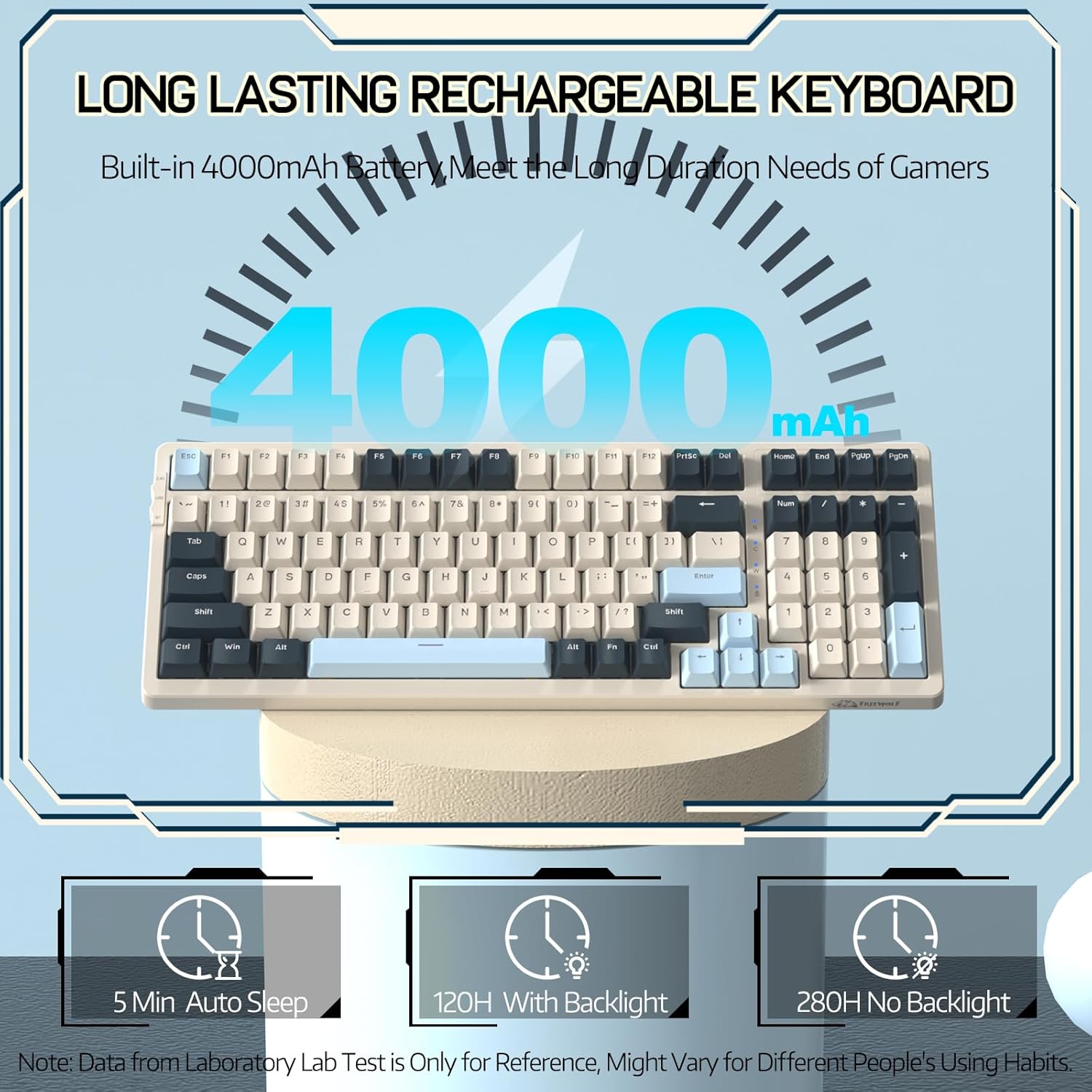
Image 3.1: The keyboard's 4000mAh battery capacity, indicating extended usage time.
3.2 د پیوستون طریقې
The RK-K8 keyboard supports three connection modes: Wired, 2.4GHz Wireless, and Bluetooth 5.0.

Image 3.2: Visual guide for switching between 2.4G wireless, wired, and Bluetooth connection modes.
۴.۴ وایرډ موډ
- Connect the provided Type-C coiled cable to the keyboard's Type-C port.
- د کیبل USB-A پای د خپل کمپیوټر USB پورټ سره وصل کړئ.
- ډاډ ترلاسه کړئ چې په کیبورډ کې د موډ سویچ "USB" (یا د تار لرونکي حالت شاخص) ته تنظیم شوی دی.
- کیبورډ به په اتوماتيک ډول ستاسو سیسټم لخوا وپیژندل شي.

Image 3.3: The Type-C to USB-A braided coiled cable, featuring a metal aviation connector for wired connection.
۳.۱.۲ ۲.۴GHz بېسیم حالت
- Locate the 2.4GHz USB receiver, typically stored in a slot on the keyboard.
- د USB ریسیور په خپل کمپیوټر کې موجود USB پورټ کې ولګوئ.
- Toggle the mode switch on the keyboard to "2.4G".
- کیبورډ باید په اتوماتيک ډول وصل شي.
۴.۲.۲ بلوتوث ۶.۰ حالت
کیبورډ تر دریو پورې بلوتوث وسیلو سره د نښلولو ملاتړ کوي.
- Toggle the mode switch on the keyboard to "BT".
- د جوړه کولو حالت ته د ننوتلو لپاره، فشار ورکړئ او ونیسئ FN + Q, FN + W، یا FN + E د ۳-۵ ثانیو لپاره. د اړونده کیلي بیک لایټ به په چټکۍ سره فلش شي، دا په ګوته کوي چې دا د جوړې کولو لپاره چمتو دی.
- On your device (PC, Mac, tablet, phone), open Bluetooth settings and search for "RK-K8" or a similar device name.
- Select the keyboard to pair. Once connected, the backlight on the chosen key (Q, W, or E) will stop flashing and remain steadily lit.
- د جوړه شوي بلوتوث وسیلو ترمنځ د بدلولو لپاره، په ساده ډول فشار ورکړئ FN + Q, FN + W، یا FN + E.
۳.۳ د سیسټم مطابقت
The RK-K8 keyboard is compatible with both Windows and Mac operating systems. Use the appropriate FN key combinations for specific functions on each system.
ویډیو ۳.۱: یو اوورview of the FREEWOLF K8 mechanical keyboard, showcasing its features including customizable keycaps, lighting effects, hot-swappable design, compact layout, and multi-device compatibility across Windows, Mac, and mobile devices.
4. عملیات
د 4.1 شاته څراغ کنټرول
The RK-K8 features 18 customizable rainbow backlight effects.
- ایف این + |: Switch between 18 backlight effects.
- ایف این + ↑ / ↓: د شاته رڼا روښانتیا تنظیم کړئ.
- ایف این + ← / →: Adjust the flowing speed of dynamic backlight effects.
- FN + X: Turn on/off backlight.
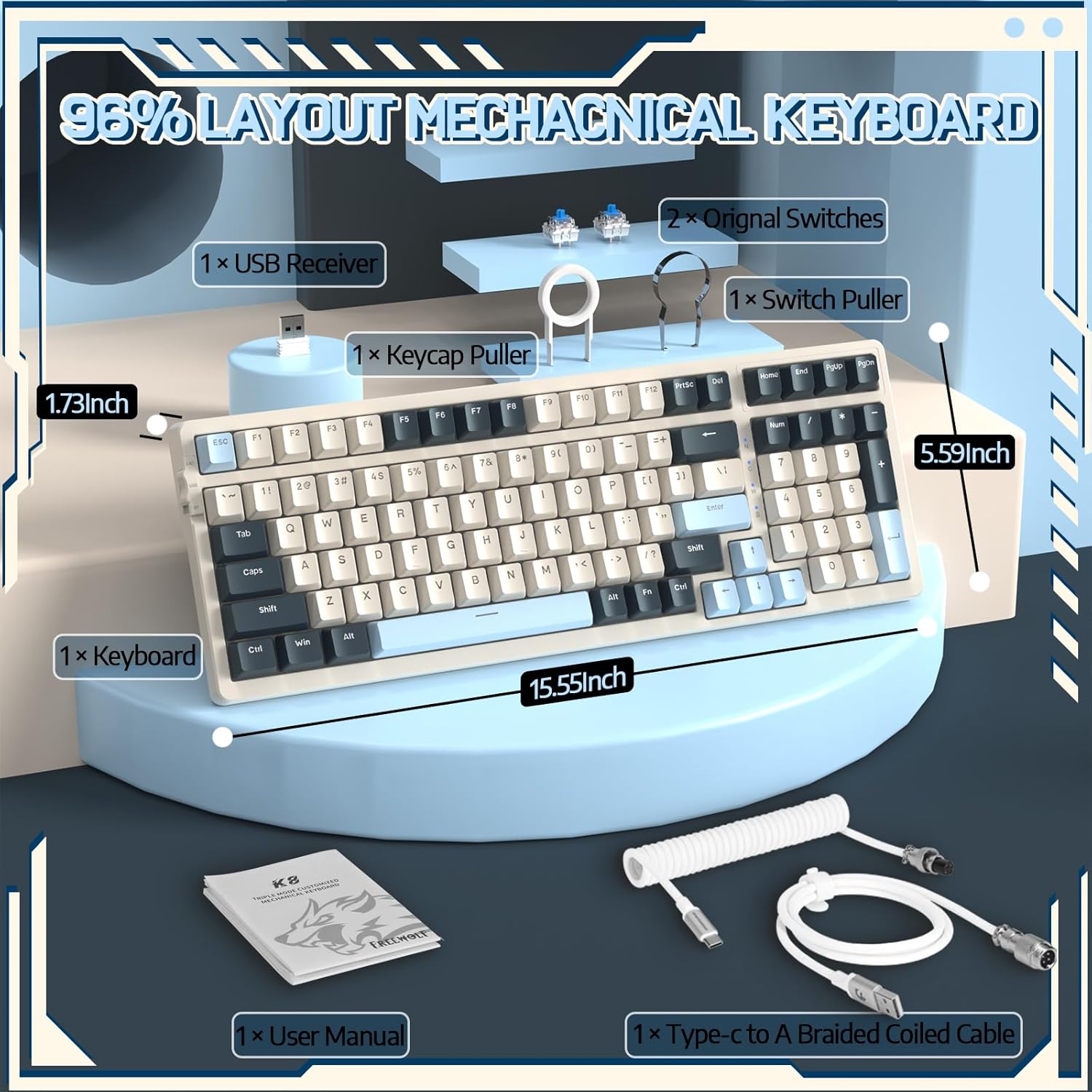
Image 4.1: The RK-K8 keyboard displaying various customizable rainbow backlight patterns.
۵.۳ ګرم بدلیدونکي سویچونه
The keyboard is equipped with a hot-swappable PCB, allowing you to change switches without soldering. It is compatible with most 3-pin mechanical switches (e.g., Cherry MX, Gateron, Kailh Box, AKKO, Epomaker, Glorious switches).
- Use the provided switch puller to carefully remove the existing switch. Grip the switch firmly and pull straight up.
- Align the pins of the new 3-pin switch with the holes on the PCB.
- Gently press the new switch into place until it clicks. Ensure the switch is seated properly and the pins are not bent.
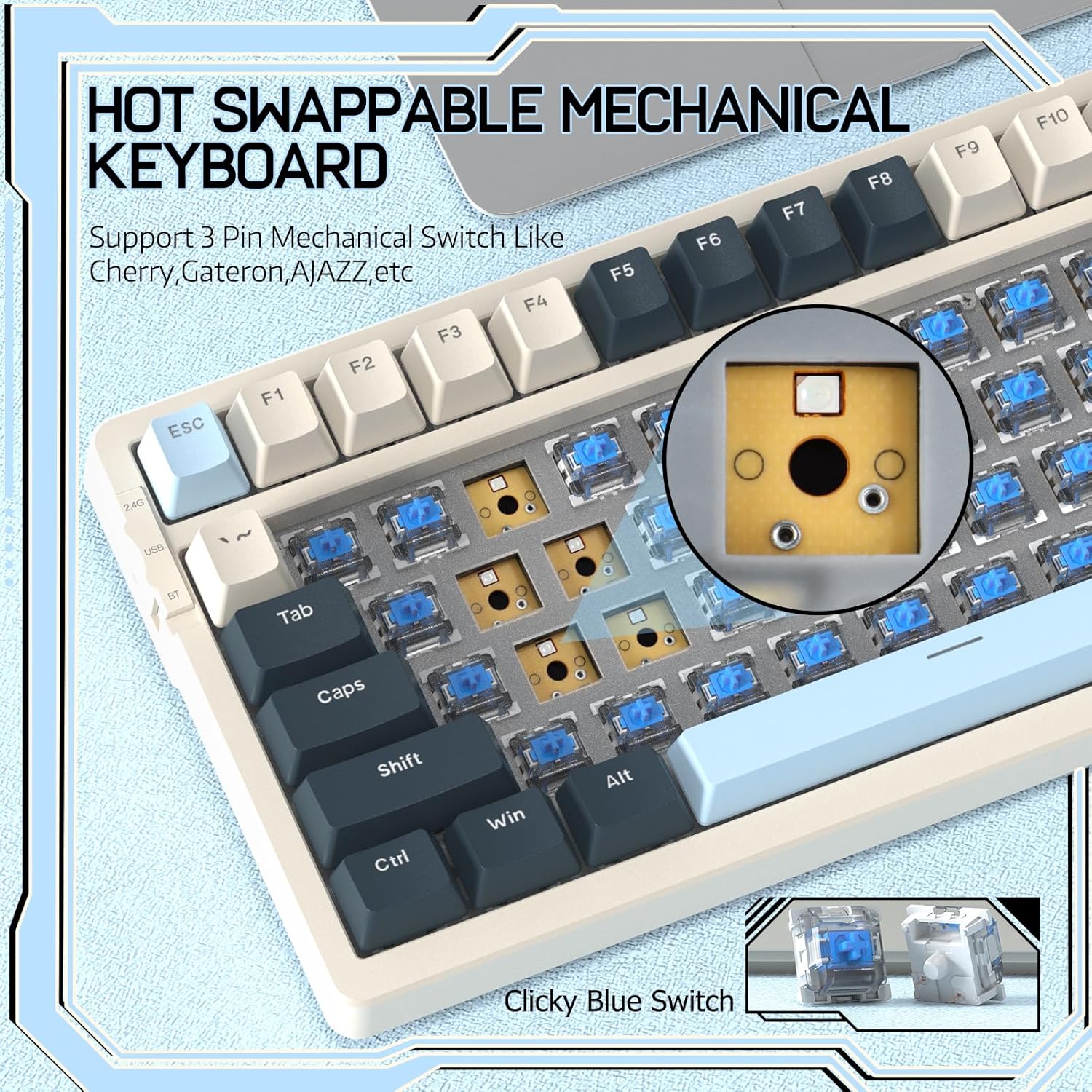
Image 4.2: Demonstrating the hot-swappable feature, showing a switch being removed from the keyboard.
۴.۵ د ګازکیټ نصب شوی جوړښت
The keyboard features a gasket-mounted design with sound-dampening materials between the plate and the housing. This construction reduces hollow sounds and provides a more consistent and comfortable typing experience.

Image 4.3: Diagram illustrating the internal layers of the gasket-mounted keyboard structure, designed for improved acoustics and feel.
۴.۱ کلیدي دندې او ترتیب
The RK-K8 utilizes a 96% layout with 100 keys, retaining essential modifiers, arrow keys, a separate numpad, and function row while maintaining a compact form factor.
Refer to the keyboard layout for specific key placements. Many keys have secondary functions accessible via the FN کلید
- ایف این + ایف۱-ایف۱۲: Multimedia and system control functions (e.g., volume, play/pause).
- FN + وین: Lock/unlock Windows key.
- FN + A: Switch to Windows layout.
- FN + S: Switch to Mac layout.
5. ساتنه
5.1 پاکول
د کیبورډ بڼه او فعالیت ساتلو لپاره:
- د پاکولو دمخه کیبورډ له خپل کمپیوټر څخه جلا کړئ.
- د نرم، لینټ پاک ټوکر څخه لږ څه کار واخلئampد کیلي کیپس او چیسس پاکولو لپاره د اوبو یا نرم پاکولو محلول سره مینځل شوی.
- د کیلي کیپسونو ترمنځ د دوړو او کثافاتو لپاره، د کیلي کیپسونو لرې کولو او لاندې پاکولو لپاره د فشار شوي هوا یا چمتو شوي کیلي کیپ کشونکي څخه کار واخلئ.
- د سختو کیمیاوي موادو، کثافاتو یا محلولونو کارولو څخه ډډه وکړئ.
۶.۲ د کیلي کیپ او سویچ بدلول
The provided keycap and switch pullers facilitate easy replacement of keycaps and switches. Refer to section 4.2 for switch replacement instructions.
6. ستونزه حل کول
If you encounter issues with your FREEWOLF RK-K8 keyboard, please refer to the following common solutions:
- کیبورډ ځواب نه ورکوي:
- ډاډ ترلاسه کړئ چې کیبورډ چارج شوی دی.
- Check the connection mode switch (Wired, 2.4G, BT) matches your intended connection.
- For wired mode, ensure the cable is securely connected to both the keyboard and the computer.
- For 2.4G wireless, ensure the USB receiver is plugged in and the keyboard is in 2.4G mode.
- For Bluetooth, re-pair the device if necessary (see section 3.2.3).
- Keys repeating or not registering:
- This can sometimes occur with wireless connections. Try switching to wired mode to see if the issue persists.
- Ensure the switches are properly seated. If a switch is loose, carefully remove and re-insert it.
- د اغیزمن شوي کیلي شاوخوا هر ډول کثافات پاک کړئ.
- د شا څراغ کار نه کوي یا بند پاتې دی:
- ډاډ ترلاسه کړئ چې بیک لایټ بند نه دی (فشار ورکړئ FN + X).
- د روښانتیا تنظیم کول د دې په کارولو سره ایف این + ↑ / ↓.
- Try cycling through backlight effects with ایف این + |.
- د بلوتوث اتصال ستونزې:
- Ensure the keyboard is in Bluetooth mode and sufficient battery.
- Forget the device on your computer/phone and re-pair it.
- Ensure your device's Bluetooth is enabled and working correctly.
7. مشخصات
| فیچر | تفصیل |
|---|---|
| برانډ | فری ولف |
| ماډل | RK-K8 |
| د ارتباط ټیکنالوژي | Bluetooth 5.0 / 2.4GHz Wireless / Wired (Type-C) |
| د کیبورډ توضیحات | میخانیکي |
| د سویچ ډول | Tactile Blue Switch (Hot-Swappable 3-pin) |
| د بیټرۍ ظرفیت | 4000mAh |
| شاته څراغ | Rainbow Backlit (18 effects) |
| ترتیب | 96% (100 کلیدونه) |
| مطابقت لرونکې وسیلې | PC, Mac, PS4 (via USB) |
| مواد | اکریلونایتریل بوټاډین سټیرین (ABS) |
| د توکي وزن | ۱.۹ پونډه (تقریبا ۰.۸۶ کیلوګرامه) |
| د کڅوړې ابعاد | 16.14 x 6.69 x 2.01 انچه |
8. تضمین او ملاتړ
For warranty information or technical support, please refer to the contact details provided with your purchase or visit the official FREEWOLF webسایټ د تضمین ادعاګانو لپاره خپل د پیرود رسید وساتئ.
Ask a question about this manual
Ask about setup, troubleshooting, compatibility, parts, safety, or missing instructions. Manuals+ will review the question and use this page’s manual context to help answer it.